


 All CategoriesAll CategoriesAll Categories
Shipped by Newegg




Warranty Notice:
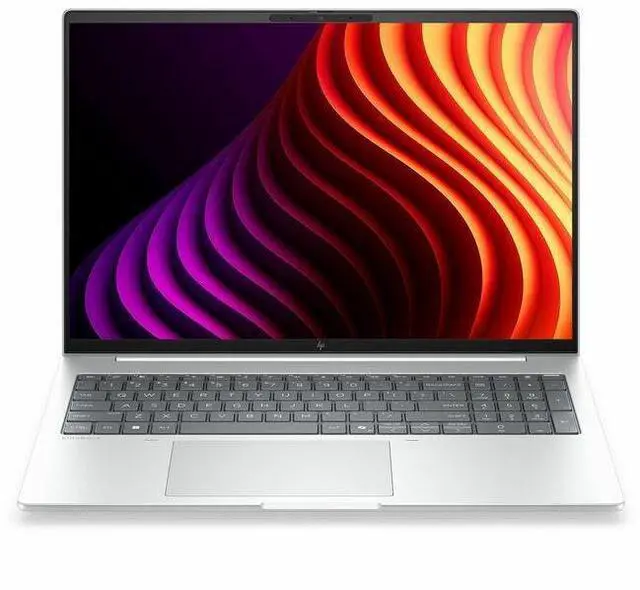
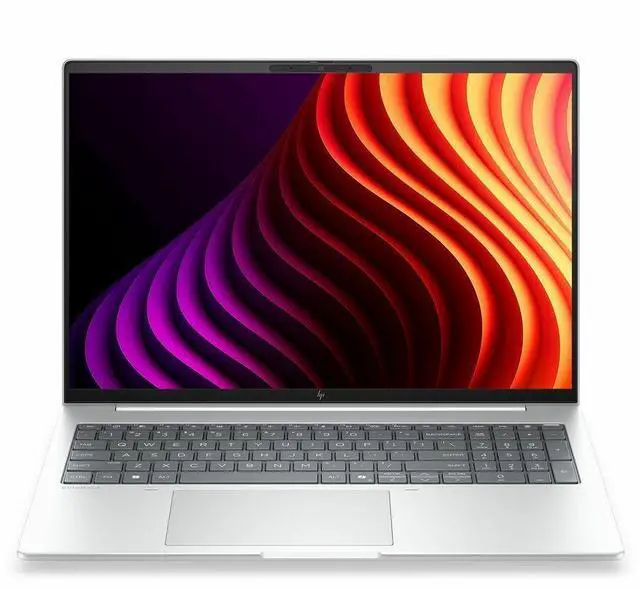
This product does not include manufacturer warranty when purchased or used outside of its designated sales region. By purchasing internationally, you acknowledge that warranty support from the manufacturer will not be available.The HP EliteBook 8 G2i is a 16-inch Windows 11 Pro laptop with an Intel Core Ultra 7 355, 32GB memory, and a 512GB SSD, making it a strong fit for professionals, remote workers, and advanced home users who want a large WUXGA display and everyday productivity performance in a premium aluminum design.
| Attribute | Value |
|---|---|
| Best For | Business and student users who need a 16-inch notebook for productivity and multitasking, with a security focus and ample memory for heavy multitasking |
| Processor And Core Count | Intel Core Ultra 7 (model 355) — 8 cores, up to 4.7 GHz maximum turbo, 12 MB L3 cache |
| GPU And VRAM | Integrated Intel graphics with shared (system) video memory |
| Display Spec | 16.0" WUXGA IPS LCD, native 1920 x 1200 resolution, up to 400 nits brightness, 100% sRGB, with anti‑glare coating and low blue light |
| Memory Configuration | 32 GB LPDDR5X installed (32 GB maximum) |
| Storage And Expansion | 512 GB SSD in M.2 form factor (internal) |
| High Speed I O | 2 Thunderbolt ports (USB-C), 1 HDMI port, and 2 additional USB ports; connectivity includes USB, USB-C, HDMI and Thunderbolt |
| Battery And Power | Built-in rechargeable lithium‑ion battery (3 cells, 1 battery included), 4000 mAh |
| Wired And Wireless Networking | Wi‑Fi 7 and Bluetooth wireless; wired connectivity available via HDMI, USB and Thunderbolt |
| Webcam And Privacy | Front-facing webcam and fingerprint recognition for biometric sign-in |
| Operating System And Security | Windows 11 Pro operating system; includes Wolf Pro Security Edition as built-in media |
| Portability | Approx. 3.7 lb (item weight), chassis dimensions listed as 0.61" x 14.1" x 9.8" and package 19.5" x 2.5" x 11.9" |
| Model Identifiers | HP EliteBook 8 G2i — model D81P3UT#ABA, manufacturer Hewlett Packard, 2026 model year, US / North America version |
| Design And Use | Notebook form factor in Glacier Silver Aluminum color, targeted for business and student use |
Q: HP EliteBook 8 G2i 16 vs Lenovo ThinkPad T16 Gen 3: which is the better 16-inch business laptop?
A: Choose the HP EliteBook 8 G2i 16 if you want a newer AI-focused platform, a lighter modern chassis, and a configuration with 32GB RAM already included. Choose the ThinkPad T16 Gen 3 if your priority is the ThinkPad keyboard experience or a more established model with broader review coverage. In practice, both target office, multitasking, video meetings, and business travel, but the HP model is the more current platform while the Lenovo is the safer pick for buyers who prefer a well-known enterprise design.
Q: Should I buy this 32GB EliteBook 8 G2i 16 or a 16GB version of the same laptop?
A: Buy the 32GB version if you keep many browser tabs open, work across large spreadsheets, run Teams or Zoom all day, or want more headroom for several years. A 16GB configuration is usually enough for standard office work, web apps, and routine multitasking, but 32GB is the more durable choice for heavy multitaskers because many thin business laptops now use onboard memory that is not intended for easy upgrades later.
Q: Is the HP EliteBook 8 G2i 16 a better fit than a higher-end 16-inch mobile workstation?
A: Choose the EliteBook 8 G2i 16 if your workload is centered on office apps, remote meetings, web tools, and general business productivity. Move up to a mobile workstation if you need certified professional graphics, heavier sustained CPU or GPU workloads, CAD, 3D work, or larger local AI and creator workflows. The trade-off is that workstation-class models are usually thicker, heavier, and less focused on all-day portability.
Q: HP EliteBook 8 G2i 16 vs HP EliteBook 860 G11: which should I choose?
A: Choose the EliteBook 8 G2i 16 if you want HP's newer generation with stronger AI-PC positioning and a more current platform. Choose the EliteBook 860 G11 if you find a better price on the older model or want a platform with more existing reviews and field feedback. For most buyers, the decision comes down to buying the newer generation for longer runway versus buying the previous generation for value if the configuration and warranty are attractive.
Q: Should I choose this 16-inch EliteBook or a smaller 14-inch business laptop?
A: Choose the 16-inch EliteBook if you spend most of the day in spreadsheets, documents, dashboards, or side-by-side windows and want a roomier keyboard deck and larger display. Choose a 14-inch business laptop if you travel often, work in tight spaces, or care more about carrying comfort than screen area. The 16-inch format is usually the better productivity-first choice, while 14-inch models are usually the better portability-first choice.
Q: Is this a good laptop for meetings, spreadsheets, and everyday office work?
A: Yes. Based on the listed specs, this EliteBook configuration is a strong fit for business productivity, video calls, browser-heavy work, documents, and multitasking. The 32GB RAM is more than enough for large spreadsheets and many open tabs, and the 16-inch 1920 x 1200 display gives more vertical workspace than standard 1080p panels. Its trade-off is that it uses integrated graphics, so it is better for office workflows than for demanding 3D or GPU-heavy creative work.
Q: Is it worth buying as a travel work laptop?
A: It can work well for travel if your priority is a larger screen for productivity, but it is not the most compact choice. A 16-inch EliteBook is better suited to mobile office use, hotel desk work, and frequent meetings than to ultra-light commuting. The main advantage is workspace and business features; the main trade-off is portability versus a 13- or 14-inch alternative.
Q: Who is this laptop best suited for?
A: This model is best suited for professionals who want a business laptop for office apps, remote meetings, multitasking, and general corporate use. It makes more sense for managers, analysts, consultants, and home-office users than for gamers or creators who need dedicated graphics. The 32GB RAM and Windows 11 Pro also make it a better fit for heavier business workloads than entry-level consumer laptops.
Q: Is this better than a typical consumer laptop for work?
A: For business use, usually yes. An EliteBook-class system is generally a better choice than a mainstream consumer laptop when you value Windows 11 Pro, business-oriented security features, conferencing support, and stronger multitasking headroom. The trade-off is value: consumer laptops may offer lower prices or better entertainment features, while this model is more focused on reliability and work use.
Q: What are the main trade-offs versus a 14-inch business laptop?
A: A 16-inch business laptop like this usually gives you a roomier screen, a full-size keyboard layout, and a better setup for side-by-side documents or spreadsheet work. A 14-inch alternative is usually easier to carry and may be the better pick for frequent flights, daily commuting, or tight desk setups. Choose this HP if screen space and multitasking matter more than maximum portability.
Q: Is this HP EliteBook 8 G2i 16 a good fit for office work, web apps, and heavy multitasking?
A: Yes. Based on its 32GB RAM, Core Ultra 7 configuration, and integrated graphics, this model is a strong fit for office work, browser-heavy multitasking, video calls, note-taking, and general business use. It is better suited to productivity than to GPU-heavy creative work or gaming.
Q: Who is this laptop most suitable for?
A: This laptop is most suitable for business users, remote workers, and students who want a 16-inch productivity system with a larger screen, 32GB of memory, and Windows 11 Pro. It makes more sense for spreadsheets, documents, research, meetings, and multitasking than for gaming-first or workstation-class graphics workloads.
Q: Is it worth buying if I want a business laptop for personal use too?
A: It can be worth buying if your priority is reliability, multitasking headroom, and a business-focused feature set rather than maximum entertainment value per dollar. The main trade-off is that integrated graphics and a standard WUXGA IPS display make it a practical work laptop, not an ideal choice for gaming or color-critical media work.
Q: What are the main trade-offs of this configuration?
A: The main trade-offs are portability and graphics capability versus screen size and productivity focus. A 16-inch chassis is less travel-friendly than a 13- or 14-inch business laptop, and integrated graphics limit gaming and demanding 3D work. In return, you get a larger 1920x1200 display, 32GB RAM, and a configuration that is better aligned with office and multitasking use.
Q: Is this a good choice for travel and frequent commuting?
A: It is usable for travel, but it is not the most travel-friendly option in the business-laptop category because of its 16-inch size. It is a better choice if you value screen space and multitasking comfort more than compactness. If portability is the top priority, a 13- or 14-inch EliteBook or a similar business model may be the better fit.