Your Browsing History
NZ$343.85
GST-Inclusive Price
Ships from Hong Kong.
Most customers receive within 10-17 days.
Sold by Ankelay shop
Shipped by Ankelay shop
Meet Your Seller
Minisopuru KVM Switch Dual Monitor Docking Station for Laptop & Desktop - with 4K@60Hz HDMI,15W Charge, EDID, 5 USB A USB-C, Audio, for Thunderbolt 5/4/3, USB-C Windows Laptops(Not Support MacBook)
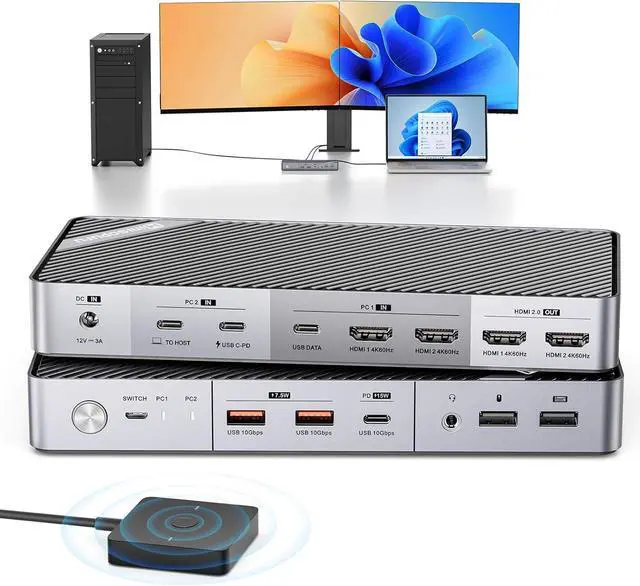
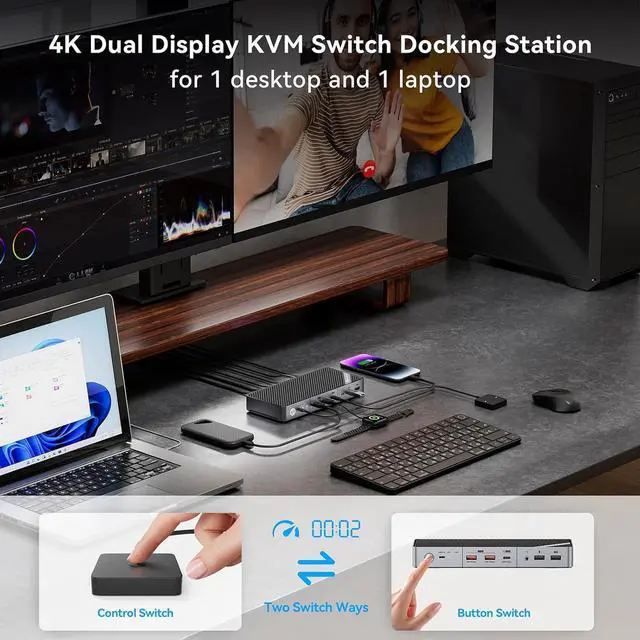
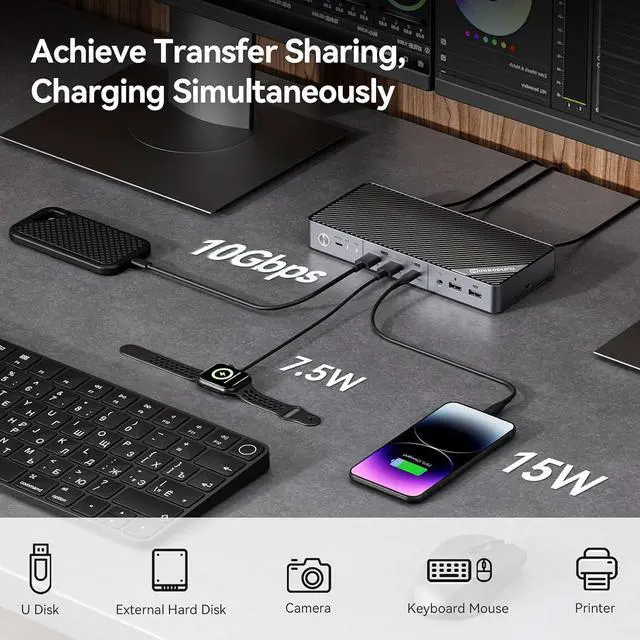
- Laptop & Desktop KVM Switch Docking StationThe KVM switch allows between your laptop and desktop seamless sharing of dual 4K@60Hz HDMI displays, 3*10Gbps USB ports (supporting hard drives, camera, printers, and charging up to 15W for phones, iPads), 1*audio port and 2* USB 2.0 ports for keyboard and mouse. It's not just a USB switch, but a USB C docking station. With it, you can switch between devices effortlessly, enjoying the convenience between work and games entertainment.
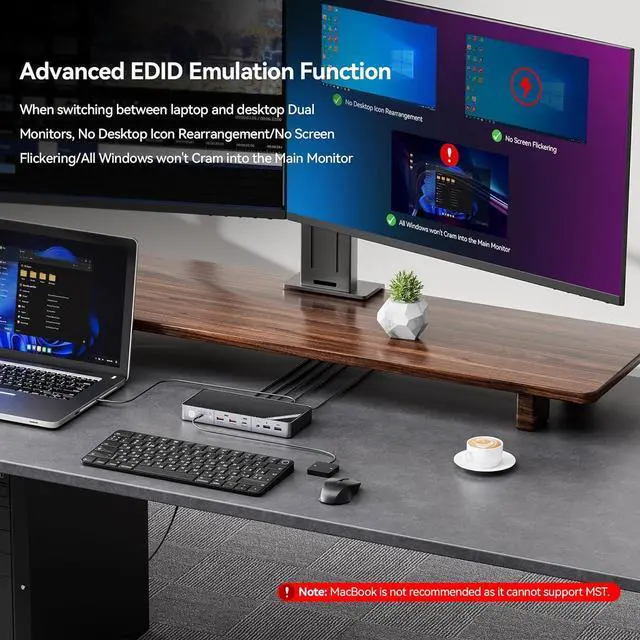
- 4K@60Hz Dual Display & EDID FunctionThe Dual HDMI KVM Switch has EDID simulation functions, taking only 2-3 seconds, and No rearrangement is required. The KVM switches 2 monitors up to [email protected] giving a presentation, or high-resolution videos, making it perfect for work and entertainment.Note: 21:9 ultra-wide monitors are not supported. Connection Method: Please Use the included two HDMI TO HDMI cables to connect the HDMI ports in the PC1 IN area to the HDMI port of your PC.
- 2 Switch Methods & Po
+
+
Overview
Specs
Reviews
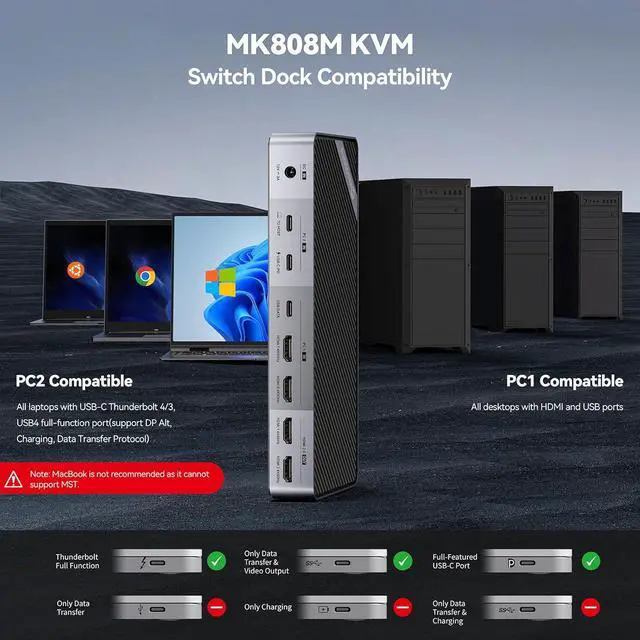
1Multi-Device Charging23 x 10Gbps Transmission32 x USB2.0 No Delay1What's compatible?2How to connect?3What's included? Why can my desktop display on both monitors, but my laptop cannot transmit any video? What can I do?
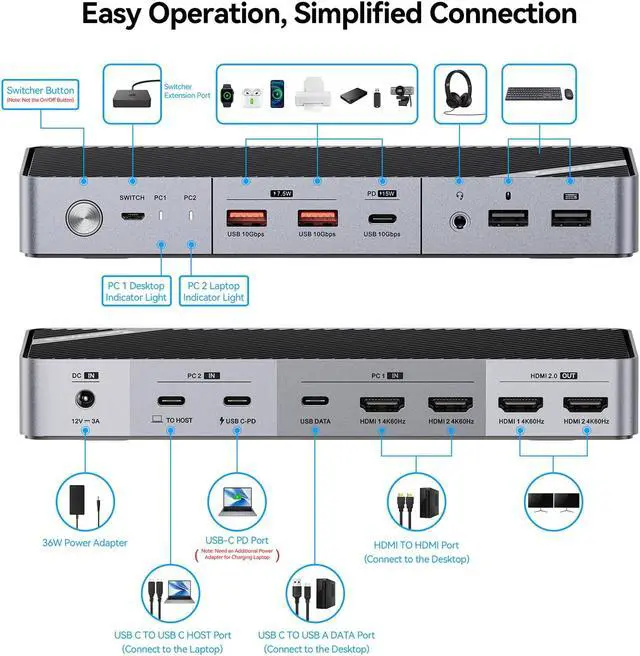
Please use the USB-C to USB-C cable in the package and connect it to the Thunderbolt port on the laptop. Note: You need to make sure your laptop has a USB-C full-function port. If you are not sure, please contact minisopuru to confirm for you
Does it support 4K@60Hz?
Of course, the dual HDMI ports of this KVM SWitch support up to 4K@60Hz.
Is it compatible with MacBook and does it support 21:9 ultra-wide screen monitors?
Sorry, this KVM Switch does not support MacBook and does not support 21:9 ultra-wide screen monitors.
Can this KVM Switch charge the laptop and external devices?
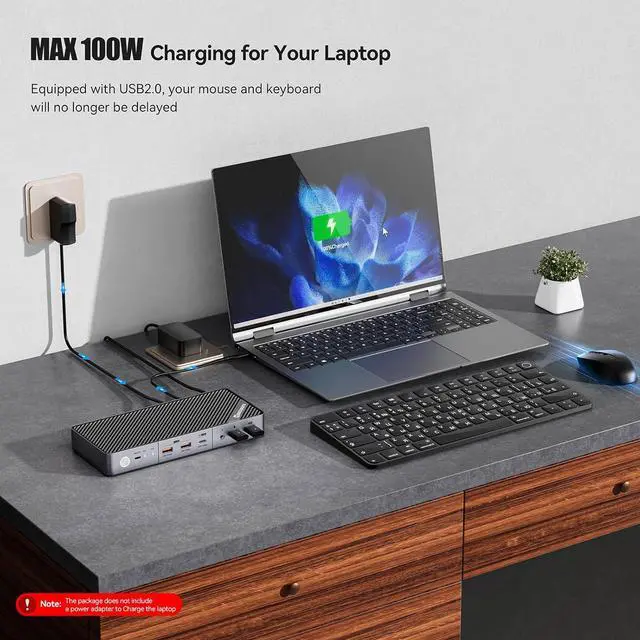
Sure, the USB C KVM Switch supports Max 100W for charging laptops and 15W for charging external devices. Note: If you charge your laptop, you need to use the original adapter of the laptop to connect to the USB-C PD port of the KVM to charge.
What's included in the package?
1* KVM Switch,1*36W Power Adapter,1*3.3ft USB-C TO USB-C Cable (for connect laptop),2* 5ft HDMI TO HDMI Cables,1* 3.3ft USB C TO USB-A Cable(for connect USBA port of the desktop),1*2ft USB Switcher,1* User Guide
4K@60Hz Dual Monitor KVM Switch Docking Station for Windows Laptop & Desktop Why can my desktop display on both monitors, but my laptop cannot transmit any video? What can I do?
Does it support 4K@60Hz?
Is it compatible with MacBook and does it support 21:9 ultra-wide screen monitors?
Can this KVM Switch charge the laptop and external devices?
What's included in the package?

Please use the USB-C to USB-C cable in the package and connect it to the Thunderbolt port on the laptop. Note: You need to make sure your laptop has a USB-C full-function port. If you are not sure, please contact minisopuru to confirm for you
Does it support 4K@60Hz?
Of course, the dual HDMI ports of this KVM SWitch support up to 4K@60Hz.
Is it compatible with MacBook and does it support 21:9 ultra-wide screen monitors?
Sorry, this KVM Switch does not support MacBook and does not support 21:9 ultra-wide screen monitors.
Can this KVM Switch charge the laptop and external devices?
Sure, the USB C KVM Switch supports Max 100W for charging laptops and 15W for charging external devices. Note: If you charge your laptop, you need to use the original adapter of the laptop to connect to the USB-C PD port of the KVM to charge.
What's included in the package?
1* KVM Switch,1*36W Power Adapter,1*3.3ft USB-C TO USB-C Cable (for connect laptop),2* 5ft HDMI TO HDMI Cables,1* 3.3ft USB C TO USB-A Cable(for connect USBA port of the desktop),1*2ft USB Switcher,1* User Guide
4K@60Hz Dual Monitor KVM Switch Docking Station for Windows Laptop & Desktop Why can my desktop display on both monitors, but my laptop cannot transmit any video? What can I do?
Does it support 4K@60Hz?
Is it compatible with MacBook and does it support 21:9 ultra-wide screen monitors?
Can this KVM Switch charge the laptop and external devices?
What's included in the package?
Warranty & Returns
Warranty, Returns, And Additional Information
Return Policies*
- Return for refund within: 30 days
- Return for replacement within: non-replaceable
- This item is covered by Ankelay shop Return Policy
- *Subject to applicable law
Warranty Notice:
This product does not include manufacturer warranty when purchased or used outside of its designated sales region. By purchasing internationally, you acknowledge that warranty support from the manufacturer will not be available.
Manufacturer Contact Info
- For a directory of all our manufacturers, please click below.
- Manufacturers Directory
LOADING...