Out of stock
  • NZ$62.10
  • GST-Inclusive Price
Ships from Hong Kong.
Most customers receive within 10-17 days.
Shop it at NeweggBusiness.

IHDAPP Hard Drive Reader IDE SATA to USB 3.0 Adapter + USB C Adapter, Internal Hard Drive Data Ultra Recovery Converter Kit with Power Supply for IDE Drive 2.5 SSD 3.5 HDD SATA Internal Blu-ray Drive

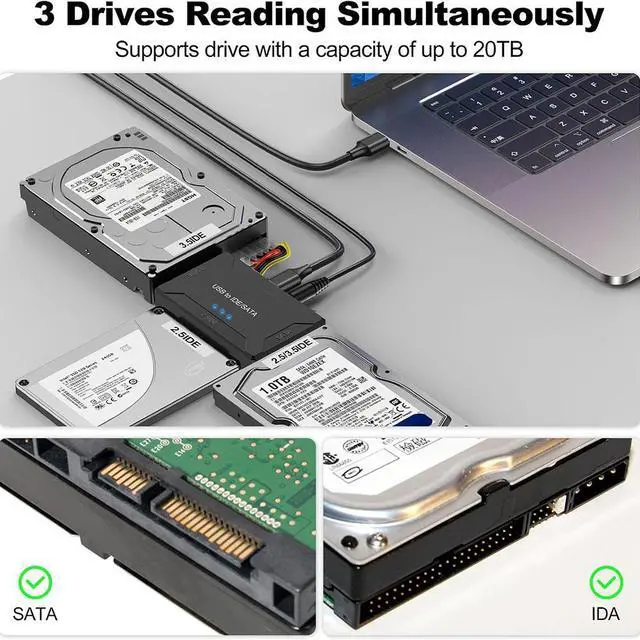
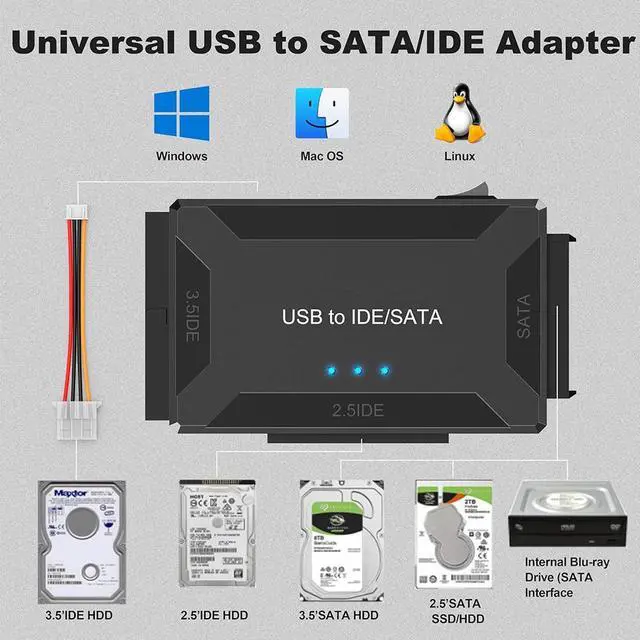
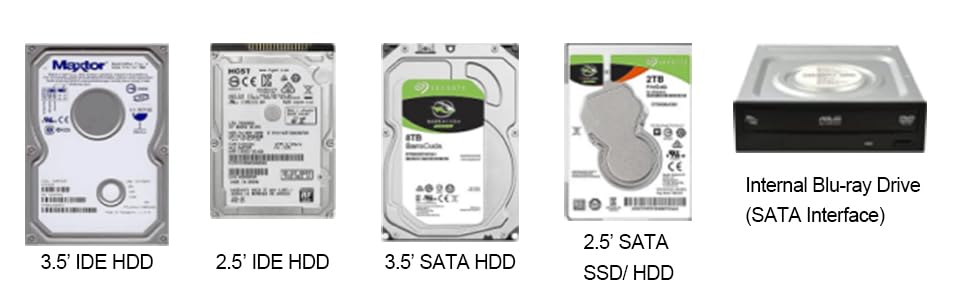
  • Universal USB Hard Drive Adapter: The sata and ide to usb adapter support 2.5"/3.5" SATA HDD/SSD, 2.5"/3.5" IDE, SATA/IDE Internal Blu-ray Drive.
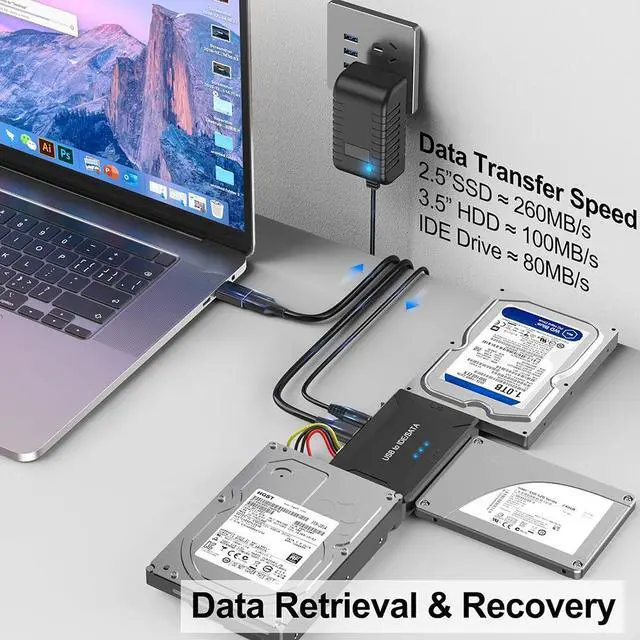
  • High Speed Data Transfer: This hard drive reader enables data transfer rates of up to USB 3.0, data transfer
+
+
Overview
Specs
Reviews
IHDAPP Hard Drive Reader IDE SATA to USB 3.0 Adapter + USB C Adapter, Internal Hard Drive Data Ultra


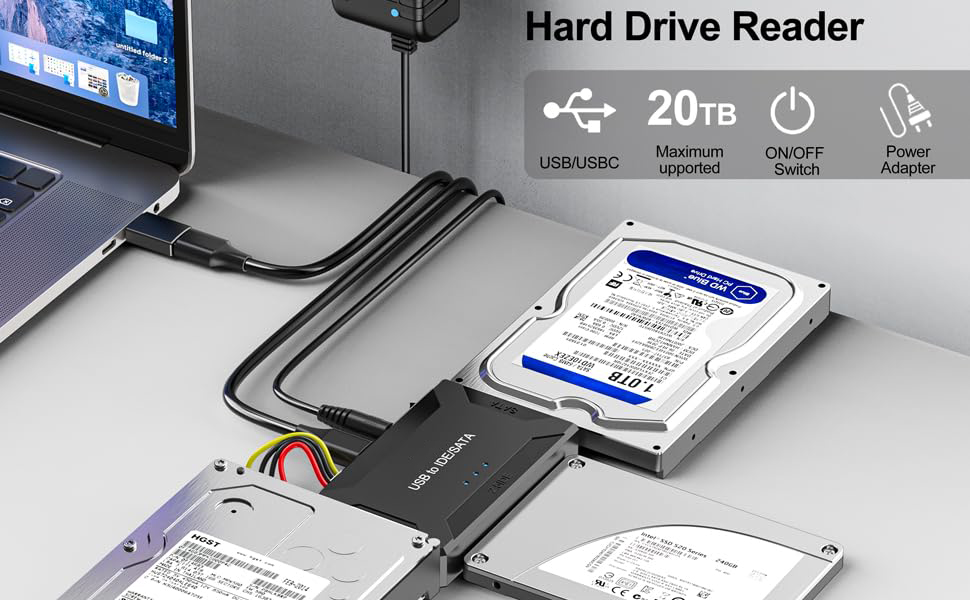
The SATA/IDE  to USB 3.0/USB C adapter supports 2.5"/3.5" HDD/SSD, 2.5"/3.5" IDE, SATA Internal Blu-ray Drive; Hard drive converter is retrieve old files, backup, cloning and data recovery device tools. This converter allowing connect to three hard disk drives simultaneously.
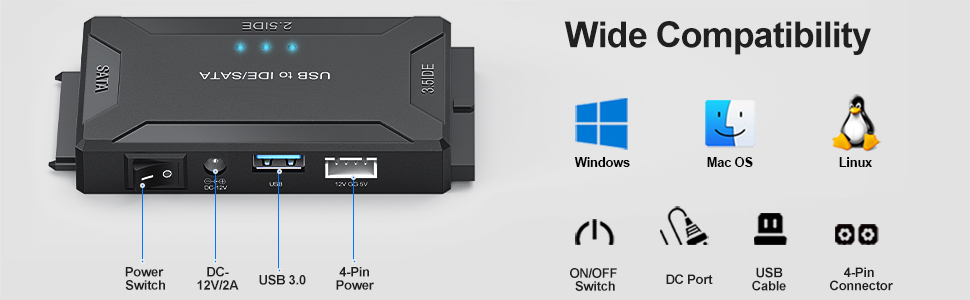
sata and ide to usb/usb c adapter supports 2.5"/3.5" HDD/SSD, 2.5"/3.5" IDE, SATA Internal Blu-ray


Notice

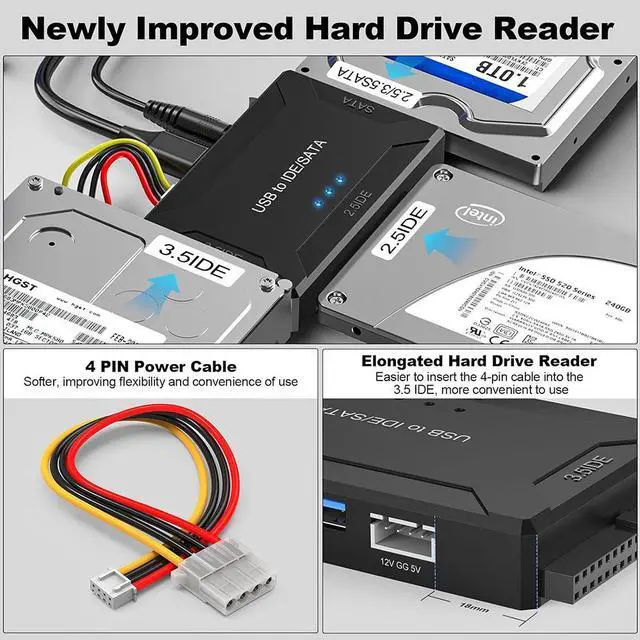
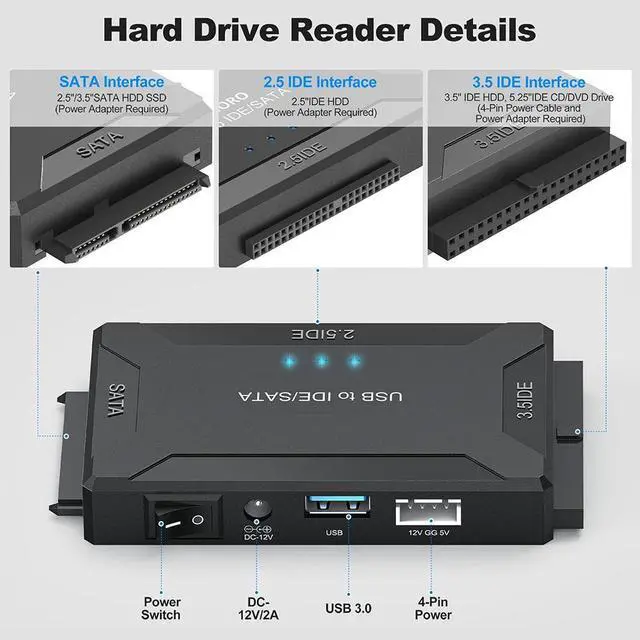
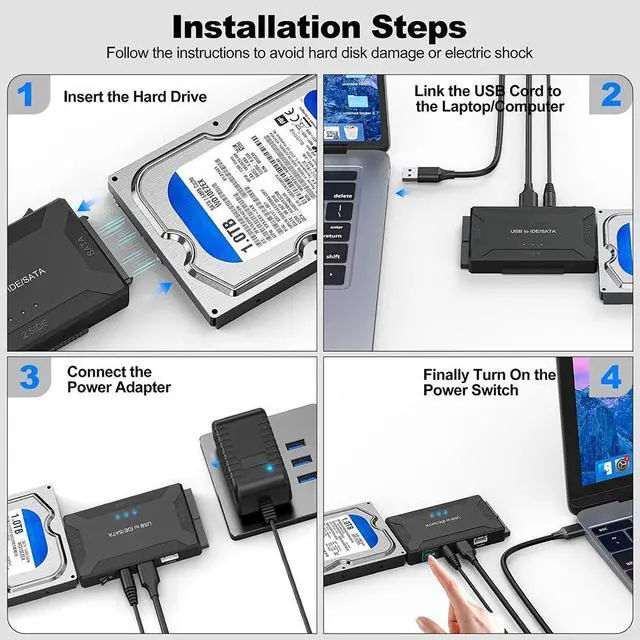
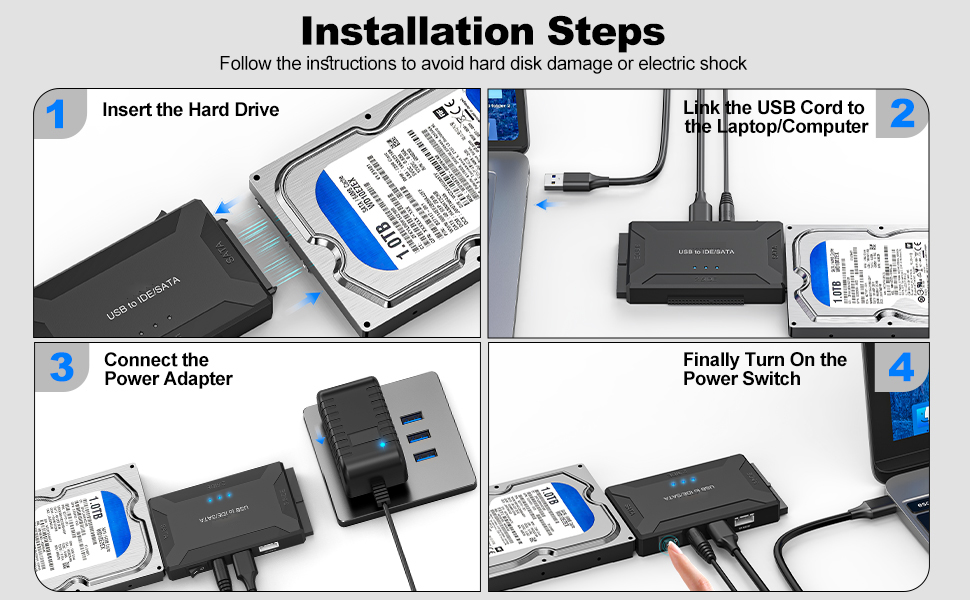
1. For 3.5" IDE drivers and old SATA HDD, you need to connect 12V 2A power adapter and 4-pin power cable provided. Attention please turn on the switch on IDE adapter in the last step.

2. Please try to use the 1 meter USB 3.0 data cable provided instead of the other long data cable.

3. If the device cannot be read, try connecting the data cable to your computer's rear USB port.
Notice  1. For 3.5" IDE drivers and old SATA HDD, you need to connect 12V 2A power adapter and 4-pin
For 2.5"/3.5"/5.25" SATA Device
  1. Please make sure on/off switch is off before connecting to HDD,incorrect connection may cause damage to your hard drive or electrical shock.
  2. No external power required for 2.5" SATA HDD.


For 3.5"/5.25" PATA(IDE) Device
  1. Built-in IDE power connector,for easy access of 3.5" or 5.25" IDE Driver.
  2. Plug IDE power connector to the IDE hard drive.
  3. Set drive jumper to master single drive mode.
  4. For jumper settings,please refer to your hard drive manufacturer's documentation.


For 2.5"PATA(IDE) Device

  1. External power is not required for most 2.5" IDE HDD.
You Will Get
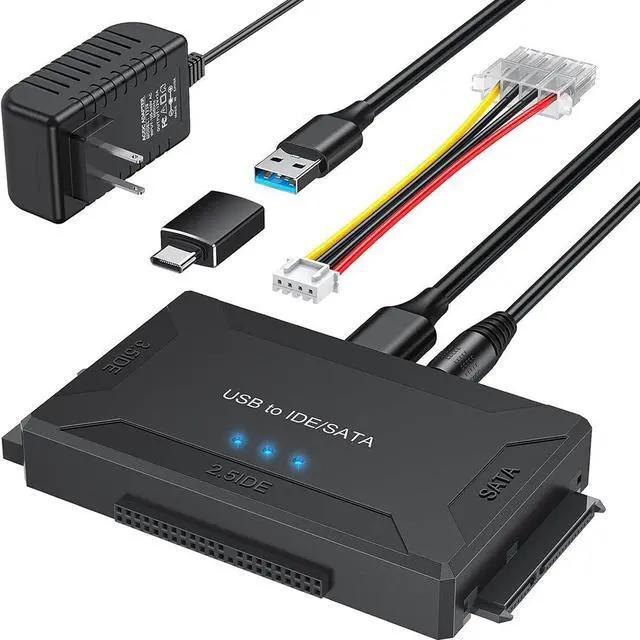
  • Hard Drive Reader
  • USB C Adapter*1
  • 12V/2A Power Adapter*1
  • 4-Pin Power Cable*1
  • USB 3.0 Cable*1
  • Manual*1
Notice

1. For 3.5" IDE drivers and old SATA HDD, you need to connect 12V 2A power adapter and 4-pin power cable provided. Attention please turn on the switch on IDE adapter in the last step.

2. Please try to use the 1 meter USB 3.0 data cable provided instead of the other long data cable.

3. If the device cannot be read, try connecting the data cable to your computer's rear USB port.

For 2.5" / 3.5" / 5.25" SATA Device
Please make sure on/off switch is off before connecting to HDD, incorrect connection may cause damage to your hard drive or electrical shock.
No external power required for 2.5" SATA HDD.
For 3.5" / 5.25" PATA (IDE) Device
Built-in IDE power connector, for easy access of 3.5" or 5.25" IDE Driver.
Plug IDE power connector to the IDE hard drive.
Set drive jumper to master single drive mode.
For jumper settings, please refer to your hard drive manufacturer's documentation.
For 2.5"PATA (IDE) Device
External power is not required for most 2.5" IDE HDD.


You Will Get
Hard Drive Reader
USB C Adapter*1
12V/2A Power Adapter*1
4-Pin Power Cable*1
USB 3.0 Cable*1
Manual*1

Warranty & Returns

Warranty, Returns, And Additional Information

Return Policies*

  • Return for refund within: 30 days
  • Return for replacement within: non-replaceable
  • This item is covered by SongFengQiaoMaoYiShangDian Return Policy
  • *Subject to applicable law
  • Warranty Notice:

    This product does not include manufacturer warranty when purchased or used outside of its designated sales region. By purchasing internationally, you acknowledge that warranty support from the manufacturer will not be available.

Manufacturer Contact Info

LOADING...