NZ$141.45
GST-Inclusive Price
Ships from Hong Kong.
Most customers receive within 10-17 days.
Meet Your Seller
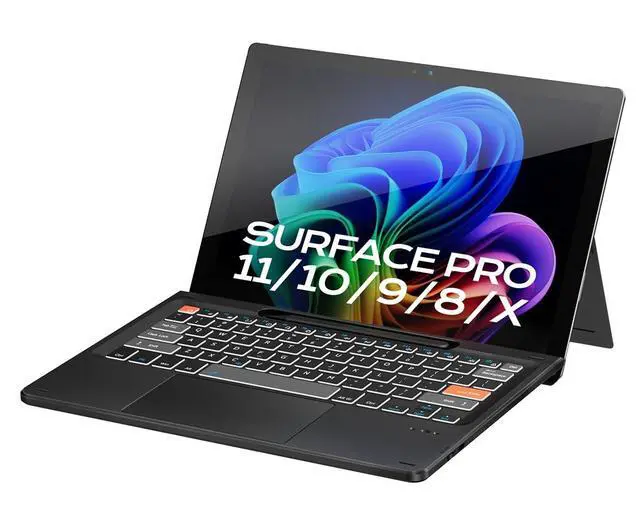
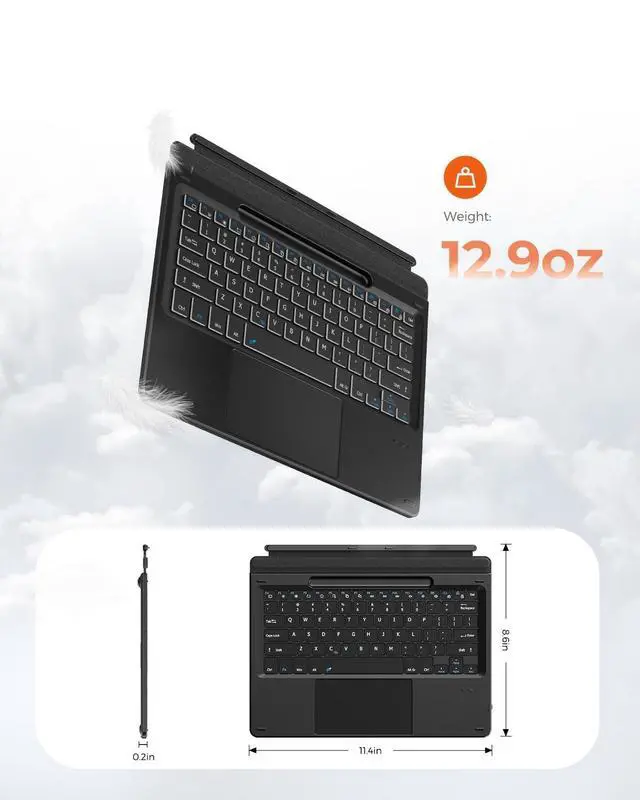
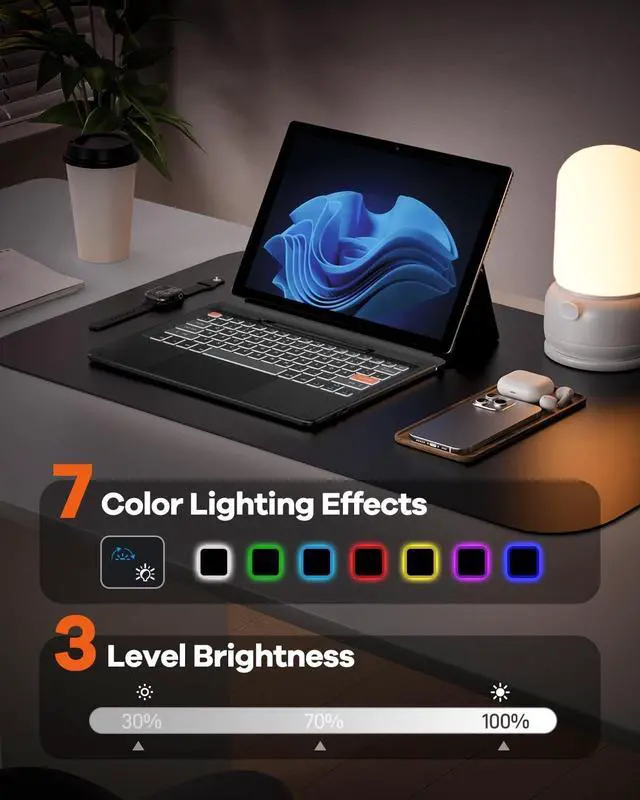
Doohoeek Surface Pro 11/10/9/X 13 Inch Keyboard, Bluetooth Keyboard with Touch Pad & Lighting Keys Compatible with Surface Pro 13" Copilot+, Pen & Tablets NOT Included, Rechargeable via USB-C Cable
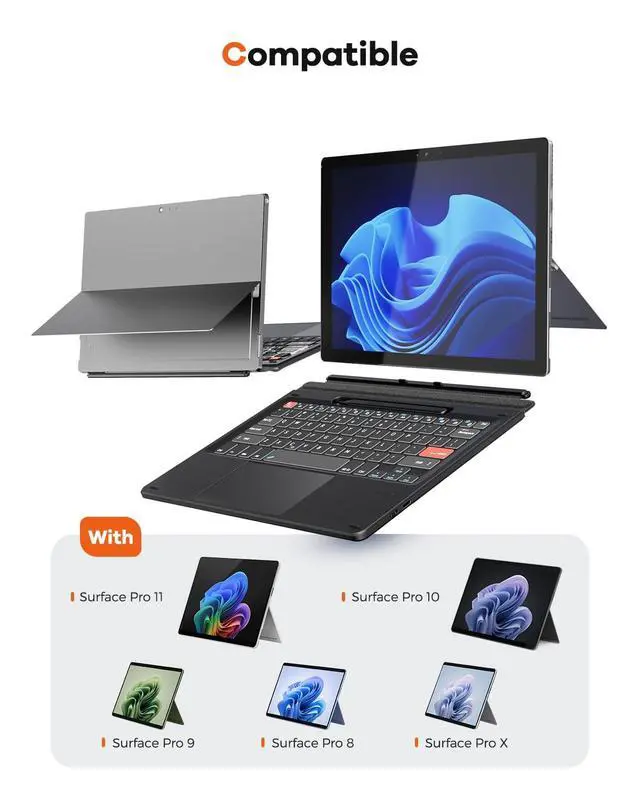
- Watch Before Buy: Surface Pro 8 has 12.3-inch version, this keyboard dose NOT fit Surface Pro 8 12.3", ONLY fit surface pro 8 13". The keyboard CAN'T charge pens. This keyboard ONLY works on surface pro 13-inch devices. WRONG models will cause magnet issue. The keyboard is charged via USB-C Cable, NOT supports official smart charge to tablet.
- Can't Connect the Bluetooth? Please reset the keyboard and then reconnect the Bluetooth: 1. Turn on the keyboard; 2. Press and hold the first and the last key at the top row of the keyboard until all indicators flash; 3.Press fn and C to enter Bluetooth pairing mode; 4. Search and find "Wireless keyboard".
- Surface Pro Exclusive Precision: Smart magnetic alignment snaps to 13-inch Pro 11 / Pro 10 / Pro 9 / Pro X /Pro 8 13" edges. No bulky cases or tools needed just attach and type.
- Stable Bluetooth Connection: Advanced chip and latest Bluetooth 5.3 reduces latency and stays connected even in crowded cafes.
- Win 11-Ready Touch Pad: Swipe
+
+
Overview
Specs
Reviews
Watch Before Buy: Surface Pro 8 has 12.3 -inch version, this keyboard dose NOT fit Surface Pro 8 12.3", ONLY fit surface pro 8 13". The keyboard CAN'T charge pens. This keyboard ONLY works on surface pro 13-inch devices. WRONG models will cause magnet issue. The keyboard is charged via USB-C Cable, NOT supports official smart charge to tablet. ^^ Can't Connect the Bluetooth? Please reset the keyboard and then reconnect the
Bluetooth:
1. Turn on the keyboard;
2. Press and hold the first and the last key at the top row of the keyboard until all indicators flash; 3. Press fn and C to enter Bluetooth pairing mode;
4. Search and find "Wireless keyboard". ^^
Surface Pro Exclusive Precision: Smart magnetic alignment snaps to 13-inch Pro 11 / Pro 10 / Pro 9 / Pro X /Pro 8 13" edges. No bulky cases or tools needed just attach and type.
^^ Stable Bluetooth Connection: Advanced chip and latest Bluetooth 5.3 reduces latency and stays connected even in crowded cafes. ^^ Win 11-Ready
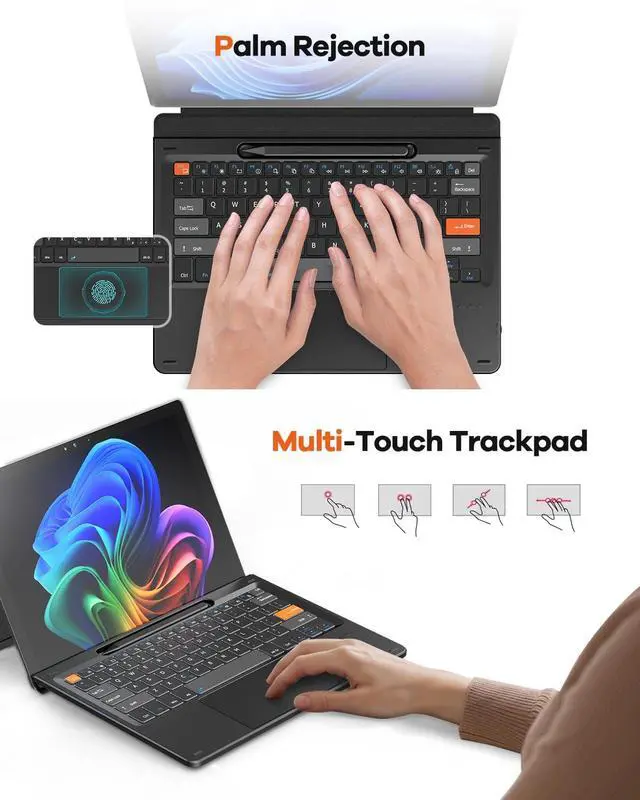
Touch Pad: Swipe apps instantly, activate virtual desktop control, all Windows 11 gestures are supported. The trackpad also detects accidental touches - cursor stays solid while typing.
Note: You could go settings -touchpad to adjust trackpad sensitivity.

Bluetooth:
1. Turn on the keyboard;
2. Press and hold the first and the last key at the top row of the keyboard until all indicators flash; 3. Press fn and C to enter Bluetooth pairing mode;
4. Search and find "Wireless keyboard". ^^
Surface Pro Exclusive Precision: Smart magnetic alignment snaps to 13-inch Pro 11 / Pro 10 / Pro 9 / Pro X /Pro 8 13" edges. No bulky cases or tools needed just attach and type.
^^ Stable Bluetooth Connection: Advanced chip and latest Bluetooth 5.3 reduces latency and stays connected even in crowded cafes. ^^ Win 11-Ready
Touch Pad: Swipe apps instantly, activate virtual desktop control, all Windows 11 gestures are supported. The trackpad also detects accidental touches - cursor stays solid while typing.
Note: You could go settings -touchpad to adjust trackpad sensitivity.
Warranty & Returns
Warranty, Returns, And Additional Information
Return Policies*
- Return for refund within: 30 days
- Return for replacement within: non-replaceable
- This item is covered by Byteful Return Policy
- *Subject to applicable law
Warranty Notice:
This product does not include manufacturer warranty when purchased or used outside of its designated sales region. By purchasing internationally, you acknowledge that warranty support from the manufacturer will not be available.
Manufacturer Contact Info
- For a directory of all our manufacturers, please click below.
- Manufacturers Directory
LOADING...