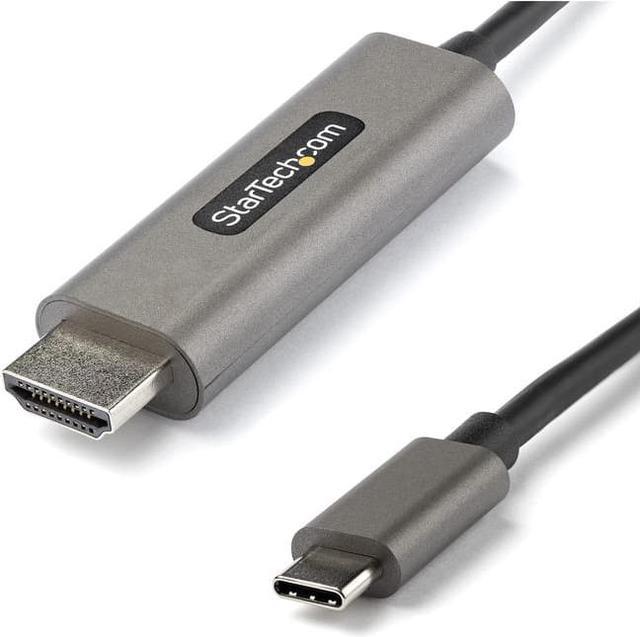
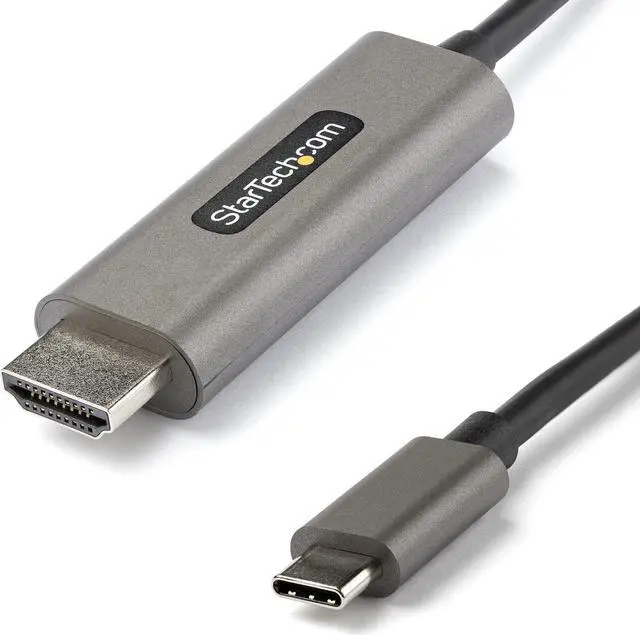
The StarTech.com CDP2HDMM4MH is a 13.1 ft USB-C-to-HDMI cable for connecting compatible USB-C or Thunderbolt 3 devices with DisplayPort Alt Mode to an HDMI display, with support for 4K at 60Hz, HDR10, and 7.1-channel audio. It suits users who want a direct, longer-reach connection to a monitor, TV, or projector.
Recommended For
- Desk-based workers connecting a USB-C or Thunderbolt 3 laptop to a 4K HDMI monitor or TV, especially when the display is several feet away and a 4 m cable helps avoid an extra adapter.
- Presenters and instructors who connect a compatible laptop directly to a room display or projector and need a longer cable for flexible placement.
- Users who want a direct USB-C-to-HDMI connection for one external screen, with support for up to 4K at 60 Hz and HDR10 when the host and display support those features.
- People who connect a compatible USB-C phone or tablet to an HDMI display for viewing or presenting, without needing a separate hub for that video connection.
Real-World Use Scenarios
- Connect a USB-C laptop to an HDMI monitor for a second screen at a home or office desk; use the extra display for documents, calls, or reference material while keeping the laptop screen available for other work. The laptop’s USB-C port must support video output.
- Connect a USB-C or Thunderbolt laptop to an HDMI TV to show presentations or play video on a larger screen. The 4m cable can help when the laptop needs to sit farther from the TV; the host device must support USB-C video output.
- Use a compatible laptop with an HDMI projector in a meeting room or classroom to display slides or other on-screen content. The direct cable connection avoids needing a separate USB-C-to-HDMI dongle, provided the laptop’s USB-C port supports video output.
- Connect a compatible laptop to an HDMI display for HDR video or other HDR content. HDR10 output is available when the source device, content, display, and settings all support HDR; otherwise, the display uses the capabilities available in the setup.
- Connect a USB-C laptop to an HDMI monitor or TV when its built-in HDMI port is already in use or unavailable. This provides another wired display connection, but whether it can extend the desktop or reach a particular resolution depends on the laptop’s video-output support and display settings.
Spec Summary
| Attribute | Value |
|---|
| Best For | Connecting a USB-C or Thunderbolt 3 device to an HDMI display for 4K at 60 Hz, with HDR10 and 7.1-channel audio support |
|---|
| Connection And Compatibility | USB-C male to HDMI male; compatible with USB-C or Thunderbolt 3 host devices |
|---|
| Video And Display Support | HDMI 2.0b supports 3840 × 2160 at 60 Hz, HDR10, HDCP 2.2/1.4, HBR3 bandwidth, and widescreen displays; backward compatible with 1080p. Supports RGB and YCbCr 4:4:4 at 8- or 10-bit |
|---|
| Audio Support | HDMI audio supports 7.1 channels |
|---|
| Cable And Connectors | 13.1 ft cable with two connectors: 24-pin USB-C with DisplayPort Alt Mode and 19-pin HDMI |
|---|
| Color | Space gray |
|---|
| Environmental Conditions | Operating temperature: -20°C to 60°C; storage temperature: -20°C to 80°C; humidity: 0% to 85% RH, non-condensing |
|---|
| Model Identifiers | StarTech.com CDP2HDMM4MH |
|---|


 All Categories