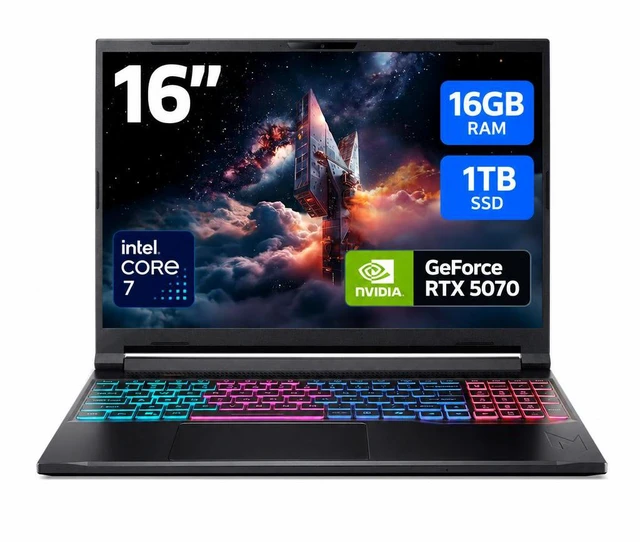
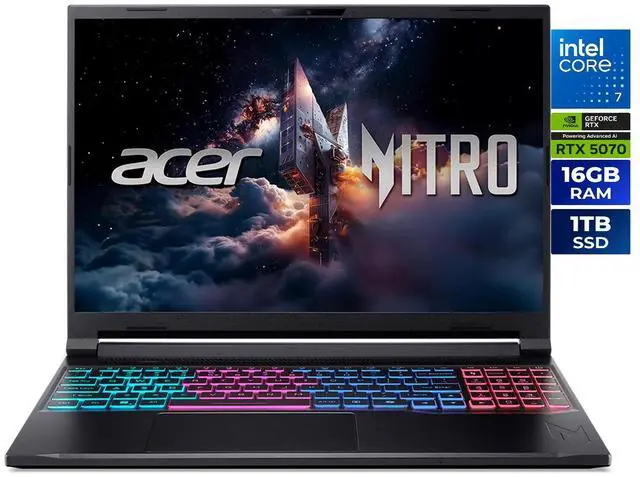
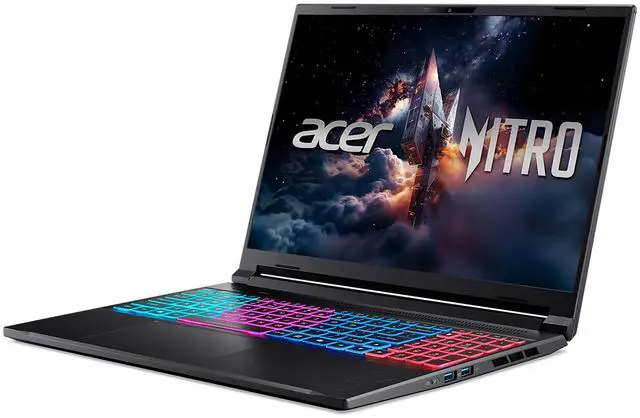
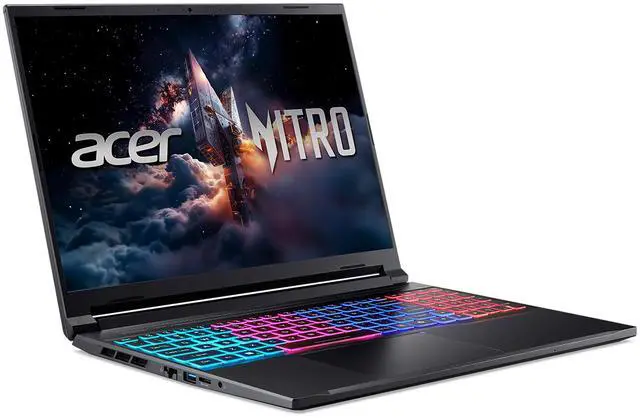
The Acer Nitro V 16S (ANV16S-71-72KE) is a Windows 11 gaming laptop with an Intel Core 7 240H processor, GeForce RTX 5070 Laptop GPU, 16GB DDR5 memory, and a 1TB SSD. It suits gamers seeking a high-refresh 16-inch display, as well as people who want one laptop for gaming, everyday work, and creative tasks.
Recommended For
- Students and young professionals who want one laptop for 1440p-class gaming, coursework, and everyday productivity, and are specifically shopping for a slimmer 16-inch gaming model rather than a heavier desktop replacement.
- Buyers who care about a sharper 16:10 display for gaming, streaming, coding, and content viewing, and want a panel that reviewers and listings position as better than basic 1080p budget-gaming screens.
- Mainstream gamers who want current Nvidia features in a more affordable tier and are comfortable with a slim RTX 5070 implementation that favors balance over chasing the highest wattage results.
- Users who need upgrade flexibility after purchase, such as adding more RAM later or using the second M.2 slot, instead of paying upfront for a fully maxed configuration.
Real-World Use Scenarios
- Playing current AAA games at the laptop’s native 1600p usually means using DLSS and tuned settings rather than maxing everything out; the expected experience is smooth high-refresh gameplay in many titles, but this class is positioned more for upper-midrange gaming than flagship-tier frame rates.
- Using it for esports and fast multiplayer games is a natural fit: the 180Hz 16:10 display supports the kind of high frame rates competitive players want, so games like shooters, racers, and MOBAs should feel more responsive than on a standard 60Hz or 144Hz panel.
- For school or work by day and gaming at night, the laptop fits a common mixed-use pattern: the 16:10 QHD-class screen gives more vertical space for documents, coding, and multitasking, while the dedicated GPU still makes it practical as a one-machine setup for after-hours gaming.
- For photo editing, streaming, and light-to-moderate video creation, the likely experience is solid as long as projects are not too memory-heavy; creators get a color-accurate-looking 100% sRGB panel and GPU acceleration, but 16GB RAM may become the first upgrade point for heavier editing workflows.
- Taking it between home, class, or the office is realistic for a gaming laptop because the chassis is relatively slim for the category, but real-world mobile use still centers on lighter tasks; during gaming or GPU-heavy work, users should expect to stay near the charger rather than rely on long unplugged sessions.
- Connecting an external monitor, wired network, headset, and accessories for a desk setup is a straightforward real-world use case; the port mix and Ethernet support make it suitable as a dorm-room or home gaming station without immediately needing a dock.
Spec Summary
| Attribute | Value |
|---|
| Best For | High-refresh competitive and immersive gaming plus VR-ready creative work on a 16:10 16.0" WQXGA (2560×1600) IPS display with an NVIDIA GeForce RTX 5070 laptop GPU and 180 Hz refresh rate |
|---|
| Processor And Core Count | Intel Core 7 240H 10-core (Raptor Lake) processor with 24 MB L3 cache and Intel Turbo Boost/Hybrid core support |
|---|
| GPU And VRAM | NVIDIA GeForce RTX 5070 Laptop GPU (dedicated graphics) with 8 GB video memory |
|---|
| Display Spec | 16.0" WQXGA (2560 x 1600) IPS 16:10 panel, 180 Hz refresh, 400 nits brightness, 100% sRGB, 3 ms overdrive response (non-touch, glossy finish noted externally) |
|---|
| Memory Configuration | 16 GB DDR5 (2 × 8 GB) DDR5-5200 in 2 SO‑DIMM slots, upgradable to 32 GB |
|---|
| Storage And Expansion | 1 TB M.2 PCIe Gen4 SSD installed (NVMe); system supports two M.2 PCIe Gen4 slots with one slot available |
|---|
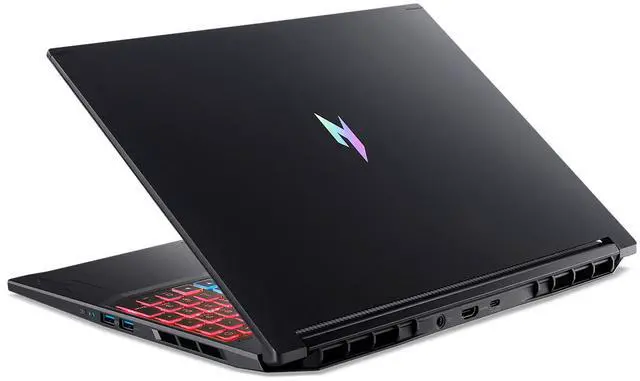
| High Speed I O | Ports include 1 × Thunderbolt 4, 1 × USB 3.2 Gen2 Type-C, 2 × USB 3.2 Gen2 Type-A, 1 × USB 3.2 Gen1 Type-A (total 4 USB ports), HDMI 2.1, RJ‑45 Gigabit Ethernet, DC-in for AC adapter, 3.5 mm headphone/speaker line-out jack, microSD card reader |
|---|
| Battery And Power | 76 Watt‑hour lithium‑ion battery with 135‑watt AC adapter |
|---|
| Wired And Wireless Networking | Wi‑Fi 6E (802.11ax) wireless LAN and Bluetooth 5.2, plus Gigabit LAN (10/100/1000 Mbps) |
|---|
| Webcam And Privacy | Built‑in 720p HD webcam (non‑touch model) |
|---|
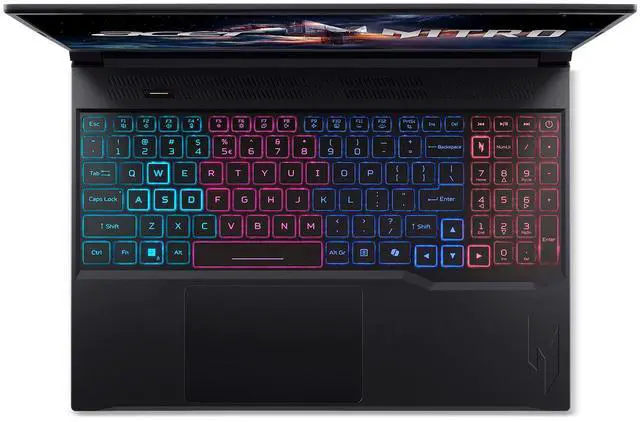
| Keyboard And Control | Backlit keyboard with dedicated numeric keypad, NitroSense key, media control keys, and a precision moisture‑resistant touchpad |
|---|
| Audio Setup | Integrated HD audio with DTS:X Ultra and Hi‑Res Audio certification, two built‑in stereo speakers and a 3.5 mm headphone/speaker/line‑out jack |
|---|
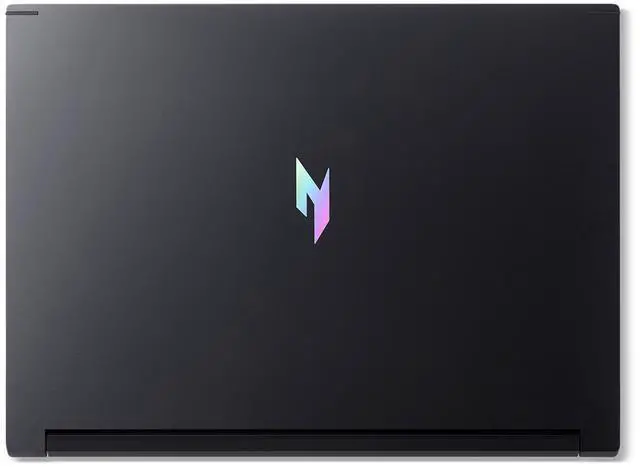
| Portability | 14.08" × 10.39" × 0.55/0.79" (W × D × H), weight 4.63 lbs, Obsidian Black finish |
|---|
| External Display And Docking Fit | Supports external displays via HDMI 2.1 and Thunderbolt 4 |
|---|
| Model Identifiers | Acer Nitro series model ANV16S-71-72KE (Part Number NH.U23AA.002 / external model ANV16S7172KE), 2025 release, manufacturer: Acer |
|---|
| Other Features | AI Ready system, VR ready, microSD card slot, clamshell form factor, no optical drive |
|---|
Reference Q&A
Q: Acer Nitro V 16S RTX 5070 vs RTX 5060: which configuration should I choose?
A: Choose this RTX 5070 configuration if you want the higher GPU tier for gaming and graphics work on the 2560 × 1600 display. Choose an RTX 5060 Nitro V 16S configuration if you prefer that GPU tier; Acer offers both graphics options in the Nitro V 16S family.
Q: Should I choose the Nitro V 16S or a standard Acer Nitro V 16?
A: Choose the Nitro V 16S when a slim gaming-laptop design is a priority: Acer positions the 16S as a portable model, and this configuration combines that design with an RTX 5070 and a 16-inch WQXGA 180Hz display. Compare the specific processor and graphics configuration of any standard Nitro V 16 before deciding.
Q: Is the Acer Nitro V 16S RTX 5070 a good match for a 1600p, high-refresh gaming setup?
A: This configuration pairs an RTX 5070 Laptop GPU with a 2560 × 1600 IPS display that supports up to 180Hz. Choose it if you want the higher GPU tier within the Nitro V 16S lineup alongside that high-resolution, high-refresh screen; actual frame rates vary by game and settings.
Q: Is this laptop suitable for both gaming and work?
A: Yes. Its 10-core Intel Core 7 processor and RTX 5070 Laptop GPU suit gaming and graphics-heavy tasks, while Windows 11 Home and the 16-inch 2560 × 1600 display also support everyday work. The 180Hz refresh rate is a gaming-focused feature; the 4.63-pound weight makes it less convenient to carry than a typical thin work laptop.
Q: Can I upgrade the RAM or add another SSD?
A: The laptop has two DDR5 SO-DIMM slots and supports up to 32GB of memory; its included 16GB is configured as 2 × 8GB, so both RAM slots are occupied. It has two M.2 PCIe Gen 4 SSD slots, with one available for an additional drive.
Q: Is it practical to travel with this laptop for work?
A: It can work as a travel computer if you need gaming or graphics performance on the go, but it is a substantial carry: the laptop weighs 4.63 pounds and has a 16-inch screen. Its battery is rated at 76Wh, but no runtime is specified, so the supplied information does not establish how long it will last away from an outlet.
Q: Is it suitable for video calls and everyday office work?
A: Yes for standard office tasks, web browsing, and video calls: it runs Windows 11 Home and includes a 720p webcam. The webcam resolution is basic, so users who prioritize sharper meeting video may want an external camera.
Q: Is the Acer Nitro V 16S worth buying if I want an RTX 5070 laptop without paying premium prices?
A: Yes, if your priority is getting RTX 5070-class graphics, a 2560x1600 180Hz display, and 1TB storage at a lower price tier. Community discussion around Nitro V 16S and similar Nitro 16S/5070 models repeatedly frames it as a value-focused buy. The trade-off is that this is still a budget-leaning gaming laptop, so buyers often question GPU power limits, charger headroom, and overall refinement compared with higher-end models.
Q: Who is this laptop best suited for?
A: It is best suited for buyers who want one laptop for gaming, everyday work, and general productivity, but who still care about screen quality. The 16-inch 2560x1600 IPS panel, 180Hz refresh rate, 400-nit brightness, and 100% sRGB coverage make it a better fit than many budget gaming laptops for mixed use. It is less ideal for buyers who want a very light travel laptop, long unplugged gaming sessions, or creator-grade webcam quality.
Q: What are the main trade-offs of choosing this Nitro V 16S instead of a higher-end gaming laptop?
A: The main trade-offs are power headroom, battery behavior under load, and upgrade pressure. Repeated community discussion around Nitro V 16S and adjacent Nitro 16S models focuses on lower GPU power limits than thicker performance laptops and concern about battery drain or charger limits in performance modes. This model also starts with 16GB RAM, which is usable now but may feel limiting sooner for newer games or heavier multitasking than a 32GB configuration.
Q: Is this a good choice for work, school, or as one laptop for both gaming and productivity?
A: Yes, with some limits. It has the ports, screen resolution, numeric keypad, Wi-Fi 6E, Thunderbolt 4, and 1TB SSD capacity that make it practical for school or office use as well as gaming. The main compromises for all-day productivity use are its 4.63 lb weight, gaming-laptop battery expectations, and a basic 720p webcam. It works best as a mixed-use desktop replacement rather than a highly portable note-taking machine.


 All Categories








 Gaming Performance
 Productivity Performance