


 All Categories

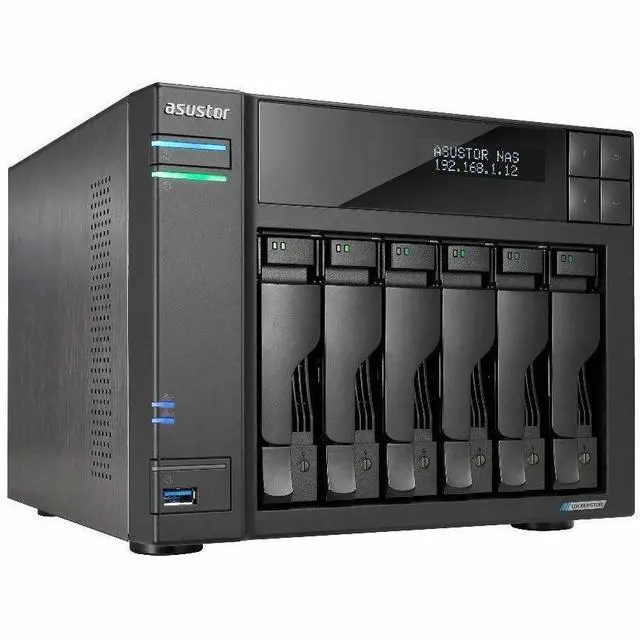


Double the Speed – Double the Workflow
Turbocharged Performance: Dual 5-Gigabit Ethernet

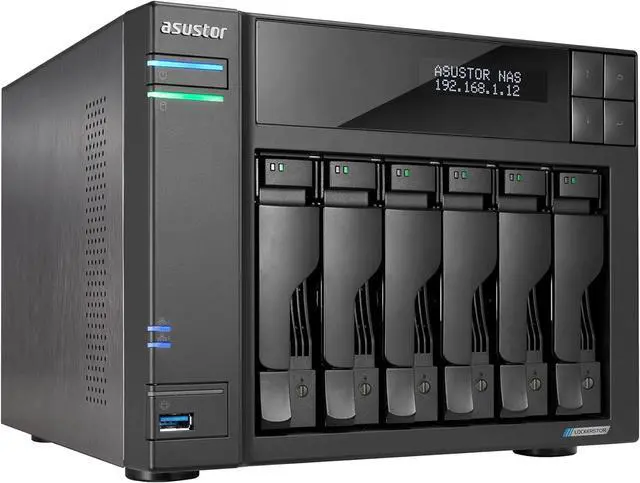
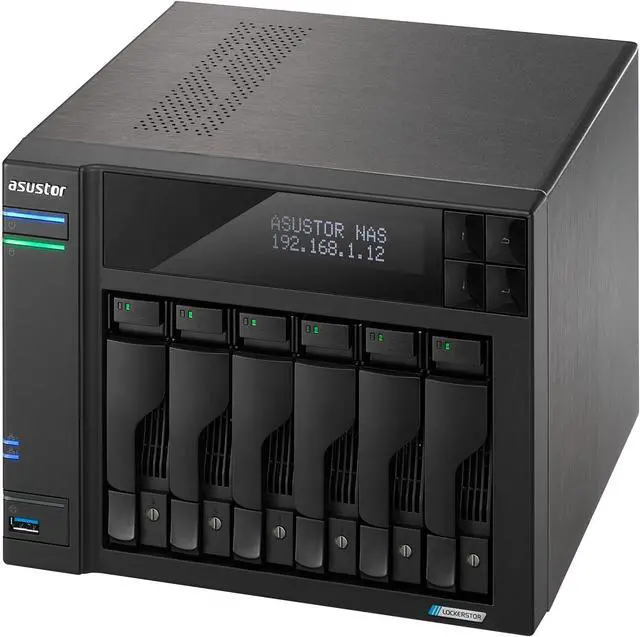
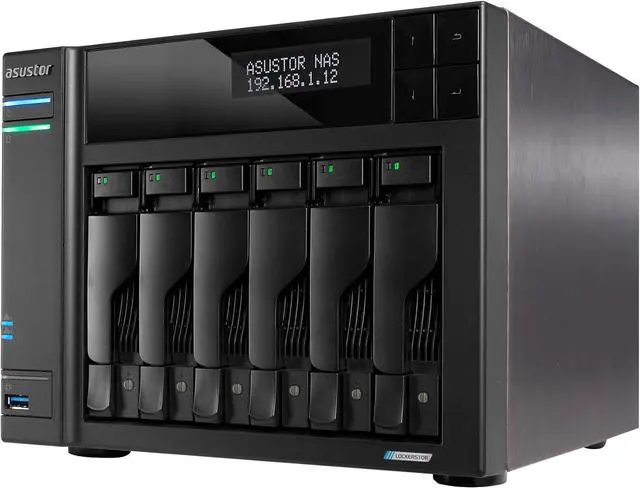
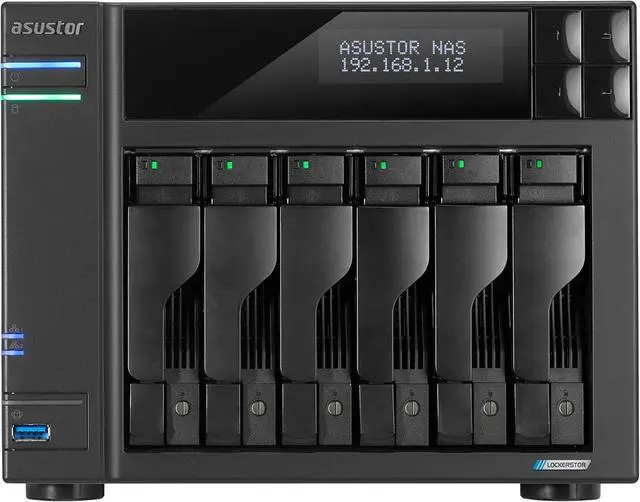
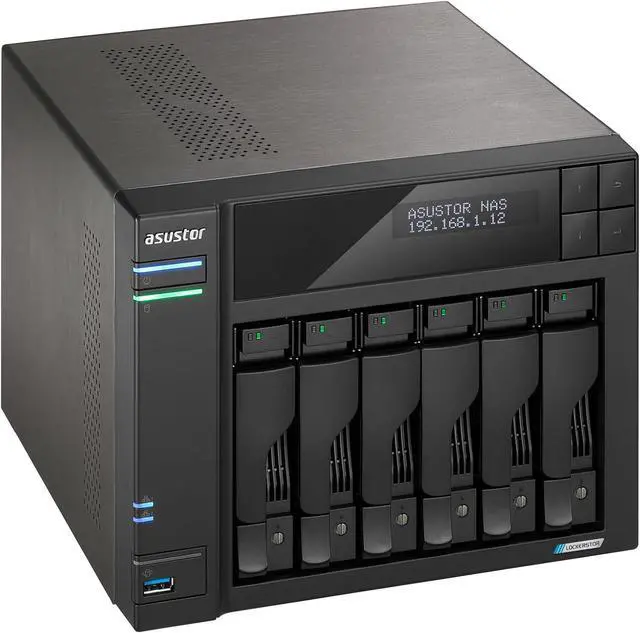
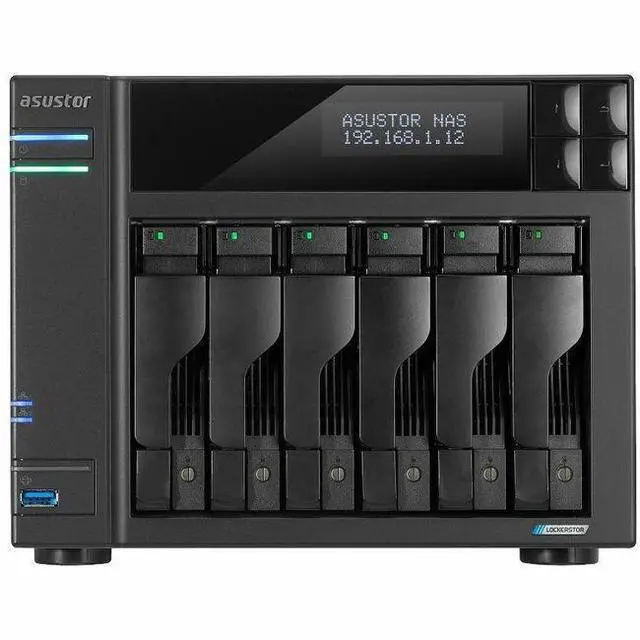
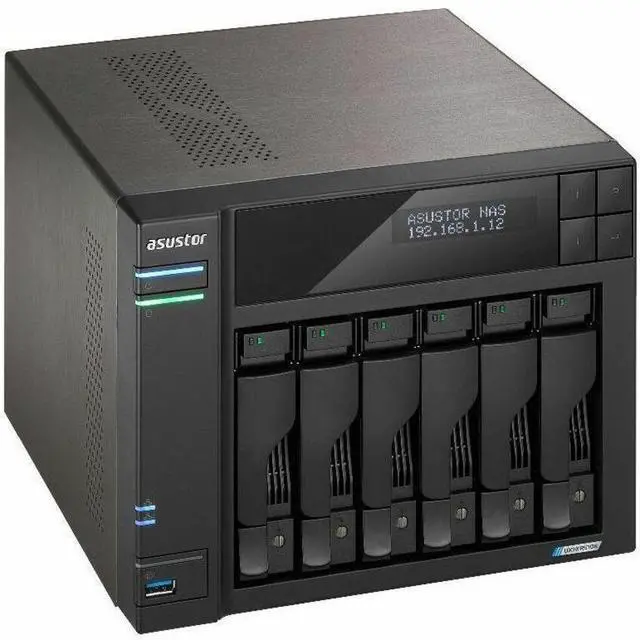
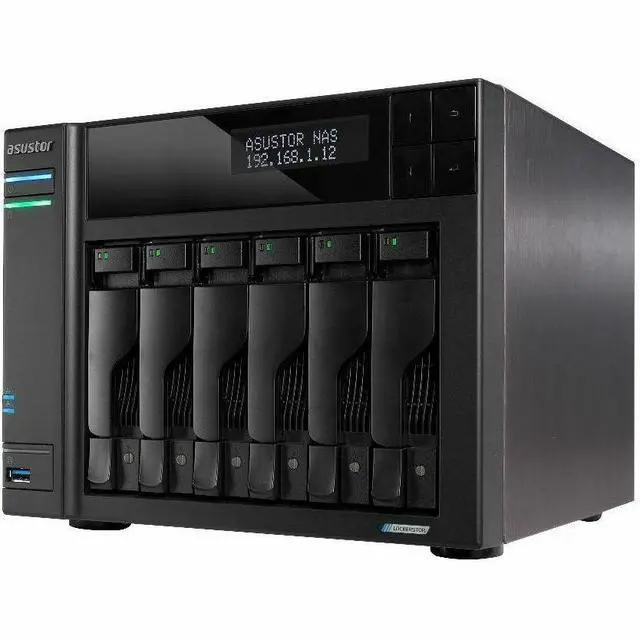
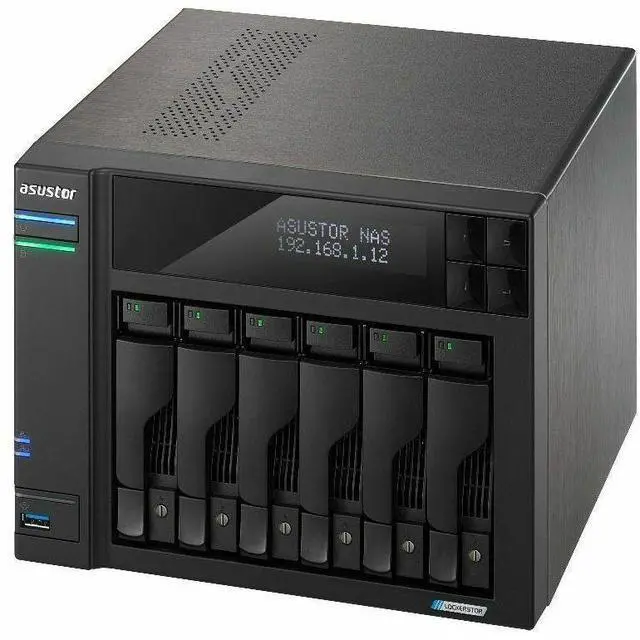
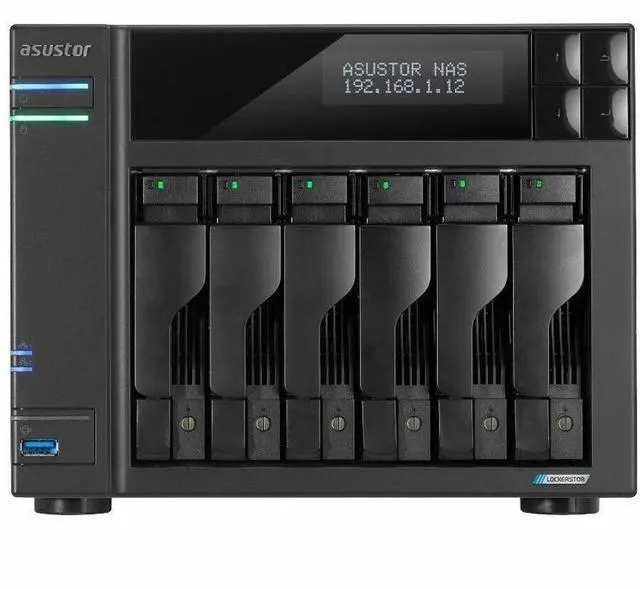
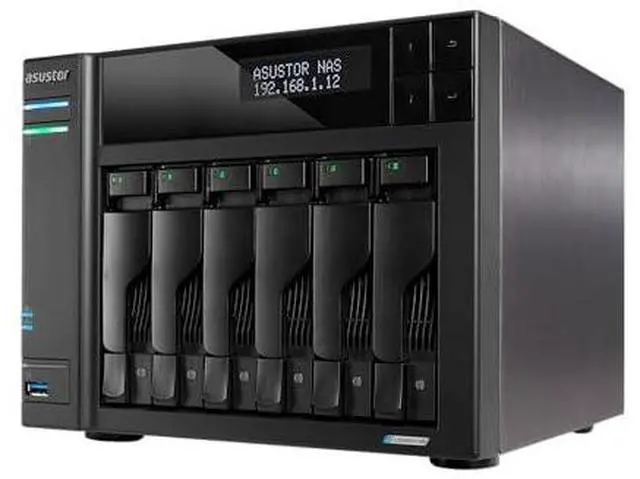
AS6706T v2
- Quad-Core 10 nm Intel Celeron N5105 CPU
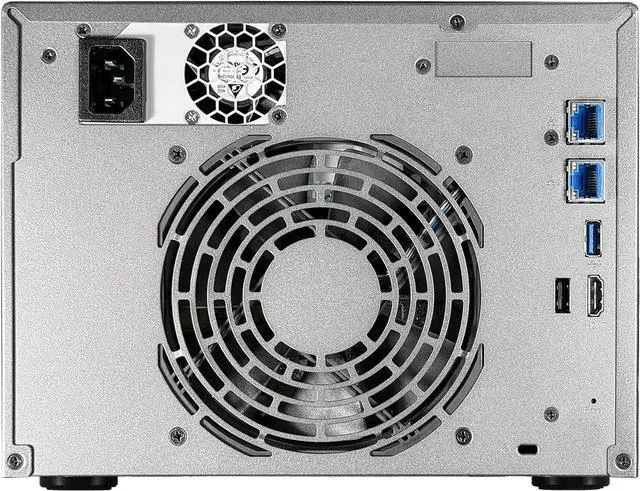
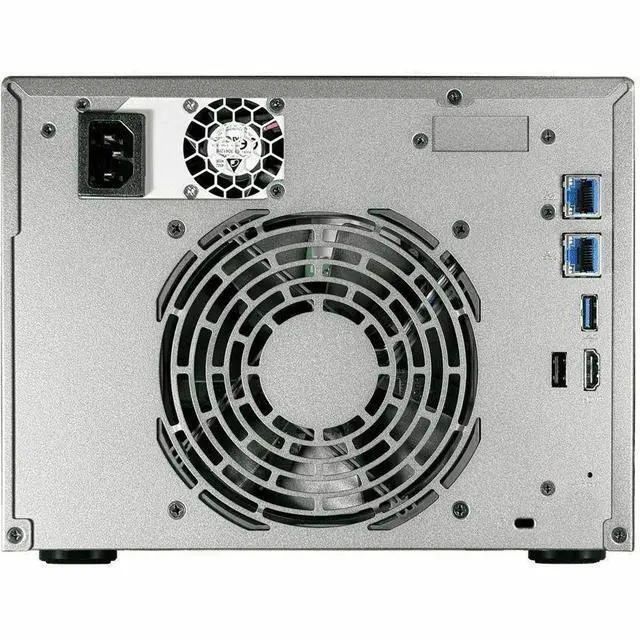
- Dual 5-Gigabit Ethernet ports
- 4x M.2 slots for NVMe SSDs
- 8 GB of DDR4-2933 RAM
- 2x USB 10Gbps
- Supports Wake on LAN and Wake on WAN


Unleashed Strength
Uses powerful software tools to ensure data is safe and secure
Unleashed Speed
Uses faster hardware for more efficiency
Unleashed Creativity
Maximum creativity without computing constraints
ASUSTOR Storage with Adobe Creative Cloud
ASUSTOR is an official Adobe Partner for video and audio solutions »

Powered by the Latest 10 nm Intel Jasper Lake Celeron Quad-Core Processors
The Lockerstor Gen2/Gen2+ comes with Intel’s newest Quad-Core Celeron CPUs. The N5105 comes with Intel 10 nm technology and is up to 31% faster than Gemini Lake SoCs. The Celeron N5105 is clocked at 2.0 GHz with 2.9 GHz, enabling efficient content creation with the added flexibility of 10-Gigabit Ethernet upgrades.
* Lockerstor 2 Gen2/Gen2+ (AS6702T/AS6702T v2) 10GbE not supported.


All New Hardware – Same Great Case
ASUSTOR Ultimate 6 bays hybrid storage. Giant space and elastic high speed with M.2 or 10G card.

Four M.2 Slots - Have Your Cake and Eat it Too
The Lockerstor Gen2+ series of NAS devices come with four M.2 slots for caching or storage or both. Either use all slots for one purpose or mix and match depending on your needs.
Four M.2 SSD slots bring a number of custom scenarios to your NAS when it comes to accelerating your storage.

Keeping Cool
With up to four SSDs, a considerable amount of heat can be generated. With extra ventilation, the Lockerstor Gen2/Gen2+ ensures that all components in your NAS receive cooling.

Tool-Free M.2 SSD Installation
Uses latches instead of screws for easier installation.

10-Gigabit Performance for 5-Gigabit Pricing
The Lockerstor Gen2+ series comes equipped with dual 5-Gigabit Ethernet ports, effectively doubling your available bandwidth. With twice the speed using SMB Multichannel, the Lockerstor Gen2+ is the perfect NAS for creative studios and collaborative environments. Whether you’re editing 4K video, transferring large files, or supporting multiple users accessing data at the same time, dual 5GbE handles it all effortlessly, boosting both your digital lifestyle and professional productivity.

Also Supports 10-Gigabit Ethernet
The PCIe slot in the Lockerstor Gen2+ series is no longer proprietary and now accepts 10-Gigabit Ethernet cards for maximum flexibility.


PCIe 3.0 – Doubled SSD Performance
PCIe 3.0 is supported by the Lockerstor Gen2+ series of NAS devices which almost double the performance of M.2 SSDs installed in your NAS, ensuring a smoother SSD experience.

USB Ports for Versatility and Expansion
Every Lockerstor Gen2+ model is equipped with two USB 10Gbps ports and one USB 2.0 port for low-speed devices like printers or UPS devices. With USB 10Gbps ports, data transfer speeds are twice as fast as USB 5Gbps ports. For example, transferring a 1 TB file now takes only 14 minutes, compared to the 29 minutes it would’ve taken before. This makes content creators using high-speed flash drives or external hard drives will find it easier and more efficient to make backups and transfer files to client devices or take projects on the go when they use the Lockerstor Gen2+. A USB 2.0 port has been added to allow for the connection of UPS devices, printers, audio output devices, as well as a keyboard or mouse without occupying the USB 10Gbps ports best used for high speed devices.
Removing your Storage Constraints
Edit videos directly on your NAS with Adobe Premiere or Final Cut Pro. Both applications, as well as the full suite of Adobe software are supported on an ASUSTOR NAS ensuring that the SSD on your laptop is no longer a constraint.

Adobe and ASUSTOR – A Winning Combination
Local Adobe Creative Cloud folders can be synchronized and backed up to and from your NAS. Take advantage of snapshots to increase protection of your data.

Creativity Knows no Bounds
Your ASUSTOR NAS can work as a hybrid cloud that enables data accessibility both locally and through public cloud providers, ensuring easy collaboration regardless of location.

The Ultimate Live Streaming Tool
ASUSTOR Live Your own streaming and backup center for YouTube and Twitch.

Comprehensive Backup and Virtualization Solution
- MyArchive cold storage backups
- Snapshot Center, Cloud Backup Center, DataSync Center
- Complete iSCSI/IP-SAN and NFS support
- VMware, Citrix and Hyper-V ready
- Supports Virtualization and Docker apps

More Efficient than Ever Before
Easily Transcode 10-bit 4K H.265 media with hardware decoding with unbelievably smooth video playback in LooksGood for the ultimate in 4K enjoyment.

24/7 Reliability and Durability
All ASUSTOR NAS are designed for and are suitable for 24/7 use. ASUSTOR NAS devices have also undergone rigorous tests, such as drop tests and burn tests to test durability in extreme conditions. Heatsinks were added to sensitive components to dissipate heat, helping to maintain the longevity of the device.


Protected From Ransomware
The Lockerstor comes with the most up-to-date version of ADM to help protect against ransomware attacks. With Snapshot Center and Btrfs providing efficient snapshots to easily restore lost data. Other security features found on the Lockerstor are the ability to create one or more replacement administrator accounts, a firewall by ADM Defender that features black and white lists and the ability to change default ports, disable SSH and Terminal to prevent remote attacks. MyArchive cold storage hard drive security can also be increased by implementing AES 256bit encryption.

Protected From the Inside and Out
Protect your data from loss, damage and attacks with the ASUSTOR NAS. An ASUSTOR NAS is better protected by running the Linux-based ADM, employing a built-in firewall, ClamAV Antivirus, MyArchive and ADM’s various backup tools help protect ransomware even better.
Network Attack Protection
- Firewall
- ADM Defender
- Cloud Backup Center offsite backups
Secure Data Transmission
- VPN connection
- SSL certificate connection
- Automatic logout
Internal Data
- MyArchive on and offsite backups
- AES-256 folder encryption
- Antivirus software
Access Control
- File/folder/app isolation
- 2-Step Verification
- Wake-on-LAN (WOL)
- Wake-on-WAN (WAN)
* MyArchive not applicable: AS10, AS11 (Drivestor)

Exclusive MyArchive Cold Backup Technology
Unlimited Capacity Expansion
Unlimited Capacity Expansion
MyArchive cold storage technology turns NAS hard drives into removable storage archive drives. Directly insert a MyArchive hard drive into a free bay inside your NAS to easily access, backup and share terabytes of content.

Snapshot Center
Snapshot Center is a new feature for ASUSTOR NAS devices to utilize Btrfs and iSCSI volumes to take snapshots of the information inside a NAS. Snapshot Center supports up to 256 snapshots of a volume and can be done every five minutes, creating a backup that can be restored easily if data is damaged or lost.
MyArchive now supports Btrfs and snapshots. Btrfs for MyArchive supports snapshots and version history to help protect against accidental deletions or modifications.

DataSync Center
DataSync Center combines multiple cloud services into a single app. DataSync Center includes, but is not limited to Google Drive, Dropbox, OneDrive and Yandex and supports multitasking as well as multiple accounts. Control your data with instant and scheduled backups as well as using Cloud Backup Center to create a hybrid cloud that keeps your data online and offline, keeping your data protected.

Cloud Backup Center
Cloud Backup Center brings support for various business cloud services including, but not limited to Amazon S3, Backblaze B2, Baidu Cloud, IBM Cloud, Rackspace Cloud Files, Microsoft Azure Blob Storage , Alibaba Cloud, SFTP and WebDAV. Control your data with instant and scheduled backups as well as using Cloud Backup Center to create a hybrid cloud that keeps your data online and offline, keeping your data protected.


ASUSTOR EZ Sync
1. All new UI. Simpler and easier to operate. View NAS information quickly.
2. More complete settings - offering detailed folder lists. Easily select folders and files not in a folder.
3. Notifications for abnormal status
4. Support 2-step verification increase account safety.
5. Improve NAS connecting and file sync system stability for better user experience.
Create the Ultimate Home Multimedia Center
Enjoy electrifying digital entertainment on demand with ASUSTOR NAS. Through ASUSTOR's App Central, you can install additional multimedia server Apps such as UPnP Media Server and OwnTone giving your NAS the ability to stream multimedia content to your computers, TVs and mobile devices.

SoundsGood
+
AiMusic

Photo Gallery 3
+
AiFoto 3

LooksGood
+
AiVideos
Photo Gallery 3 + AiFoto 3
The all new Photo Gallery 3 and AiFoto 3 have been revamped and brings a variety of new features to make photo organization easier than ever. New features for Photo Gallery 3 include, but not are limited to custom folder selection, timelines, smart albums, deduplication, and new photo modes. Easily blow up photos to up to twice their size, play songs on slideshows, performance enhancements and customized share links make for an even better photo viewing and sharing experience.

Portainer – Easy Docker Deployments
Even more possibilities for ADM with Portainer for Docker images. With thousands of images, Portainer can download and deploy more types of programs than ever before. Portainer is incredibly user friendly and employs a graphical interface to make docker images easier to deploy than ever.

Virtual Applications with Linux Center
ASUSTOR NAS users can now run the native Linux® system on their NAS, enjoying the rich variety of Linux® apps. Linux Center features easy installation without extra configurations. It effectively turns the NAS into a computer with unlimited possibilities.

File Editing and Project Collaboration
Nextcloud and OnlyOffice make collaborating on projects easier than ever by creating a cloud office suite for offices to work on documents, spreadsheets, presentations and more.

Dr. ASUSTOR
ASUSTOR provides a holistic solution for protecting your data against a variety of threats using Dr. ASUSTOR. Dr. ASUSTOR helps protect your data from a variety of threats, including, but not limited to ransomware attacks.

Mobile Apps
ASUSTOR’s exclusive EZ-Connect technology allows you to connect to your NAS from anywhere with your Android or iOS device to securely access, download, upload and share files and information. ASUSTOR mobile apps securely protect your privacy and data by requiring passwords in order to protect your privacy and data. You can also make use of HTTPS connections for even more added security.

App Central
Unleash the unlimited potential of an ASUSTOR NAS. The applications that come pre-installed with each ASUSTOR NAS device are just the beginning. At your convenience, browse through and download any applications that pique your interest from App Central. Whether your interests lie in business, website construction or digital home entertainment, App Central has you covered. With over 200 unique apps, App Central provides you with a virtually boundless variety of applications that to satisfy your digital lifestyle needs. Explore the virtually unlimited potential of your ASUSTOR NAS while creating a personalized experience for yourself.


First-Class Product Warranty
All ASUSTOR NAS products come with a 3-year warranty. ASUSTOR continues to make customer service a priority in providing the highest standard of after-sales service and technical support.

A movie theater in the palm of your hand
AiVideos brings you the smoothest mobile video viewing experience from NAS. Browse through the video collection on your NAS without needing to wait for long downloads from the Internet. Enjoy high-definition video streaming with just one click. AiVideos also supports multilingual subtitles and different audio channels to make enjoying films in different languages easy. Use AiVideos to bring the theater to your phone, tablet and set top box.

Download on the go
Imagine the convenience of downloading while on the go and then having your downloads ready as soon as you get home. With ASUSTOR's AiDownload, all this is possible and more. AiDownload is a mobile app that works with ASUSTOR's Download Center to provide you with download management on mobile. Searching, downloading, configuring and monitoring can all be done with AiDownload. Torrent* magnets also automatically add download tasks to AiDownload, making downloading easier than ever!

Your mobile device as your remote
Now your phone can become a remote control for the ASUSTOR Portal.
AiRemote allows you to control all types of functionality on the ASUSTOR Portal. From the basic up, down, left, right controls used with the ASUSTOR Portal interfaces to the play, pause, rewind, fast forward and volume controls used when playing videos, AiRemote has got you covered.
Furthermore, when using the web browser in ASUSTOR Portal, AiRemote provides a Touchpad Mode giving you intuitive control over your web browsing.

Terabytes of music in the palm of your hand
AiMusic allows you to stream music from your NAS to your mobile device, letting you enjoy your entire music collection while on the go.

A variety of listening experiences
Play music from playlists that you create yourself for an optimal listening experience. Like listening to random songs? AiMusic's Random songs play mode is your best friend! You need only select it once to create a random playlist from your entire music collection, allowing you to enjoy a new listening experience each and every time.

Listen to your favorite songs while offline
AiMusic also allows you to download songs from your NAS to your mobile device for offline listening. No matter if it is is a single song, an album or an entire playlist, all can be easily downloaded to your mobile device for convenient listening.

External Optical Drive Support
After connecting an external optical drive (CD, DVD, Blu-ray) to your NAS via USB, you can use File Explorer to directly access any files that you have backed up to optical media and even transfer files from your optical media to your NAS via drag and drop for future access.
1. This function only provides data access and does not support the audio and video playback of optical media.
2. Certain optical drives will require additional power in order to operate properly. If you find that your optical drive is not spinning or reading correctly, please use a USB Y-cable to add additional power.

A cost-effective and efficient mail service solution
The ability to send and receive email is fundamental to all businesses. However, expensive implementation costs and complicated management create barriers for most small and medium sized businesses. ASUSTOR’s Mail Server offers a comprehensive and cost-effective solution that allows any business to easily maintain their own dedicated mail server.

Your Data at your Fingertips
In addition to browsing files in an ASUSTOR NAS with a web browser, shared folders are directly accessible on your phone or tablet through AiData. Mounted CIFS folders, USB external devices, MyArchive hard drives and EZ Sync synchronization data are all supported and can be easily accessed, moved or copied from within AiData.

Easy File Management
AiData provides a variety of file management features. AiData supports downloading and uploading files for backups. When browsing a large amount of data on the NAS, AiData supports both grid and list views to display, sort and manage files for better organization.
Downloading AiData
AiData is available for both Android and iOS devices. You can search for AiData in the App Store and Google Play or scan the QR codes below to download the app.


Offline Playback
Use your wireless network to download videos on your NAS to your phone or tablet with AiVideos. AiVideos supports offline video playback for enjoyment of movies when away from the house without using mobile data that may have bandwidth limits or poor reception.

Keep an eye on it
Worried about leaving your home unattended? Keep an eye on the most important things with Surveillance Center. Surveillance Center's fully optimized interface allows you to simultaneously view live feeds from up to 4 IP cameras, take snapshots and control the pan tilt and zoom functions of all cameras giving you complete peace of mind.

Stay Connected to Everything You Care About with AiSecure
AiSecure allows you to easily keep an eye on everything that is happening at home. In addition to monitoring live views of particular locations, AiSecure also features instant push notifications that can be sent to your mobile device when specified events occur, allowing you to grasp all the latest developments in the palm of your hand.

Simple to Set Up
AiSecure dramatically simplifies the connection process to your surveillance feeds.* After enabling Cloud Connect on your NAS, you will be able to use your dedicated Cloud ID to connect to Surveillance Center, allowing you to easily monitor all the important things in your life from any corner of the world.
* AiSecure provides 3 different connection methods:
1. Connecting via Cloud ID.
2. Connecting via Auto Discovery to ASUSTOR devices on the same network.
3. Connecting via IP/Hostname.

iSCSI LUN Snapshots
Stable, fast and capacity-saving
Stable, fast and capacity-saving
ASUSTOR’s snapshot technology provides almost instantaneous creation of snapshots. It saves a significant amount of time and storage capacity when compared with traditional LUN backups. Should files become damaged or corrupted, the simple and intuitive interface allows administrators to quickly restore data, completing disaster recovery in the fastest time possible and providing uninterrupted service.

Effectively simplifying network management
Syslog Server supports standard Syslog protocols and can centrally aggregate system logs that are spread out over various network devices for storage and management. Furthermore, Syslog Server integrates with the NAS’s Instant Notification function, allowing administrators to receive e-mails or SMS notifications when specified events occur, in order to quickly employ appropriate measures.

Easily Set Up Your NAS
AiMaster enables you to initialize and activate your NAS immediately through your phone or tablet. Easily monitor your ASUSTOR NAS, add users, download and install apps, update ADM and adjust ADM settings, making the new AiMaster easier than ever.

All-New Login Page
The all-new login page can share login information between other installed ASUSTOR mobile apps, eliminating the need to enter login info multiple times. NAS devices that support Wake on LAN or WAN can directly be woken up by AiMaster.

Easily Set Up ADM
AiMaster is an app for phones and tablets for controlling and adjusting ADM settings.

Your own FTP server
FTP is one of the most widely used and popular transfer protocols in the world. Every ASUSTOR NAS has a built-in FTP server feature that allows you to create a personal FTP server in just a matter of seconds. Hosting your own FTP server will instantly give you the power to share and exchange files over the internet.

Regular backups of your vital data
ASUSTOR's built-in RAID storage technology can provide a certain level of data protection, but regularly backing up the data on your NAS is also very important.
The External backup function supports two-way data transfers, incremental backups and also the scheduling of your NAS to perform regular backup jobs. It may be used to complete tasks such as:
- The transfer or backup of the data from your NAS to an external device.
- Initializing the copying of data from an external device to your NAS

The ultimate tool for remote backup
Rsync is an application originally developed for UNIX that is usually used for backup and sync between two computers. By providing block level replication, Rsync is able to offer incremental backup. Incremental backup allows for successive backup jobs (after your first backup job) to only copy data that has changed since your last backup job. Rsync is suitable for use with files and data that are always changing. It lets you cut down on backup time while significantly reducing bandwidth usage.

A rich and flexible backup solution
ASUSTOR's Rsync Backup function supports two-way data transfers, incremental backup, encrypted backup and also the scheduling of your NAS to perform regular backup jobs. It effectively simplifies data backup while also substantially reducing the burden on IT staff. ASUSTOR's Rsync backup function may be used to complete tasks such as:
- The transfer or backup of data from your NAS to an Rsync compatible server
- Initiating downloads of the data from an Rsync compatible server to your NAS

Mission Mode
Never again worry about your critical backup jobs stopping or failing to complete because your ASUSTOR NAS won't stop until it's 'mission complete'. Sometimes backup jobs may be stopped because of various connection problems with a busy server on the other end. For Rsync, FTP, external and cloud backups, ASUSTOR's Mission Mode allows you to configure the number of connection attempts and time interval for connection attempts, ensuring for the successful completion of your backup mission. This also gives IT administrators a significant amount of flexibility when configuring backup jobs.

Set and forget
ASUSTOR's Backup Plan software for Windows provides you with worry-free backup. Simply schedule a regular backup job of your PC to your NAS, then let Backup Plan take care of the rest. Backup Plan will work in the background to ensure that your PC is always backed up.

Real time synchronization
Any data that is lost between scheduled backups is unprotected. Backup Plan lets you configure real time file synchronization for those important and ever-changing file folders. Any changes that you make to your protected files and folder will be updated in real time. Now you can rest assured knowing that your critical files are always protected and up to date.

Unleash unlimited potential
The applications that come pre-installed with each ASUSTOR NAS device are just the beginning. At your convenience, you can browse through and download any applications that pique your interest from App Central. App Central allows you to explore the unlimited potential of ASUSTOR NAS devices while creating a personalized NAS device for yourself.

Optimized for your Mac
Mac lovers rejoice! You can use your Mac's built-in backup, Time Machine, to easily back up your Mac to an ASUSTOR NAS. All ASUSTOR NAS devices have been optimized for use with Time Machine, providing Mac lovers with a familiar and easy to use backup solution.

Multi-user support
Different Mac users can now safely backup their computers to the same NAS device. Unlike other NAS devices, ASUSTOR NAS does not just use one group account to carry out backup jobs for all Mac users, storing all their jobs under the same directory. With ASUSTOR NAS each Mac user is able to use an independent account and backup location thereby guaranteeing privacy for all.

No more waste
Still wasting money and time burning CDs or DVDs every time you need to install some software? ASUSTOR NAS supports the mounting of ISO files which provides you with a cost effective and environmentally friendly solution that effectively lowers CD and DVD waste.
Ultimate data protection
ASUSTOR NAS devices support RAID to help protect your data and increase performance. RAID mainly revolves around the core concept of combining your hard drives to protect data inside. Each RAID level offers a differing degree of data protection, system performance and capacity.
RAID 0 and JBOD can combine the capacity of several hard drives into a larger storage space. RAID 0 or JBOD volumes offer no any sort of data protection and cannot migrate to other RAID levels or capacity expansion but RAID 0 does increase read/write performance.
RAID levels above RAID 0 help provide protection against drive failures by introducing redundancies. The number of faulty drives tolerated vary across different RAID levels. When combining drives of differing sizes, the total capacity will be calculated based on the size of the smallest drive.
ASUSTOR's supported RAID levels are summarized in the chart below:
| RAID Level | Single | JBOD | RAID 0 | RAID 1 | RAID 5 | RAID 6 | RAID 10 | RAID 50 | RAID 60 |
| Minimum number of drives | 1 | 2 ~ 16 | 2 ~ 16 | 2 | 3 ~ 16 | 4 ~ 16 | 4 ~ 16 | 6 ~ 24 | 8 ~ 24 |
| Faulty Drives Tolerated | 0 | 0 | 0 | 1 | 1 | 2 | 1 | 2* | 4* |
| Total available capacity | Drive capacity | Total capacity of all drives | Total capacity of all drives | Capacity of smallest drive | (Capacity of smallest drive) * (Total number of drives - 1) | (Capacity of smallest drive) * (Total number of drives - 2) | (Capacity of smallest drive) * (Total number of drives / 2) | (Capacity of smallest drive) * (Total number of drives - 2) | (Capacity of smallest drive) * (Total number of drives - 4) |
| RAID Migration | Yes | No | No | Yes | Yes | No | No | No | No |
| Capacity Expansion | No | No | No | Yes | Yes | Yes | Yes | No | No |
* RAID 50 and RAID 60 consist of multiple RAID 5 and RAID 6 arrays. RAID 50 allows one drive to fail per set and RAID 60 allows two drives to fail per set.

As Much Space as Needed!
Your ASUSTOR NAS supports capacity expansion. This means that you can easily swap out all old hard drives or SSDs for higher capacity ones without deleting the volume and increases the storage capacity of your NAS with lots of convenience with little to no downtime.
- Only supported on RAID 1, RAID 5, RAID 6 and RAID 10 volumes.
- If replacing M.2 SSDs or hard drives without hot-swap functionality, your NAS will need to be powered down before removing drives.
- Hard drives or M.2 SSD can only be replaced one at a time. Attempts to replace multiple drives simultaneously or while the NAS is synchronizing will cause data loss.

Uninterrupted Access
When expanding capacity, you will still be able to access everything stored on the NAS. Volume capacity expansion does not require advanced IT skills to execute and as long as installed drives are in working order, keeps your data intact. When it's time to upgrade, ADM gets it done.

Military Grade Encryption
Your most important data deserves the best security. ASUSTOR NAS offers folder based military grade AES 256bit encryption, giving you the type of security and privacy that you require for your most confidential data. All data stored in encrypted folders will be automatically encrypted and secured to the highest of standards. Should you ever lose your NAS or hard disks, you still needn't worry about your sensitive data falling into the wrong hands.

Folder-based efficiency
Unlike other NAS devices, ASUSTOR NAS gives you the flexibility to select the individual folders that you want to encrypt. Other NAS devices encrypt entire storage volumes which significantly slows down the system. Any encrypted portions of storage volumes will be subject to a decrease in performance. However, with ASUSTOR NAS you are free to encrypt only your most confidential data while leaving other data unencrypted, creating a perfect balance between performance and security.

Firewall
Use ADM Defender's firewall to allow or deny IP addresses, entire ranges, and/or entire countries access to your NAS. ADM Defender provides Intranet only and location-restricted profiles that can be applied directly by default as well as the ability to add custom profile. Customized firewall profiles can be configured to protect all or specific network interfaces, ports and protocols.
To ensure continued access when denying all connections to your NAS, ensure that your device IP addresses have been added to the allow list, otherwise all devices will be locked out.

Automatic Blacklist
Intelligent security protection can proactively prevent suspicious IP addresses from connecting to your NAS. The automatic blacklist blocks IP addresses that make too many unsuccessful attempts to log in within a set amount of time. Specific policies can be changed by administrators in Settings.

The best things in life are free
ASUSTOR's Surveillance Center comes with 4 license free channels letting you to setup 4 different network IP cameras. This significantly lowers startup costs for your surveillance system. No matter if you prefer to use Microsoft Edge, Mozilla Firefox or Google Chrome, Surveillance Center's easy-to-use browser based interface and quick start wizard will allow you to create a security surveillance system in a snap.

Secure connections
ASUSTOR NAS supports VPN connections giving you secure access and flexible deployment options. Your NAS is able to act as a VPN client which can then connect to VPN servers via PPTP, OpenVPN or WireGuard protocols, allowing you to gain access to different virtual private networks. ASUSTOR NAS also supports the creation of multiple VPN connection profiles allowing you to easily switch connections between different VPN networks.

Enhanced Recycle Bin mechanism
The Network Recycle Bin mechanism has been updated in ADM and is now based on individual shared folders rather than storage volumes. According to their needs, users can decide whether or not to enable a Network Recycle Bin for each individual shared folder, enjoying added configuration flexibility.
Files that are moved to the Recycle Bin maintain their original directory structure, allowing added convenience should users need to search for already deleted files. The simple one-click restore function will restore selected files to their original directory path while conveniently maintaining all properties and permissions settings.