• ₱219,444.95
  • VAT-Inclusive Price
  • Free 30-day Returns
  • ₱6,579.72 Shipping
Ships from United States.
Sold by Newegg

Shipped by Newegg

Shop it at NeweggBusiness.

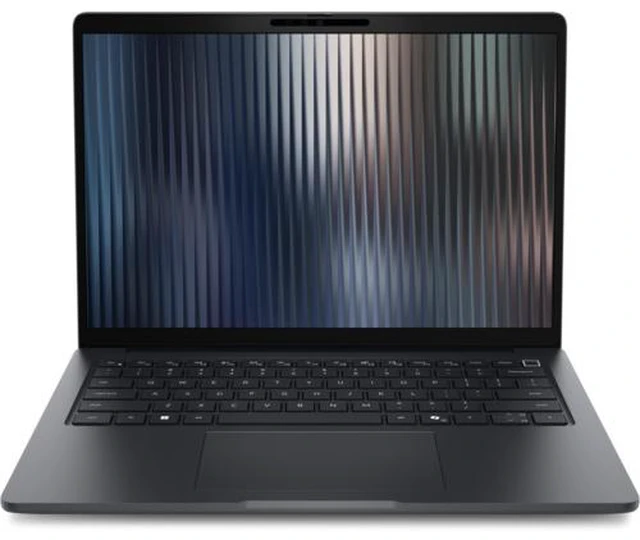
Dell Pro 3 Series 14" Business Laptop Intel Dell - Pro 3 Series 14" Business Laptop - Intel Core 7 350 - 32GB - 512GB SSD -WUXGA - Windows 11 Pro, KX25N

  • Shop the Dell Pro 3 14-inch laptop with Intel Core Ultra Series 3, 19+ hrs battery, fast charging, & brilliant FHD+ touch/non-touch options.
+
+
Overview
Specs
Reviews
Durable, reliable and built with commercialgrade security and manageability, Dell Pro 3 delivers everyday business productivity in a thin, lightweight design.

Warranty & Returns

Warranty, Returns, And Additional Information

Return Policies*

  • Return for refund within: 30 days
  • Returns are subject to restocking fees and return shipping fees. Please click here to learn more about restocking fees and return shipping fees.
  • This item is covered by Newegg.com's International Order Return Policy.
  • Read full return policy for details.
  • *Subject to applicable law
  • Warranty Notice:

    This product does not include manufacturer warranty when purchased or used outside of its designated sales region. By purchasing internationally, you acknowledge that warranty support from the manufacturer will not be available.
LOADING...

The Dell Pro 3 Series 14 is a business laptop with an Intel Core 7 350 processor, 32GB of memory, a 512GB SSD, a WUXGA display, and Windows 11 Pro, suited to professionals who need a well-equipped PC for everyday work and multitasking.

Recommended For

  • Office and operations staff who keep many browser tabs, spreadsheets, email, and business apps open at once; this configuration pairs a six-core Intel Core 7 350 with 32GB of memory and Windows 11 Pro.
  • Employees who carry their work laptop between offices, meeting rooms, or client sites and want a 14-inch business system; Dell positions the Pro 3 for everyday productivity in a thin, lightweight design.
  • Business users who connect to wired office networks, external displays, or USB-C docks; the Pro 3 14 platform offers Ethernet, HDMI, USB-A, and Thunderbolt 4 ports.
  • Organizations standardizing on Windows 11 Pro laptops with baseline business security features such as TPM 2.0; the Pro 3 line is positioned for commercial use and manageability, though this Core 7 350 configuration does not support Intel vPro.

Real-World Use Scenarios

  • For a typical workday of email, documents, spreadsheets, browser tabs, and video calls, the 32GB configuration gives room to keep several work apps open without constantly closing and reopening them.
  • When moving between home, office, and client sites, its 14-inch business-laptop design is suited to carrying between locations and handling everyday professional tasks on the go.
  • For hybrid meetings, users can join calls and work through shared documents from different locations; available camera and microphone configurations are intended for business collaboration.
  • At a fixed desk, users can connect to external displays and compatible docking equipment over USB-C/Thunderbolt, making it practical to switch between mobile work and a multi-screen setup.
  • For an organization standardizing employee laptops, Windows 11 Pro and Dell’s business-oriented security and management positioning make this configuration a fit for routine managed-workplace use.

Spec Summary

AttributeValue
Best ForBusiness use in a 14-inch laptop form factor
Display Spec14-inch display

Reference Q&A

Q: Dell Pro 3 14 Core 7 350 vs Core 5 320: which configuration should I choose?

A: Choose the listed Core 7 350 configuration if you want its 6-core processor with up to 4.8 GHz, paired in this listing with 32GB RAM and a 512GB SSD. The Core 5 320 is another 6-core option, with up to 4.6 GHz; it suits buyers choosing that processor tier instead.

Q: Dell Pro 3 14 Core 7 350 vs Core Ultra 7 355: which one makes more sense?

A: The listed Core 7 350 model pairs a 6-core processor with 32GB RAM and a 512GB SSD, making it a clear fit for everyday business productivity. Choose a Pro 3 configuration with the Core Ultra 7 355 if you prioritize its 8 CPU cores and 49 TOPS NPU; the Core 7 350 is listed with 17 TOPS NPU.

Q: Dell Pro 3 14 vs Dell Pro 5 14: which is the better fit for business?

A: Choose the Dell Pro 3 14 Core 7 350 configuration for mainstream business tasks such as email, web apps, documents, and video meetings, with 32GB RAM and a 512GB SSD in this listing. Dell positions the Pro 5 for more demanding workflows, larger datasets, and greater configuration flexibility.