• ₱272,273.11
  • VAT-Inclusive Price
  • Free 30-day Returns
  • ₱6,578.43 Shipping
Ships from United States.
Sold by Newegg

Shipped by Newegg

Shop it at NeweggBusiness.

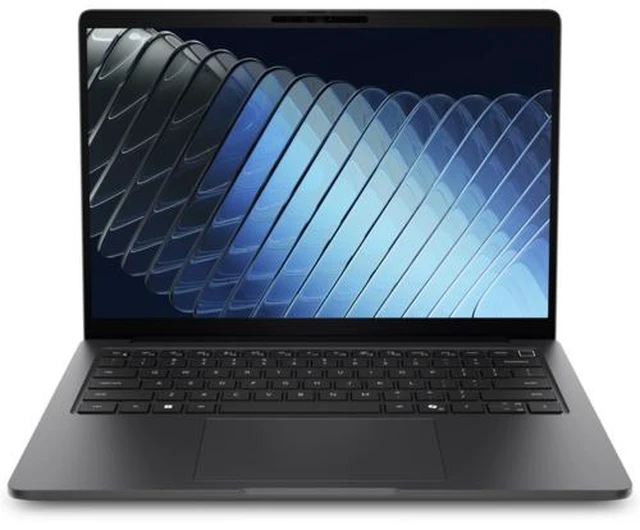
Dell - Pro 5 Series 14" Business Laptop Intel Dell - Pro 5 Series 14" Business Laptop - Intel Core Ultra 7 365 - 32GB - 512GB - WUXGA - Windows 11 Pro, W2DR4

  • Shop the new Dell Pro 5 14" laptop with next-gen Intel processors, slim design without compromising on performance and battery life.
+
+
Overview
Specs
Reviews
Move faster and achieve more on a compact, 14-inch display housed in an ultra-thin, durable chassis designed to deliver powerful performance wherever work takes you.

Warranty & Returns

Warranty, Returns, And Additional Information

Return Policies*

  • Return for refund within: 30 days
  • Returns are subject to restocking fees and return shipping fees. Please click here to learn more about restocking fees and return shipping fees.
  • This item is covered by Newegg.com's International Order Return Policy.
  • Read full return policy for details.
  • *Subject to applicable law
  • Warranty Notice:

    This product does not include manufacturer warranty when purchased or used outside of its designated sales region. By purchasing internationally, you acknowledge that warranty support from the manufacturer will not be available.
LOADING...

The Dell Pro 5 14-inch business laptop pairs an Intel Core Ultra 7 365 processor with 32GB of memory, a 512GB SSD, a WUXGA display, and Windows 11 Pro, making it a strong fit for professionals who run demanding everyday work and multitask.

Recommended For

  • Office professionals who regularly work across documents, spreadsheets, browser tabs, and business apps can use the 32GB configuration for multitasking on a compact 14-inch screen.
  • Hybrid employees moving between home, office, and meetings who want a business-focused laptop with a 14-inch display and Windows 11 Pro should find this format suited to everyday work on the go.
  • Business users who need a standard Windows 11 Pro system for work applications and organizational workflows are a closer match than buyers seeking a gaming- or creator-first laptop.
  • IT teams selecting a mainstream 14-inch business laptop for employee productivity deployments may value the Pro 5 line’s business positioning and the configuration’s 32GB memory and 512GB storage.

Real-World Use Scenarios

  • When working across email, browser tabs, documents, and spreadsheets, users can keep common business apps open together and move between tasks without repeatedly closing work.
  • For office or remote meetings, users can join a video call while referencing notes or editing a document, keeping communication and follow-up work on one laptop.
  • When moving between a desk, meeting room, and home workspace, users can carry a compact 14-inch business laptop and reconnect to displays or wired accessories using its listed HDMI, USB-C, and USB-A ports.
  • For presenting in a meeting room, users can connect the laptop to an external display over HDMI and keep slides or reference material on the laptop screen.
  • For a wired desk setup, users can connect to a compatible office network through Ethernet and attach peripherals through USB-A or USB-C, reducing reliance on separate adapters for common connections.

Spec Summary

AttributeValue
Best ForBusiness users seeking a 14-inch laptop
Display Spec14-inch display

Reference Q&A

Q: Dell Pro 5 14 or Pro 5 16 for work on the go?

A: Choose this Pro 5 14 when a smaller, lighter system matters: Dell lists it starting at 2.96 lb, compared with 4.02 lb for the Pro 5 16. Choose the Pro 5 16 when its 16-inch display is the priority; both belong to Dell’s Pro 5 series.

Q: Should I choose the Core Ultra 7 365 Pro 5 14 or a Pro 5 14 with Core Ultra X7 368H?

A: Choose this Core Ultra 7 365 configuration for a business-ready 14-inch laptop with 32GB memory and 512GB storage. Consider a Pro 5 14 with Core Ultra X7 368H when graphics-intensive or heavily parallel workloads are a priority: Dell lists that processor with 16 cores and Arc B390 graphics, and a review tested that higher-tier Pro 5 14 configuration in demanding benchmarks.

Q: Is the 32GB Pro 5 14 worth choosing over a 16GB version?

A: Choose this configuration if you want 32GB of memory alongside the Core Ultra 7 365 and 512GB SSD. Dell also offers Pro 5 14 configurations with 16GB; the 32GB option provides more memory capacity for keeping multiple work applications active.

Q: How does the Core Ultra 7 365 Pro 5 14 compare with the Core Ultra 5 335 version?

A: Choose this configuration if you want the Core Ultra 7 365 processor with 32GB memory and a 512GB SSD. Dell lists a Core Ultra 5 335 Pro 5 14 option with the same memory and storage, making the processor tier the main listed difference between those configurations.