


 All CategoriesAll CategoriesAll Categories
Shipped by Newegg




Warranty Notice:
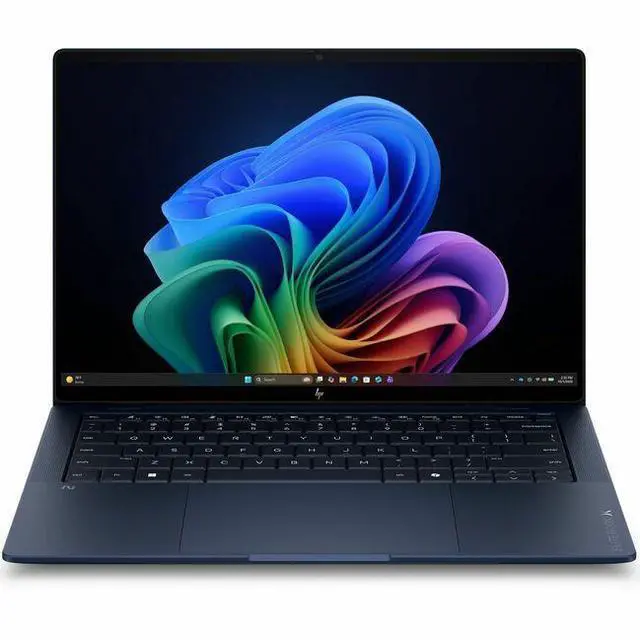
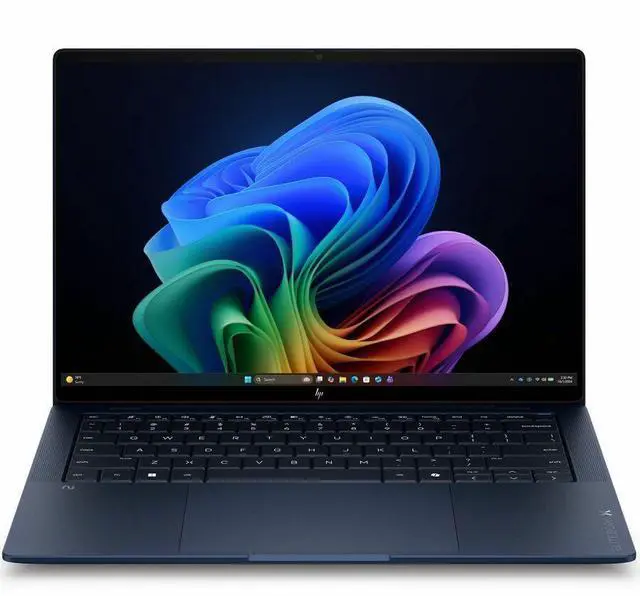
This product does not include manufacturer warranty when purchased or used outside of its designated sales region. By purchasing internationally, you acknowledge that warranty support from the manufacturer will not be available.The HP EliteBook X G2i is a 14-inch touchscreen Copilot+ business laptop with a 1920 x 1200 IPS display, Intel Core Ultra 7 356H, 32GB memory, and a 512GB SSD, making it a strong fit for professionals who want a portable Windows 11 Pro notebook for multitasking, video calls, and everyday productivity.
| Attribute | Value |
|---|---|
| Best For | Business and student users who need a portable 14-inch Windows notebook for productivity and mobile work, offering a 14" touchscreen, Intel Core Ultra 7 processor, 32 GB RAM and a 512 GB M.2 SSD |
| Processor And Core Count | Intel Core Ultra 7 (model 356H) processor with 16 processor count and up to 4.7 GHz boost, 18 MB L3 cache |
| GPU And VRAM | Integrated Intel graphics using shared system memory |
| Display Spec | 14.0" IPS LCD touchscreen, WUXGA 1920 x 1200 native resolution, up to 500 nits brightness and 100% sRGB color gamut, touch input enabled |
| Memory Configuration | 32 GB LPDDR5X RAM (32 GB installed; maximum listed as 32 GB) |
| Storage And Expansion | 512 GB solid-state storage in M.2 form factor (512 GB M.2 SSD) |
| High Speed I O | Includes 2 Thunderbolt ports, 1 HDMI output and 2 total USB ports (hardware list also cites USB-C and HDMI), no USB 3.0 ports reported |
| Battery And Power | Built-in lithium polymer battery, 4000 mAh energy content, listed with 6 cells and batteries packed with equipment; batteries included |
| Wired And Wireless Networking | Wi‑Fi 7 wireless and Bluetooth support for local networking and peripherals |
| Webcam And Privacy | Front-facing webcam included |
| Keyboard And Control | Touchscreen control / touch input supported |
| Portability | Ultraportable dimensions approximately 0.56" x 12.3" x 8.5" and item weight about 2.18 pounds (package weight 4.7 pounds) |
| External Display And Docking Fit | Supports external displays and docking via HDMI output and Thunderbolt ports |
| Model Identifiers | HP EliteBook X G2i (model D72P6UT#ABA) by Hewlett Packard, Next Gen AI PC Wolf Pro Security Edition, United States version, model year 2026 |
| Other Features | Atmospheric Blue color, anti-glare with low blue light features and 100% sRGB color coverage |
Q: Should I choose the HP EliteBook X G2i 14 or the Lenovo ThinkPad X1 Carbon Gen 13 Aura Edition?
A: Choose the HP EliteBook X G2i 14 if you want a more performance-oriented 14-inch business laptop with a Core Ultra 7 356H class processor, 32GB RAM, touchscreen support, and a more conventional WUXGA productivity setup. Choose the ThinkPad X1 Carbon Gen 13 Aura Edition if lower carry weight, stronger portability emphasis, and premium display options matter more. Across official positioning and reviews, the X1 Carbon is framed more as an ultra-light executive travel laptop, while the EliteBook X line is positioned closer to a full-featured premium business notebook that can prioritize higher CPU headroom over minimum weight.
Q: Is the HP EliteBook X G2i 14 worth it over the HP EliteBook Ultra G1i?
A: The EliteBook X G2i 14 is the better fit if you want the EliteBook design language but prefer a more balanced business-laptop setup with stronger CPU class options, touchscreen availability, and fewer portability-first compromises. The EliteBook Ultra G1i makes more sense if your priority is thinner-and-lighter mobility and a more premium travel-focused configuration. HP's own product positioning and third-party reviews repeatedly separate these two lines by that trade-off: the Ultra line leans lighter and more lifestyle-premium, while the X line stays closer to a traditional full-capability business notebook.
Q: Should I buy this 32GB EliteBook X G2i or a lower-memory business laptop configuration?
A: Choose this 32GB configuration if you keep many browser tabs open, work across large spreadsheets, run Teams or Zoom all day, or use local AI features and heavier multitasking. A lower-memory configuration is still reasonable for email, web apps, and standard office work, but 32GB gives this model a longer useful life and better headroom for business workloads that grow over time. In this class, community buying advice and OEM configuration patterns consistently treat 32GB as the safer choice for premium business laptops intended for multi-year use.
Q: Is the HP EliteBook X G2i 14 a meaningful upgrade over the previous EliteBook X generation?
A: Yes, it is the better choice if you specifically want the newer Intel platform, next-gen AI PC positioning, and the longest remaining product cycle for fleet deployment or longer ownership. The previous EliteBook X generation can still make sense if price is the main factor, but the G2i is the more practical pick when you care about staying current on platform support, Copilot+ class messaging, and refresh-cycle longevity. The upgrade case is stronger for business buyers standardizing on new systems than for users replacing a recent premium laptop that already meets their needs.
Q: Is the HP EliteBook X G2i 14 better for portability or for performance-first business use?
A: The HP EliteBook X G2i 14 is the better fit for buyers who want a portable premium business laptop without moving all the way to an ultra-light, compromise-first design. It sits closer to the middle: portable enough for daily carry, but configured more like a work-focused machine with 32GB memory, a 14-inch 16:10 display, and higher-performance Intel H-series positioning. If your top goal is the lightest possible travel laptop, there are lighter alternatives. If your goal is stronger multitasking and a fuller business-laptop feature set in a compact chassis, this EliteBook is the more suitable direction.
Q: Is this a good fit for travel, meetings, and everyday office work?
A: Yes. This configuration is well suited to mobile business use because it combines a 14-inch 1920x1200 touchscreen, 32GB RAM, 512GB SSD, Bluetooth, webcam, HDMI, and Windows 11 Pro in a business-class laptop. Those are the features shoppers repeatedly ask about on comparable retail listings when deciding on a work-travel laptop. The main trade-off is that it is better aligned with productivity and collaboration than with heavy graphics or gaming workloads because it uses integrated graphics.
Q: Is it good for note-taking and touch-based work?
A: It is good for finger touch, navigation, annotation, and general note-taking in apps that support touch. However, based on the provided product data, it should not be assumed to be a full pen-first or 2-in-1 device. If your workflow depends on handwritten notes with an active stylus, palm rejection, or tablet mode, a convertible model such as an EliteBook x360 or similar 2-in-1 would usually be the safer choice.
Q: Who is this laptop most suitable for?
A: It is best for professionals who spend most of their time in browser-based work, Microsoft 365, video meetings, document editing, research, and multitasking. The 32GB memory makes it especially suitable for users who keep many tabs, large spreadsheets, chat tools, and office apps open at once. It is less ideal for buyers who primarily need dedicated-graphics performance for advanced 3D work or modern gaming.
Q: What are the main trade-offs versus a 2-in-1 or pen-focused alternative?
A: This model is the better choice if you want a conventional business laptop with touch, Windows 11 Pro, and strong multitasking memory. A 2-in-1 alternative is the better choice if you need tablet mode, easier handwritten note capture, presentation modes, or more explicit stylus support. In short: this HP is the safer pick for standard office productivity, while a convertible is usually better for pen input and flexible form factors.
Q: Is it a better buy than a consumer laptop with similar RAM and storage?
A: Usually yes if your priority is business use, IT-managed deployment, and professional features. This HP includes Windows 11 Pro and is positioned as a business-class EliteBook, which matters for security, fleet management, and work use. A consumer laptop at a similar price may offer a flashier display or more lifestyle features, but this EliteBook is the more practical choice for buyers who value office reliability, conferencing basics, and professional configuration over entertainment-first design.
Q: Is the HP EliteBook X G2i a good fit for office work and general business use?
A: Yes, it looks well suited to office and business workloads. The listed configuration pairs an Intel Core Ultra 7 356H with 32GB RAM, a 512GB SSD, a 14-inch 1920x1200 IPS touchscreen, webcam, Bluetooth, HDMI, and Windows 11 Pro. That makes it a practical match for multitasking, video calls, document work, browser-heavy use, and typical business software. Community discussion around EliteBook X models also repeatedly frames them as business-class machines rather than consumer laptops.
Q: Who is this laptop most suitable for?
A: It is most suitable for users who want a premium Windows business laptop with strong memory capacity in a compact 14-inch format. Based on the product data, it fits professionals, remote workers, and students who need a portable system for productivity, meetings, note-taking with touch input, and heavier multitasking. It is less clearly aimed at gaming or buyers who want discrete graphics.
Q: Is it worth buying if I do not care about Copilot+ or AI features?
A: Potentially yes, but only if you value the overall business-laptop package more than the AI label. Reddit discussion around EliteBook X and other Copilot+ PCs often questions how much immediate value the NPU and AI branding add for typical buyers. For this model, the clearer buying reasons are the 32GB RAM, business-oriented design, touchscreen, and Windows 11 Pro rather than Copilot+ alone.
Q: What are the main trade-offs of choosing this model?
A: The main trade-offs are that it emphasizes business productivity over graphics performance, and some buyer discussions show mixed confidence in HP versus competing business lines. The product data lists integrated graphics, so it is better positioned for office work than GPU-heavy creative work or gaming. Community discussion also suggests that purchase decisions in this category are often compared against ThinkPad, Latitude, or MacBook alternatives rather than judged on specs alone.