
Your Browsing History
- Free 30-day Returns
- ₱5,668.03 Shipping
₱119,785.11
VAT-Inclusive Price
Ships from United States.
Sold by Newegg
Shipped by Newegg


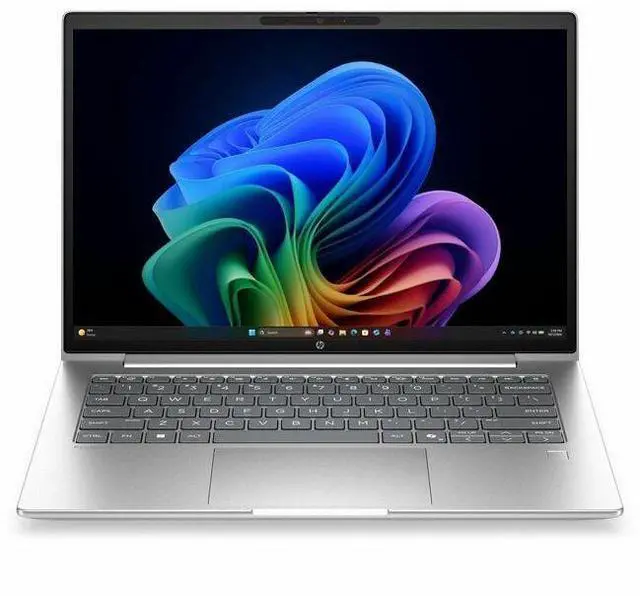
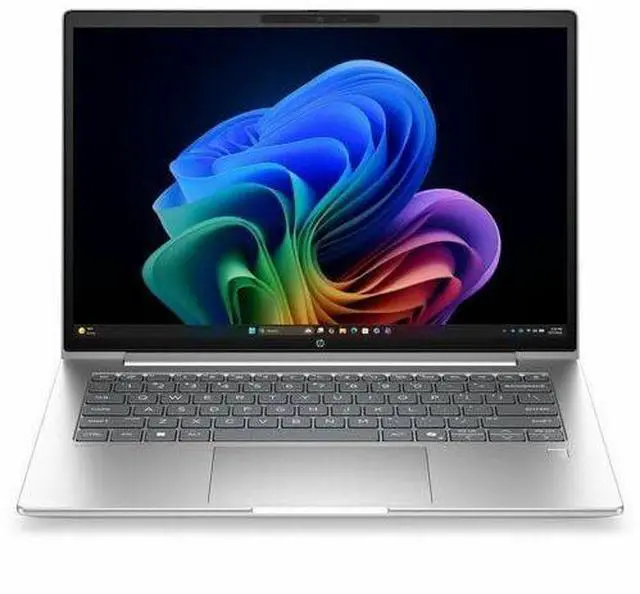


HP ProBook 4 G2i 14" Copilot+ PC Notebook - WUXGA - Intel Core Ultra 5 Series 3 325 - 16 GB - 512 GB SSD - English Keyboard - Pike Silver - Intel Chip - 1920 x 1200 - Windows 11 Pro - Intel - In-
- WUXGA
- Intel Core Ultra 5 Series 3 325
- 16 GB
- 512 GB SSD
- English Keyboard
- Pike Silver
- Intel Chip
- 1920 x 1200
- Windows 11 Pro
- Intel
- In-plane Switching (IPS) Technology
- Front Camera/Webcam
- IEEE
+
+
Overview
Specs
Reviews
14 PB4G2i14AI U5325 16G 512GB
Warranty & Returns
Warranty, Returns, And Additional Information
Return Policies*
- Return for refund within: 30 days
- Returns are subject to restocking fees and return shipping fees. Please click here to learn more about restocking fees and return shipping fees.
- This item is covered by Newegg.com's International Order Return Policy.
- Read full return policy for details.
- *Subject to applicable law
Warranty Notice:
This product does not include manufacturer warranty when purchased or used outside of its designated sales region. By purchasing internationally, you acknowledge that warranty support from the manufacturer will not be available.
Manufacturer Contact Info
- Manufacturer Website
- Support Phone: 1-800-474-6836
- Support Website
- View other products from HP
LOADING...
Learn about this product
The HP ProBook 4 G2i 14-inch Copilot+ PC is a business-ready laptop with a 1920 x 1200 IPS display, Intel Core Ultra 5 processor, 16GB memory, and 512GB SSD, making it well suited for professionals, students, and home users who want a portable system for everyday productivity, video calls, and multitasking.
Recommended For
- Hybrid office staff and small-business users who need a 14-inch Windows 11 Pro laptop for email, documents, browser-heavy work, video calls, and routine travel between home, office, and meetings.
- Users who want a business-first machine with built-in security and manageability, especially for company-issued deployments, remote work, and handling work files on a standard corporate Windows setup.
- Professionals using Microsoft 365, web apps, CRM tools, Slack/Teams, and light AI-assisted workflows who care more about reliability and compatibility than gaming or creator-class graphics.
- Buyers who prefer a mid-range business laptop over a consumer model and are specifically looking for a practical ProBook-style balance of portability, office performance, and everyday durability.
Real-World Use Scenarios
- Working in Microsoft 365, web apps, and dozens of browser tabs at once: this 14-inch ProBook is positioned for everyday business productivity, so typical office work, document editing, email, and multitasking should feel smooth rather than constrained.
- Running Teams or Zoom calls while taking notes and sharing presentations: the built-in webcam, business-laptop positioning, and current Intel platform make it a practical fit for remote meetings, with enough headroom for video calls plus normal office tasks in parallel.
- Using Windows AI features such as Copilot+ and on-device AI assistance during daily work: the model is explicitly sold as a Copilot+ PC, so AI-enhanced workflows like summarizing content, drafting text, and webcam effects are realistic use cases, though they complement productivity rather than replace a high-end workstation.
- Carrying one laptop between home, office, and travel for admin, sales, or school-style workloads: the 14-inch size, WUXGA display, and business-oriented ProBook line make it better suited to portable all-day productivity than to desk-bound specialist workloads.
- Light creative work such as photo touch-ups, simple Canva or Adobe projects, and external-display presentations: the integrated graphics and mainstream CPU are fine for lighter visual tasks and media playback, but this is not the right pick for heavy 3D work, advanced video editing, or modern AAA gaming.
Spec Summary
| Attribute | Value |
|---|---|
| Best For | Everyday business and student use — a 14" WUXGA (1920 x 1200) notebook with Intel Core Ultra 5 CPU, 16 GB RAM and 512 GB SSD running Windows 11 Pro, intended for general productivity and remote/hybrid work |
| Processor And Core Count | Intel Core Ultra 5 Series 3 (model 325) processor, 8 logical processors, up to 4.5 GHz max boost with 12 MB L3 cache |
| Display Spec | 14.0" WUXGA (1920 x 1200) IPS LCD, 300 nit max brightness, sRGB ~62% with anti-glare coating and low-blue-light support |
| Memory Configuration | 16 GB installed DDR5 SODIMM (RAM type DDR5 SDRAM), 2 memory slots, expandable up to 64 GB |
| Storage And Expansion | 512 GB solid-state storage in M.2 form factor (M.2 interface) |
| High Speed I O | Four total external ports (hardware interface lists USB, HDMI and USB-C); 1 HDMI port, 0 Thunderbolt ports |
| Battery And Power | Built-in lithium polymer battery (3 cells, 5840 mAh), battery weight ~0.46 lb, rated ~8 hours runtime; battery included and installed |
| Wired And Wireless Networking | Wi‑Fi 6E (802.11ax) wireless and Bluetooth connectivity |
| Webcam And Privacy | Front-facing webcam for video conferencing |
| Security And Biometrics | Built-in fingerprint recognition for biometric sign-in |
| Graphics And Video | Integrated Intel graphics (uses system DDR5 SDRAM as graphics memory) with HDMI video output |
| Physical Dimensions And Weight | Chassis approx 0.69" x 12.5" x 8.8"; item weight ~3.06 lb (item display weight 3.1 lb); package dimensions 17.4 x 10.9 x 2.4 in and package weight ~4.45 lb; color Pike Silver |
| Operating System And Software | Windows 11 Pro |
| Model Identifiers | HP ProBook 4 G2i (Model DG4U4UT#ABA), brand Hewlett Packard / HP, model year 2026 |
| Other Features | Non-touch keyboard input, anti-glare display with low blue light; contains power adapter in package; notebook form factor |
Reference Q&A
Q: Should I buy the HP ProBook 4 G2i 14 or step up to an HP EliteBook?
A: Choose the HP ProBook 4 G2i 14 if you want a business-focused 14-inch laptop for everyday office work, web apps, video calls, and Windows 11 Pro management without moving into HP’s higher enterprise tier. Choose an EliteBook if your priority is premium chassis design, broader enterprise security and manageability options, or a more upscale configuration range. In HP’s lineup, ProBook is positioned as the practical business series, while EliteBook is positioned above it for more demanding corporate deployment needs.
Q: Is the HP ProBook 4 G2i 14 a better fit than a consumer Copilot+ laptop?
A: The HP ProBook 4 G2i 14 is the better fit if you want a business laptop first: Windows 11 Pro, a non-touch 14-inch WUXGA IPS display, standard office-ready specs, and HP’s commercial ProBook positioning. A consumer Copilot+ laptop is the better choice if you care more about premium media features such as higher-end displays, thinner lifestyle designs, or a more entertainment-focused setup. This ProBook makes more sense for work fleets, small business buyers, and users who value business features over consumer styling.
Q: Should I get this Core Ultra 5 325 version or pay more for a Core Ultra 7 configuration?
A: Get the Core Ultra 5 325 version if your workload is mainly productivity, browser-heavy work, meetings, and standard multitasking. Early benchmark coverage indicates the Core Ultra 5 325 performs very close to the Core Ultra 7 355 in many general CPU tests, so the upgrade is not automatically the better value for office-focused use. Move to a higher-tier chip only if you know you need more sustained compute or stronger graphics for heavier creation, analysis, or specialized workloads.
Q: Is the HP ProBook 4 G2i 14 worth choosing over the previous ProBook generation?
A: Choose the ProBook 4 G2i 14 if you want the newer platform generation and the newer Copilot+ positioning. HP identifies the G2i as a Next Gen AI PC within the ProBook 4 family, while the earlier G1i models were positioned as AI PCs on the prior platform cycle. The upgrade makes the most sense for buyers who want the latest platform support and are already shopping new; a previous-generation ProBook can still be the more practical choice when price matters more than getting the latest silicon generation.
Q: Is the HP ProBook 4 G2i 14 better for portability and office work, or should I choose a more performance-first laptop?
A: Choose the HP ProBook 4 G2i 14 if your priority is a balanced 14-inch business notebook for portability, daily office tasks, and integrated-graphics operation. Choose a performance-first laptop if you expect heavier GPU work, advanced content creation, engineering software, or sustained multi-core workloads. This ProBook’s 16 GB RAM, 512 GB SSD, integrated graphics, and 14-inch form factor point to mainstream business productivity rather than workstation-class performance.
Q: Is this a good laptop for office work, web apps, note-taking, and video meetings?
A: Yes. This configuration is well suited to standard business and personal productivity: browser-based work, Microsoft Office, note-taking, email, multitasking, and video calls. The 16GB RAM and 512GB SSD are appropriate for everyday work, the 14-inch 1920 x 1200 IPS display gives more vertical workspace than basic 1080p panels, and the built-in webcam, Bluetooth, HDMI, and Windows 11 Pro fit typical meeting and office needs. It is not positioned as a gaming or creator-performance laptop because it uses integrated graphics and a non-touch display.
Q: Is it worth buying as a travel work laptop?
A: For travel-focused work, yes in a practical sense. A 14-inch non-touch business laptop is typically easier to carry and use on the go than a 15.6-inch or 16-inch model, while still giving enough screen space for documents, meetings, and web apps. This HP setup looks strongest for flights, commuting, client visits, and hybrid work if your priorities are portability, standard ports like HDMI, and business software compatibility. The main trade-off is that it is more of a productivity machine than a premium media or high-performance system.
Q: Who is this laptop most suitable for?
A: It is most suitable for users who need a straightforward Windows productivity laptop: remote workers, students in non-technical majors, small-business users, and home users who mainly work in browsers, Office apps, email, meetings, and cloud tools. It is a better fit for document work and everyday multitasking than for gaming, 3D work, or heavy video editing. The non-touch screen also means it is better for keyboard-and-trackpad workflows than handwritten note-taking.
Q: What are the main trade-offs versus a more premium 14-inch laptop?
A: The likely advantage of this HP ProBook configuration is practical business value: solid memory and storage, a 16:10 WUXGA display, webcam, HDMI, and Windows 11 Pro in a mainstream 14-inch format. The trade-offs versus a premium alternative are usually display quality, battery life, materials, speakers, thinner-and-lighter design, and higher graphics performance. If you mainly need dependable office use, those premium upgrades may not matter; if you want better media quality, longer unplugged use, or stronger creative performance, a higher-tier model may be the better choice.
Q: Is this better than a touchscreen 2-in-1 or consumer laptop for buying simplicity?
A: If your priority is dependable work use, this is usually the simpler choice. A non-touch 14-inch business laptop avoids paying extra for features some buyers do not use, such as pen input or convertible hinges, and instead focuses on the basics that matter more for office workflows: RAM, SSD capacity, display workspace, webcam, ports, and Windows Pro. A 2-in-1 is the better choice only if you specifically want handwritten notes, tablet mode, or touch interaction.
Q: Is this HP ProBook 4 G2i a good fit for everyday work and school use?
A: Yes for typical productivity use. With a 14-inch 1920x1200 IPS display, Intel Core Ultra 5 325, 16GB RAM, and a 512GB SSD, it matches the kind of configuration commonly discussed for office work, web use, documents, video calls, and note-taking. The main limits are that it has integrated graphics and no touchscreen in the provided listing, so it is less suited to GPU-heavy creative work or pen-based use.
Q: Who is this laptop best suited for?
A: It is best suited to buyers who want a business-style 14-inch Windows laptop for productivity, remote work, travel, and general daily computing. Based on the listed specs, it makes the most sense for users who value a portable screen size, Windows 11 Pro, webcam, Bluetooth, and standard office-ready hardware more than gaming or creator-class graphics performance.
Q: What are the main trade-offs of choosing this ProBook 4 G2i?
A: The main trade-offs are graphics capability, upgrade headroom, and feature ceiling. This configuration gives you a practical 16GB/512GB baseline and integrated graphics, which is fine for mainstream work but not ideal for serious gaming, 3D work, or heavier media production. The listing also shows no touchscreen, so it is a more conventional clamshell productivity laptop rather than a flexible 2-in-1 or creative device.
Q: Is 16GB RAM and a 512GB SSD enough for most buyers?
A: For most work, school, and home users, yes. A 16GB memory and 512GB SSD setup is widely treated in current buying discussions as the practical baseline for a modern Windows laptop. It is enough for multitasking, office apps, browser-heavy use, and local file storage for typical users, but power users with large media libraries, virtual machines, or heavier professional workflows may want more storage or memory.
Q: Is this a good choice if battery life is your top priority?
A: Maybe, but not purely on specs alone. This kind of Intel Core Ultra 5 325 configuration is commonly discussed as efficient enough for normal office use, but real battery life depends heavily on the laptop's battery size, display, thermals, and tuning. Since the provided product data does not include battery capacity, this model is safer to choose for balanced portability and productivity than for buyers whose main goal is maximum runtime.