


 All CategoriesAll CategoriesAll Categories





Warranty Notice:
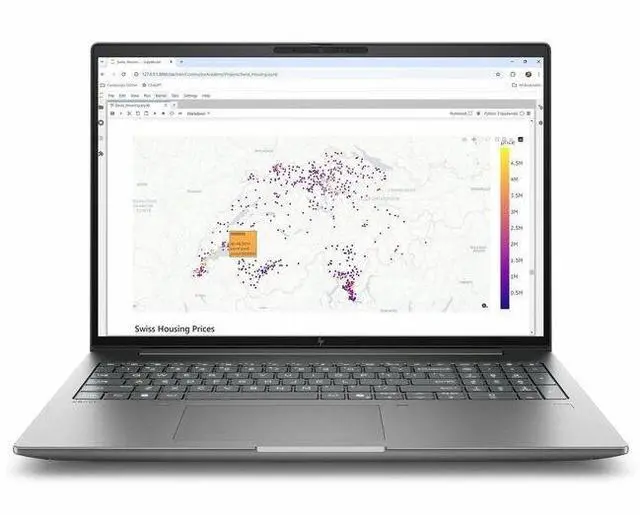
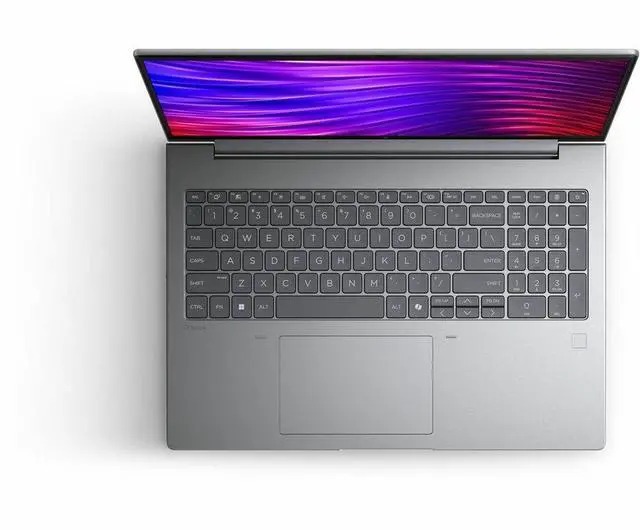
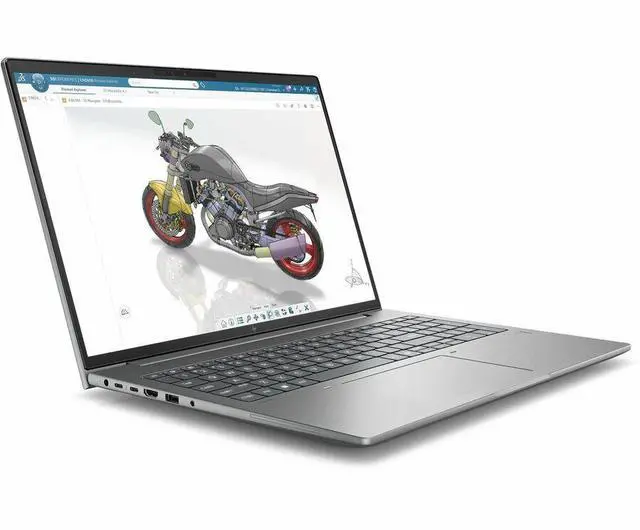
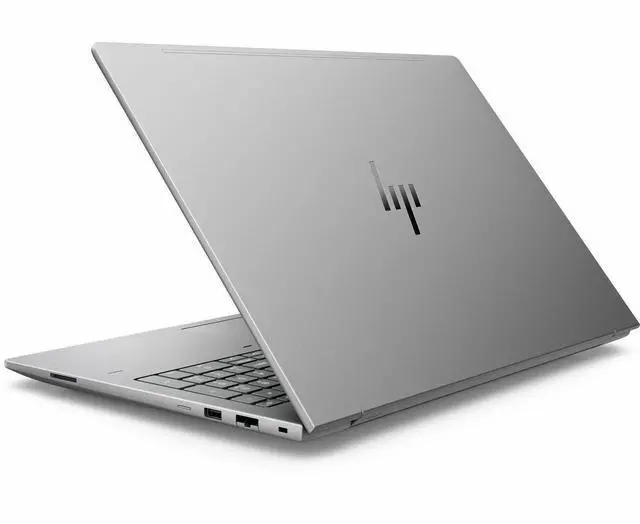
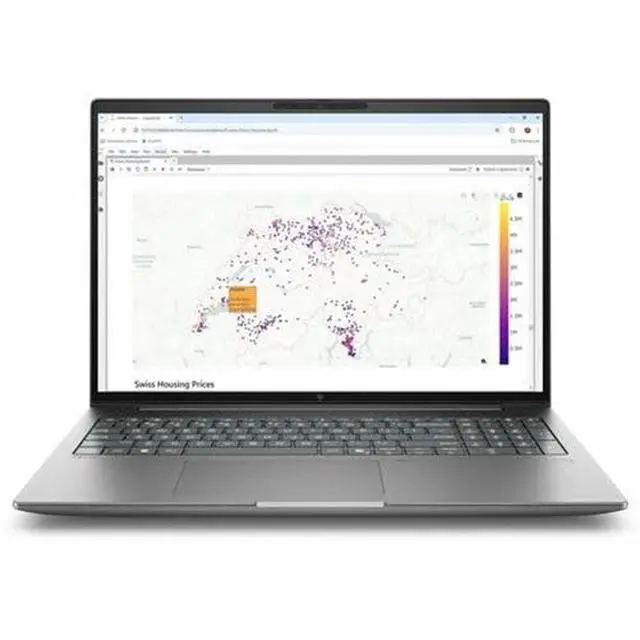
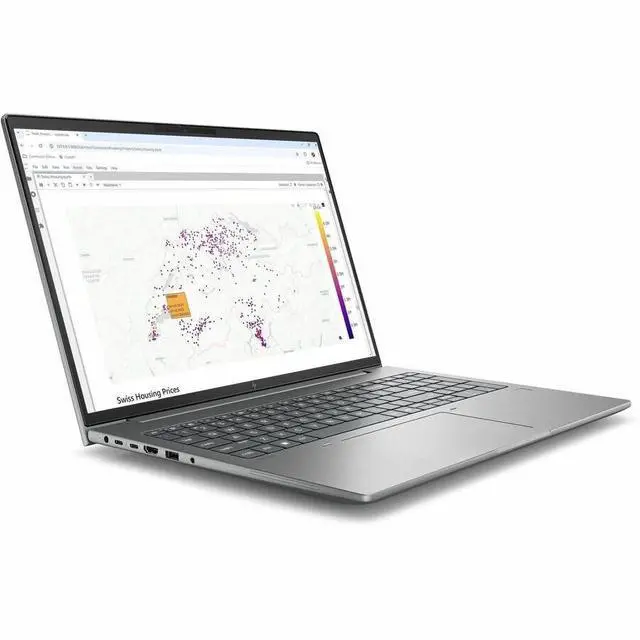
This product does not include manufacturer warranty when purchased or used outside of its designated sales region. By purchasing internationally, you acknowledge that warranty support from the manufacturer will not be available.The HP ZBook X G2i is a 16-inch mobile workstation for professionals who need a business-ready laptop with a Core Ultra 7 366H, 32GB RAM, 1TB SSD, Windows 11 Pro, and broad port connectivity for office, engineering, content, and multitasking workflows.
| Attribute | Value |
|---|---|
| Best For | Mobile workstation users and professionals who need a high-memory, high-capacity laptop for productivity and workstation workflows, with long-run battery capacity and Wi‑Fi 7 connectivity |
| Processor And Core Count | Intel Core Ultra 7 366H (Series 3) processor, up to 4.8 GHz turbo frequency with 18 MB L3 cache |
| GPU And VRAM | Integrated Intel graphics (product lists Intel integrated graphics as the GPU) |
| Display Spec | 16.0-inch WUXGA (1920 x 1200) IPS display with up to 400 nits maximum brightness and 100% sRGB color gamut |
| Memory Configuration | 32 GB DDR5 installed (2 RAM slots), expandable up to 128 GB maximum |
| Storage And Expansion | 1 TB M.2 solid-state drive (M.2 form factor/interface) |
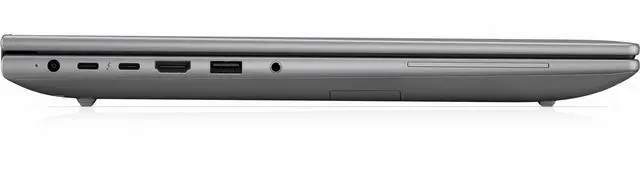
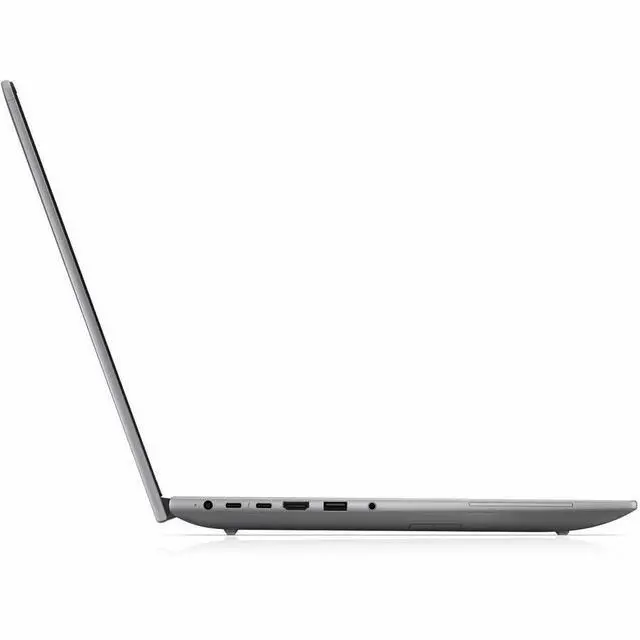
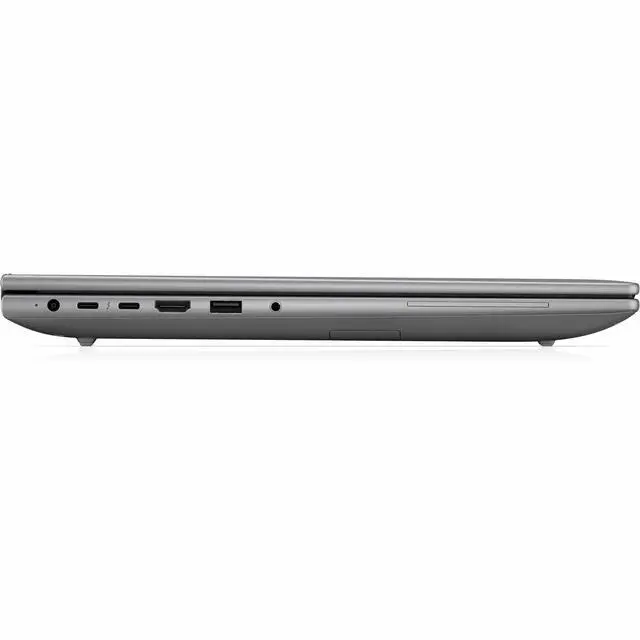
| High Speed I O | Two Thunderbolt 4 ports (USB‑C, 40 Gbps, USB Power Delivery, DisplayPort 2.1), one USB‑C 10 Gbps (USB PD, DisplayPort 1.4), one USB‑A 5 Gbps, one HDMI 2.1, one 3.5 mm combo audio jack and one RJ‑45 Ethernet (total 6 device ports) |
| Battery And Power | Polymer 96 WHr 6-cell battery; external data lists rapid charging performance as 100% in 10.50 hours and batteries listed as not included/required |
| Wired And Wireless Networking | Wi‑Fi 7 (802.11be) and Bluetooth wireless; onboard RJ‑45 Ethernet port for wired networks |
| Webcam And Privacy | Built-in webcam present |
| Audio Setup | Stereo audio |
| Input And Control | Non-touch display (non-touch screen) |
| Portability | Weight approximately 1.9 kg with dimensions Width 35.9 cm x Depth 25.1 cm x Height 2.49 cm |
| External Display And Docking Fit | Supports external displays via HDMI 2.1 and two Thunderbolt 4 ports with DisplayPort 2.1/1.4 and USB Power Delivery |
| Model Identifiers | HP ZBook X G2i mobile workstation, Model/Part DK2D6UT#ABA (Edition ZBook X G2i), Manufacturer Hewlett Packard, Series ZBook |
| Operating System | Windows 11 Pro |
| Color And Finish | Meteor Silver finish |
| What’s Included | Includes the ZBook X G2i mobile workstation, AC adapter and power cord (package quantity 1) |
Q: Should I choose the HP ZBook X G2i or HP ZBook Fury G1i for a mobile workstation?
A: Choose the HP ZBook X G2i if you want a 16-inch workstation that stays more travel-friendly while still supporting professional graphics, Copilot+ features, and a wide port selection. Choose the HP ZBook Fury G1i if your workflow benefits from higher-end GPU options, much higher memory ceilings, and more expansion headroom. In short: ZBook X G2i fits buyers balancing workstation capability with mobility, while ZBook Fury G1i fits buyers prioritizing maximum performance and upgrade range.
Q: Is the HP ZBook X G2i a better fit than a lower-spec integrated-graphics workstation configuration?
A: Yes, if you expect to run CAD, 3D, rendering, AI-assisted creation, or other GPU-aware professional apps. The ZBook X G2i platform is positioned by HP with scalable RTX PRO graphics, and workstation reviews consistently show that stepping up from integrated graphics to discrete professional graphics is the more meaningful upgrade for those workloads. A lower-tier integrated-graphics configuration makes more sense for office-heavy, coding, browser-based, and lighter content workflows where battery life, lower cost, and simpler thermals matter more than graphics acceleration.
Q: How does the HP ZBook X G2i compare with Dell Precision 3591?
A: The HP ZBook X G2i is the better choice if you want HP's newer AI-focused positioning, Wi-Fi 7, Copilot+ support, and access to newer Blackwell-generation RTX PRO options on this product family. The Dell Precision 3591 is the closer match if you want a mainstream 15-inch mobile workstation from Dell with similar business-workstation intent. Review coverage of HP's adjacent ZBook Power line versus Precision 3591 suggests HP often competes well on overall user experience, while both platforms serve buyers who need workstation-class ports, enterprise features, and configurable CPU/GPU tiers. For buyers specifically choosing between brands, the ZBook X G2i makes more sense when you want the newer HP platform direction; Precision 3591 makes more sense when you prefer Dell's Precision ecosystem.
Q: Should I buy the HP ZBook X G2i or a lighter workstation like HP ZBook Firefly 16?
A: Choose the HP ZBook X G2i if your work leans more toward performance-first mobile workstation use, especially when you may need higher graphics options, stronger thermal headroom, more display choices, and more workstation-focused expansion. Choose a lighter model such as ZBook Firefly 16 if portability, simpler workloads, and lower carry weight matter more than scaling up GPU performance. This is the typical trade-off in mobile workstations: the ZBook X G2i is the more capability-oriented choice, while Firefly is the easier everyday carry.
Q: Is the HP ZBook X G2i a worthwhile upgrade over an older ZBook Studio or earlier-generation 16-inch ZBook?
A: For many professional buyers, yes. The clearest upgrade reasons are the move to newer Intel Core Ultra platform features, Copilot+ and NPU support, newer RTX PRO graphics options, Wi-Fi 7, and updated display choices including high-gamut and DreamColor options. Community discussion also points to the ZBook X line as the practical successor path for some buyers who previously looked at ZBook Studio-class machines. The upgrade is most worthwhile if you want newer AI features and modern GPU options rather than simply replacing an older machine with similar workflow needs.
Q: Is this a good fit for office work, video meetings, and general business use?
A: Yes. This configuration is well suited to office productivity, browser-heavy work, video meetings, and multitasking because it combines a 16-inch 1920 x 1200 display, 32GB RAM, 1TB SSD, a webcam, Windows 11 Pro, Wi-Fi 7, and multiple modern ports including Thunderbolt 4, USB-A, USB-C, HDMI, and RJ-45 Ethernet. The main trade-off is that it is a workstation-class 16-inch laptop, so it is more than many buyers need if their workload is limited to email, documents, and calls.
Q: Is it worth buying as a travel work device?
A: It can work as a travel business laptop, but it is better described as portable for a workstation than ultra-light for frequent travel. At about 1.9 kg with a 16-inch chassis and a 96WHr battery, it is reasonable for carrying between office, home, and client sites. The trade-off is size and weight: buyers who travel daily and mainly use office apps may prefer a lighter 14-inch class business laptop, while buyers who want a larger screen, Ethernet, and broader port selection may find this model more practical.
Q: Who is this laptop most suitable for?
A: This model makes the most sense for buyers who want a business laptop with workstation positioning: engineers, technical professionals, developers, analysts, and users who need 32GB memory, 1TB storage, Windows 11 Pro, wired Ethernet, and broad external-display and dock connectivity. It is less suitable for shoppers looking for a lower-cost everyday laptop, a 2-in-1 for handwriting, or a thin-and-light consumer model focused mainly on streaming and casual use.
Q: What are the main trade-offs versus a lighter Copilot+ laptop like an HP OmniBook or similar consumer model?
A: The ZBook-style workstation trade-off is clearer business and expansion utility versus consumer-friendly portability and display extras. This HP offers Windows 11 Pro, RJ-45 Ethernet, Thunderbolt 4, HDMI 2.1, USB-A, USB-C, Wi-Fi 7, and 32GB RAM, which are strong practical advantages for office setups and professional workflows. A lighter consumer Copilot+ alternative may offer longer battery claims, touchscreen or OLED options, and lower weight, but often gives up some workstation-oriented connectivity or enterprise positioning.
Q: Is this better than a comparable workstation alternative for buyers deciding between integrated graphics and a more powerful GPU model?
A: It is better if your priority is business productivity, memory capacity, storage, modern connectivity, and a large-screen professional setup without necessarily paying for a top-tier discrete-workstation configuration. It is not the better choice if your workflow depends on heavier 3D, GPU rendering, advanced CAD, or specialized visual workloads, where a workstation with a clearly specified higher-end discrete GPU is the safer buy. In short: choose this model for professional productivity and balanced mobility, and choose a stronger GPU workstation if graphics acceleration is central to your work.
Q: Who is this HP ZBook X G2i best suited for?
A: This model is best suited for professional office and workstation use: large spreadsheets, coding, business apps, many browser tabs, and general creative or technical workflows that do not depend heavily on a high-end discrete GPU. The 32 GB RAM, 1 TB SSD, 16-inch 1920x1200 display, Windows 11 Pro, and workstation-class port selection make it a practical fit for engineers, developers, analysts, and business users who want a 16-inch productivity machine.
Q: Is the HP ZBook X G2i a good choice for engineering, CAD, or developer work?
A: Yes, for many CPU- and memory-oriented technical workloads it is a sensible choice. A Core Ultra 7, 32 GB RAM, fast SSD storage, wired Ethernet, Thunderbolt 4, HDMI, and Windows 11 Pro align well with engineering software, development environments, virtual machines, and multitasking. The main caveat is graphics: if your workflow depends on heavier 3D rendering, GPU compute, or certified workstation GPU performance, you should confirm the exact GPU configuration before buying because the provided product data is inconsistent between integrated Intel graphics and an NVIDIA listing.
Q: What are the main trade-offs of buying this ZBook X G2i?
A: The main trade-offs are portability versus workstation features, and clarity of graphics capability. At about 1.9 kg with a 16-inch chassis, it is portable for a workstation but not especially light for frequent travel. The 1920x1200 60 Hz non-touch IPS display is practical for work, but it is not a high-refresh or premium creator display. Also, the product data lists integrated Intel graphics while another line mentions NVIDIA with 8 GB, so buyers who need GPU performance should verify the exact installed graphics before purchase.
Q: Is this a good buy if I want one laptop for desk work and occasional travel?
A: Yes, if your priority is a durable 16-inch work machine with strong connectivity and all-day professional usability rather than maximum portability. The large display, 96 Wh battery, RJ-45, Thunderbolt 4, HDMI 2.1, USB-A, and Wi-Fi 7 make it well suited to office, home, and client-site use. If you travel constantly and care more about low weight than ports and screen size, a lighter 14-inch class laptop may be a better fit.
Q: Is it worth buying if I need strong GPU performance for rendering or AI workloads?
A: Only if the exact unit includes the NVIDIA GPU configuration and that level of GPU power matches your software needs. If the shipped unit uses only Intel integrated graphics, it is better suited to general productivity, coding, and lighter creative work than serious rendering or GPU-heavy AI tasks. For GPU-dependent buying decisions, this listing should be treated as needing verification before purchase.


