
Your Browsing History


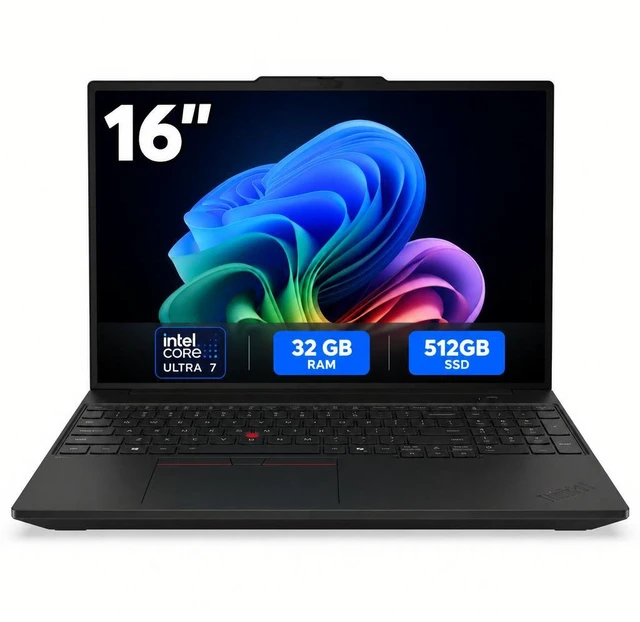
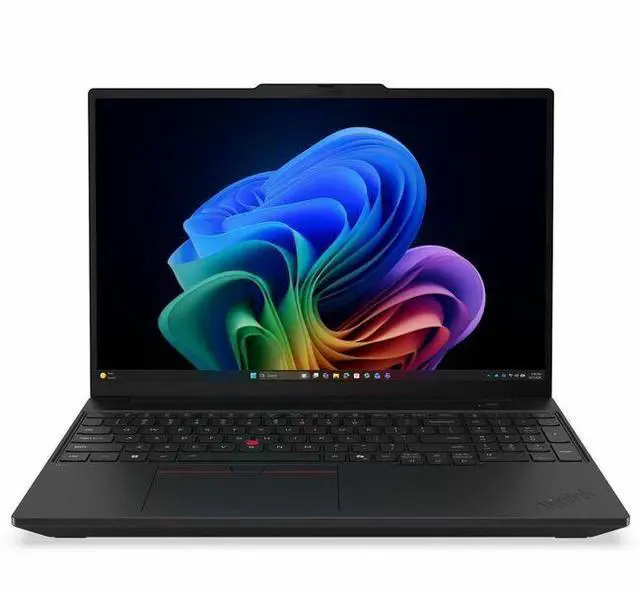
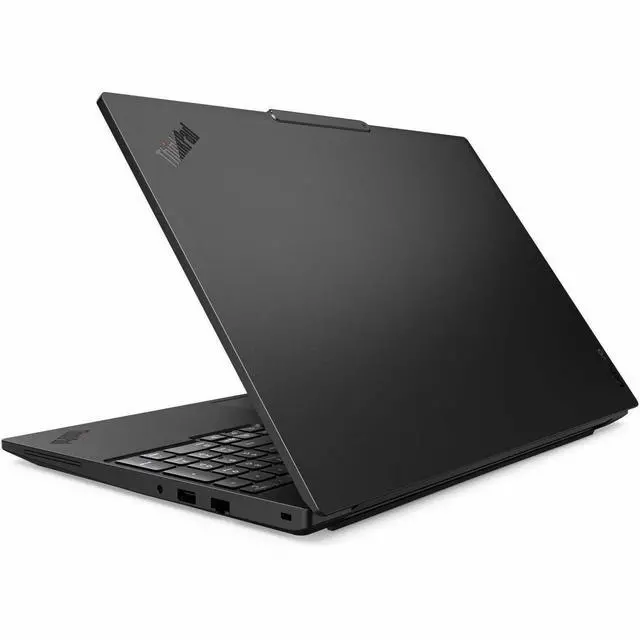
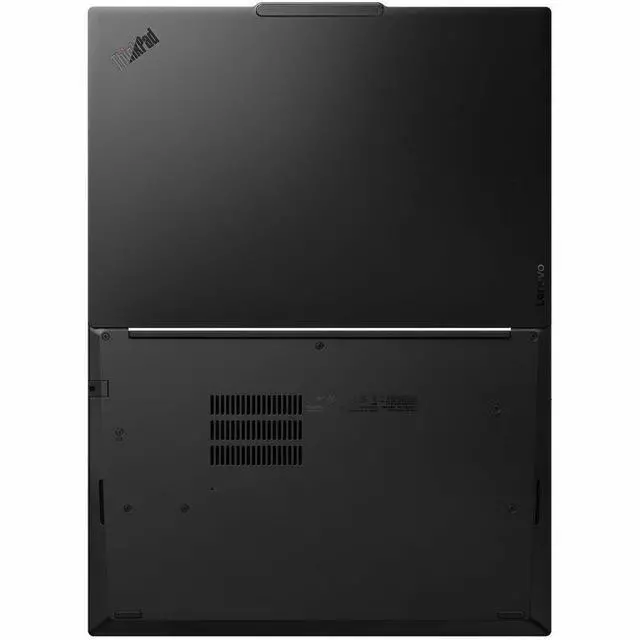
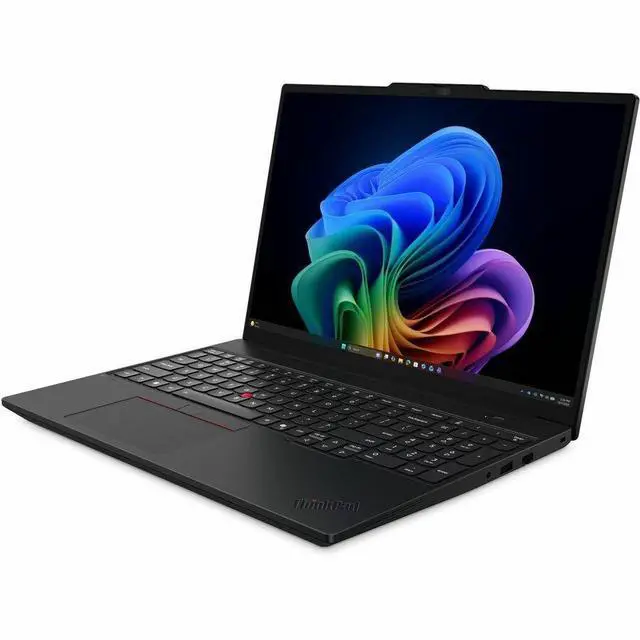
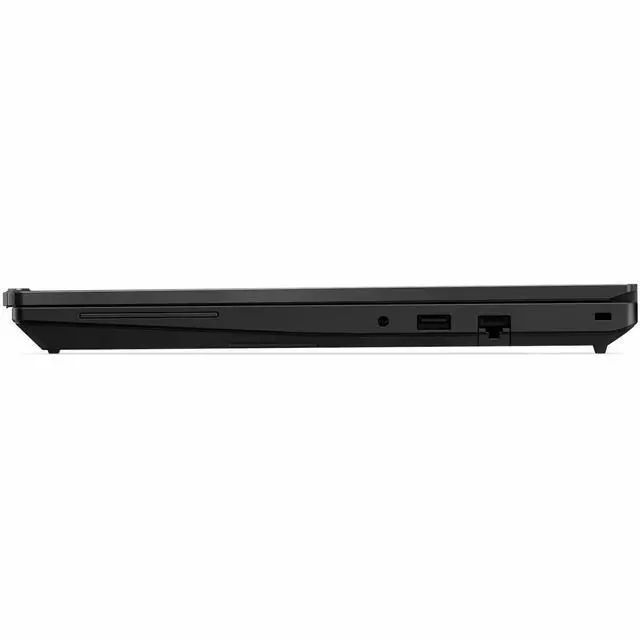
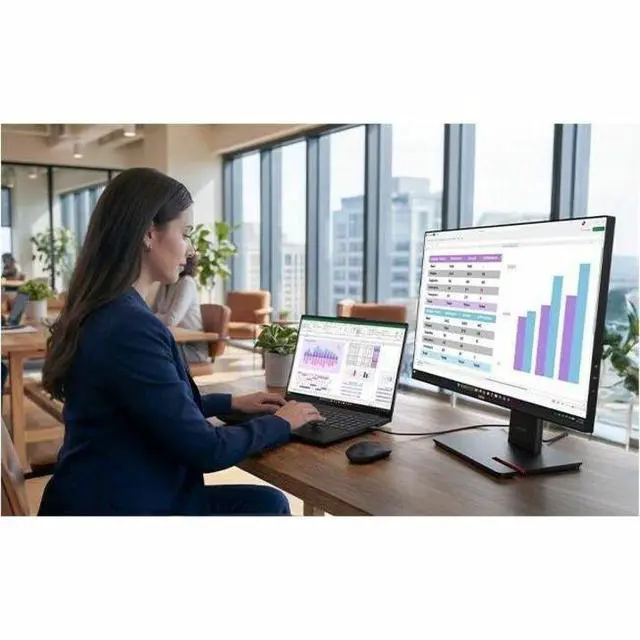
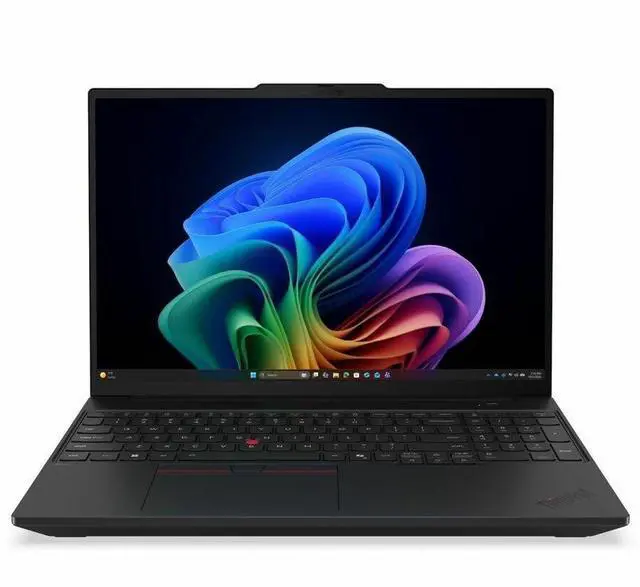


Lenovo ThinkPad T16 Gen 5 21WT0064US 16" Copilot+ PC Notebook - Intel Core Ultra 7 355 - 32 GB - 512 GB SSD - Windows 11 Pro - Webcam - Wi-Fi 7
- WUXGA
- 60 Hz
- Intel Core Ultra 7 Series 3 355
- 32 GB
- 512 GB SSD
- English Keyboard
- Black
- Intel Chip
- 1920 x 1200
- Windows 11 Pro
- Intel
- In-plane Switching (IPS) Technology
- Front Camera/Webcam
Overview
Specs
Reviews
Relentless innovationThe way we compute. The way we do business. The way we live our lives. Every time business has gone somewhere new, discovered something different, or done something revolutionary, chances are, ThinkPad was there. We stem from a long tradition of firsts.
Warranty & Returns
Warranty, Returns, And Additional Information
Return Policies*
- Return for refund within: 30 days
- Returns are subject to restocking fees and return shipping fees. Please click here to learn more about restocking fees and return shipping fees.
- This item is covered by Newegg.com's International Order Return Policy.
- Read full return policy for details.
- *Subject to applicable law
Warranty Notice:
This product does not include manufacturer warranty when purchased or used outside of its designated sales region. By purchasing internationally, you acknowledge that warranty support from the manufacturer will not be available.
Manufacturer Contact Info
LOADING...
Learn about this product
The Lenovo ThinkPad T16 Gen 5 is a 16-inch business laptop with an Intel Core Ultra 7 355, 32GB RAM, and a 512GB SSD, making it well suited for professionals who need a large-screen Windows 11 Pro system for multitasking, productivity, video calls, and modern wireless connectivity including Wi-Fi 7.
Recommended For
- Office-heavy professionals who want a 16-inch ThinkPad for spreadsheets, documents, video calls, and browser-based work, especially if they value the larger 16:10 screen, Windows 11 Pro, and Lenovo’s business-first positioning over graphics features.
- Finance, operations, and back-office users who regularly key in numbers and work across large sheets will benefit from the 16-inch layout and integrated numpad, which community discussions repeatedly associate with the T16’s practical appeal.
- IT buyers and employees who prioritize serviceability, ports, and long-term fleet usability over thin-and-light design; external coverage and community discussion around the T16 line consistently frame it as a repairable, business-oriented work machine.
- Hybrid workers who spend most of the day at a desk but still carry the laptop between home, office, and meetings; the T16 fits people who want a larger-screen business notebook without moving to a mobile workstation class.
Real-World Use Scenarios
- Working across large spreadsheets, browser tabs, Teams/Zoom, and Office apps at the same time is a natural fit for this model; in typical business use, the 16-inch 16:10 screen and 32GB RAM should make everyday multitasking feel comfortable rather than cramped.
- For programmers, analysts, and finance users who spend hours typing and reviewing documents, the T16 line is commonly used as a desk-first productivity laptop; users generally choose it for the larger screen, ThinkPad input experience, and roomier layout, though it is less appealing if low carry weight is the top priority.
- For hybrid work, client travel, and moving between home and office, this is better suited to 'portable workstation for business tasks' than 'light daily commuter'; it should handle meetings, presentations, remote desktops, and document-heavy work well, but its listed weight makes it more of a bag-carried laptop than an ultra-light carry.
- Running light local AI features, transcription, background blur, and newer Windows productivity features is a realistic use case here; this configuration is positioned more for business productivity with Copilot+ capabilities than for heavy on-device generative AI or GPU-intensive creative workloads.
- For occasional code builds, virtual machines, or data work beyond basic office tasks, the laptop should be competent as long as expectations stay in the business-laptop range; community discussion around the T16 Gen 5 points to solid general performance, but not a machine meant for sustained workstation-class rendering or gaming.
Spec Summary
| Attribute | Value |
|---|---|
| Best For | Home, personal and business users who need a 16" Windows 11 Pro notebook with Copilot+ AI features, a front webcam, strong memory (32 GB) and 512 GB M.2 SSD for productivity, conferencing and general multitasking |
| Model Identifiers | Lenovo ThinkPad T16 Gen 5 (Model/Part 21WT0064US) by Lenovo Group Limited, 2026 edition, configured for United States / North America |
| Processor And Core Count | Intel Core Ultra 7 355 (single processor), processor series Intel Core Ultra 7, maximum reported speed 4.7 GHz and 12 MB L3 cache |
| GPU And VRAM | Integrated Intel graphics using shared system memory |
| Display Spec | 16" IPS (In-Plane Switching) WUXGA 1920 x 1200 display, 60 Hz refresh, anti-glare coating and up to 400 nits maximum brightness with ~45% NTSC color gamut |
| Memory Configuration | 32 GB LPDDR5X installed (RAM Memory Installed: 32 GB) at 6800 MHz, single memory slot, expandable up to 64 GB maximum |
| Storage And Expansion | 512 GB solid-state storage in M.2 form factor (M.2 interface) |
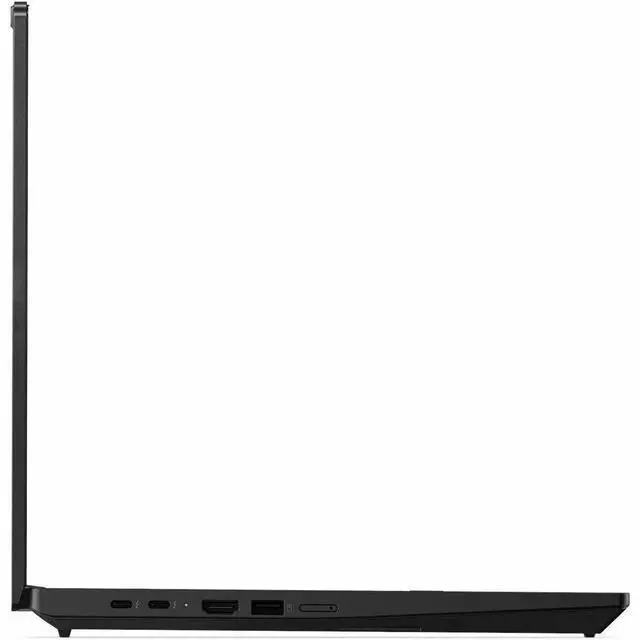
| High Speed I O | 2 Thunderbolt ports, 2 total USB ports, 1 HDMI port and 1 Gigabit Ethernet port; hardware interfaces include USB, HDMI, Ethernet and Bluetooth |
| Battery And Power | Integrated lithium‑ion battery installed (1 battery) with 4 cells and reported 4000 mAh energy capacity; battery packed with equipment |
| Wired And Wireless Networking | Wi‑Fi 7 (IEEE 802.11be) and Bluetooth wireless; wired Gigabit Ethernet available |
| Webcam And Privacy | Front-facing webcam (webcam capability present) and biometric fingerprint recognition for sign-in |
| Keyboard And Control | English keyboard layout; biometric fingerprint reader for authentication |
| Audio Setup | Stereo audio output (speakers) with audio recording capability |
| Portability | Approximate device weight 6.1 lbs and product size reported as 14.09" x 9.8" x 0.9" (dimensions listed from external attributes) |
| External Display And Docking Fit | External displays supported via the built-in HDMI port and the two Thunderbolt ports (Thunderbolt ports can be used for external displays or docks) |
Reference Q&A
Q: Should I buy the Lenovo ThinkPad T16 Gen 5 or the ThinkPad T14 Gen 5?
A: Choose the ThinkPad T16 Gen 5 if you want a larger 16-inch workspace, a full-size business-laptop layout, and a configuration that is better suited to desk-heavy productivity. Choose the ThinkPad T14 Gen 5 if portability matters more, since the T14 is Lenovo’s smaller 14-inch version of the same mainstream ThinkPad T-series concept. In short: T16 Gen 5 for screen space and office multitasking, T14 Gen 5 for easier travel.
Q: Is the ThinkPad T16 Gen 5 worth it over a cheaper ThinkPad E16?
A: The ThinkPad T16 Gen 5 is the better fit if you want Lenovo’s higher-tier business platform, longer lifecycle value, and easier serviceability. The ThinkPad E16 is the more budget-oriented 16-inch option and is often the better choice when price matters more than platform refinement. A practical rule: pick the T16 Gen 5 for business deployment, frequent daily use, and upgrade-friendly ownership; pick the E16 when you mainly want a large-screen ThinkPad at a lower cost.
Q: Should I get this Core Ultra 7 / 32GB T16 Gen 5 or a lower-spec T16 Gen 5 configuration?
A: Choose this Core Ultra 7 and 32GB configuration if you expect heavier multitasking, larger spreadsheets, more browser tabs, virtual meetings, or longer-term use where memory headroom matters. A lower-spec T16 Gen 5 configuration is usually the better value for standard office work, web apps, and email if you do not need the extra RAM or processor tier. In short: this model makes more sense as a buy-once, keep-longer business configuration, while lower-tier versions fit lighter workloads.
Q: Should I choose the ThinkPad T16 Gen 5 Intel or the ThinkPad T16 Gen 5 AMD version?
A: Choose the Intel ThinkPad T16 Gen 5 if you specifically want this configuration’s Intel platform, Copilot+ branding, and Wi-Fi 7 business setup. Choose the AMD version if your priority is stronger integrated-graphics capability or if you find a better-value configuration with a higher-quality display. Across early discussions and review coverage, the real decision often comes down to the exact screen, memory, and price combination rather than the brand of processor alone.
Q: Is the ThinkPad T16 Gen 5 a better choice than the previous-generation T16?
A: Choose the ThinkPad T16 Gen 5 if you want Lenovo’s newer 2026 platform with updated collaboration and serviceability messaging, plus access to newer processor options and current connectivity. A previous-generation T16 can still be the smarter buy when discount pricing matters more than having the latest platform. In short: T16 Gen 5 is the stronger choice for buyers prioritizing current-generation features and longer support runway, while older T16 models remain practical value options.
Q: Is this a good fit for office work, meetings, and general business use?
A: Yes. This configuration is well suited to business workloads such as email, documents, spreadsheets, web apps, video calls, and multitasking. The 32 GB RAM and 512 GB SSD are strong for everyday professional use, and the 16-inch 1920 x 1200 IPS display gives more vertical workspace than a standard 1080p panel. It is a better fit for productivity than for gaming or graphics-heavy creative work.
Q: Is it worth buying as a travel work laptop?
A: It is workable for travel, but portability is not its main strength. The 16-inch screen helps productivity on the road, but the listed 6.1 lb weight is heavy compared with many business laptops. This model makes more sense for users who travel occasionally and want a larger screen, rather than for people who carry a laptop all day or fly frequently.
Q: Is the display good for long work sessions?
A: Yes for productivity, with a trade-off. The 16-inch WUXGA 1920 x 1200 IPS panel is a practical work display because it gives extra vertical space for documents and spreadsheets, and similar ThinkPad T16 retail Q&A pages repeatedly highlight anti-glare panels as a benefit for office use. The trade-off is that this is a basic 60 Hz panel, so it is aimed at reading, writing, and business tasks rather than high-end media or gaming.
Q: Who is this laptop most suitable for?
A: It is best for professionals who want a larger-screen Windows business laptop for office apps, multitasking, video meetings, and desk-based productivity. It fits users who value RAM capacity, a business OS, and modern connectivity more than ultra-light carry weight. It is less suitable for buyers who want a compact commuter laptop, a gaming machine, or a creator laptop with dedicated graphics.
Q: What are the main trade-offs versus a smaller 14-inch business laptop?
A: The main advantage of this T16 is workspace: a larger 16-inch 1920 x 1200 display is better for side-by-side documents, spreadsheets, and long office sessions. The main trade-off is mobility, because a 16-inch business laptop is usually heavier and less convenient to carry than a 14-inch model. Choose this if screen size and desk productivity matter more than packability.
Q: Is the ThinkPad T16 Gen 5 a good fit for office work and general business use?
A: Yes. Based on the product specs and the way buyers discuss the T16 Gen 5 on Reddit, it fits office-heavy workloads well: multitasking, spreadsheets, documents, web apps, meetings, and general business use. This configuration adds 32 GB RAM, a 512 GB SSD, a 16-inch 1920x1200 IPS display, Windows 11 Pro, and Wi-Fi 7, which makes it better suited to work-focused use than lighter consumer laptops. The main trade-off is portability, since this listing is relatively heavy at 6.1 lbs.
Q: Is it worth buying if I want a large-screen work laptop and not a performance workstation?
A: Yes, if your priority is a roomy business laptop rather than a mobile workstation. Reddit discussions around the T16 Gen 5 mainly frame it as a practical 16-inch ThinkPad for productivity, not as a high-end creator or engineering machine. This model's WUXGA 60 Hz display, integrated Intel platform, and 512 GB SSD are sensible for business use, but buyers who need stronger graphics, heavier sustained compute, or more specialized performance may be better served by a workstation-class model instead.
Q: What are the main trade-offs of this T16 Gen 5 configuration?
A: The main trade-offs are portability, display ambitions, and upgrade flexibility. This listing is heavy for a travel-first laptop at 6.1 lbs, and its 16-inch IPS panel is 1920x1200 at 60 Hz rather than a higher-resolution or higher-refresh option. Reddit discussions also highlight buyer concern about configuration differences such as Intel-platform memory choices and repairability expectations. In short: it is a practical business configuration, but not the best choice if your priorities are minimum weight, premium display specs, or maximum upgrade freedom.
Q: Who is this ThinkPad T16 Gen 5 most suitable for?
A: It is most suitable for buyers who want a traditional 16-inch business laptop with modern connectivity and enough memory for long-term everyday work. This configuration makes the most sense for office professionals, IT staff, remote workers, and users replacing an older full-size ThinkPad. It is less suitable for people who want a highly portable travel laptop or who specifically need workstation graphics, gaming focus, or a premium media display.