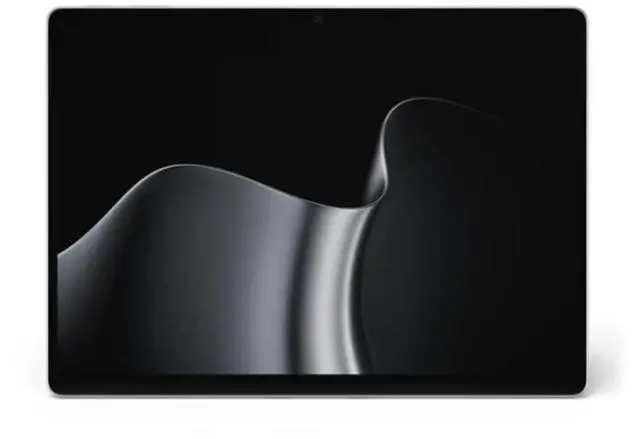
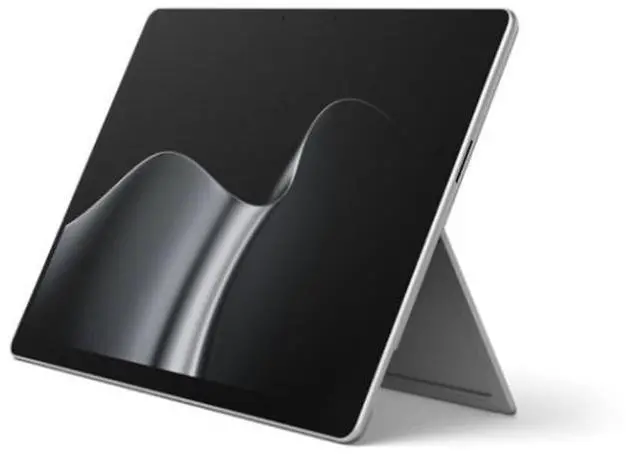
The Microsoft Surface Pro 13-inch 12th Edition is a Windows 11 Pro tablet with a 12-core Snapdragon X2 Elite, 32 GB of memory, and a 512 GB SSD, suited to professionals and power users who need responsive multitasking in a touch-first device.
Recommended For
- Mobile professionals who move between meetings, travel, and desk work and want one Windows device that can switch from tablet to keyboard use; the detachable design is easier to carry and use as a tablet than a conventional laptop.
- Windows users doing everyday office work and multitasking on the go, such as handling documents, web apps, and video calls, who value a portable 120Hz OLED touchscreen and strong CPU performance more than a traditional laptop layout.
- Students and professionals who read, mark up, or present material on a touchscreen and want a tablet-first Windows device; add a compatible Surface keyboard or pen for laptop typing or handwritten notes, since those accessories are sold separately.
- People who use demanding but moderate creative or productivity workloads and want a compact Windows 2-in-1; the tested X2 Elite model maintained performance under sustained loads, though it is not aimed at demanding 3D work.
Real-World Use Scenarios
- For a student or mobile worker moving between meetings, classes, and desk work, add the optional keyboard for typing and detach it to use the touchscreen as a tablet; the kickstand supports tabletop use, though the keyboard is sold separately.
- For everyday office work—such as keeping documents, browser tabs, and communication apps open while switching between tasks—the tested X2 Elite model handled general productivity and multitasking smoothly.
- For video meetings from a home office or shared workspace, the front camera and microphone are suited to calls, while Windows Hello supports face sign-in; the tested model received positive marks for its webcam and microphone.
- For watching shows or videos while traveling, use it as a tablet with the keyboard detached; the OLED version offers high-contrast images, and independent testing found it suitable for video playback, though bright-room reflections may distract.
- For handwritten notes, marking up documents, or sketching, use the touchscreen with a compatible Surface pen; the detachable design makes it possible to switch from pen input to keyboard work, but the pen is an optional accessory.
Spec Summary
| Attribute | Value |
|---|
| Best For | Business users who need a portable, touch-enabled device for work |
|---|
| Processor And Core Count | 12-core Qualcomm Snapdragon X2 Elite processor with up to 80 TOPS of NPU performance and a listed speed of 3.2 GHz |
|---|
| GPU And Graphics | Integrated Qualcomm Adreno graphics |
|---|
| Display And Touch | 13-inch OLED display with anti-reflective finish, 2880 × 1920 resolution, 120 Hz refresh rate, and 10-point multi-touch |
|---|
| Memory Configuration | 32 GB LPDDR5X memory |
|---|
| Storage | 512 GB SSD storage |
|---|
| Ports And Connectivity | Two USB-C/USB4 ports, Surface Connect port, Surface Pro 13-inch Keyboard port, Wi-Fi 7, and Bluetooth 5.4 |
|---|
| Webcam And Privacy | Quad HD front-facing Surface Studio Camera, 10 MP Ultra HD rear camera, and Windows Hello face authentication |
|---|
| Audio | Stereo speakers |
|---|
| Battery And Power | 53 Wh battery and 39 W power supply |
|---|
| Operating System | Microsoft Windows 11 Pro |
|---|
| Portability And Finish | Platinum finish; 3.30 lb and 8.2 × 11.3 × 0.37 inches (W × D × H) |
|---|
| Model Identifiers | Microsoft Surface Pro, model EP2-61755 |
|---|



 All Categories