


 All CategoriesAll CategoriesAll Categories
Shipped by Newegg





Warranty Notice:
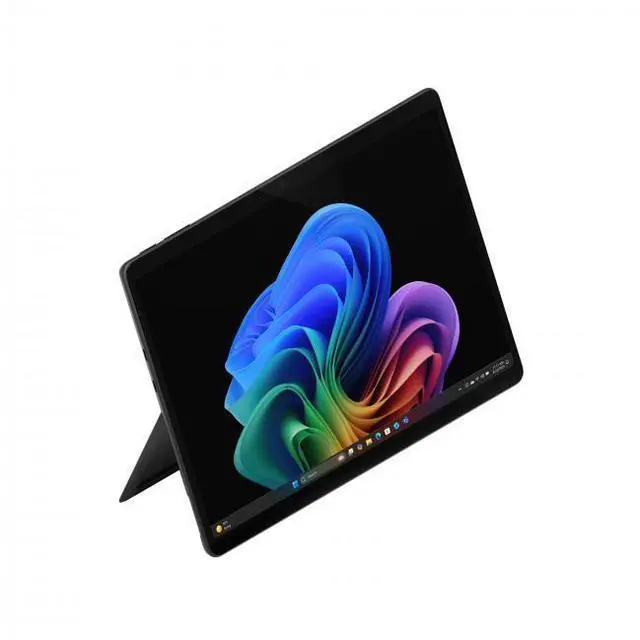
This product does not include manufacturer warranty when purchased or used outside of its designated sales region. By purchasing internationally, you acknowledge that warranty support from the manufacturer will not be available.The Microsoft Surface Pro 13-inch OLED is a premium 2-in-1 Windows tablet for users who want a light, travel-friendly device with a sharp 2880 x 1920 touchscreen, 16GB memory, and 1TB storage for everyday productivity, web work, streaming, and portable multitasking.
| Attribute | Value |
|---|---|
| Best For | Detachable 13" OLED Windows tablet suited for business and student on-the-go productivity and media consumption, pairing a 13" OLED touchscreen with Windows 11 Home and up to ~15.5 hours battery life |
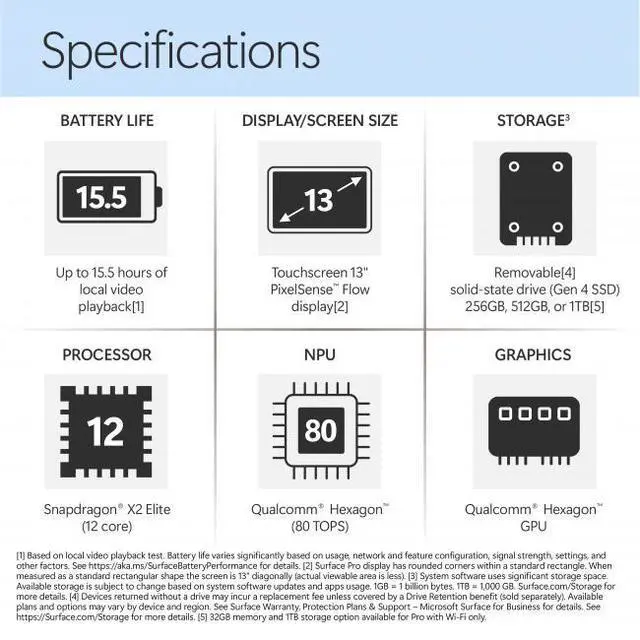
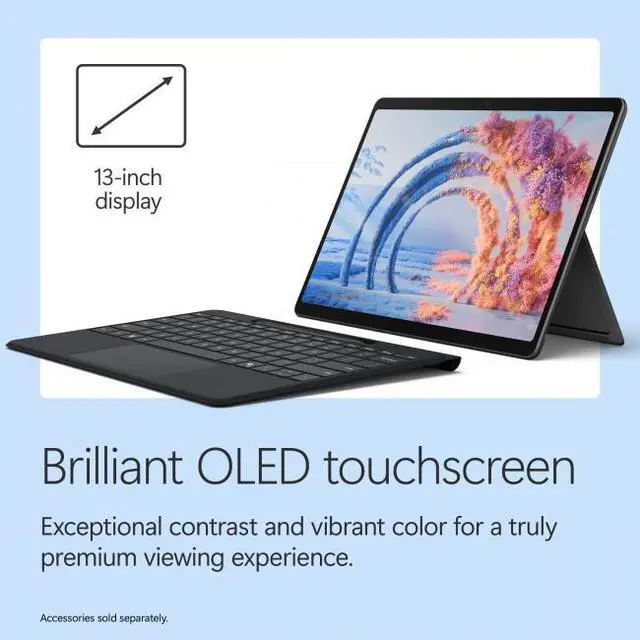
| Display | 13.0" OLED touchscreen, native 2880 x 1920 resolution, maximum brightness 600 Nit |
| Processor And Core Count | Qualcomm Snapdragon X2 Elite, 12-core processor, up to 4 GHz |
| Memory Configuration | 16 GB LPDDR5x system memory (graphics use shared system memory) |
| Storage And Expansion | 1 TB built-in SSD |
| Graphics | Qualcomm Adreno integrated graphics using shared system memory |
| Ports And High Speed I O | Two USB-C ports with Thunderbolt 4 support, DisplayPort over USB-C video output, and USB Power Delivery support |
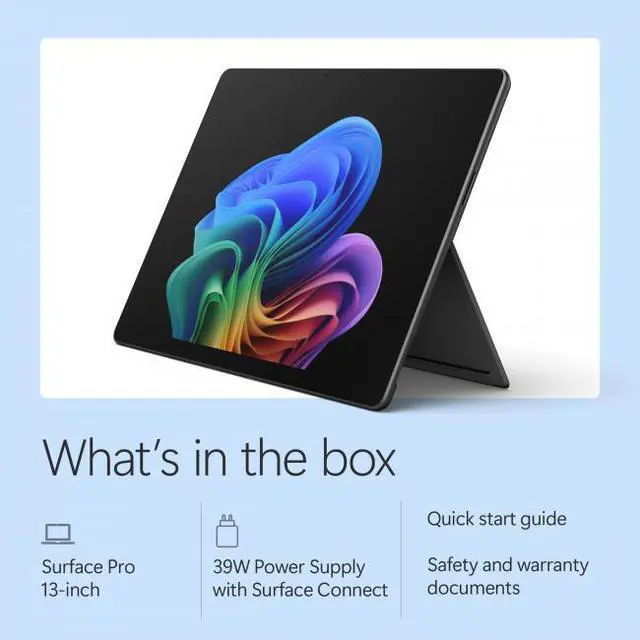
| Battery And Power | Built-in lithium‑ion battery (53.3 Wh, 4 cells), battery life up to 15.5 hours; batteries included; 39 W USB-C AC adapter supplied |
| Wireless And Networking | Wi‑Fi 802.11be and Bluetooth 5.4 |
| Camera And Input | Front-facing webcam present; touchscreen input and touch pad input supported |
| Dimensions And Portability | 11.3 x 8.2 x 0.37 inches; weight 1.97 lbs |
| Model Identifiers | Microsoft Surface Pro (Model EP2-65023 / Model Name: Surface Pro), Black, 2026 model year |
| Form Factor And Included Items | Detachable tablet form factor; package includes tablet, quick start guide and safety/warranty documents (PSU included if specified) |
Q: Should I buy this Surface Pro or an iPad Pro 13-inch?
A: Choose this Surface Pro if you want a tablet-first device that can also function as a full Windows PC for desktop apps, file management, multitasking, and external-display workflows. Choose the iPad Pro 13-inch if your priority is the iPad app ecosystem, lighter tablet use, and Apple-specific creative apps. Across reviews and comparisons, the main decision point is usually operating system and workflow rather than screen quality alone, because both products offer premium OLED displays.
Q: Is this Surface Pro worth buying over the lower-tier Snapdragon X2 Plus model?
A: Buy this Snapdragon X2 Elite configuration if you want the stronger configuration for longer-term use, heavier multitasking, and the OLED display. The lower-tier X2 Plus model makes more sense if your workload is mostly web, Office, streaming, and note-taking, and you want to spend less. Microsoft positions the Elite version above the Plus version, and review patterns from the earlier Snapdragon generation show that the higher tier is mainly justified by display upgrades and extra headroom rather than basic everyday speed alone.
Q: Should I get this 16GB/1TB model or move up to a higher-memory Surface Pro configuration?
A: This 16GB/1TB configuration is the practical choice for most buyers who want fast everyday performance plus more local storage for files, apps, and offline media. A higher-memory configuration is the better fit if you regularly keep many large apps, browser tabs, creative tools, or developer workloads open at once. In real buying decisions, storage upgrades help convenience, while memory upgrades matter more for sustained multitasking and heavier professional use.
Q: Is this 2026 Surface Pro a better buy than the previous Snapdragon Surface Pro generation?
A: Choose this 2026 model if you want the newest Snapdragon X2 platform and better graphics headroom than the prior Snapdragon Surface Pro generation. Microsoft says the new 13-inch Surface Pro delivers up to 53% faster graphics performance versus the previous generation, while keeping the same core 2-in-1 concept. The previous generation is still a reasonable option if found at a meaningfully lower price and your needs are mainly productivity, browsing, and media, because reviews of the earlier model already found it strong for battery life, portability, and general Windows work.
Q: Should I choose this Surface Pro or a traditional clamshell laptop if portability matters most?
A: Choose this Surface Pro if you want maximum flexibility in a very portable design for touch, pen input, tablet use, and occasional desk work. Choose a traditional laptop if your priority is lap typing, more ports, and the most stable long-session productivity setup. Reviews of recent Surface Pro models consistently frame the trade-off this way: the Surface Pro is more versatile and travel-friendly, while clamshell laptops are usually better for workstation-style comfort.
Q: Is this a good travel work device?
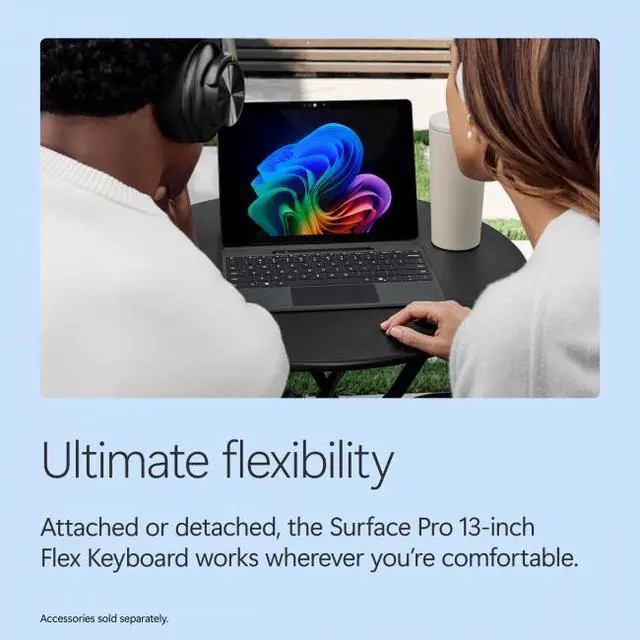
A: Yes, if your priority is portability, long unplugged use, and full Windows apps in a very light 2-in-1 form factor. This Surface Pro is about 1.97 lb, has a 13-inch OLED touch display, two USB-C/Thunderbolt 4 ports, and a Snapdragon X2 Elite chip that is positioned for efficient mobile productivity. The main trade-offs are that this is the device-only version, so you may need to buy the keyboard separately, and the limited port selection means many travelers will want a hub or dock.
Q: Is it good for note-taking, meetings, and office work?
A: Yes. The Surface Pro format is well suited to note-taking and meetings because it combines a touchscreen tablet design with optional keyboard and pen support, while still running Windows 11 for Office, browser-based work, video calls, and multitasking. This configuration has 16GB memory and 1TB storage, which is more than enough for typical office workloads. The main consideration is that keyboard and pen experience may depend on accessories you add, since this listing is for the device only.
Q: Who is this Surface Pro best suited for?
A: It is best suited for users who want one device for tablet use, typing, web work, meetings, media, and light creative tasks without carrying a heavier laptop. It fits students, frequent travelers, remote workers, and professionals who value a high-quality display and low weight. It is less ideal for buyers who need lots of built-in ports, included keyboard accessories, or easy hardware upgrades, since memory is not expandable and the device-only bundle requires add-ons for a full laptop-style setup.
Q: What are the main trade-offs versus a traditional laptop?
A: The advantage is flexibility: this Surface Pro works as both a tablet and a laptop-style device, and it is much easier to carry than many clamshell laptops. The trade-offs are fewer built-in ports, reliance on USB-C accessories, and the fact that the keyboard is not included in this package. Compared with a traditional laptop, it is usually the better choice for touch, pen input, and portability, while a standard laptop is often the simpler choice for lap use, connectivity, and out-of-box typing.
Q: Is the OLED Surface Pro worth choosing over a lower-spec Surface Pro model?
A: It is worth it if you specifically value the sharper premium display, more storage, and a faster high-end Snapdragon configuration. For buyers focused on everyday office work, browsing, and meetings, a lower-spec Surface Pro can still cover the core experience at lower cost. This model makes the most sense for users who want premium screen quality, extra local storage, and more performance headroom, not just the basic Surface Pro form factor.
Q: Is the Surface Pro OLED with Snapdragon X Elite worth buying for everyday work and school?
A: It is a good fit if you want a lightweight 2-in-1 for web work, documents, meetings, note-taking, and media use. Reddit discussions repeatedly frame the X Elite OLED version as most useful when you specifically value the OLED display and tablet flexibility. For typical school or office tasks, the main trade-off is price: several discussions question whether the X Elite upgrade is worth paying extra over lower-tier Surface Pro configurations if your workload is light.
Q: Is this Surface Pro a good choice for note-taking, handwriting, and travel?
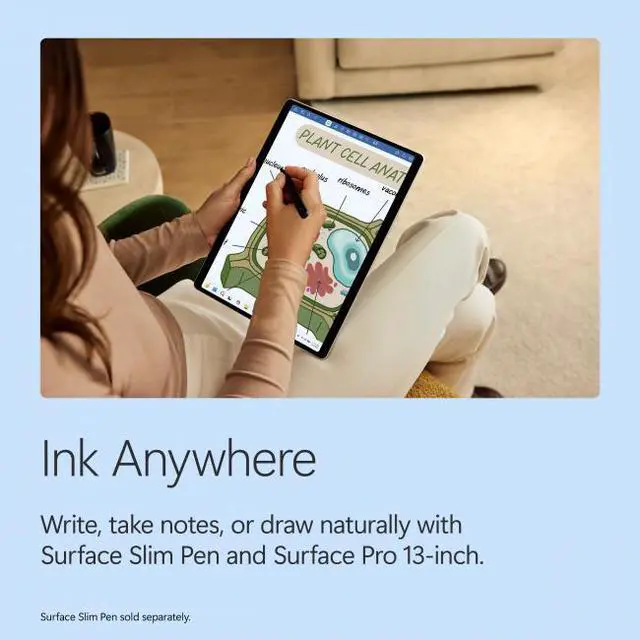
A: Yes, if your priority is portability and tablet-style input. The 13-inch, 1.97 lb design and touch display make it well suited to handwriting, reading, and working in transit. Reddit discussion consistently highlights the Surface Pro's strongest use case as a tablet-laptop hybrid for digital notes, drawing, and switching between pen and keyboard workflows. The trade-off is that the keyboard and pen experience may depend on accessories that are not included with the device-only version.
Q: Can this Surface Pro replace a laptop?
A: It can replace a laptop for users whose work is mostly browser-based, document-based, video calls, and note-taking. The hardware is strong enough for general productivity, and the 16GB memory plus 1TB storage support typical work use well. The main trade-off raised in Reddit discussion is that some buyers still ran into workflow or software friction and preferred a traditional laptop for fewer compromises, especially if reliability, app compatibility, or desk-first use matters more than tablet flexibility.
Q: What are the main trade-offs of choosing the OLED X Elite Surface Pro?
A: The main advantages are the OLED display, faster 12-core Snapdragon X Elite chip, and very portable 2-in-1 form factor. The main trade-offs discussed by users are higher cost, mixed opinions on whether the OLED upgrade is worth the premium, and some reports of software or usability friction compared with more conventional laptops. This makes it a better fit for buyers who value display quality and pen-first flexibility more than maximum value or simplicity.