


 All CategoriesAll CategoriesAll Categories
Shipped by Newegg





Warranty Notice:
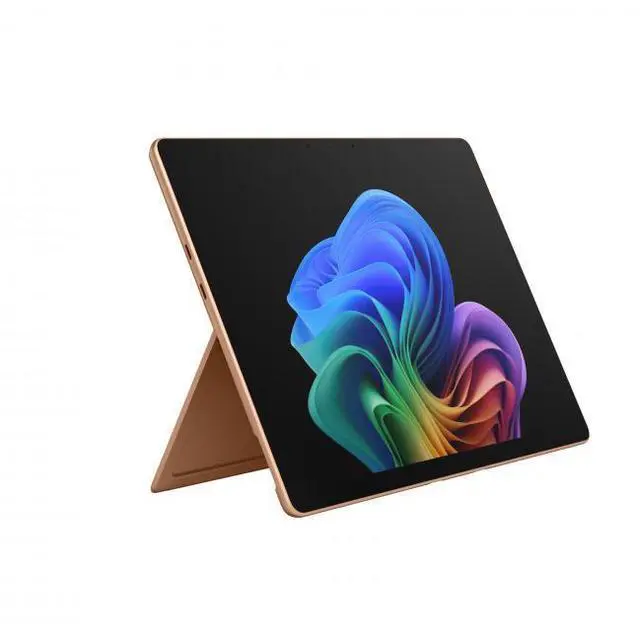
This product does not include manufacturer warranty when purchased or used outside of its designated sales region. By purchasing internationally, you acknowledge that warranty support from the manufacturer will not be available.The Microsoft Surface Pro 13 is a premium 2-in-1 Windows tablet for users who want a light, travel-friendly device with a sharp 13-inch OLED touchscreen, Snapdragon X2 Elite performance, 16GB memory, and 1TB storage for everyday productivity, note-taking, and on-the-go creative work.
| Attribute | Value |
|---|---|
| Best For | Business and student users who want a 13-inch detachable Windows tablet for productivity and AI-assisted workflows, combining a 12-core Snapdragon X2 Elite processor, OLED 120 Hz touchscreen, and multi-day mobile battery life for on-the-go tasks |
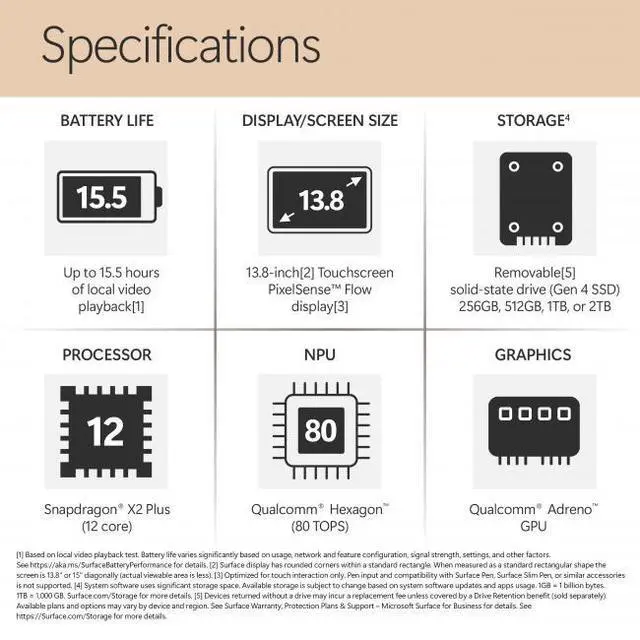
| Processor And Core Count | Qualcomm Snapdragon X2 Elite dodeca-core (12-core) processor, up to 4 GHz |
| GPU And VRAM | Qualcomm Adreno integrated GPU using shared system memory |
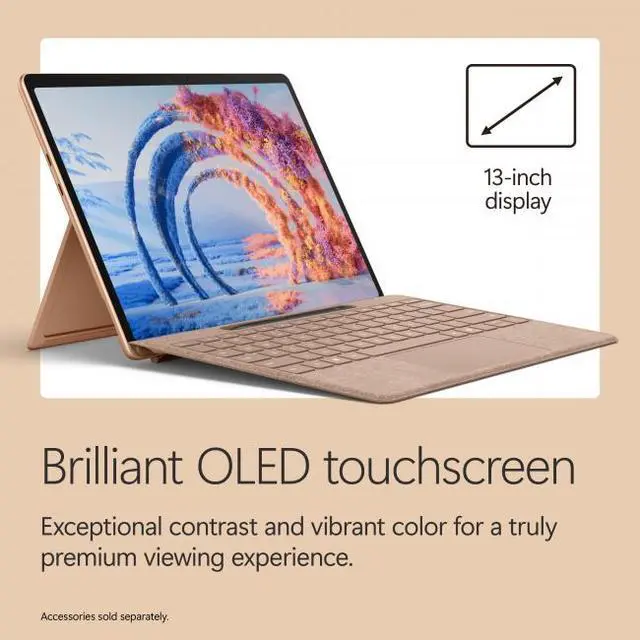
| Display Spec | 13.0" OLED touchscreen, 2880 x 1920 native resolution, 120 Hz refresh rate, HDR-capable, maximum brightness listed as 600 Nit |
| Memory Configuration | 16 GB LPDDR5x system memory |
| Storage And Expansion | 1 TB built-in SSD |
| Battery And Power | Li‑ion battery (53.3 Wh, 4 cells) with listed battery life up to 15.5 hours; includes 39 W USB‑C AC adapter with USB Power Delivery support |
| Wired And Wireless Networking | Wi‑Fi (802.11be) and Bluetooth 5.4 wireless connectivity |
| Ports And Connectivity | Two USB‑C ports with Thunderbolt 4 support and USB Power Delivery; USB‑C/USB4 can provide DisplayPort video output |
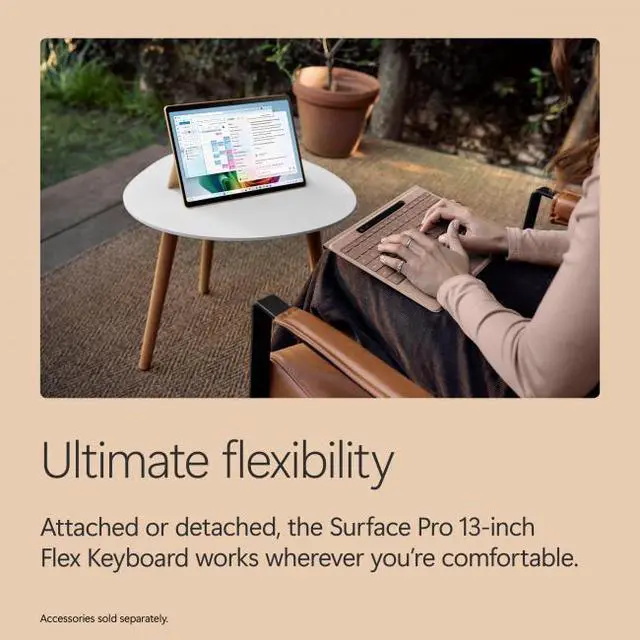
| Form Factor And Input | Detachable 2‑in‑1 design with touchscreen input and a 165‑degree fluid kickstand; external attributes list a Surface Pro 13‑inch Flex Keyboard with Alcantara fabric |
| Webcam And Audio | Front-facing webcam present |
| Dimensions And Weight | Device dimensions 11.3" x 8.2" x 0.37" and weight 1.97 lbs |
| Model Identifiers | Microsoft Surface Pro (Model EP2-65033), Color: Dune, Edition: Pro, Model Year: 2026 |
| Software And Special Features | Windows 11 Home with built-in Copilot and AI companion; includes Microsoft Defender and Microsoft 365 Personal per external attributes; AI-powered features and HDR display listed |
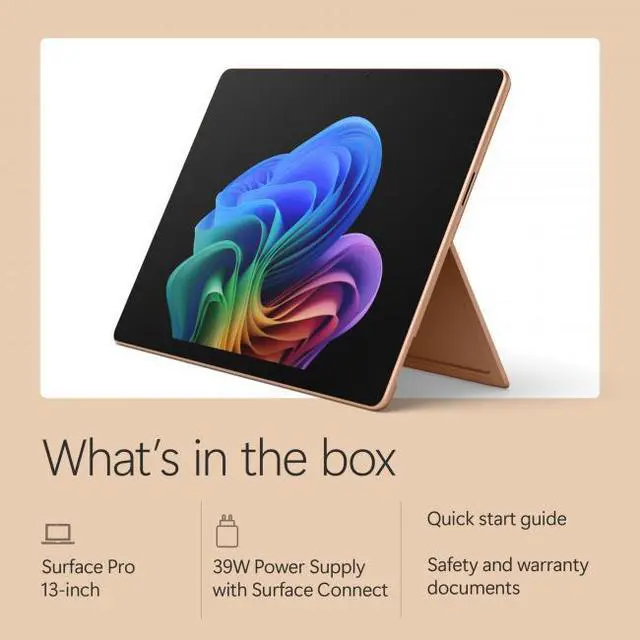
| Package And Included Items | External attributes list package contents as tablet, quick start guide, safety & warranty documents; PSU listed as 'if included' |
Q: Should I buy the 2026 Surface Pro 13-inch OLED with Snapdragon X2 Elite or the 13-inch iPad Pro?
A: Choose the 2026 Surface Pro if you want a full Windows 11 device for desktop-style multitasking, traditional file management, external monitor workflows, and laptop replacement use with a keyboard. Choose the 13-inch iPad Pro if your priority is the lighter tablet experience, a more mature touch-first app ecosystem, and iPadOS-focused creative apps. The main trade-off is operating system style: Surface Pro fits productivity users who want PC flexibility, while iPad Pro fits users who want a premium tablet first.
Q: Is the 2026 Surface Pro X2 Elite worth it over a lower-tier Surface Pro configuration?
A: The X2 Elite OLED 16GB/1TB model makes more sense if you want the premium display, more local storage, and more headroom for heavier multitasking over a longer ownership period. A lower-tier Surface Pro configuration is the better fit if your workload is mostly web, documents, streaming, and light travel use, where the lower price matters more than extra performance or storage. In short: this model is the stronger choice for power users, while lower-tier versions are the value choice for everyday productivity.
Q: Is the 2026 Surface Pro a meaningful upgrade over the previous Snapdragon Surface Pro?
A: Yes, it is the better upgrade if you are coming from the prior Snapdragon generation and want better graphics performance, newer wireless connectivity, and the latest Surface platform without changing form factor. Microsoft positions the 2026 model as offering up to 53% faster graphics than the previous generation, which matters more for visually heavier workloads, external displays, and light creative work than for basic office tasks. If your current Snapdragon Surface Pro already feels fast enough for browser and document use, the upgrade is more about longevity and graphics headroom than a completely different day-to-day experience.
Q: Should I choose this Surface Pro for portability or get a performance-first laptop instead?
A: Choose this Surface Pro if low weight, tablet flexibility, pen support, and carry-anywhere use matter more than sustained performance under long heavy workloads. A performance-first laptop is the better choice if you regularly run demanding creative apps, specialized software with compatibility sensitivity, or longer sessions where active cooling and a clamshell design are more practical. The Surface Pro is the better match for mobile productivity; a laptop is the better match for workload consistency and broader app certainty.
Q: Is the OLED Surface Pro worth choosing over an LCD-style alternative for everyday use?
A: Pick the OLED Surface Pro if display quality, deeper contrast, and media use are priorities, or if you want the higher-tier configuration that usually comes with more performance and storage. An LCD-style alternative can be the smarter buy for users focused on office work, browsing, and price efficiency, since those tasks benefit less from the OLED upgrade. For most buyers, the OLED option is easier to justify when the device will also be used for entertainment, photo viewing, or premium all-around use.
Q: Is this a good travel work device?
A: Yes, if you want a very portable Windows 2-in-1 for email, web apps, documents, video meetings, and light multitasking. The main trade-offs are that this is the device-only version, so a keyboard is not included, and it relies on two USB-C ports rather than built-in USB-A. It is a better fit for mobile productivity than for users who need many ports or a traditional laptop setup.
Q: Is it good for note-taking, meetings, and office work?
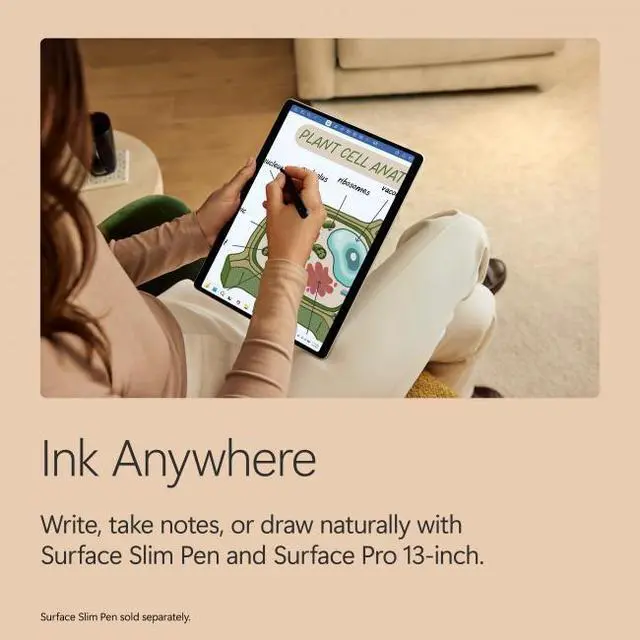
A: Yes. The Surface Pro form factor is well suited to note-taking, meetings, web browsing, Microsoft 365 work, and general office tasks because it works as both a tablet and a laptop-style device. The trade-off is that pen input and keyboard use depend on accessories, and this listing does not include the keyboard.
Q: Who is this Surface Pro best for?
A: It is best for buyers who want one device for tablet use and everyday Windows productivity, especially students, mobile professionals, and users who value touch, pen support, and a lightweight design. It is less ideal for buyers who primarily want a desk-first laptop, need built-in legacy ports, or expect keyboard and pen accessories to be included in the base box.
Q: What are the main trade-offs versus a traditional laptop?
A: The Surface Pro is more flexible and tablet-friendly than a traditional clamshell laptop, but the trade-offs are practical: the keyboard is sold separately, port selection is minimal, and lap use is usually less straightforward than on a standard laptop. In return, you get a lighter 2-in-1 design, touchscreen use, and easier handheld or desk-side note-taking.
Q: Is this better than buying a lower-cost Surface Pro configuration?
A: This configuration is better mainly for buyers who specifically want more onboard storage and the higher-end OLED Surface Pro setup. For basic office work, meetings, school tasks, and web use, a lower-cost Surface Pro configuration can often deliver a similar day-to-day experience. This model makes more sense if you want the premium display and extra local storage without stepping up later.
Q: Is this Surface Pro a good fit for work, web, and travel?
A: Yes for portable productivity. Reddit discussions around the 2026 Surface Pro repeatedly focus on it as a thin, light 13-inch Windows 2-in-1 for office work, browsing, meetings, and travel. Based on the product data, this configuration adds a high-resolution 13-inch OLED touch display, 16GB RAM, 1TB storage, Wi‑Fi 7, and a 1.97 lb tablet body, which makes it better suited to mobile work than to heavy workstation use.
Q: Is it worth buying if I want a tablet that can also replace a laptop?
A: It can replace a laptop for many users, but mainly if your workload is productivity-first. The repeated Reddit decision theme is that Surface Pro works best when you want one device for typing, touch, and tablet use. The trade-off is that this listing is for the device only, so buyers who need a full laptop-style setup should factor in the added cost of a keyboard and pen.
Q: What are the main trade-offs of this model?
A: The main trade-offs are price, accessory cost, and performance positioning. Reddit discussion around the 2026 Snapdragon X2 Elite Surface Pro repeatedly mentions that Microsoft used a lower-tier 12-core X2 Elite variant rather than the highest-end chip option, so this model should be viewed as a premium thin-and-light 2-in-1, not the fastest Surface configuration available. Buyers also need to account for the separate keyboard/pen purchase because this SKU is device only.
Q: Who is this Surface Pro most suitable for?
A: It is most suitable for users who prioritize portability, touch input, note-taking style use, and a premium display over maximum raw performance. Based on the product data and repeated Reddit discussion themes, this configuration fits students, mobile professionals, and general productivity users better than buyers who mainly want top-tier GPU power or the best value per dollar.