DIRECT COMPATIBILITY VERIFY YOUR MODEL
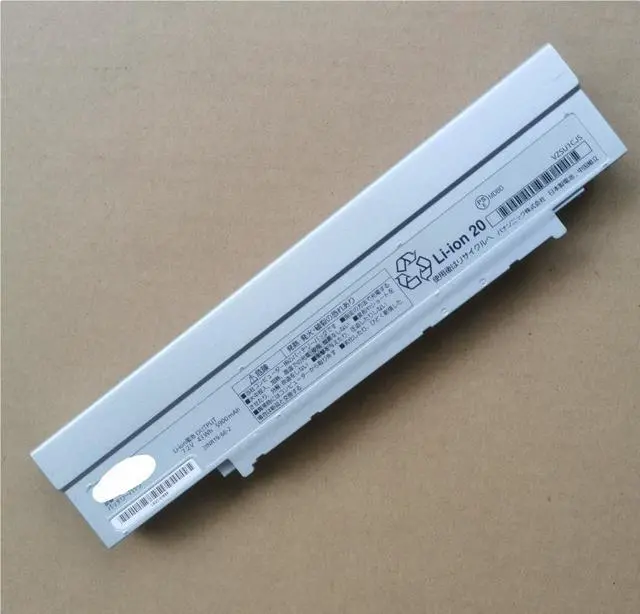
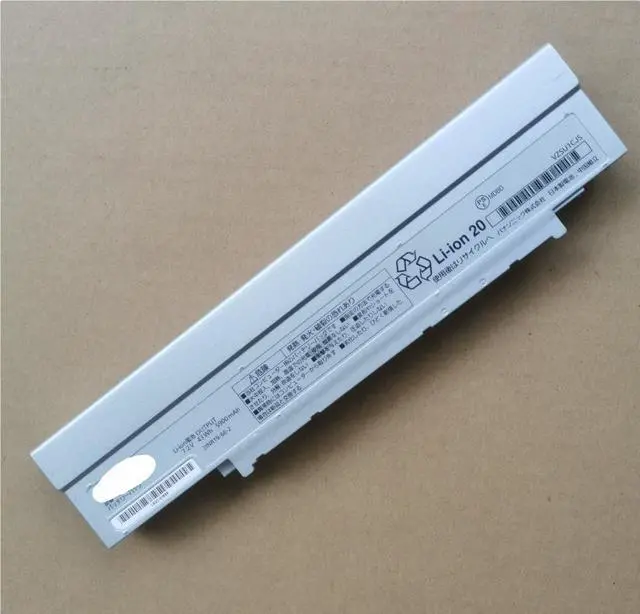
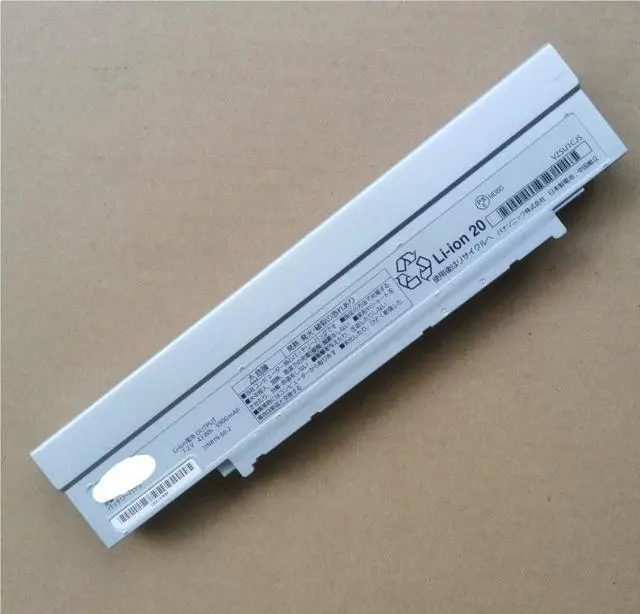
This is a compatible battery designed to meet the original Panasonic specifications. Always check your laptop's model number before purchase.
Compatible Panasonic Toughbook Models: CF-LV8, CF-LV9, CF-SV7, CF-SV8.
Replaces Panasonic Part Numbers: CF-VZSU1CJS, CF-V2SU1CU, CF-VZSU1C, CF-VZSU1CU.
Voltage: 7.2V
Capacity: 5900mAh
Energy: 43 Watt-hours (Wh)
Chemistry: Lithium-Ion (Li-ion), High-Quality Japanese Cells
Condition: 100% Brand New
Warranty: 1-Year Warranty
WHY A FRESH BATTERY IS KEY FOR A TOUGHBOOK
Restored Mobility: Solves common issues like rapid power drain or failure to hold a charge, bringing back true laptop portability.
Extended Field Use: The 43Wh capacity supports longer work sessions away from an outlet, which is crucial for technicians, surveyors, and field personnel.
Durability Match: Designed to complement the rugged reliability of your Panasonic Toughbook.
Cost-Effective Solution: A simple battery swap is the most economical way to significantly extend the useful life of your valuable laptop.
EASY INSTALLATION & BEST PRACTICES
Power Down: Shut down your Toughbook and disconnect the AC adapter.
Swap the Battery: Release the latch (es) on the battery compartment, remove the old battery, and insert this new CF-VZSU1CJS compatible battery until it clicks securely into place.
Charge & Calibrate: Connect the original Panasonic AC adapter and allow the battery to charge to 100%. For the most accurate battery meter, perform a few full charge and discharge cycles after installation.
SAFETY & WARRANTY INFORMATION
Use Original Charger: For optimal safety and battery health, always use the official Panasonic AC power adapter.
Storage: If storing the laptop or battery for an extended period, charge it to about 50% and keep it in a cool, dry place.
Recycle Responsibly: Please dispose of your old laptop battery at a designated e-waste or battery recycling center.
PACKAGE INCLUDES
1 x CF-VZSU1CJS Compatible Replacement Battery ( 7.2V, 43Wh) for Panasonic Toughbook



 All Categories