


 All CategoriesAll CategoriesAll Categories
Shipped by Newegg






Warranty Notice:
This product does not include manufacturer warranty when purchased or used outside of its designated sales region. By purchasing internationally, you acknowledge that warranty support from the manufacturer will not be available.The Dell Pro Slim QCS1255 is a compact desktop PC with an AMD Ryzen 7 PRO 8700G, 16GB DDR5 memory, a 512GB SSD, and Windows 11 Pro, suited to business users who need a capable system for everyday office work and multitasking.
| Attribute | Value |
|---|---|
| Best For | A compact Windows 11 Pro desktop for business and everyday productivity, with integrated graphics, 16GB DDR5 memory, and 512GB SSD storage |
| Processor And Clock Speeds | AMD Ryzen 7 PRO 8700G processor, with a 4.2 GHz base frequency and up to 5.1 GHz turbo frequency |
| Graphics | Integrated graphics |
| Memory Configuration | 16GB DDR5 memory running at 4800 |
| Storage | 512GB SSD |
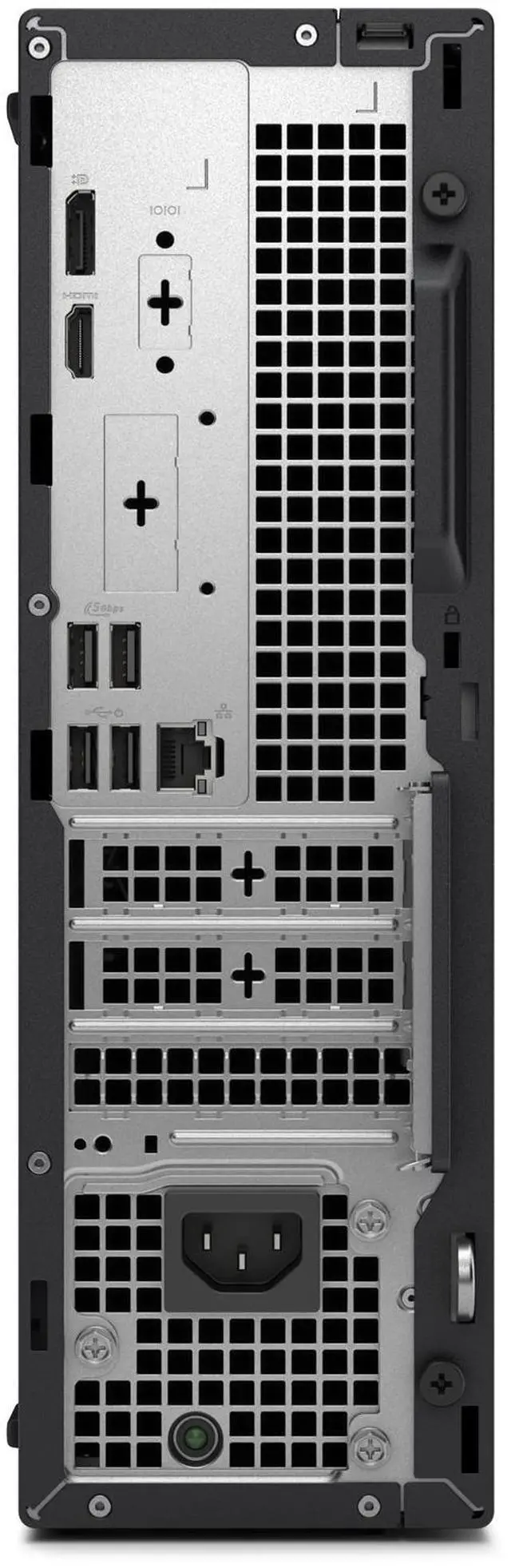
| Networking And Video Connectivity | Gigabit Ethernet, DisplayPort, and HDMI |
| Operating System | Windows 11 Pro |
| Form Factor And Dimensions | Slim/small-form-factor desktop measuring 3.74 in wide × 11.54 in deep × 11.95 in high and weighing 11.20 lb |
| Display | No screen included |
| Model Identifiers | Dell Pro Slim QCS1255, part number KH0K4; 2025 release |
Q: Should I choose the Dell Pro Slim QCS1255 with Ryzen 7 PRO 8700G or the Ryzen 5 8500G configuration?
A: Choose the Ryzen 7 PRO 8700G configuration for more demanding multitasking or workloads that can use its 8 CPU cores and Radeon 780M integrated graphics. The Ryzen 5 8500G option has 6 cores and Radeon 740M graphics, making it a reasonable fit for everyday business tasks if those higher capabilities are not needed. Both are available in the QCS1255; the listed system has 16GB RAM and a 512GB SSD.
Q: Is the QCS1255 with Ryzen 7 PRO 8700G a good choice instead of a desktop with a dedicated graphics card?
A: Choose this QCS1255 if you want a business-oriented slim desktop with integrated graphics and do not need a separate graphics card. Its Ryzen 7 PRO 8700G uses Radeon 780M graphics, which independent reviews found capable for integrated graphics, including lighter gaming. A desktop with a dedicated GPU is the better fit for demanding games or GPU-heavy workloads; graphics performance varies by application and settings.
Q: How does the Ryzen 7 PRO 8700G QCS1255 compare with the Ryzen 5 PRO 8600G version?
A: Choose the Ryzen 7 PRO 8700G for workloads that benefit from 8 CPU cores or stronger integrated graphics: it has Radeon 780M graphics, compared with the 6-core Ryzen 5 PRO 8600G’s Radeon 760M. The Ryzen 5 PRO 8600G is a sensible alternative for routine office productivity when its lower core count and graphics capability meet your needs.
Q: Does this desktop come with a monitor?
A: No. A monitor is not included. The PC lists DisplayPort and HDMI video connections, so choose a monitor with a compatible input.
Q: Is this desktop suitable for office and business work?
A: Yes. Its Ryzen 7 PRO processor, 16GB DDR5 memory, 512GB SSD, and Windows 11 Pro make it a suitable configuration for typical office productivity and business tasks. It is a desktop, not a travel device, and the monitor is sold separately.
Q: Can I connect two monitors to it?
A: The specifications list DisplayPort and HDMI, but do not confirm how many displays can be used simultaneously. Check the specific configuration and your monitors’ inputs before relying on a two-monitor setup.
Q: Is it a good choice for demanding games or graphics work?
A: It has integrated graphics rather than a listed dedicated graphics card, so it is better suited to general productivity than graphics-intensive games or workloads. The product information does not specify performance for particular games or creative applications.
Q: Is this Dell Pro Slim suitable for gaming or video editing?
A: It has integrated graphics and no discrete GPU, so this configuration is better suited to general desktop work than graphics-intensive gaming or editing. A YouTube review discusses gaming and video editing on a QCS1255 with a different, lower-tier Ryzen 5 processor; it does not establish performance for this exact SKU.
Q: Does this PC include a keyboard and mouse?
A: The provided product details do not say whether peripherals are included, so confirm the package contents with the seller before buying. A Reddit discussion about QCS1255 AMD orders reports that keyboard and mouse were not included in those orders, but it does not confirm the contents of this exact SKU.
Q: Can I upgrade the RAM or add a graphics card later?
A: The listing specifies 16GB DDR5 and integrated graphics but does not provide upgrade-slot or power-supply details. A review of a different QCS1255 configuration discusses RAM and GPU upgrades; check compatibility for the KH0K4 configuration before relying on those options.