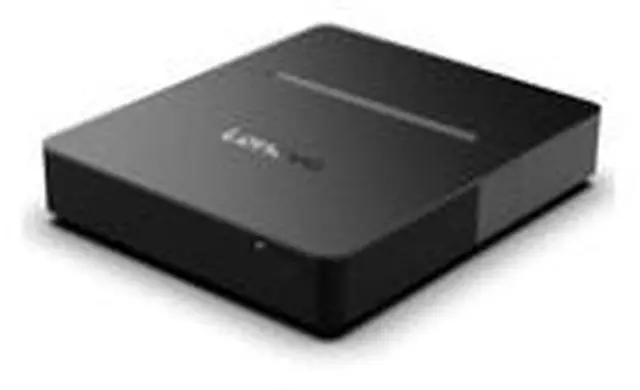
The Lenovo ThinkSmart Core Gen 2 MTR is a dedicated Microsoft Teams Rooms meeting-room computer with an Intel Core Ultra 7 165H, 32GB DDR5, 256GB SSD, and Intel Arc Graphics, suited to organizations equipping Teams-based conference rooms.
Recommended For
- Organizations equipping dedicated Microsoft Teams Rooms that need a room-system computer to connect to displays and compatible meeting-room AV peripherals.
- IT and AV teams standardizing Windows-based Teams Rooms across meeting spaces, with room computers integrated into an organization-managed deployment.
- Conference rooms that need to connect two displays and share presentations from a wired source, subject to the ports included in the specific configuration.
- Workplaces that want a dedicated Teams Rooms setup with an option for laptop-led meetings, if the selected Core Gen 2 configuration includes BYOD connectivity.
Real-World Use Scenarios
- Run scheduled Microsoft Teams meetings in a dedicated conference room: paired with compatible room displays, camera, microphones, speakers, and a room controller, the Core provides the Windows Teams Rooms compute for joining and managing meetings from the room.
- Present a laptop’s slides or video during a meeting: on configurations equipped with HDMI-in, a presenter can connect a laptop for room-display playback and share its content with meeting participants.
- Show meeting participants and shared content on separate room screens: when connected to two displays, the system can use its dual HDMI outputs to give attendees a dedicated view of people and presentation material.
- Let a guest use their preferred meeting platform: on BYOM-capable configurations with the required connection and room peripherals, a guest can connect a laptop and use the room’s audio and video equipment with their chosen conferencing app.
- Build a room around existing conference-room AV equipment: IT or an integrator can connect compatible cameras, microphones, speakers, and displays to the compute unit, making it a fit for a room that needs a separate Teams Rooms PC rather than an all-in-one video bar.
Spec Summary
| Attribute | Value |
|---|
| Best For | Meeting-room deployments needing a Windows-based compute unit with Intel Arc graphics and Wi-Fi 6E connectivity |
|---|
| Processor And Graphics | Intel Core Ultra 7 165H (Series 1) with a listed turbo frequency of 3.8 GHz and Intel Arc graphics |
|---|
| Memory And Storage | 32GB DDR5 memory and a 256GB SSD |
|---|
| Operating System | Windows 11 IoT Enterprise CLB GAC |
|---|
| Wireless Connectivity | Wi-Fi 6E (802.11ax) and Bluetooth 5.1 |
|---|
| Listed Screen Size | 0 inches listed |
|---|
| Portability | Listed weight: 7.14; unit not specified |
|---|
| Model Identifiers | Lenovo model and part number 12X2S00B02 |
|---|



 All Categories
 Top Rated