


 All Categories


 All Categories
Shipped by Newegg

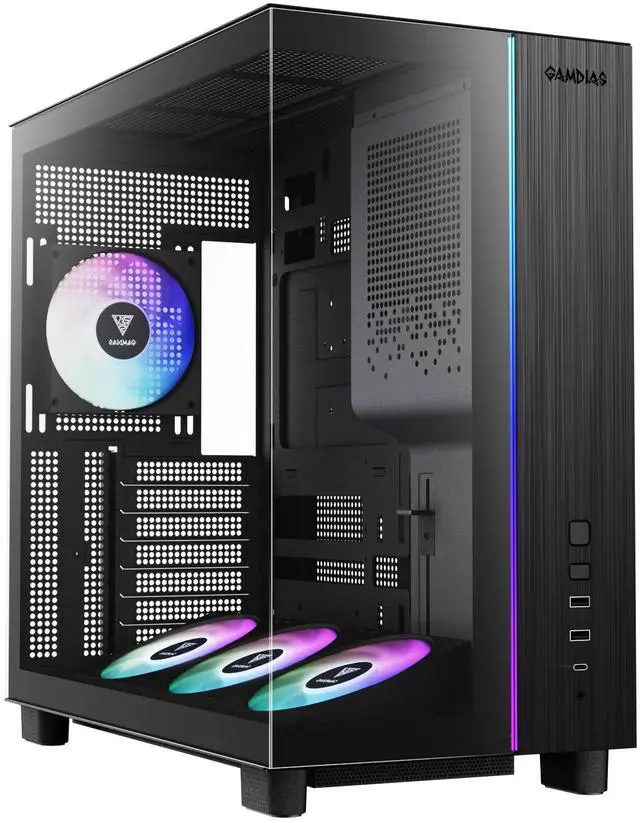
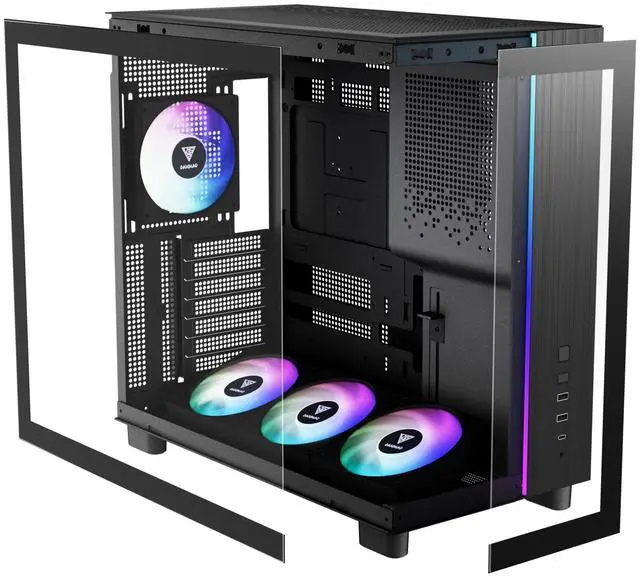
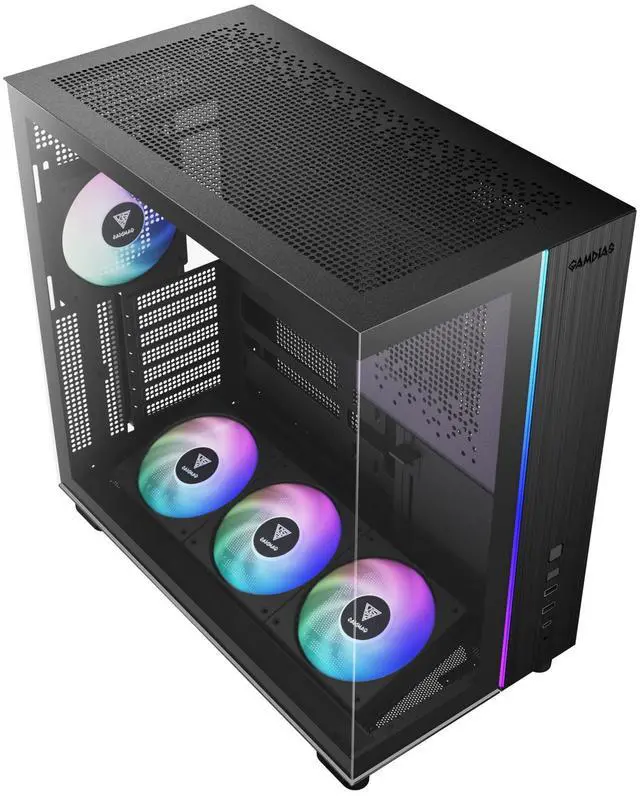
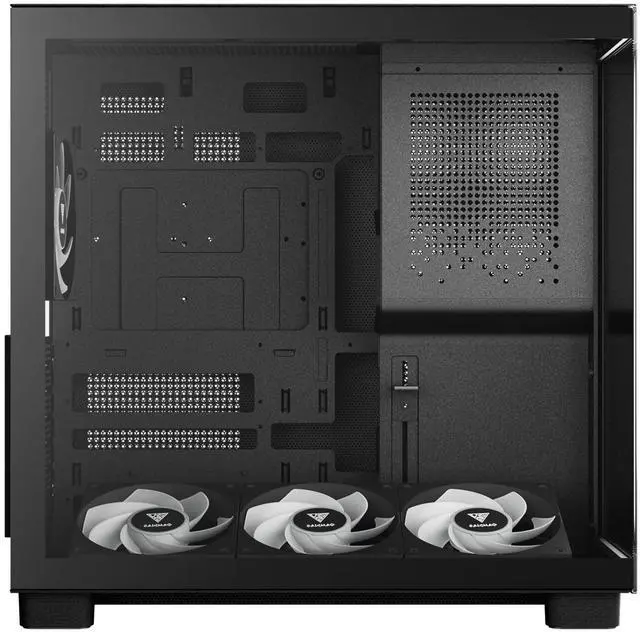
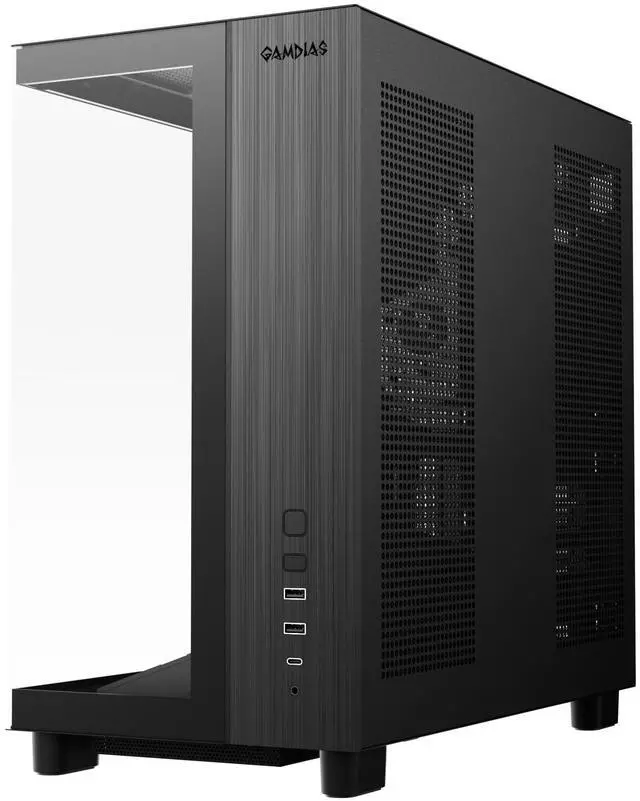
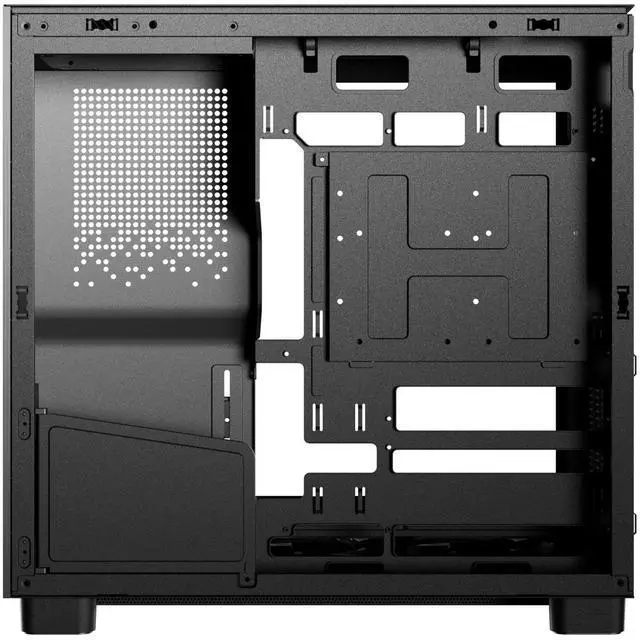
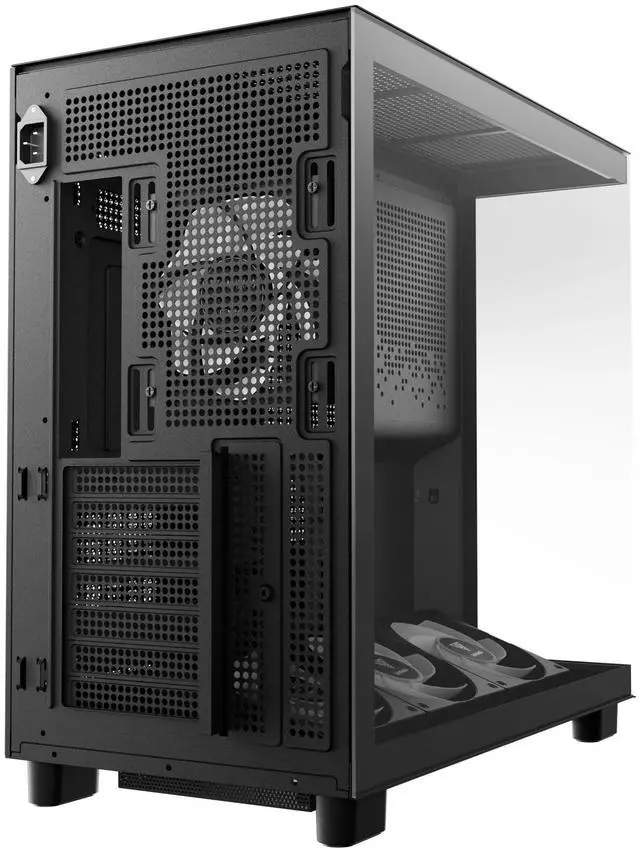


IMMERSIVE VISUALS, DYNAMIC AIRFLOW
The ATLAS M4 delivers a fully immersive showcase with seamless tempered glass panels from bottom to top. Its front-mounted PSU design not only opens a complete panoramic view of your build but also enables chimney-style ventilation for optimal thermal performance. With four built-in NOTUS M1 ARGB fans and an adjustable bottom cooling system, the ATLAS M4 combines striking visuals with powerful cooling efficiency.
ADJUSTABLE ANGLED AIRFLOW
The ATLAS M4 features a bottom-mounted, adjustable fan system with six selectable angles, directing airflow precisely toward high-performance GPUs. This flexible design ensures optimal cooling efficiency, keeping your graphics card stable and reliable even under maximum gaming load.
4 ARGB PWM FANS WITH BUILT-IN FAN HUB
Featuring four built-in silent NOTUS M1 ARGB fans, the case provides exceptional lighting and finely tuned airflow with minimal noise. The included 8-port PWM ARGB fan hub allows for easy management and synchronization, ensuring a cohesive lighting setup that perfectly complements the high-performance, quiet operation of the fans.
EASY ACCESS FRONT-MOUNTED PSU DESIGN
The PSU is strategically positioned at the front side of the case, with connector ports oriented downward for easier cable management. A PSU shroud enhances the clean aesthetic, and an extension cable is included to facilitate rear power connection.
FULL IMMERSIVE VIEW
Showcase your build from bottom to top with seamless tempered glass panels on the front and side. With the PSU positioned at the front, the ATLAS M4 delivers an unobstructed, panoramic view of your components, creating a truly immersive visual experience.
Warranty Notice:
This product does not include manufacturer warranty when purchased or used outside of its designated sales region. By purchasing internationally, you acknowledge that warranty support from the manufacturer will not be available.The GAMDIAS ATLAS M4 is an ATX PC case with four pre-installed 120mm PWM ARGB fans, chimney-style ventilation, and an adjustable-angle bottom cooling system, suited to builders who want configurable airflow and an illuminated component display.
Q: GAMDIAS ATLAS M4 or SAMA V100R for an ATX build?
A: Choose the ATLAS M4 if you want a panoramic glass presentation, a front-mounted PSU layout, four included ARGB fans, and an included fan hub. Choose the SAMA V100R if keeping case cost lower is the priority. A March 2026 review found the ATLAS M4’s temperatures broadly comparable to the cases tested, so its appeal is mainly its layout and included features rather than a clear overall thermal advantage. Prices can change.
Q: Is the ATLAS M4 worth choosing over the cheaper Paean C7?
A: Choose the ATLAS M4 if you value its four pre-installed ARGB fans, included fan hub, adjustable bottom fan mount, and glass-focused layout. Choose the Paean C7 if a lower purchase price matters more. In its March 2026 comparison, PCInq reported similar overall build quality and broadly comparable thermal performance among the cases discussed, while noting that the ATLAS M4 cost more at the time. Check current pricing before deciding.
Q: Should I upgrade from a basic ATX case to the ATLAS M4?
A: The ATLAS M4 is a more feature-rich choice if your current option lacks pre-installed fans or a fan hub, or if you want a panoramic glass display and adjustable bottom cooling. It supports ATX, Micro-ATX, and Mini-ITX motherboards and GPUs up to 425 mm. A review found its CPU temperatures around the middle of its comparison group and its GPU temperature particularly strong in that test, but overall results were close enough that the upgrade makes most sense for the layout and bundled features—not a guaranteed improvement for every build.
Q: Will my graphics card fit in this case?
A: The ATLAS M4 supports graphics cards up to 425 mm long. Check your card’s length and other clearance needs, including its width and power-cable connection, before buying.
Q: What comes with the case, and do I need to buy a power supply separately?
A: The case includes four 120 mm PWM ARGB fans and an eight-port PWM ARGB fan hub. A power supply is not listed as included, so plan to provide one separately and check the case’s PSU clearance before purchase.
Q: Which motherboard sizes does this case support?
A: It supports ATX, Micro-ATX, and Mini-ITX motherboards. Confirm your board’s form factor and connector layout before purchasing, especially if using a connector-hidden motherboard.
Q: Is this case a good choice for a build that needs plenty of cooling?
A: It is designed for configurable airflow, with four included fans, an adjustable bottom cooling system, and chimney-style ventilation. These features may suit a gaming or other performance-focused build, but actual temperatures depend on the components, fan setup, and room conditions.