


 All CategoriesAll CategoriesAll Categories
Shipped by Newegg





| Brand | Cooler Master |
|---|---|
| Series | Master Frame Series |
| Model | MF400M-SHNN-S00 |
| Color | Silver |
|---|---|
| Case Material | AL + SGCC + TG / Mesh |
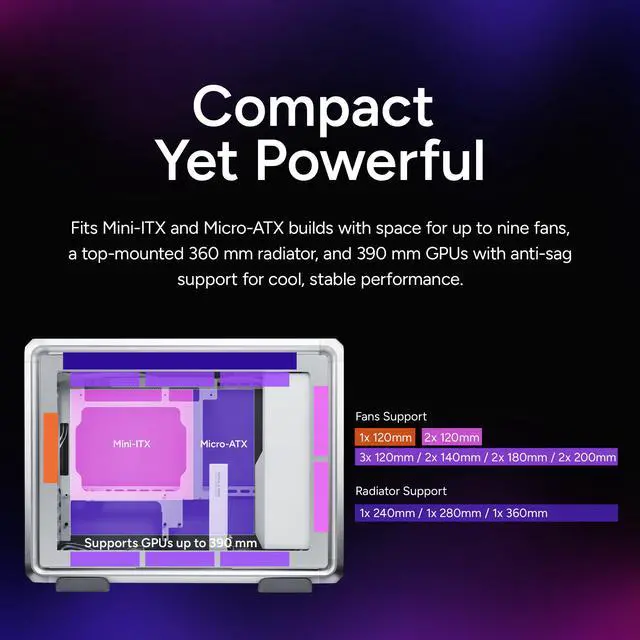
| Motherboard Compatibility | Micro ATX / Mini ITX |
| Dust Filters | Front / Side |
| Internal 3.5" Drive Bays | 1 |
|---|---|
| Internal 2.5" Drive Bays | 1 |
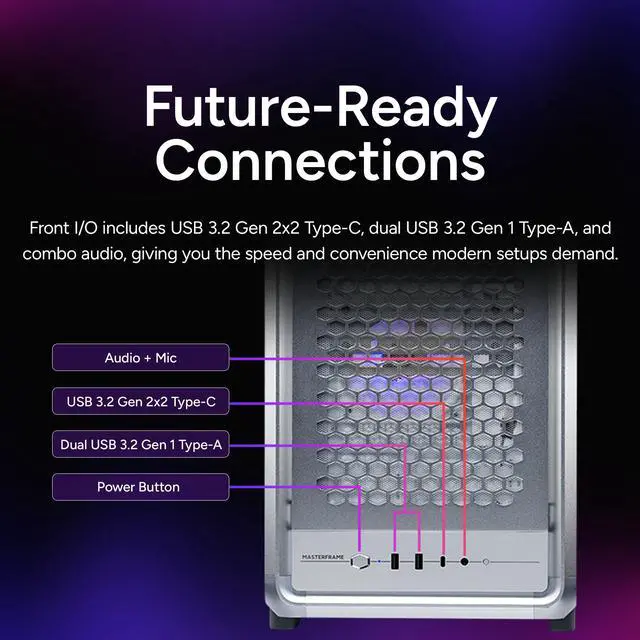
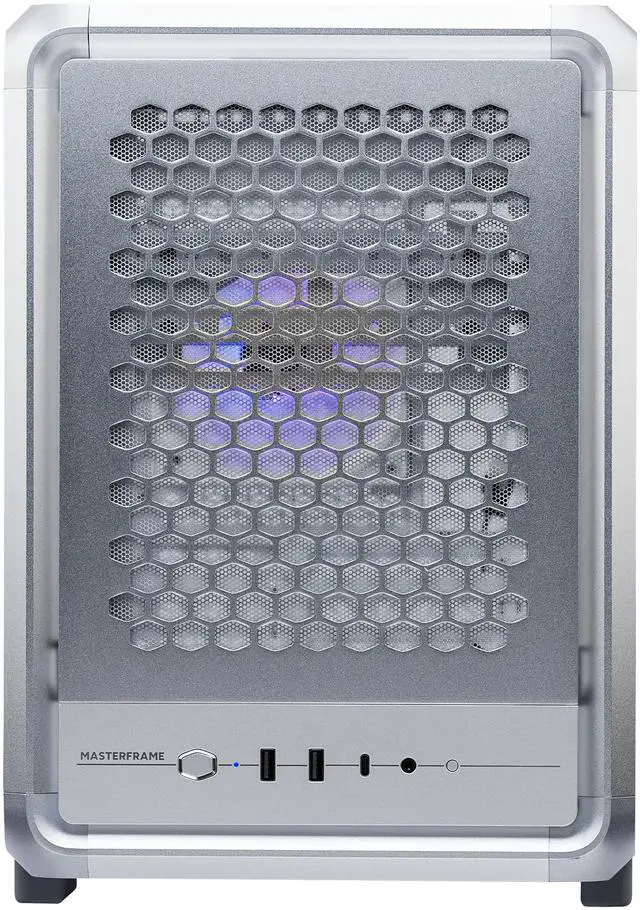
| Front Ports | 2 x USB 3.2 Gen 1 Type A / 1 x USB 3.2 Gen 2 x 2 Type C 1x 3.5MIc/ Audio Combo Jack |
|---|
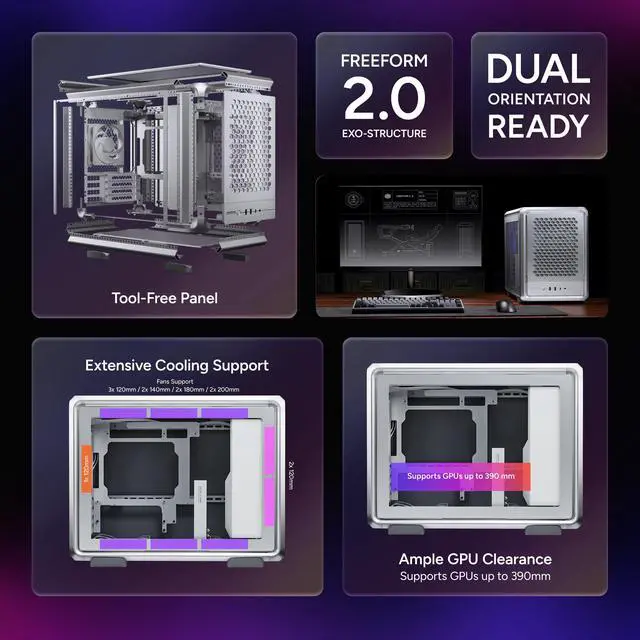
| Fan Options | Front: 2 x120mm / 1 x 140mm, 1 x 180mm, 1 x 200mm(Conditional Support) Top: 3 x120mm / 2 x 140mm / 2 x 180mm, 2 x 200mm (Fan thickness = 25.5mm) Rear: 1x 120 mm Bottom: 3x 120mm, 2x 140mm, 2x 180mm, 2x 200mm, and all fans up to 30mm thick. |
|---|---|
| Pre-installed Fans | Rear: 1x Sickle Flow 120 mm ARGB Black / 1x Sickle Flow 120 mm ARGB White |
| Radiator Options | Rear - Up to 120mm / Top - Up to 240mm / Top - Up to 280mm / Top - Up to 360mm |
| Max GPU Length | 390 mm |
|---|---|
| Max CPU Cooler Height | 190 mm |
| Max PSU Length | 160 mm |
| Dimensions | 471 x 261 x 373.8 mm |
| Weight | 8kg |
| First Listed on Newegg | April 16, 2026 |
|---|
Warranty Notice:
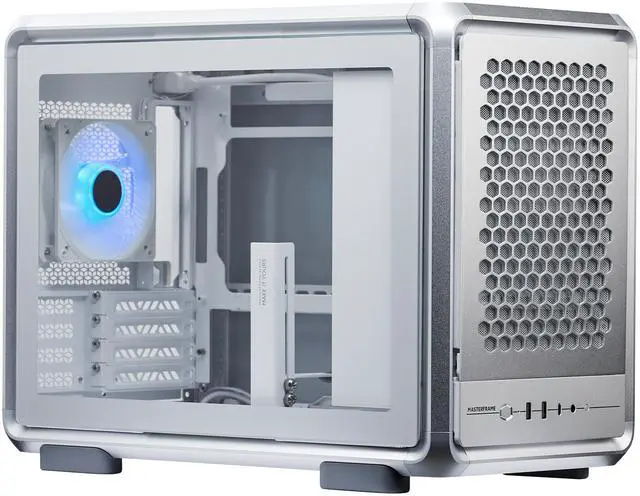
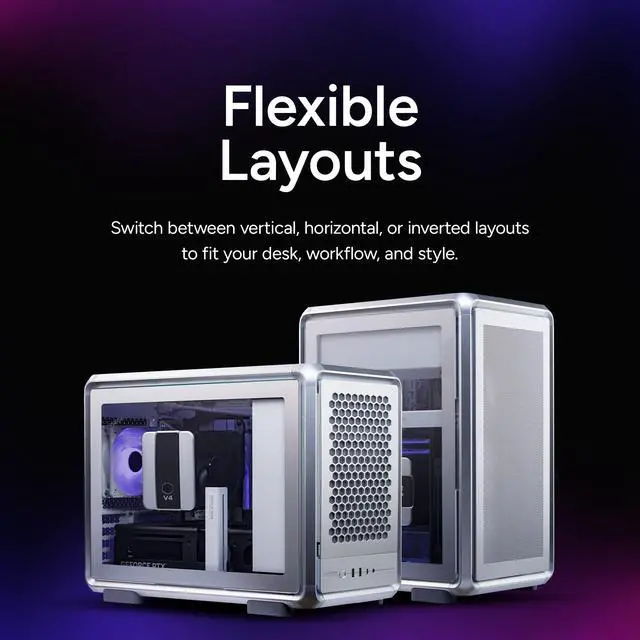
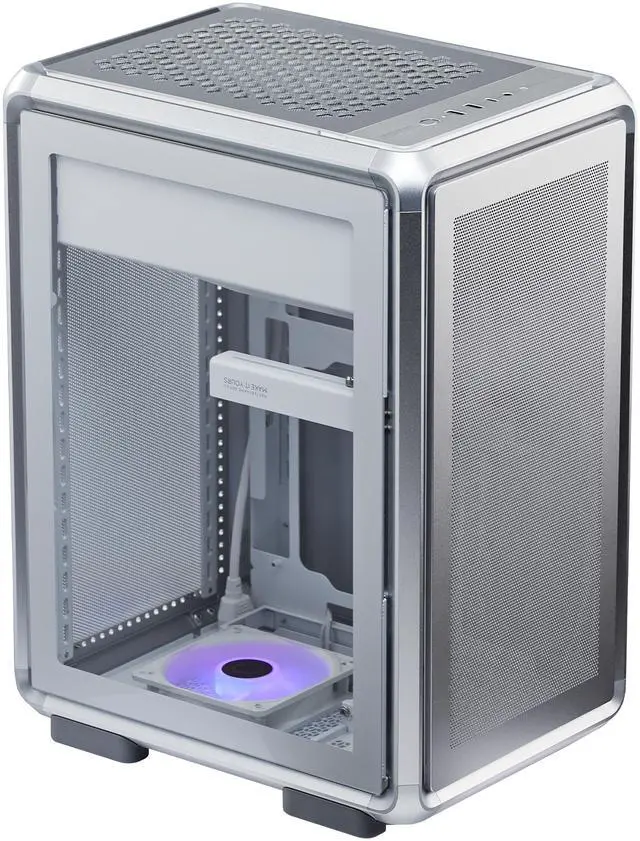
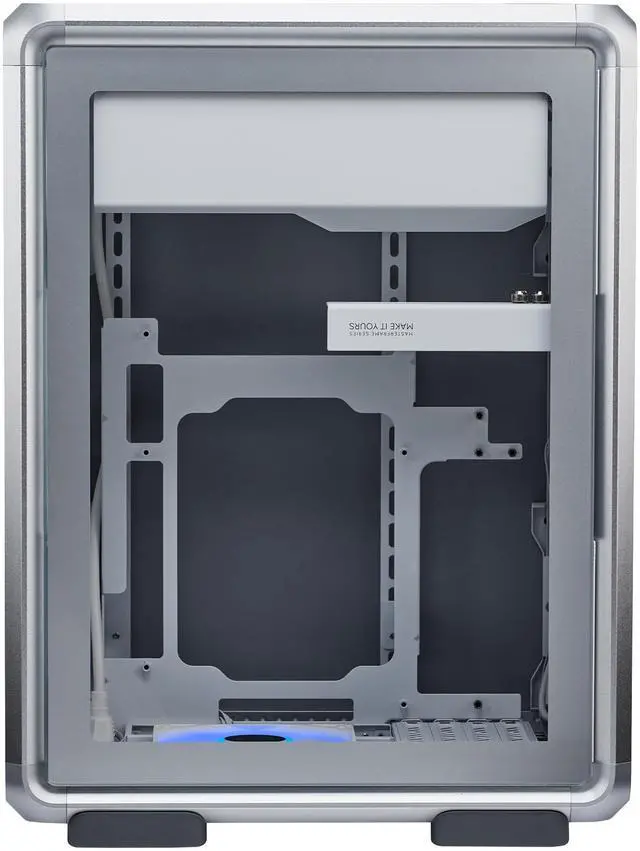
This product does not include manufacturer warranty when purchased or used outside of its designated sales region. By purchasing internationally, you acknowledge that warranty support from the manufacturer will not be available.The Cooler Master MasterFrame 400 is a modular micro-ATX/mini-ITX open-frame PC case for builders who want flexible vertical, horizontal, or inverted layouts with strong airflow, modern front I/O, and room for high-performance parts like 390 mm GPUs and a top 360 mm radiator.
| Attribute | Value |
|---|---|
| Best For | Compact open-frame aluminum case for Micro‑ATX and Mini‑ITX systems that need room for up to 390 mm GPUs, top-mounted 360 mm radiators, and ARGB lighting; supports flexible vertical/horizontal/inverted layouts for desk or small workstation builds |
| Compatibility & Form Factor | Micro‑ATX and Mini‑ITX (mATX/mITX) open-frame mini-tower / small form-factor case |
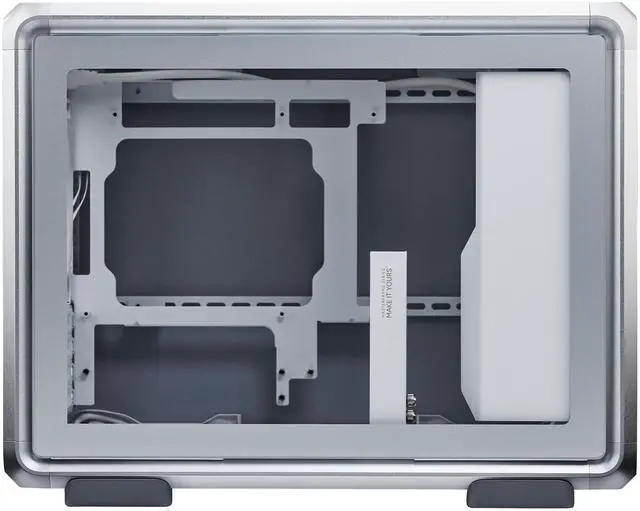
| Materials & Construction | Aluminum open-frame chassis with SGCC steel and tempered glass / mesh panel options in a silver finish |
| Dimensions & Weight | Internal dimensions 471 x 261 x 373.8 mm; item depth 18.54 in x width 10.28 in x height 14.72 in; weight 8 kg |
| Cooling And Fan Support | Air-cooling focused with extensive fan mounts (front up to 2x120/1x140/1x180/1x200 conditional; top up to 3x120/2x140/2x180/2x200 with 25.5mm fan thickness; rear 1x120; bottom up to multiple 120/140/180/200 options allowing fans up to 30mm thick); top radiator support up to 360 mm (also supports 240/280mm) and rear up to 120 mm; includes 1x Sickle Flow 120 mm ARGB (Black) and 1x Sickle Flow 120 mm ARGB (White) preinstalled |
| Drive Bays & Storage | Support for 1 x 3.5" drive and 1 x 2.5" drive |
| Front I/O & Connectivity | Front I/O includes USB 3.2 Gen 2x2 Type‑C, 2 x USB 3.2 Gen 1 Type‑A, and a combo 3.5mm mic/audio jack |
| GPU, CPU Cooler & PSU Clearance | GPU clearance up to 390 mm (anti-sag support), CPU cooler height support up to 190 mm, PSU length support up to 160 mm |
| Dust Filters, Panels & Access | Front and side dust filters with mesh and tempered glass panel options and tool-free magnetic panel removal for quick access |
| Model Identifiers | Cooler Master MasterFrame 400 — MF400M-SHNN-S00 (Master Frame Series) |
Q: Should I buy the Cooler Master MasterFrame 400 or the ASUS Prime AP201 for a Micro-ATX build?
A: Choose the MasterFrame 400 if you want an open-frame layout, more hardware clearance, dual-orientation flexibility, and easier access for frequent upgrades or showpiece builds. It supports GPUs up to 390 mm, CPU coolers up to 190 mm, up to nine fans, and a 20 Gbps USB 3.2 Gen 2x2 Type-C front port. Choose the ASUS Prime AP201 if you want a smaller, more traditional enclosed mATX case with a simpler footprint and more internal drive support. The AP201 is notably smaller at about 33 L versus roughly 46 L for the MasterFrame 400, but it has less GPU and CPU-cooler clearance and uses a more conventional mesh-box design. For builders prioritizing visibility, modularity, and component access, the MasterFrame 400 is the better fit; for builders prioritizing compact enclosure efficiency, the AP201 is the more practical choice.
Q: Is the MasterFrame 400 a better upgrade than the Cooler Master NR200 if I want more performance headroom?
A: Yes, if your goal is moving from a compact Mini-ITX build to a roomier Micro-ATX platform with fewer clearance compromises. The MasterFrame 400 supports Micro-ATX and Mini-ITX boards, full ATX power supplies, GPUs up to 390 mm, top-mounted 360 mm radiators, and much taller air coolers. The NR200 is still the better choice if portability and small-volume efficiency matter more, but it is a true Mini-ITX case and generally asks for tighter part selection. In short: upgrade to the MasterFrame 400 when you want easier building, larger cooling options, and a broader motherboard path; stay with the NR200 when the smallest possible footprint is the main priority.
Q: MasterFrame 400 vs Lian Li A3-mATX: which is better for a compact performance build?
A: Choose the MasterFrame 400 if you want a more open, modular chassis with stronger access, larger air-cooler clearance, more fan-position flexibility, and a build style centered on airflow and presentation. Choose the Lian Li A3-mATX if you want a denser, more space-efficient enclosed mATX build. The A3-mATX is much smaller at 26.3 L and still supports large components, which is why reviewers and community builders often treat it as the value-focused compact alternative. The trade-off is that the MasterFrame 400 gives you more physical working room and orientation flexibility, while the A3-mATX gives you better space efficiency on the desk.
Q: Is the MasterFrame 400 better for portability or for a performance-first desk setup?
A: The MasterFrame 400 is better suited to a performance-first desk setup than a portability-focused build. Its open-frame construction, larger overall volume, tempered-glass side panel, and orientation options make it more attractive for accessible, display-oriented systems that stay on a desk. For transport, LAN use, or minimum footprint, enclosed ITX or smaller mATX cases are usually easier to move and protect. Choose the MasterFrame 400 when cooling flexibility, hardware access, and visual presentation matter more than portability.
Q: Who is the Cooler Master MasterFrame 400 best for?
A: The MasterFrame 400 is best for builders who want an open-frame micro-ATX or Mini-ITX showcase case with strong cooling flexibility and easy access for upgrades. It suits custom builders, test-bench style setups, and users who value layout flexibility, large GPU clearance, and 360 mm radiator support more than sealed-case dust and noise control.
Q: Is this a good case for a high-performance micro-ATX gaming build?
A: Yes, if your priority is hardware clearance and cooling headroom. The MasterFrame 400 supports Micro-ATX and Mini-ITX boards, GPUs up to 390 mm, up to nine fans, and up to a 360 mm top radiator, which makes it suitable for powerful gaming or workstation builds. The trade-off is that an open-frame case is less suited to users who want the quieter, more enclosed feel of a traditional tower.
Q: What are the main trade-offs of this open-frame case versus a standard enclosed PC case?
A: The MasterFrame 400 gives you easier access, stronger visual presentation, and very open airflow, but the trade-offs are weaker isolation from dust and noise than a typical enclosed tower. It is a better fit for enthusiasts who regularly swap parts or want a display build, while a conventional case is usually the safer choice for users who want a quieter and more protected everyday system.
Q: Is the MasterFrame 400 better than a compact Mini-ITX case if I want easier building and bigger parts support?
A: Usually yes. Compared with compact Mini-ITX cases, the MasterFrame 400 is the easier choice if you want more room for long GPUs, larger radiators, and simpler access during assembly or upgrades. A compact Mini-ITX case is still the better choice if you care more about smaller footprint than flexibility and working space.
Q: Is this case a good choice if I want front USB-C and convenient day-to-day access?
A: Yes. The MasterFrame 400 is a practical choice if front I/O convenience matters, because it includes a front USB 3.2 Gen 2x2 Type-C port, two USB 3.2 Gen 1 Type-A ports, and a combo audio jack. Its tool-free magnetic panels also make upgrades and maintenance easier than on many traditional cases. It is less ideal if your main goal is maximum storage capacity, since it only lists one 3.5-inch bay and one 2.5-inch bay.
Q: Who is the Cooler Master MasterFrame 400 best suited for?
A: It is best suited for builders who want a flexible micro-ATX or Mini-ITX case with unusual layout options, strong cooling support, and room for large parts. Reddit and YouTube discussion repeatedly focus on its modular layout, vertical or horizontal orientation, 360 mm radiator support, and ability to fit very large GPUs. It is a stronger fit for showcase, airflow-focused, or enthusiast builds than for people who want the smallest possible mATX case.
Q: Is the MasterFrame 400 a good choice if I need strong cooling and support for high-end parts?
A: Yes, if cooling flexibility is a priority. The product specs support up to nine fans, a top 360 mm radiator, 190 mm CPU cooler height, and GPUs up to 390 mm. Community discussion repeatedly highlights those points when comparing it with smaller mATX cases. The trade-off is that the case is less compact than many mATX alternatives, so you are getting thermal headroom and layout flexibility instead of minimum size.
Q: Is the MasterFrame 400 actually compact for an mATX case?
A: Not really by mATX standards. Community discussion repeatedly describes it as large for its class, and some users place it at the edge of what they would consider a small-form-factor or compact mATX case. It makes sense if you want mATX motherboard support without the usual space constraints, but it is a weaker fit if your main goal is the smallest possible footprint.
Q: What are the main trade-offs of buying the MasterFrame 400 instead of a more conventional mATX case?
A: The main trade-offs are size, more exposed internals, and fewer drive options than some traditional enclosures. Discussion around the case often points to its open or semi-open design, visible cable management, and limited internal drive support compared with larger closed cases. In return, you get easier access, stronger component clearance, and more flexible fan and radiator layouts.


