• ₱29,227.51
  • VAT-Inclusive Price
  • Free 30-day Returns
  • ₱17,409.72 Shipping
Add to PC build list 
Ships from United States.
Sold by Newegg

Shipped by Newegg

Shop it at NeweggBusiness.

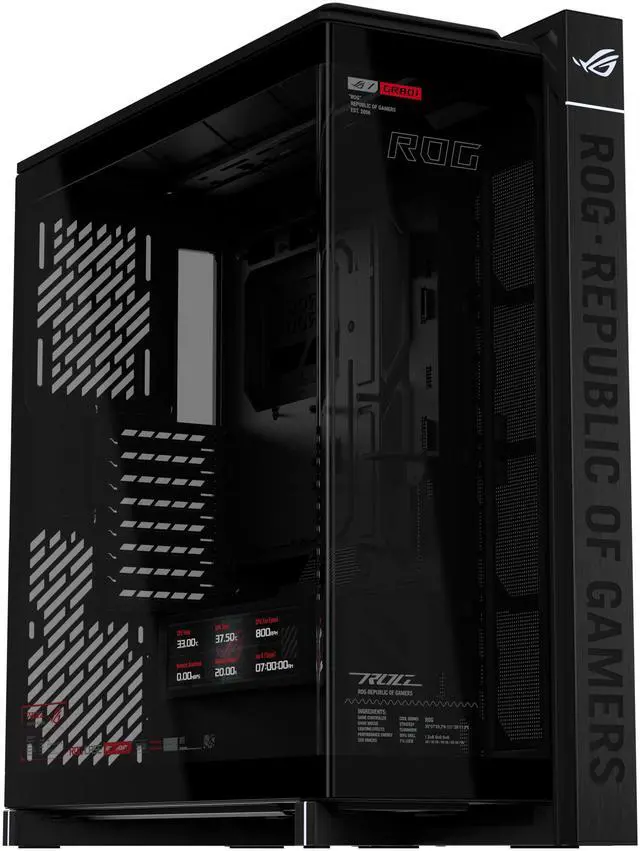
ASUS ROG Cronox Full Tower Gaming PC Case Curved Tempered-Glass Side Panel, Support for Graphics Cards up to 400mm Long, EATX and BTF Motherboards, 9.2-Inch LCD Case Screen Module

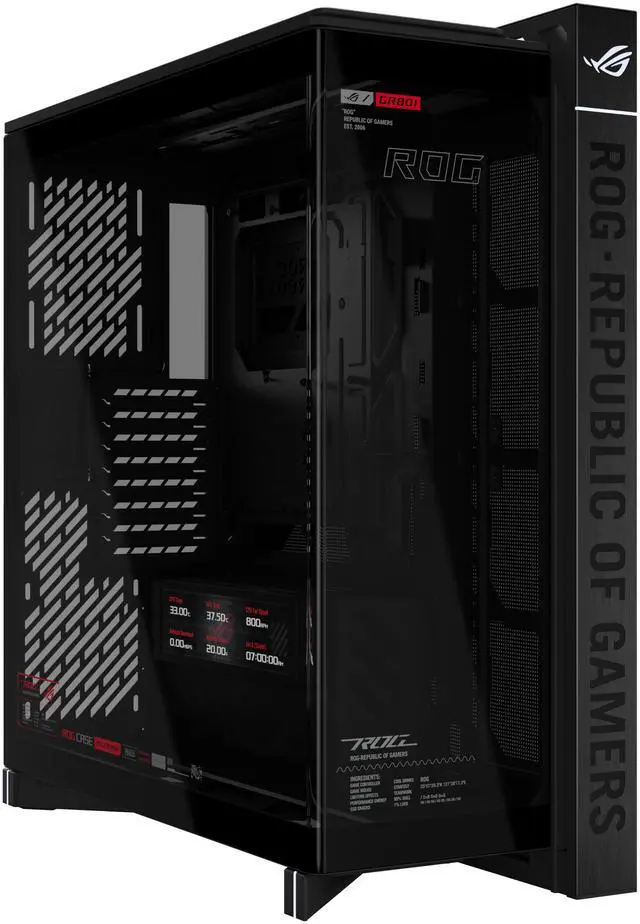
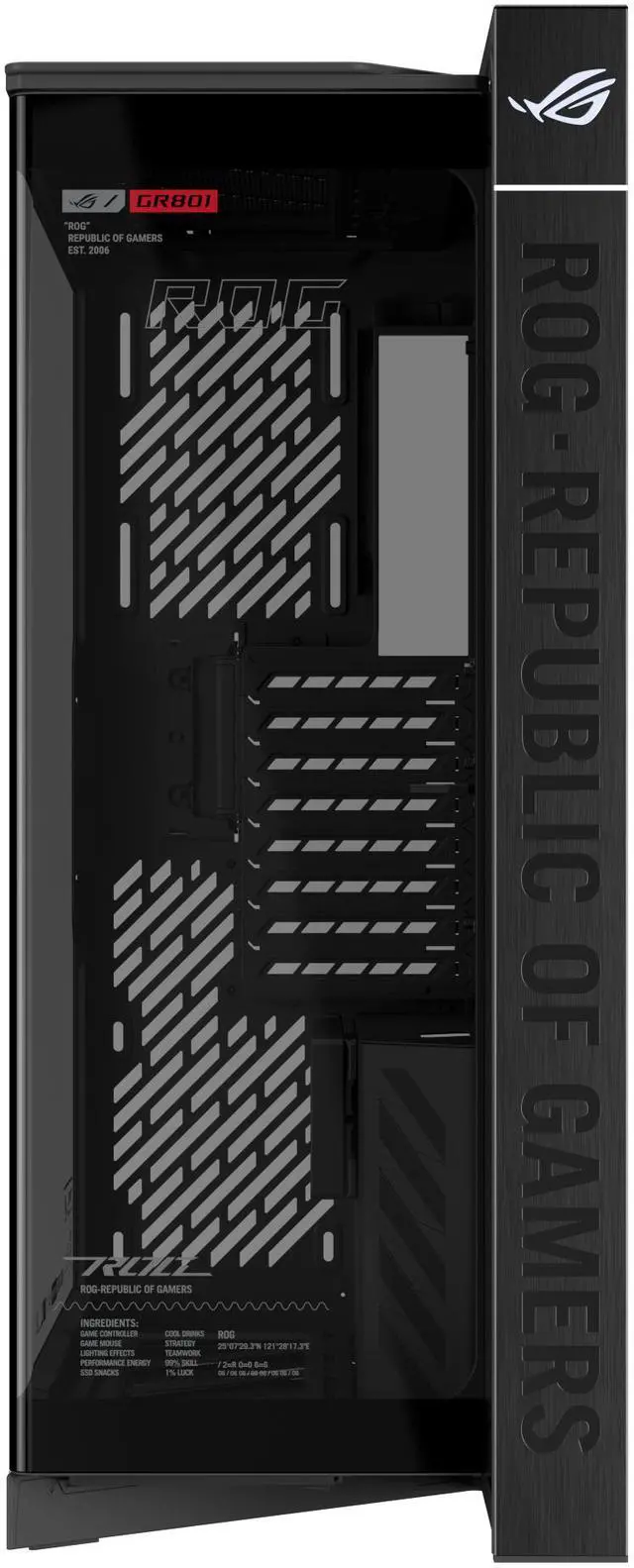
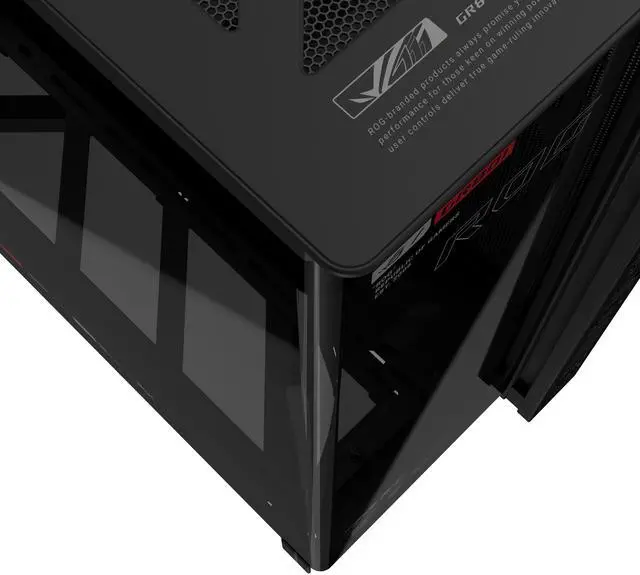
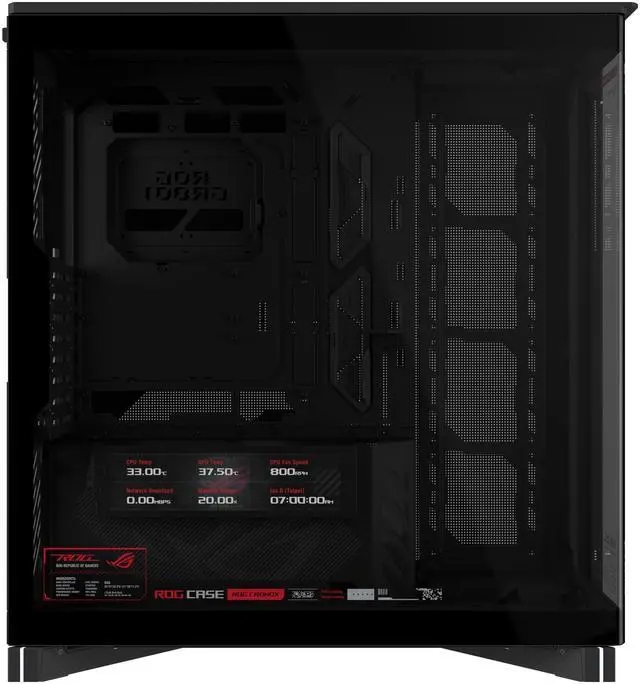
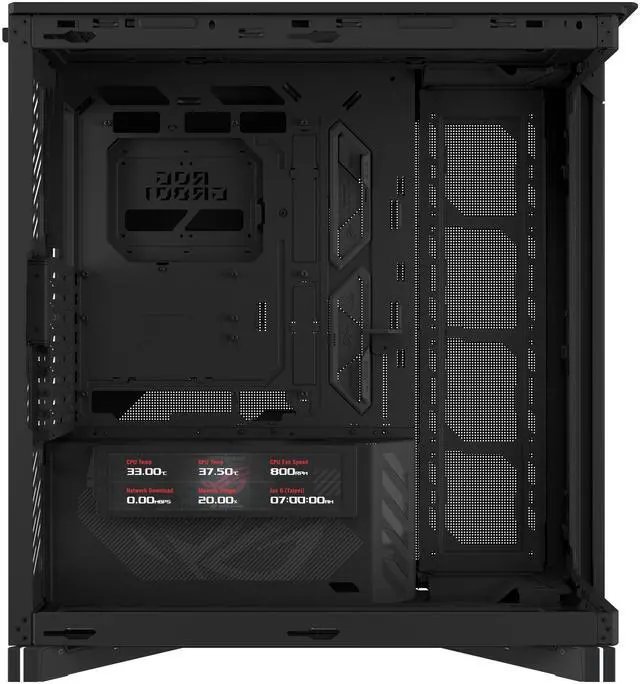
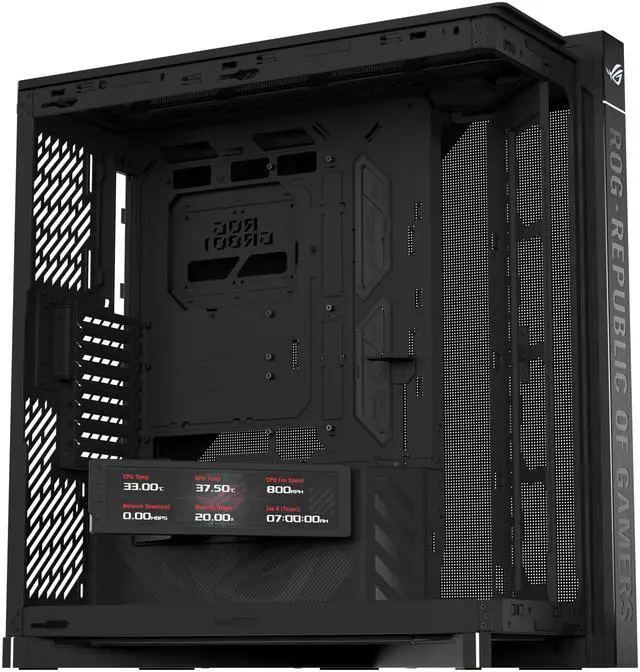
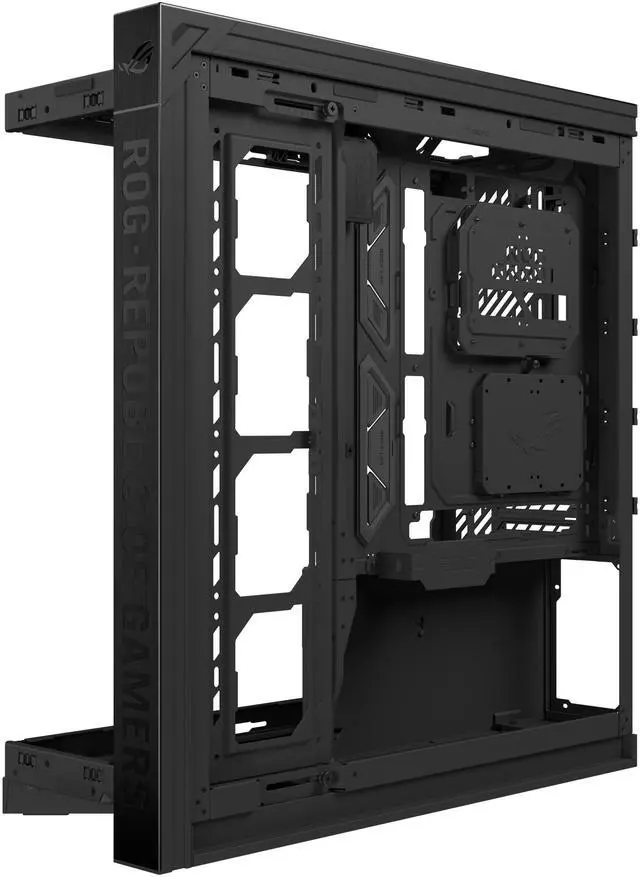
  • Panoramic Design: Curved Tempered glass with aluminum-trimmed frame for seamless internal system view
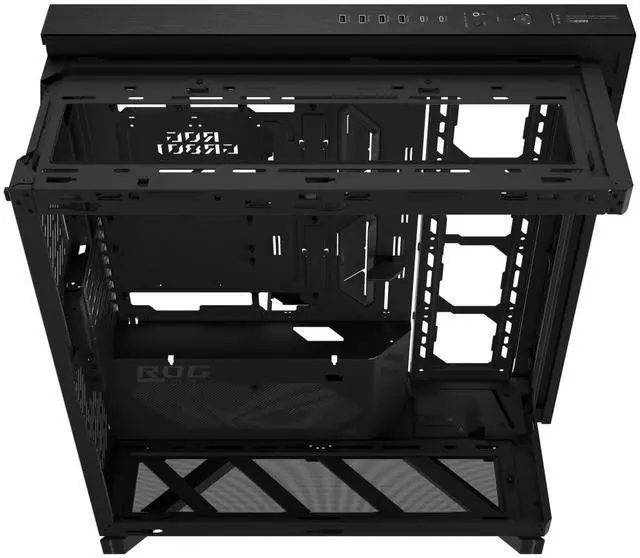
  • Ready for Hidden Connectors: Designed for EATX motherboards, with support for ATX hidden-connector models, enabling cleaner cable routing and a clutter-free build
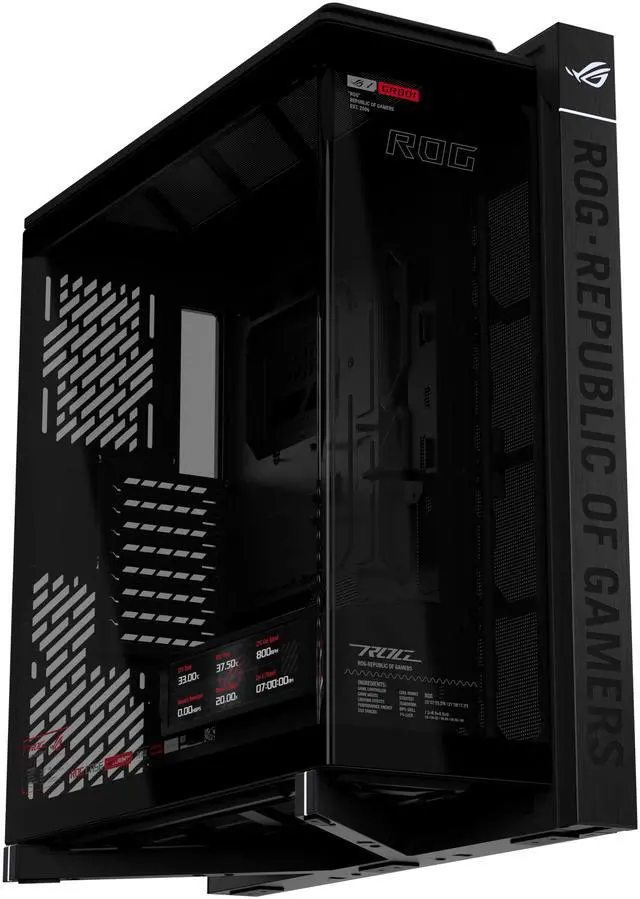
  • Flexible Airflow: Patented rotatable side fan bracket for a flexible airflow channel
  • Supreme Thermal Performance: Up to fourteen 120mm fan support for maximum thermal performance
  • DIY-Ready: Robust graphics card holder and patented slot clamps support models up to 400mm long and up to two 360mm radiators
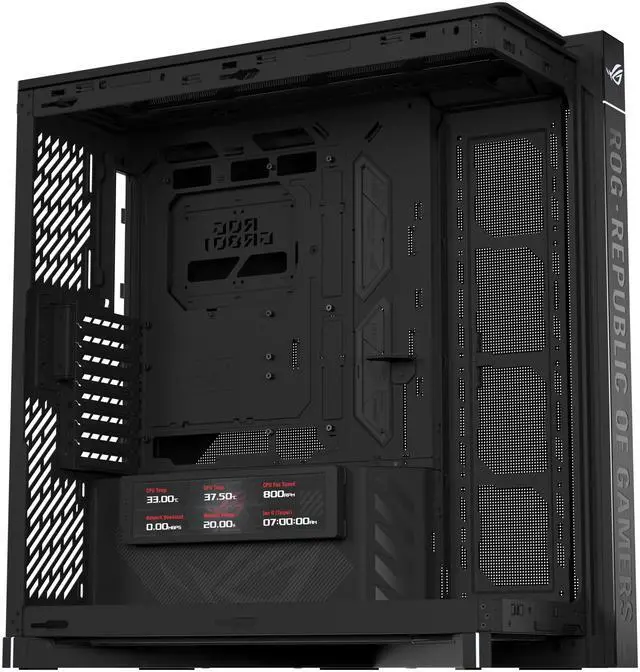
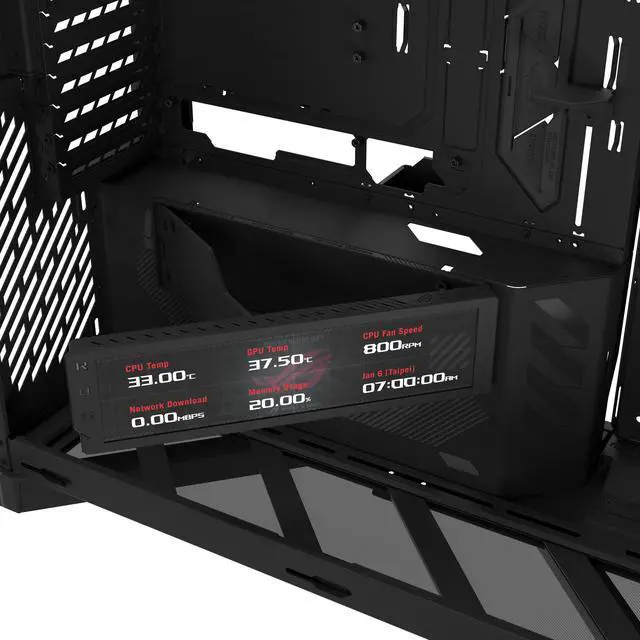
  • Hinged 9.2-Inch LCD Screen Module: Displays system stats, notifications, digital clock mode, or custom visuals
+
+
Overview
Specs
Reviews (1)
ASUS ROG Cronox EATX Full Tower Panoramic Case
ROG Cronox
ROG Cronox EATX full tower panoramic case features 9.2-inch LCD case screen module and supports graphics cards up to 400mm long, and up to dual 360mm radiators
ASUS ROG Cronox EATX Full Tower Panoramic Case
ROG Cronox
Vision Meets Domination

The ROG Cronox is a panoramic full-tower case with a curved tempered-glass panel and precision-cut edges. It's compatible with EATX and BTF motherboards and features subtle ROG lighting to add layers of visual intensity. A patented rotatable side fan bracket enables targeted airflow management, allowing precise thermal tuning for demanding builds. The 9.2-inch LCD screen module features a 60Hz refresh rate and can be freely rotated on a hinge to set up the most suitable and convenient viewing angle.

Max. Graphics Card Length

400mm

Max. CPU Cooler Height

180mm

Radiator Support

Dual 360mm

Supports Up to

14 x 120mm Fans

Patented Rotatable Side Fan Bracket

Patented Graphics Card Slot Clamp

9.2” LCD Case Screen Module

ASUS ROG Cronox EATX Full Tower Panoramic Case

1920 x 462 pixels

400nits

60Hz

ASUS ROG Cronox EATX Full Tower Panoramic Case
View Every Detail

ROG is for those who dare to push the limits. The ROG Cronox opens up a new dimension of clarity — where cooling, power, and aesthetics unite under one command. It's more than a case: it's your arena of dominance.

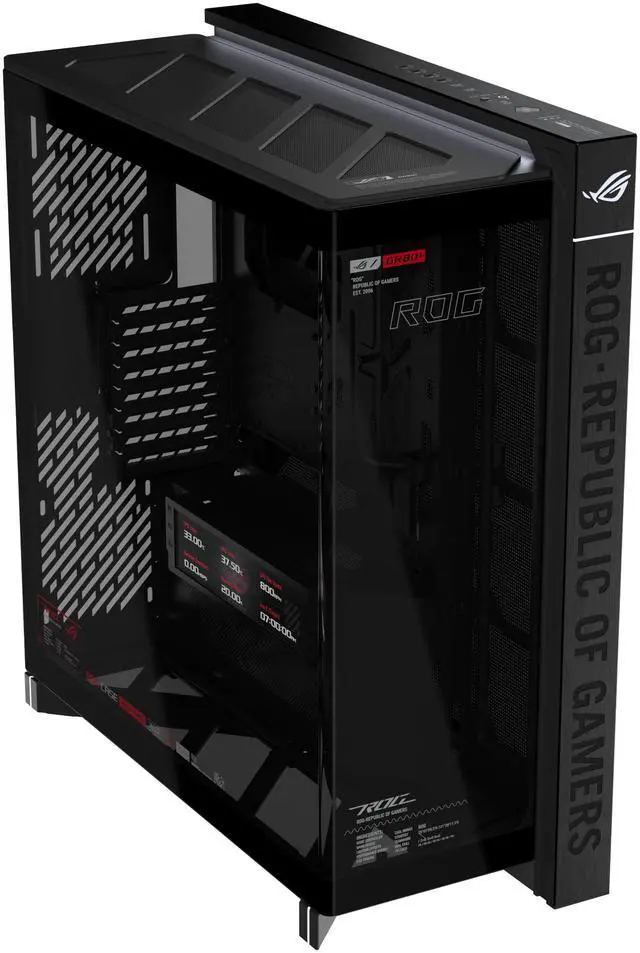
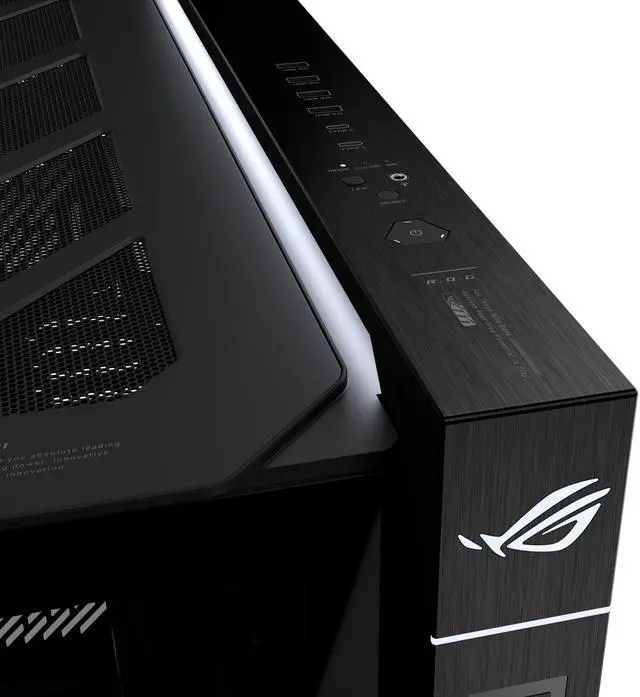
Curved tempered glass with an aluminum-trimmed frame delivers a panoramic view. Pushing a button at the rear of the case releases the side panel for tool-less access to the interior. In addition, the ambient lighting on the top panel provides subtle illumination, enhancing overall visibility and creating a balanced lighting atmosphere.

Details waiting to be uncovered include:

ASUS ROG Cronox EATX Full Tower Panoramic Case

# Aluminum-trimmed structural

ASUS ROG Cronox EATX Full Tower Panoramic Case

# Ambient lighting

ASUS ROG Cronox EATX Full Tower Panoramic Case

# Angular metal feet

ASUS ROG Cronox EATX Full Tower Panoramic Case

# Stylish cable grommets

Patented Structural Mechanisms

Engineered for precision and durability, the mechanisms described below help ensure optimized operation, reliable performance, and a robust and intuitive user experience.

ASUS ROG Cronox EATX Full Tower Panoramic Case
Rotatable Side Fan Bracket

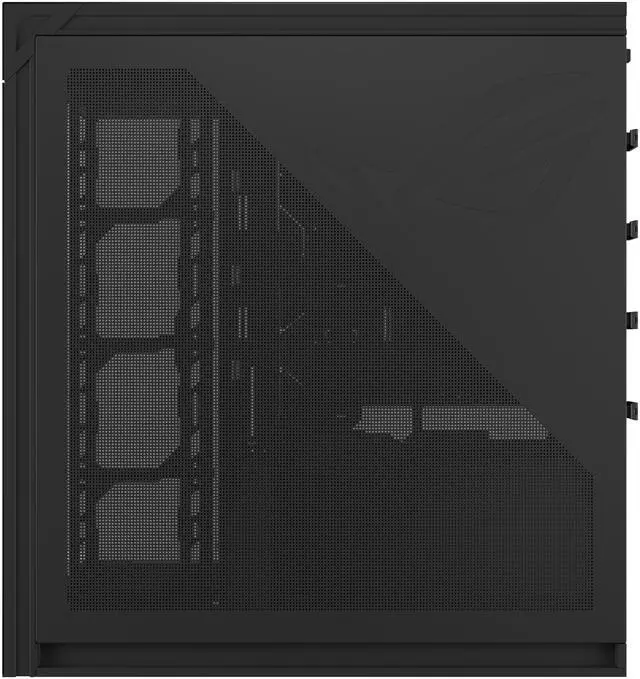
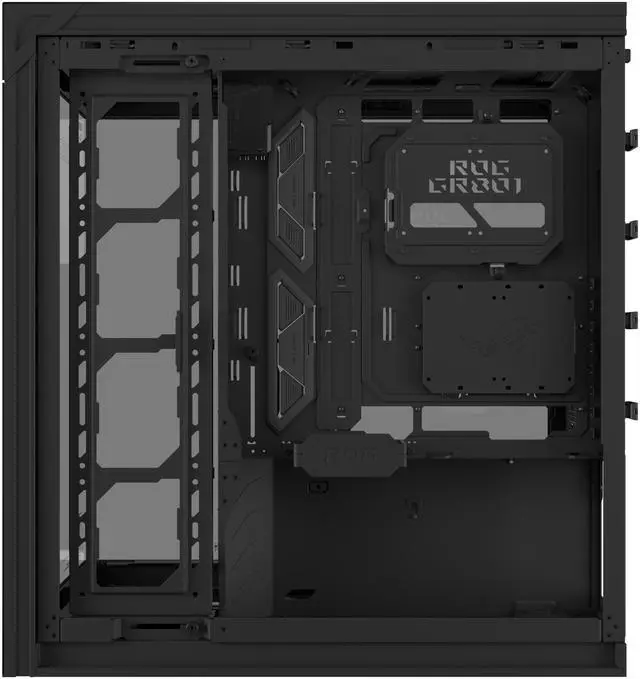
A patented rotatable side fan bracket is designed as a flexible cooling channel, enabling direct airflow to critical components or revealing an unobstructed panoramic view of the entire system.

ASUS ROG Cronox EATX Full Tower Panoramic Case
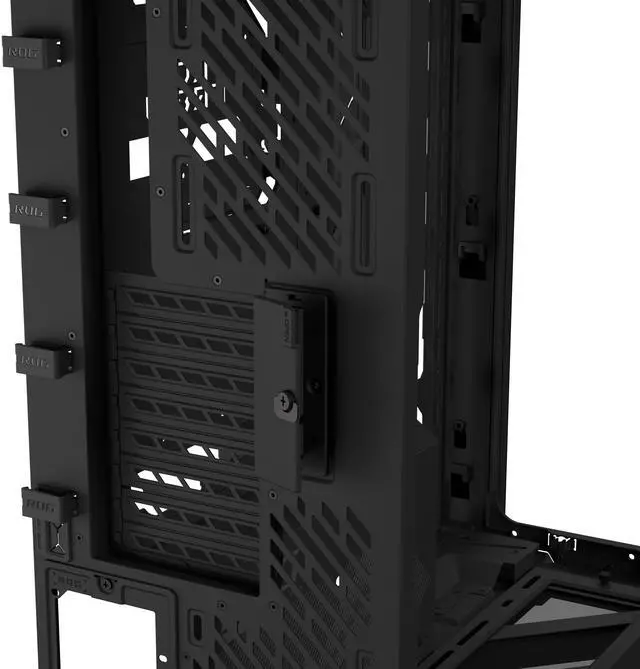
Graphics Card Slot Clamp

A tool-free graphics card slot clamp makes your PC building faster and more convenient. A simple snap firmly secures the card.

9.2-Inch LCD Screen Module

Featuring a 60Hz refresh rate, the pre-installed screen module delivers an immersive visual experience.

ASUS ROG Cronox EATX Full Tower Panoramic Case

1920 x 462 pixels

400 nits

60Hz

IPS panel

1:1000 Cr

ASUS ROG Cronox EATX Full Tower Panoramic Case
Hassle-Free Installation and Maintenance

The ROG Cronox features multiple design features that ensure a smooth PC building experience and make maintenance effortless.

ASUS ROG Cronox EATX Full Tower Panoramic Case
Graphics Card Holder

The embedded graphics card holder supports horizontal or vertical graphics-cards installation, with expansive height adjustability.

ASUS ROG Cronox EATX Full Tower Panoramic Case
Detachable Rear Bracket for PSU

For easier PSU installation, a rear bracket detaches from the case so that a power supply can slide right in.

ASUS ROG Cronox EATX Full Tower Panoramic Case
Flexible Positions for Fans or Radiators

Long mounting holes enable flexible placement of fans and radiators for optimized cooling configurations.

ASUS ROG Cronox EATX Full Tower Panoramic Case
Two Cable Routing Paths

Two rear cable routing paths support both standard and BTF layouts to keep cables firmly organized.

ASUS ROG Cronox EATX Full Tower Panoramic Case
Rear Cable Clips

Rear cable clips keep cables firmly secured and organized, ensuring clean cable management.

Space-Efficient Design
ASUS ROG Cronox EATX Full Tower Panoramic Case
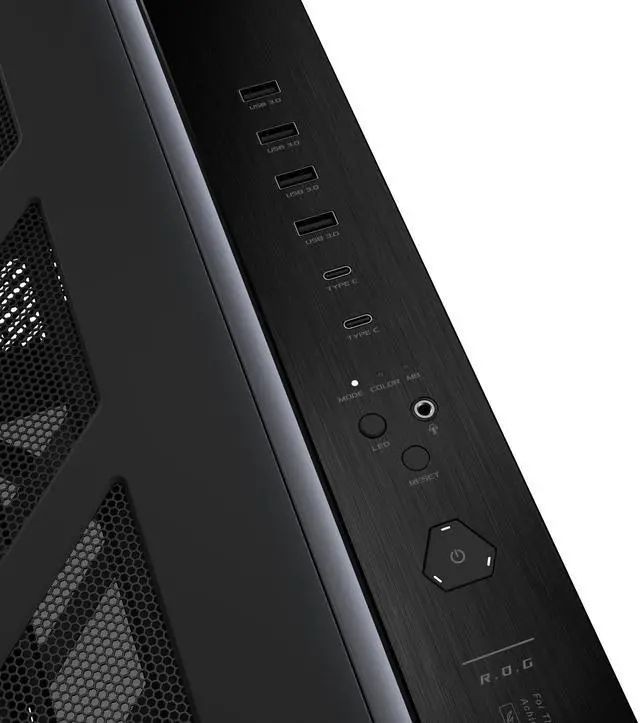
Front I/O Panel

The ROG Cronox version includes two USB 20Gbps Type-C® ports, with support for 60-watt fast charging where compatible.

# Unified Front I/O Header

A thoughtful header design makes it easy to connect Front Input/Output (FIO) components to the motherboard.

ASUS ROG Cronox EATX Full Tower Panoramic Case
FAQ

What PC components are compatible with the ROG Cronox PC case?

The ROG Cronox PC case supports a wide range of PC components, including motherboards, graphics cards, power supplies, and cooling solutions. Key compatibility details are outlined below.

Motherboard Compatibility

  • E-ATX (12" x 10.9"), ATX, MicroATX, and Mini-ITX form factors
  • ASUS ATX BTF motherboards featuring rear-mounted connectors for cleaner cable management

Graphics Card Compatibility

  • Horizontal installation: up to 400mm long
  • Vertical installation: up to 115mm wide
  • Supports high-end and next-generation GPUs

Power Supply Compatibility

  • ATX power supplies up to 200mm long

Cooling & Fan Compatibility

  • Two radiators up to 360mm long
  • CPU air cooler up to 180mm tall
  • Fourteen 120mm fan mounts

What cooling configurations and fan layouts does the ROG Cronox support?

The ROG Cronox PC case is engineered for flexible and high-performance cooling setups, supporting both air and liquid cooling configurations.

Radiator & AIO Liquid Cooling Support

  • Top mounting: 120, 240, 360mm
  • Side mounting: 120, 240, 360mm
  • Rear mounting: 120mm

Fan Support & Pre-Installed Fans

  • Top: up to 4 x 120mm fans
  • Side: up to 4 x 120mm fans
  • Rear: up to 2 x 120mm fans
  • Bottom: up to 4 x 120mm fans

Recommended Fan Layout

  • ASUS recommends a 360mm radiator that exhausts through the top, four reverse-blade intake fans on the side, and four intake fans at the bottom.
  • At the rear, ASUS recommends using the upper fan mount for exhaust, while the lower rear fan mount can be configured with either a standard or reverse-blade fan, depending on the user's airflow preference and system layout.
  • The rotatable side fan bracket lets users adjust the air channel, directing fresh intake airflow more precisely toward the graphics card or CPU area, depending on the system configuration. This flexible design creates effective positive airflow, supplies cool air directly to the graphics card and radiator, and efficiently expels hot air through the top and rear, making it ideal for high-performance gaming and workstation systems.

What I/O ports are available on the ROG Cronox PC case?

The ROG Cronox PC case I/O panel includes two USB Type-C® ports rated for up to 20Gbps and up to 60-watt fast charging; four USB 5Gbps Type-A ports; and audio input/output jacks. It also features dedicated lighting and fan control buttons, along with power and reset buttons for convenient system operation.

Does the ROG Cronox case feature ARGB lighting?

Yes. The ROG Cronox PC case features ambient ARGB lighting on the top panel and case feet, providing customizable lighting effects without requiring additional accessories.

What are the specifications and features of the LCD screen in the ROG Cronox PC case?

Specifications

ROG Cronox features a 9.2-inch LCD screen with a 1920 x 462 resolution, 400 nits brightness, 60Hz refresh rate, IPS panel, and 1:1000 contrast ratio.

LCD Hinge Design

A hinge enables users to effortlessly rotate the LCD screen for the ideal viewing angle for monitoring and showcasing.

Features

The ROG Cronox LCD screen displays real-time CPU, GPU, memory, networking, and fan status through a unified system dashboard, along with a world time clock for clear at-a-glance monitoring. It also supports customizable layouts and nine ROG themes to allow users to choose which system information and background are shown. A Notification Mode provides visual and audio alerts for custom messages, scheduled reminders and holidays, and a separate always-on clock keeps time and date visible even when the PC is powered off.

Warranty & Returns

Warranty, Returns, And Additional Information

Return Policies*

  • Return for refund within: 30 days
  • Returns are subject to restocking fees and return shipping fees. Please click here to learn more about restocking fees and return shipping fees.
  • This item is covered by Newegg.com's International Order Return Policy.
  • Read full return policy for details.
  • *Subject to applicable law
  • Warranty Notice:

    This product does not include manufacturer warranty when purchased or used outside of its designated sales region. By purchasing internationally, you acknowledge that warranty support from the manufacturer will not be available.
LOADING...

The ASUS ROG Cronox is a full-tower gaming PC case for high-performance builders who need extensive cooling and component space. It supports EATX and hidden-connector ATX motherboards, graphics cards up to 400 mm, up to fourteen 120 mm fans, and two 360 mm radiators.

Recommended For

  • Showcase-focused PC builders who want a panoramic, aquarium-style presentation with a hinged 9.2-inch LCD for system stats, clocks, animations, or custom visuals.
  • Enthusiast builders assembling high-end liquid-cooled systems who need room for up to two 360mm radiators, extensive 120mm fan placement, and an adjustable side-fan bracket.
  • Builders using EATX or ASUS BTF motherboards who prioritize cleaner cable routing and want a chassis designed around hidden motherboard connectors.
  • Owners of flagship graphics cards and oversized components who need support for GPUs up to 400mm, CPU coolers up to 180mm tall, and ATX power supplies up to 200mm long.
  • Hands-on PC builders who want a spacious installation area for complex builds, multiple fans, large power supplies, and extensive cable routing rather than a compact, preconfigured enclosure.

Real-World Use Scenarios

  • A builder creating a high-end gaming or workstation PC uses the Cronox to showcase premium components through the curved glass. The panoramic layout makes internal lighting, cooling hardware, and cable routing visible from multiple angles, so the finished system functions as part of the room’s visual setup.
  • A user assembling an EATX or BTF-based system chooses the Cronox to reduce visible cable clutter. Hidden-connector motherboard support and the spacious full-tower layout can make the completed build look cleaner, although the builder still needs to verify motherboard and connector compatibility before purchasing.
  • A gaming enthusiast installing a high-end GPU and liquid cooling builds a system with multiple intake and exhaust zones. The rotatable side fan bracket lets the user direct airflow toward the graphics card, and community testing suggests GPU temperatures can respond well to this layout, but final results depend on fan orientation, radiator placement, and fan-curve tuning.
  • A user who wants an always-visible hardware dashboard uses the hinged LCD module for system statistics, notifications, a clock, or custom visuals. This is most useful in a showcase or desk setup where the case remains visible, while users should expect to configure the display through ASUS software rather than treating it as a separate monitor.
  • A DIY builder planning a major upgrade or custom water-cooled system benefits from the large interior and flexible radiator support. The extra room can simplify installing oversized graphics cards, multiple fans, and large radiators, but real builds may still require careful checking of radiator, AIO, and tubing clearances.

Spec Summary

AttributeValue
Best ForFull-tower desktop builds using E-ATX, ATX, Micro-ATX, Mini-ITX, or supported BTF motherboards, with extensive fan and radiator installation options
Form Factor And Motherboard CompatibilityFull Tower chassis compatible with E-ATX, ATX, Micro-ATX, and Mini-ITX motherboards, including supported BTF layouts
Cooling And Radiator SupportSupports up to fourteen 120 mm fans: four each at the bottom, side, and top, plus two at the rear; radiator support reaches 360 mm at the side and top, with up to 240 mm additional support at those positions and up to 120 mm at the rear
Component ClearanceAccommodates graphics cards up to 400 mm, CPU coolers up to 180 mm tall, and power supplies up to 200 mm long
Storage And ExpansionProvides one internal 3.5-inch bay, two internal 2.5-inch bays, and eight expansion slots
Front I O And LightingFront connectivity includes four USB 3.2 Gen 1 ports, two USB 3.2 Gen 2x2 Type-C ports, a combined headphone and microphone jack, and LED lighting control
Display And Chassis FeaturesIncludes a 9.2-inch chassis screen module, built-in fan support, dust filters, tool-free curved glass side panel, 40 mm cable routing, and AURA Sync support
Materials And ColorBlack case constructed from aluminum, steel, plastic, and tempered glass
Dimensions And WeightMeasures 248 × 619 × 584 mm (W × H × D) and weighs 33.5 pounds
Model IdentifiersASUS ROG CRONOX GR801 CURVE TG SCREEN BLACK, part number 90DC00T0-B08000

Reference Q&A

Q: ASUS ROG Cronox vs ROG Strix Helios II: which case should I buy?

A: Choose the ROG Cronox for a panoramic curved-glass showcase, integrated 9.2-inch LCD monitoring, BTF motherboard support, and a rotatable side-fan bracket. Choose the ROG Strix Helios II for a more conventional mid-tower layout, four included 140mm fans, support for up to a 450mm graphics card, front 420mm radiator support, and built-in carrying straps.

Q: Is the ROG Cronox better than the Phanteks NV9 for a high-end showcase PC?

A: The ROG Cronox is the better fit if you want an integrated LCD screen, ASUS BTF compatibility, 14 possible 120mm fan mounts, and support for two 360mm radiators. The Phanteks NV9 is better suited to builds using larger 140mm fans, multiple 420mm radiators, or more internal storage, with support for up to six 2.5-inch drives and three 3.5-inch drives.

Q: Should I buy the standard ROG Cronox or the ROG Cronox ARGB version?

A: Choose the standard ROG Cronox if you already own compatible fans and want the LCD-equipped chassis at a lower starting cost. Choose the ROG Cronox ARGB if you want four pre-installed ROG Eurux GR120 ARGB fans, including three reverse-blade side intakes and one rear exhaust, with less need to purchase fans separately. Both versions support the 9.2-inch LCD, 400mm graphics cards, dual 360mm radiators, and up to 14 120mm fans.

Q: Is the ROG Cronox suitable for a portable gaming PC or LAN-party build?

A: The ROG Cronox is more appropriate for a stationary performance-first showcase system than frequent transport. Its full-tower design prioritizes EATX compatibility, extensive cooling capacity, a large curved-glass display area, and an integrated LCD module. For more regular transportation, the ROG Strix Helios II is the more practical ASUS option because it uses a mid-tower format and includes ergonomic carrying straps rated for systems up to 50kg.

Q: Does the ROG Cronox offer a meaningful upgrade over older panoramic cases such as the Phanteks NV7?

A: The ROG Cronox is a meaningful upgrade for builders who want an integrated 9.2-inch monitoring screen, ASUS BTF support, a rotatable side-fan bracket, and tool-free graphics-card retention. Owners of an NV7 or a similar panoramic case may not need to upgrade if their priority is simply spacious component display and multi-zone airflow; the Cronox upgrade is primarily about its integrated display, ASUS ecosystem features, and revised airflow hardware.

Q: Will this case fit a large graphics card?

A: Yes. The case supports graphics cards up to 400 mm long and includes a graphics card holder and slot clamps. Check the graphics card's total length, thickness, power-connector clearance, and any radiator or fan installed in the same area before building.

Q: Is this case suitable for a liquid-cooled gaming PC?

A: Yes. It supports radiators up to 360 mm on the top and side, plus a rear radiator up to 120 mm, and can accommodate up to two 360 mm radiators. It is a strong fit for custom or all-in-one liquid cooling, but radiator thickness, fan thickness, motherboard clearance, and GPU placement should be confirmed for the specific build.

Q: Which motherboards are compatible with this case?

A: The case supports Mini-ITX, Micro ATX, ATX, and E-ATX motherboards. It is also designed for ATX hidden-connector motherboard models, which can help create a cleaner cable-routing layout. Verify the exact motherboard model and connector standard before purchase.

Q: How many fans can this case support, and is the airflow flexible?

A: It supports up to fourteen 120 mm fans: four at the bottom, two at the rear, four on the side, and four on top. A rotatable side fan bracket allows the airflow direction to be adjusted, making the case suitable for high-performance components. The provided specifications do not state that fans are included, so plan for separate fan purchases unless the package listing confirms otherwise.

Q: What is the 9.2-inch LCD screen useful for?

A: The hinged 9.2-inch LCD screen module can display system statistics, notifications, a digital clock, or custom visuals. It is most useful for builders who want at-a-glance information or a customizable display inside the case; it is an added feature rather than a replacement for a primary monitor.

Q: Is the ASUS ROG Cronox worth buying for a high-end gaming PC?

A: It is best suited to buyers who prioritize panoramic glass, a built-in 9.2-inch LCD screen, EATX/BTF support, and extensive 120mm fan and radiator capacity. The trade-offs discussed by owners include a more difficult build process, premium pricing, limited 140mm-fan support, and some reports of weaker thermals or build quality than competing cases.

Q: Is the ROG Cronox easy to build in?

A: No. It offers substantial space and support for ATX, E-ATX, and BTF motherboards, but owners report tight rear clearance, difficult cable and AIO-tube routing, and a motherboard position that can make installation less flexible than in conventional full-tower cases. It is more appropriate for experienced builders who plan component placement in advance.

Q: Does the ROG Cronox provide good cooling and airflow?

A: The case has strong cooling potential on paper, with support for up to fourteen 120mm fans and two 360mm radiators, plus a rotatable side-fan bracket. However, community reports are mixed: some owners use side and bottom intake with rear and top exhaust successfully, while others report higher temperatures than competing cases. Actual results depend heavily on fan layout, GPU orientation, and radiator placement.

Q: Are all 360mm AIO coolers compatible with the ROG Cronox?

A: No. The case supports radiators up to 360mm, but that does not guarantee direct compatibility with every 360mm AIO. Owners specifically report mounting-hole and screw-length problems with the ASUS ROG Ryuo IV SLC 360, along with difficult tube routing. Check the radiator bracket pattern, radiator thickness, tube position, and included hardware before buying.

Q: Should buyers be concerned about availability or shipping damage?

A: Yes. Reddit discussions repeatedly mention limited availability, stockouts, and difficulty finding the case at standard retail pricing. Several owners also report cracked glass on arrival. Buyers should confirm stock, inspect the tempered-glass panels immediately, and avoid dismantling an existing PC until the case arrives undamaged.