- Free 30-day Returns
- ₱8,886.52 Shipping
₱42,977.75
VAT-Inclusive Price
Add to PC build list
Ships from United States.
Sold by Newegg
Shipped by Newegg
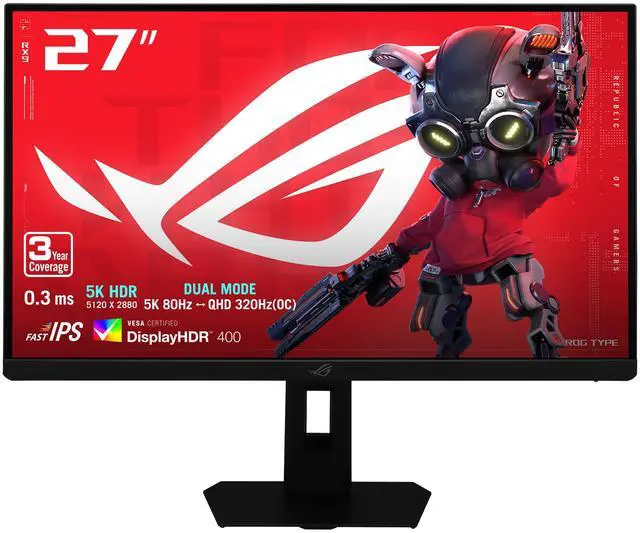
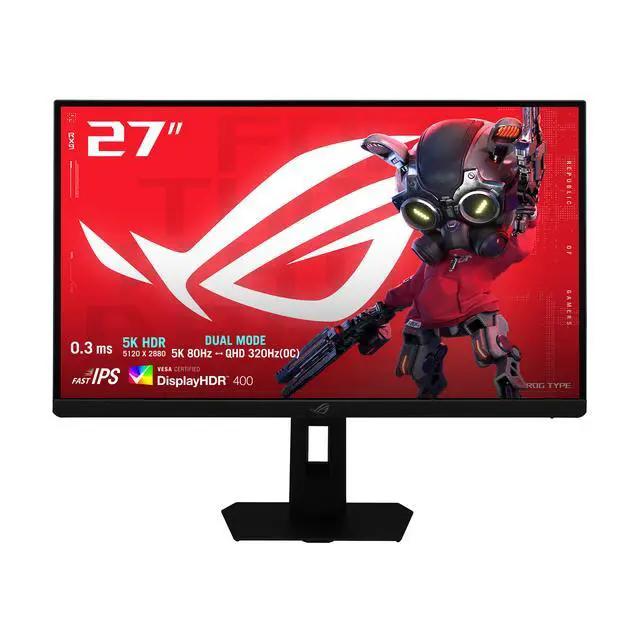
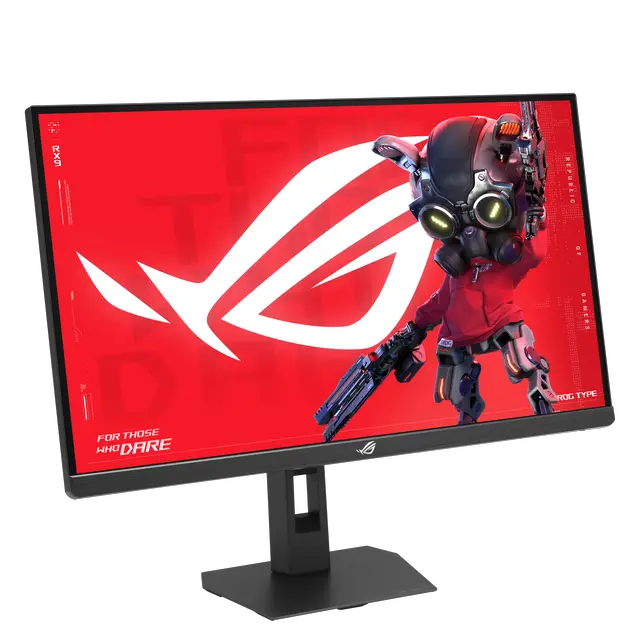
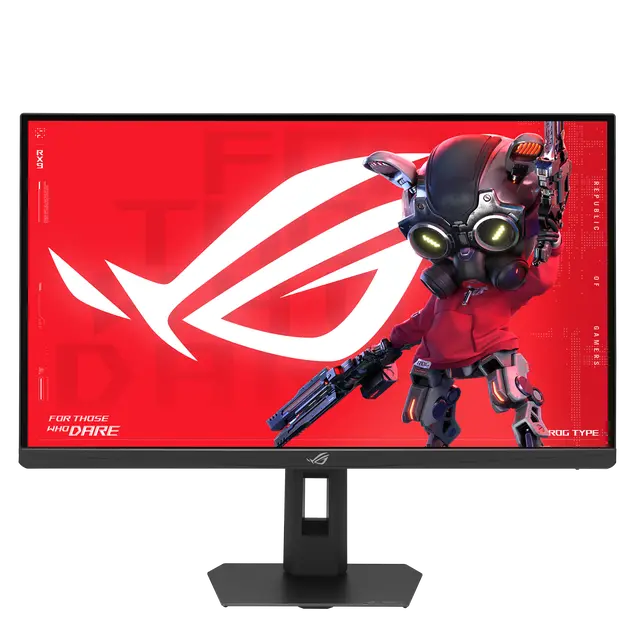
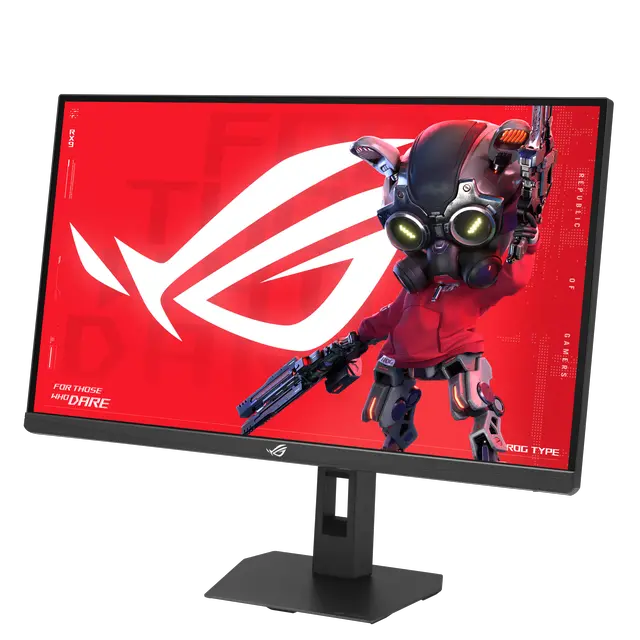
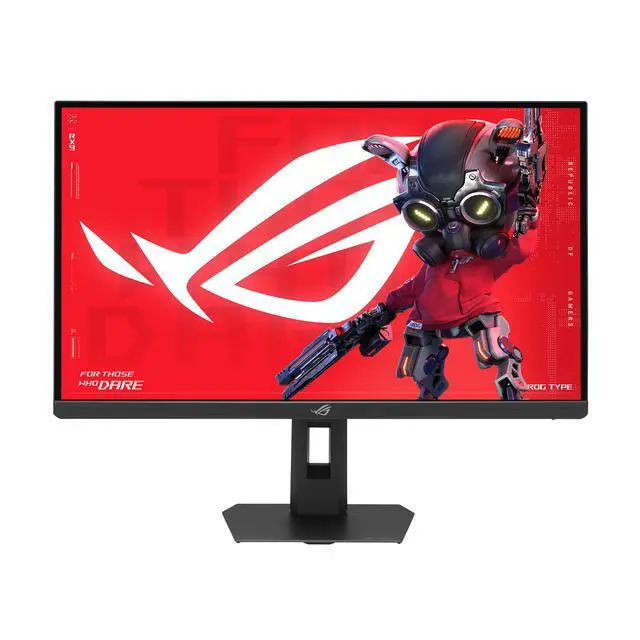
ASUS ROG 27 Inch 5K HDR Fast IPS Gaming Monitor (XG27JCEG) - Dual mode 5K 80Hz or QHD 320Hz, Extreme Low Motion Blur Sync, USB-C (15W PD), G-SYNC Compatible, Tripod Socket, Aura Sync
- Ultra-clear 27-inch 5K Display - 5120 x 2880 resolution with 218 PPI pixel density delivers sharp, lifelike details for work and play
- Ultra-smooth Gaming Performance - 80Hz (OC) refresh rate combined with 0.3ms GTG response time reduces motion blur and ghosting, delivering fluid, tear-free visuals ideal for competitive gaming
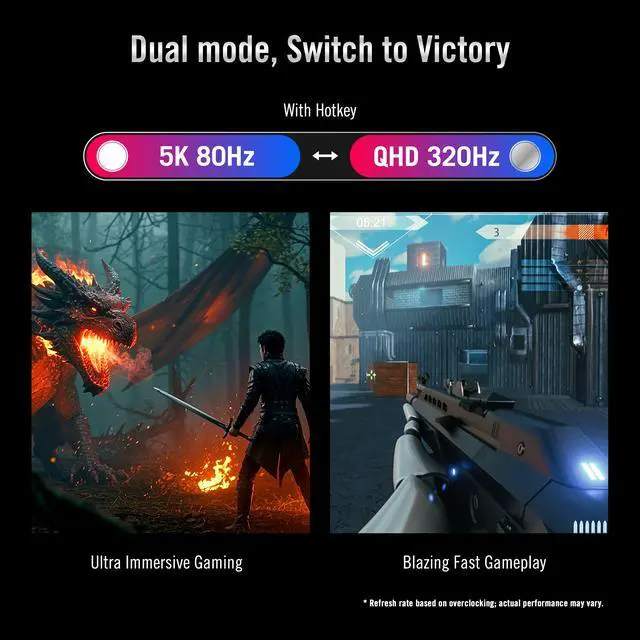
- Frame Rate Boost Technology - Switch from 5K 80Hz to QHD 320Hz (OC) for ultra-high frame rates and responsive gaming action
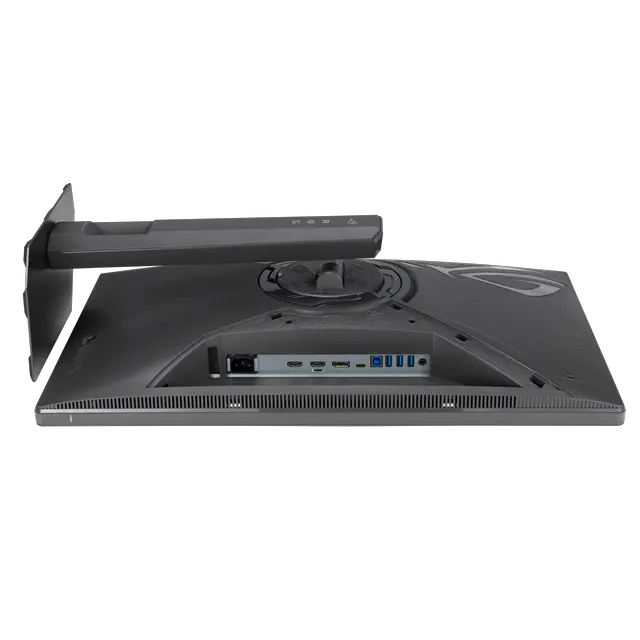
- Next-gen Connectivity Options - Includes DisplayPort 1.4 (DSC) x1, HDMI 2.1 x2, and USB-C with 15W power delivery for maximum compatibility
- Immersive Gaming Visuals - 95% DCI-P3 wide color gamut and VESA DisplayHDR 600 bring vibrant, lifelike colors and deep contrast
- ROG Gaming A.I Technology - AI-powered features like Dynamic Shadow Boost, Dynamic Crosshair, and AI Visual giving gamers a competitive edge in every match
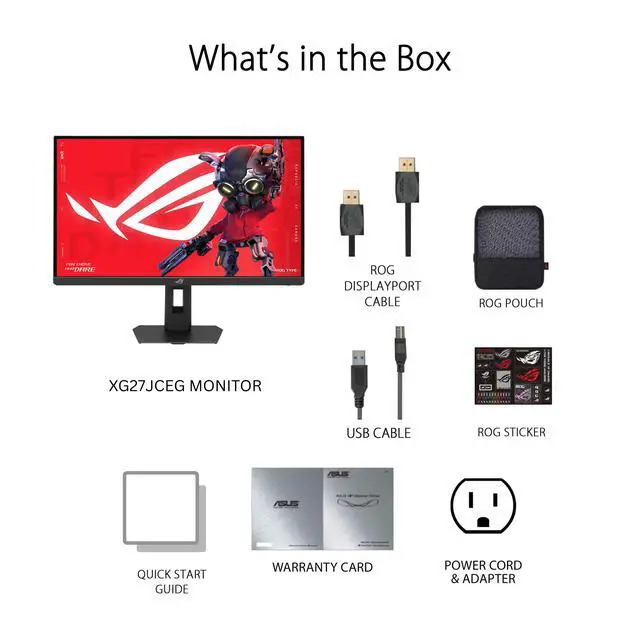
- What's in the box: DisplayPort cable, USB Type-B to A cable, Power cord & adapter, ROG pouch, ROG sticker, Warranty Card, Quick start guide
- ASUS Rapid Replacement (ARR) 3 years warranty with burn-in coverage and cross shipping service included
- Free 3-month Adobe Creative Cloud Subscription: Receive complimentary access with the purchase of this product (offer valid until 08/31/2027)
+
+
Overview
Specs
Reviews
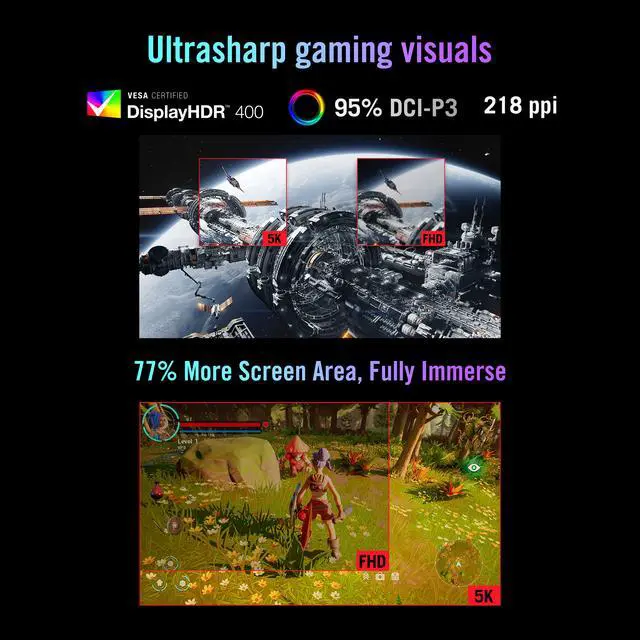
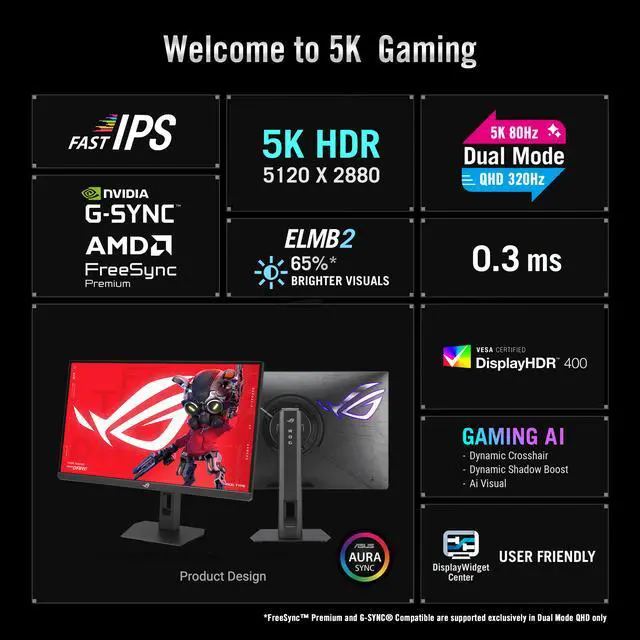
5K Visuals. Dual Power. - ROG Strix 5K XG27JCEGExperience breathtaking clarity with the ROG Strix 5K XG27JCEG-a 5K (5120 x 2880) Fast IPS display boasting 218ppi and blazing 80Hz (OC) refresh rate for ultrasharp, immersive visuals. A Dual Mode feature allows for effortless switching between immersive 5K at 80Hz for cinematic adventures and lightning-fast QHD (2560 x 1440) at 320Hz (OC) for peak performance. Conquer every challenge with advanced AI-powered features, enjoy seamless control on macOS and Windows via DisplayWidget Center, and connect with ease via the versatile USB-C port. Welcome to 5K Gaming - Ultrasharp gaming visualsThe 5120 x 2880 resolution Fast IPS display boasts 218ppi, 80Hz (OC) refresh rate, and VESA DisplayHDR 400 certification-all to deliver stunningly vibrant, supersharp visuals for ultimate gaming immersion in astounding 5K.
More onscreen area77% more onscreen space than a standard 4K monitor of the same size translates to more freedom to explore every detail and fully immerse in the game. Dual mode, Switch to VictoryThe ROG Strix 5K XG27JCEG allows you to easily switch between breathtaking 5K at 80Hz for immersive gaming and cinema-like entertainment or QHD at 320Hz for ultra-responsive, blazing-fast gameplay. Both modes deliver swift 0.3 ms gray-to-gray response time for flawless, smooth action.
Note: Refresh rate based on overclocking; actual performance may vary. Tear-Free, Ghost-Free GamingNVIDIA G-SYNC compatibility and AMD FreeSync Premium ensure tear-free visuals. These features deliver smooth, perfectly-synced imagery by enabling variable refresh rate (VRR) by default. In addition, Extreme Low Motion Blur Sync (ELMB Sync) technology prevents ghosting and further protects against tearing, while ASUS Variable Overdrive automatically adjusts settings for optimal performance at any frame rate.
Notes: G-Sync compatible in processing, please check the respective official webpage for the updates compatible list Adaptive sync technologies (FreeSync Premium and G-SYNC Compatible) are supported exclusively in Dual Mode QHDExtreme Low Motion Blur 2Next-level motion clarity is made possible by new Extreme Low Motion Blur 2 (ELMB 2) technology, featuring a dual backlight design with two LED strips and ten backlight zones. With five different level settings available, ELMB 2 effectively minimizes motion blur and ghosting. Additionally, the XG27JCEG offers three times the max peak brightness of previous generation ELMB tech, and up to 65% brighter visuals when compared with similar competitor technologies.
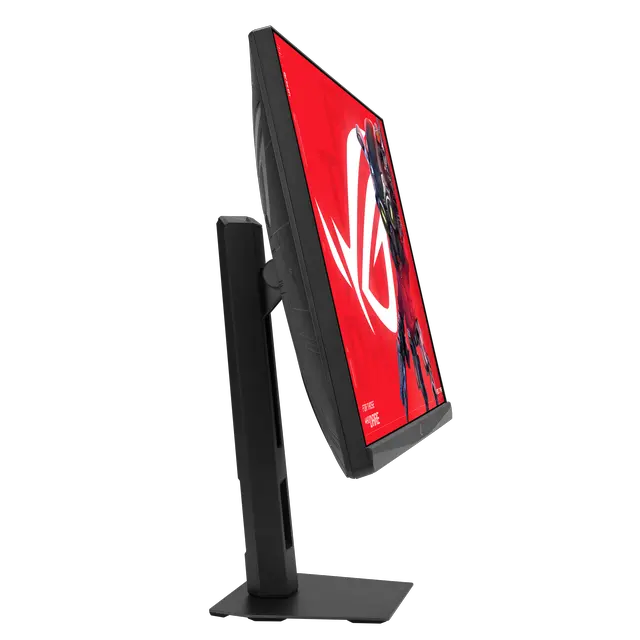
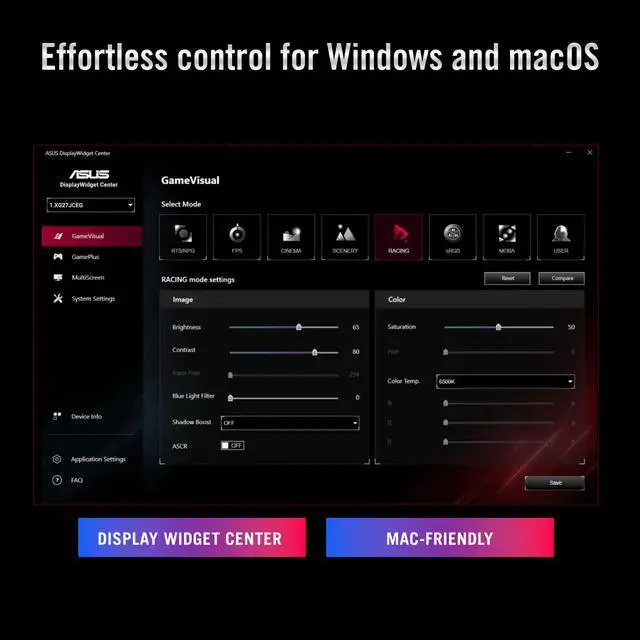
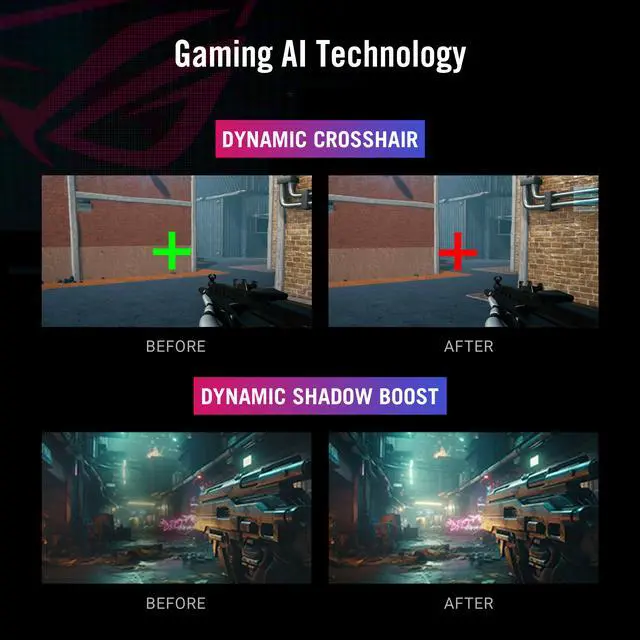
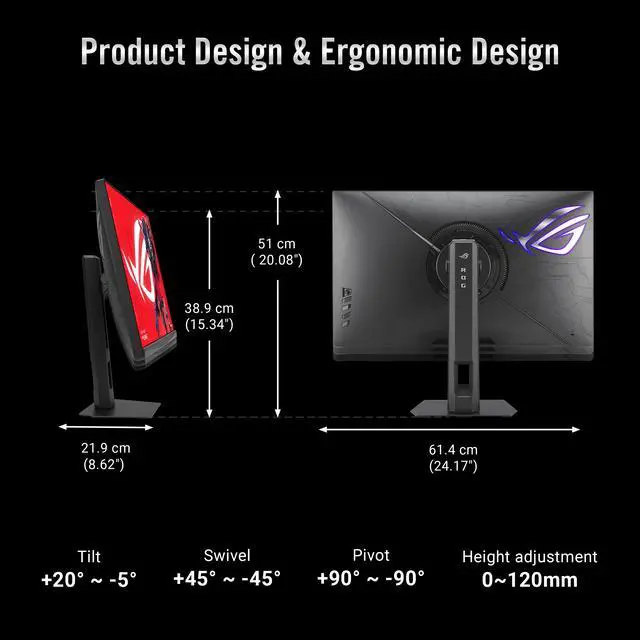
Notes: When set to ELMB Level 3Gaming AI TechnologyAI VisualAI Visual feature automatically adjusts display settings for optimal viewing. Dynamic CrosshairDynamic Crosshair provides gamers with an onscreen reticle that contrasts the background for better targetingDynamic Shadow BoostDynamic Shadow Boost brightens dark areas without overexposureEffortless control for Windows and macOSMonitor settings can be easily customized, and profiles can be tailored to specific games using the intuitive Display Widget Center app. For macOS users, adjust brightness directly using the MacBook's keys via ASUS Display Widget Center. Versatile ConnectivityThe XG27JCEG offers an array of connectivity options, including USB-C with DP Alt mode for video output and 15 W power delivery, DisplayPort 1.4 DSC for high-res and high-refresh-rate connections, and HDMI 2.1 to support consoles and other multimedia devices. Ergonomic designThe compact footprint of XG27JCEG saves valuable desktop space and its ergonomic stand offers tilt, swivel, pivot, and height adjustment to ensure the perfect viewing position. Additionally, VESA compatibility enables users to mount the monitor on the wall for even greater flexibility.
More onscreen area77% more onscreen space than a standard 4K monitor of the same size translates to more freedom to explore every detail and fully immerse in the game. Dual mode, Switch to VictoryThe ROG Strix 5K XG27JCEG allows you to easily switch between breathtaking 5K at 80Hz for immersive gaming and cinema-like entertainment or QHD at 320Hz for ultra-responsive, blazing-fast gameplay. Both modes deliver swift 0.3 ms gray-to-gray response time for flawless, smooth action.
Note: Refresh rate based on overclocking; actual performance may vary. Tear-Free, Ghost-Free GamingNVIDIA G-SYNC compatibility and AMD FreeSync Premium ensure tear-free visuals. These features deliver smooth, perfectly-synced imagery by enabling variable refresh rate (VRR) by default. In addition, Extreme Low Motion Blur Sync (ELMB Sync) technology prevents ghosting and further protects against tearing, while ASUS Variable Overdrive automatically adjusts settings for optimal performance at any frame rate.
Notes: G-Sync compatible in processing, please check the respective official webpage for the updates compatible list Adaptive sync technologies (FreeSync Premium and G-SYNC Compatible) are supported exclusively in Dual Mode QHDExtreme Low Motion Blur 2Next-level motion clarity is made possible by new Extreme Low Motion Blur 2 (ELMB 2) technology, featuring a dual backlight design with two LED strips and ten backlight zones. With five different level settings available, ELMB 2 effectively minimizes motion blur and ghosting. Additionally, the XG27JCEG offers three times the max peak brightness of previous generation ELMB tech, and up to 65% brighter visuals when compared with similar competitor technologies.
Notes: When set to ELMB Level 3Gaming AI TechnologyAI VisualAI Visual feature automatically adjusts display settings for optimal viewing. Dynamic CrosshairDynamic Crosshair provides gamers with an onscreen reticle that contrasts the background for better targetingDynamic Shadow BoostDynamic Shadow Boost brightens dark areas without overexposureEffortless control for Windows and macOSMonitor settings can be easily customized, and profiles can be tailored to specific games using the intuitive Display Widget Center app. For macOS users, adjust brightness directly using the MacBook's keys via ASUS Display Widget Center. Versatile ConnectivityThe XG27JCEG offers an array of connectivity options, including USB-C with DP Alt mode for video output and 15 W power delivery, DisplayPort 1.4 DSC for high-res and high-refresh-rate connections, and HDMI 2.1 to support consoles and other multimedia devices. Ergonomic designThe compact footprint of XG27JCEG saves valuable desktop space and its ergonomic stand offers tilt, swivel, pivot, and height adjustment to ensure the perfect viewing position. Additionally, VESA compatibility enables users to mount the monitor on the wall for even greater flexibility.
Warranty & Returns
Warranty, Returns, And Additional Information
Return Policies*
- Return for refund within: 30 days
- Returns are subject to restocking fees and return shipping fees. Please click here to learn more about restocking fees and return shipping fees.
- This item is covered by Newegg.com's International Order Return Policy.
- Read full return policy for details.
- *Subject to applicable law
Warranty Notice:
This product does not include manufacturer warranty when purchased or used outside of its designated sales region. By purchasing internationally, you acknowledge that warranty support from the manufacturer will not be available.
Manufacturer Contact Info
- Manufacturer Product Page
- Manufacturer Website
- Support Phone: 1-888-678-3688
- Support Website
- View other products from ASUS
LOADING...
LOADING...
The ASUS ROG Strix XG27JCEG is a 27-inch 5K Fast IPS gaming monitor that switches between 5120 × 2880 at 80Hz and QHD at 320Hz (OC), making it suitable for players who want detailed visuals for work and immersive games, plus a high-refresh mode for fast-paced gaming.
Recommended For
- PC gamers who alternate between detailed single-player games and competitive titles: use 5K at up to 80Hz for image detail, then switch to QHD at up to 320Hz for higher-refresh play.
- People doing detail-heavy desktop work—such as editing high-resolution images or keeping text and fine interface elements sharp—who want a 27-inch 5K display and also use the same screen for gaming.
- Desk-based streamers or creators who want a gaming monitor with a built-in tripod socket for mounting a camera or other compatible accessory without relying on a separate desk stand.
Real-World Use Scenarios
- For desktop work such as reading documents, editing images, or keeping several windows visible, use 5K mode; the dense 27-inch image can make small text and fine interface details appear crisp, with extra workspace for side-by-side content.
- For competitive shooters or other fast-paced games, switch to QHD mode; the higher refresh-rate setting is intended to make rapid movement look smoother and on-screen action feel more responsive.
- For story-driven games or cinematic video, use 5K mode to prioritize fine image detail; the experience will depend on the computer or console being able to deliver the content at the selected resolution and frame rate.
- For someone who alternates between competitive games and visually detailed single-player titles, the two display modes let them prioritize faster motion in one game and sharper detail in another on the same monitor.
- For a laptop-based desk setup, connect a compatible Mac or Windows laptop over USB-C for display output; the 15W power delivery is limited, so users may still need the laptop’s own charger for sustained use.
Spec Summary
| Attribute | Value |
|---|---|
| Best For | Gaming, photo and video editing, home or business use, and entertainment, with a choice between detailed 5K viewing and high-refresh QHD gaming |
| Panel And Resolution | 27-inch flat Fast IPS LCD with an anti-glare matte screen, 5120 × 2880 resolution, 16:9 aspect ratio, 178° horizontal and vertical viewing angles, and 0.116 mm pixel pitch |
| Refresh Rate And Response | 80Hz in 5K mode, with dual-mode switching to QHD at up to 320Hz; 0.3ms minimum GTG response time |
| Color And HDR | Displays 1.073 billion colors, with 350 cd/m² typical brightness, 400 cd/m² HDR peak brightness, HDR10, and VESA DisplayHDR 400 certification |
| Adaptive Sync And Image Features | AMD FreeSync Premium and G-SYNC Compatible adaptive sync, with TÜV Flicker-free and hardware-based Low Blue Light features |
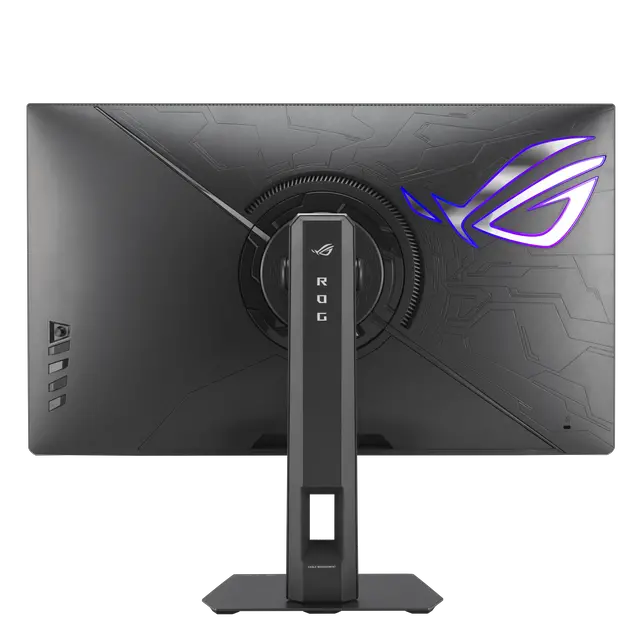
| Ports And Connectivity | 1 DisplayPort 1.4, 2 HDMI 2.1 ports, USB-C with DisplayPort Alternate Mode, 3 USB 3.2 Gen 1 Type-A ports, and an earphone jack |
| Stand And Mounting | Height, pivot, swivel, and tilt adjustments; 100 × 100 mm VESA mounting compatibility |
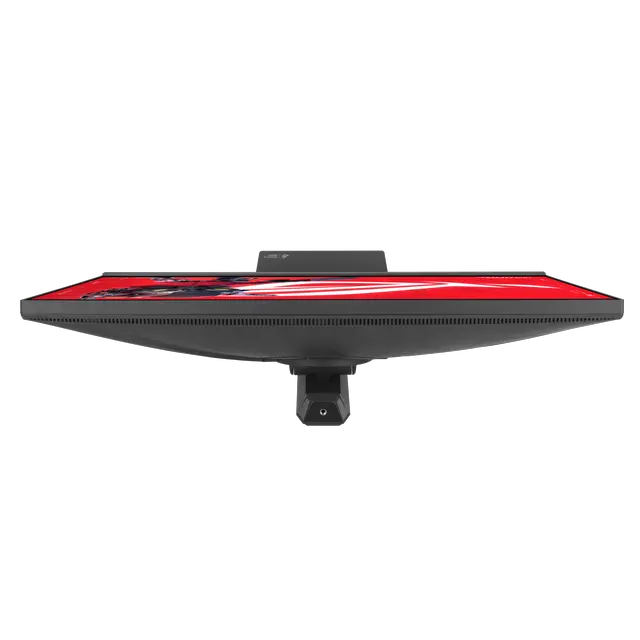
| Physical Specifications | Black cabinet; 24.17 × 20.08 × 8.62 inches with stand and 24.17 × 14.45 × 3.54 inches without stand; weighs 14.99 lb with stand or 10.14 lb without stand |
| Power | 100–240 VAC, 50/60 Hz; power consumption under 39 W when on, under 0.5 W in standby, and under 0.3 W when off |
| Model Identifiers | ASUS ROG Strix XG27JCEG |
| Included Accessories | DisplayPort cable, USB Type-B to A cable, power cord, quick start guide, ROG pouch, ROG sticker, and warranty card |
Reference Q&A
Q: ASUS ROG XG27JCEG vs XG27JCG: which should I choose?
A: Choose the XG27JCEG if its 5K mode at up to 80Hz and QHD mode at up to 320Hz fit your priorities. Choose the XG27JCG if you want higher refresh rates in both modes: ASUS specifies 5K up to 180Hz and QHD up to 330Hz for that model. Both are 27-inch Fast IPS dual-mode gaming monitors; the XG27JCG is the more refresh-focused option, while the XG27JCEG offers a lower-refresh 5K mode.
Q: Should I get the XG27JCEG or ASUS ROG XG27UCG?
A: Choose the XG27JCEG for finer detail in its 5K mode (5120 × 2880) and a QHD 320Hz mode. Choose the XG27UCG if you prefer 4K at up to 160Hz and Full HD at up to 320Hz. The main decision is resolution: the XG27JCEG prioritizes sharper 5K and QHD modes, while the XG27UCG offers 4K and Full HD modes.
Q: Is the XG27JCEG worth choosing over a regular 1440p gaming monitor?
A: Choose the XG27JCEG if you want one monitor for detailed 5K work or viewing and high-refresh QHD gaming, with QHD available up to 320Hz. A standard 1440p monitor may be a better fit if you only need QHD gaming and do not expect to use the XG27JCEG’s 5K mode. The XG27JCEG’s 80Hz 5K mode and 320Hz QHD mode are separate operating modes, not simultaneous settings.
Q: Is this monitor suitable for both gaming and everyday work?
A: It can serve both uses: the 5K mode runs at up to 80Hz for detailed work, while QHD mode runs at up to 320Hz (overclocked) for faster-paced gaming. The trade-off is resolution versus refresh rate; the 320Hz mode is QHD, not 5K.
Q: Can USB-C charge my laptop while sending video to the monitor?
A: The USB-C port supports DisplayPort video and provides up to 15W of power. That may provide limited charging, but it is not a high-power laptop charger; check your laptop’s power requirements if you plan to use one cable for both tasks.
Q: Is it suitable for office work and photo editing?
A: Its 27-inch 5K resolution and 95% DCI-P3 color gamut make it suitable for detailed office tasks and general photo editing. The provided specifications do not state a factory-calibration rating, so users who need color-critical results should verify calibration requirements before buying.
Q: Can I use it on a monitor arm?
A: Yes. It supports 100 × 100 mm VESA mounting, so it can be attached to a compatible monitor arm or mount. Check that the arm supports the monitor’s weight of about 10.14 lb without its stand.
Q: Why does the monitor switch from 5K at 80Hz to QHD at 320Hz?
A: The two modes prioritize different things: 5K at up to 80Hz favors fine detail, while QHD at up to 320Hz favors high frame rates. A Reddit discussion notes that QHD has one-quarter as many pixels as 5K, reducing the pixel workload. Choose based on whether sharpness or competitive-gaming refresh rate matters more to you.
Q: Can the 15W USB-C power delivery replace my laptop charger?
A: Do not assume it can. The monitor provides up to 15W over USB-C, and the Reddit discussion includes differing views about whether that is enough for a MacBook Air. Check your laptop’s power requirements; 15W may be insufficient as its primary power source.
Q: Is the XG27JCEG a better buy than the XG27JCG?
A: The Reddit discussion does not establish a clear winner; commenters suggest the XG27JCEG may make sense if it costs less, but say the choice depends on price. Compare current prices and confirm that this model’s 5K 80Hz and QHD 320Hz modes fit your needs before deciding.