• ₱163,015.99
  • VAT-Inclusive Price
  • Free 30-day Returns
  • ₱5,228.90 Shipping
Ships from United States.
Sold by Newegg

Shipped by Newegg

Shop it at NeweggBusiness.

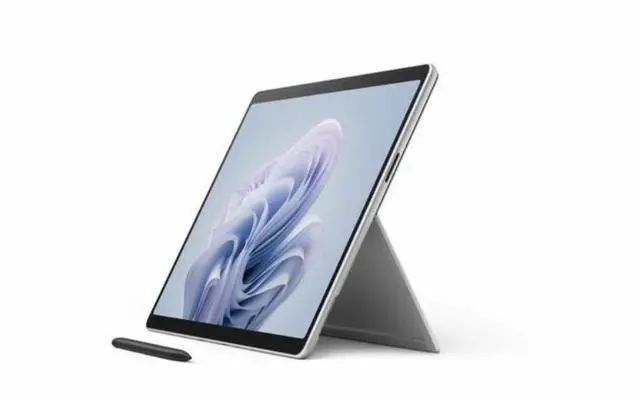
Microsoft 13.0" Tablet PC Surface Pro 10 Tablet - 16 GB - 256 GB SSD - Platinum - Windows 11 EP2-14737

  • 13.0" 2880 x 1920
  • 16GB Memory
  • Windows 11 Home
  • Surface Pro 10 39W Power Supply (In select markets, available only with specific configurations) Quick Start Guide Safety and warranty documents SIM card access tool6
+
+
Overview
Specs
Reviews
Boost your productivity and creativity with Surface Pro 10 for Business and Microsoft Copilot. Get tablet portability and up to 53% faster performance with the latest Intel processors and optional 5G connectivity, all in a durable, ultraportable design. Surface Pro 10 for Business is packed with commercial-grade features, built-in chip-to-cloud security, and AI-driven tools to help simplify daily tasks.
The power of Surface for Business

World-class securityWindows 11 Pro gives you strong built-in protection to keep your information secure.
AI-powered productivity
Seamlessly manage routine tasks with AI-based personal help from Microsoft Copilot.

Easier to service
Our most easily serviceable Surface Pro ever, with clear visual icons and built-in access to repair instructions.

Ultraportable and versatile design
Multitask like a pro
Tackle your toughest work with ease with the latest Intel Core Ultra processors.

Find your perfect angle
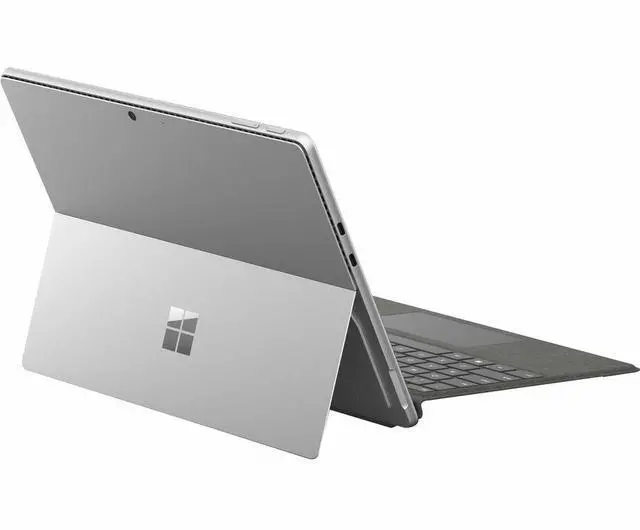
Adjust the built-in Kickstand up to 165 degrees to take notes from anywhere at any angle.
AI-powered calls
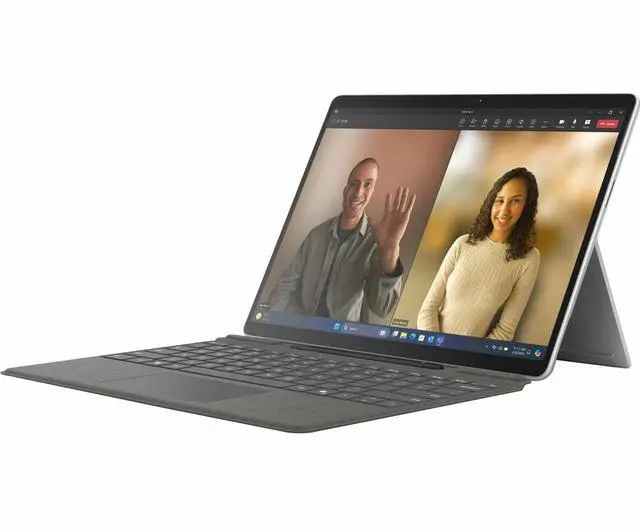
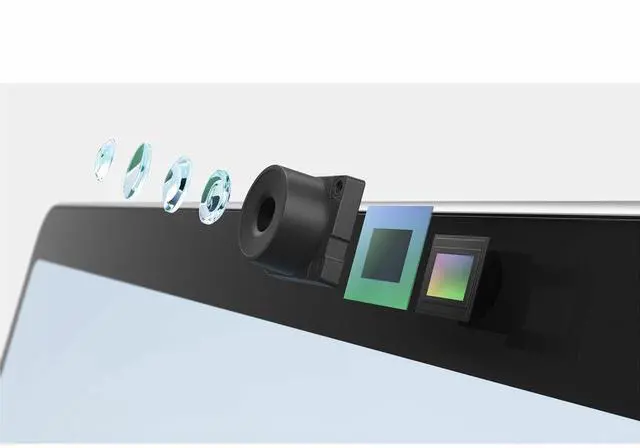
Windows Studio Effects enhances Surface Studio Camera with built-in AI features.

Ultralight, ultraportable
At just under 2 lb, you'll never have to sacrifice mobility for power.

Work, communicate, and express yourself-Copilot makes it easy

Learn, solve, and create with ease
Copilot works alongside you to get better answers, sharpen your skills, find fresh solutions, and create in new ways.

AI-powered experiences your way
Copilot is always ready for your command, through touch, voice, inking with Surface Slim Pen for Business, the new Copilot key on the new Surface Pro Flex Keyboard for Business, and adaptive accessories.

Be heard clearly on Teams calls
Built-in Studio Mics crisply capture your voice and help Copilot for Microsoft 365 to understand the ideas and context that you're sharing to generate accurate notes and action items.

Stay focused on what matters
AI-powered Windows Studio Effects helps you always stay centered with automatic framing and reduce distractions with background blur.

Streamline your workday
Spark new ideas in Whiteboard with Surface Slim Pen for Business. Strengthen your writing in Word, bring your ideas to life in PowerPoint, and analyze and explore data in Excel with Copilot for Microsoft 365.

Keep your data protected
Sign in to your work account (Microsoft Entra ID) to access Copilot in Windows with commercial data protection. That means chat data isn't saved, Microsoft has no eyes-on access, and your data isn't used to train the models.

Do, hear, and see it all on a 2-in-1 that redefines flexibility

Pen on paper inking
Write and draw with Surface Slim Pen for Business, for a digital-pen-and-tablet duo that feels natural.

Rigorously tested and reliable
This device has been put through testing that simulates various real-world scenarios for your peace of mind.

See more on the anti-reflective display
Enjoy true-to-life color on the virtually edge-to-edge 13-inch PixelSense Flow display. Adaptive color and the anti-reflective display make your screen look vivid in almost any lighting.

Focus on work, not your battery
Stay in your flow with up to 19 hours of battery life. With fast charging, go from empty to up to 80% full in about an hour.

Flawless docking performance
Add up to two 4K displays, transfer files at blazing speeds, and dock with just one cable with USB-C Thunderbolt 4 and Surface Connect ports

Warranty & Returns

Warranty, Returns, And Additional Information

Return Policies*

  • Return for refund within: 30 days
  • Returns are subject to restocking fees and return shipping fees. Please click here to learn more about restocking fees and return shipping fees.
  • This item is covered by Newegg.com's International Order Return Policy.
  • Read full return policy for details.
  • *Subject to applicable law
  • Warranty Notice:

    This product does not include manufacturer warranty when purchased or used outside of its designated sales region. By purchasing internationally, you acknowledge that warranty support from the manufacturer will not be available.
LOADING...

The Microsoft Surface Pro 10 (EP2-14737) is a 13-inch Windows 11 Home touchscreen tablet with a Core Ultra 5 processor, 16GB of memory, and a 256GB SSD, suited to users who want a Windows tablet for everyday work, study, and browsing.

Recommended For

  • Mobile professionals who need a compact Windows tablet for meetings or field work and rely on Intel-compatible Windows software; reviews highlight the Surface Pro 10’s slim design and standard Intel processor.
  • People who switch between touchscreen tablet use and keyboard-based Windows work at a desk, such as reviewing documents, presenting, and taking notes; the adjustable kickstand and detachable-keyboard design support these mode changes.
  • Workers who frequently join video calls or need to show documents in bright settings; reviewers note the wide-view 1440p webcam and bright display as useful strengths.
  • Students and professionals who annotate PDFs or take handwritten notes on a Windows device; the touchscreen supports pen input, though a compatible pen may need to be purchased separately.

Real-World Use Scenarios

  • For writing documents, working in spreadsheets, and keeping browser tabs open between meetings, add a compatible Surface keyboard and use it as a compact Windows laptop; an Engadget review found the Core Ultra 5 model handled office-style work, though the keyboard is sold separately.
  • For Teams or other video calls, the wide-angle front camera and automatic framing, eye-contact, and background-blur effects can help keep the speaker visible and the call setup simple.
  • At a job site or in a meeting, use the touchscreen to review a map or PDF and, with a compatible Surface Slim Pen (sold separately), write notes or mark up details; Surface users describe this as a practical way to annotate plans while away from a desk.
  • For a desk setup, connect an external display and peripherals through USB-C/Thunderbolt, then detach the keyboard when you want to carry the screen as a tablet; this supports a one-device shift between desk work and mobile tasks.
  • For travel or moving between work areas, carry it as a thin, light Windows device for browsing and document tasks; the kickstand is useful on a table, but reviews note it can be awkward to balance on a lap, and battery life will vary with use.

Spec Summary

AttributeValue
Best ForPersonal tablet use with touchscreen input and 5G cellular connectivity
Processor And GraphicsIntel Core Ultra 5 processor, model 135U, with a listed speed of 4.4 GHz and integrated graphics
Display13-inch LCD touchscreen with a 2880 × 1920 resolution
Memory And Storage16 GB memory and a 256 GB SSD
Operating System And FinishWindows 11 Home in Platinum
Connectivity And Compatibility5G cellular connectivity, 802.11g wireless compatibility, and a SIM card interface; compatible with Surface Pen and Type Cover
CameraFHD 1080p video capture
Included In The PackageSurface Pro 10, 39W power supply (availability varies by market and configuration), quick start guide, safety and warranty documents, and SIM card access tool
Model IdentifiersMicrosoft Surface Pro 10, 10th generation; model and part number EP2-14737