• ₱230,599.03
  • VAT-Inclusive Price
  • Free 30-day Returns
  • ₱5,225.13 Shipping
Ships from United States.
Sold by Newegg

Shipped by Newegg

Best Sellers

Top Rated
4 (3,723 total ratings)
  • ₱232,515.68
  • + ₱6,749.76 Shipping
Shop it at NeweggBusiness.

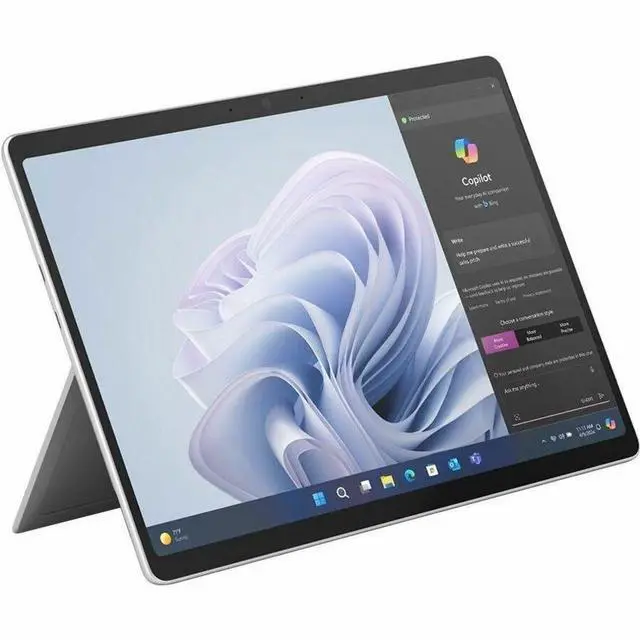
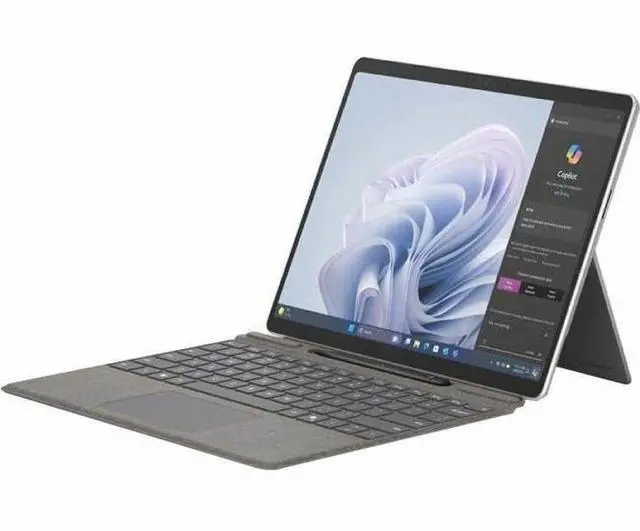
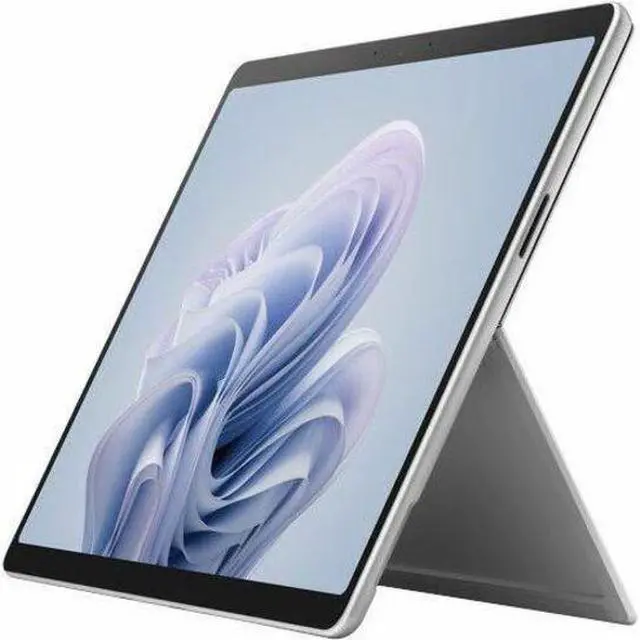
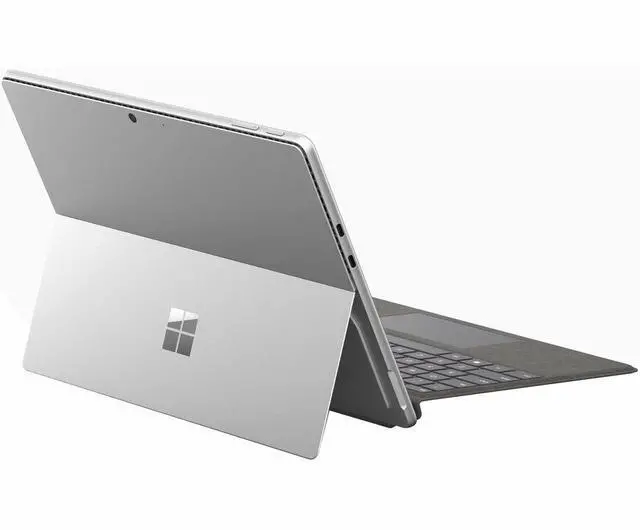
Microsoft Surface Pro 10 Tablet 13" - 32 GB - 512 GB SSD - Platinum - Windows 11 Pro - 19 Hours Maximum Battery Run Time EP2-14821

  • 13.0" 2880 x 1920
  • 32GB Memory
  • Windows 11 Pro
  • Surface Pro 10 for Business 39W Power Supply Quick Start Guide Safety and Warranty Documentation Sim Card Access Tool
+
+
Overview
Specs
Reviews
Boost your productivity and creativity with Surface Pro 10 for Business and Microsoft Copilot. Get tablet portability and up to 53% faster performance with the latest Intel processors and optional 5G connectivity, all in a durable, ultraportable design. Surface Pro 10 for Business is packed with commercial-grade features, built-in chip-to-cloud security, and AI-driven tools to help simplify daily tasks.
The power of Surface for Business

World-class securityWindows 11 Pro gives you strong built-in protection to keep your information secure.
AI-powered productivity
Seamlessly manage routine tasks with AI-based personal help from Microsoft Copilot.

Easier to service
Our most easily serviceable Surface Pro ever, with clear visual icons and built-in access to repair instructions.

Ultraportable and versatile design
Multitask like a pro
Tackle your toughest work with ease with the latest Intel Core Ultra processors.

Find your perfect angle
Adjust the built-in Kickstand up to 165 degrees to take notes from anywhere at any angle.
AI-powered calls
Windows Studio Effects enhances Surface Studio Camera with built-in AI features.

Ultralight, ultraportable
At just under 2 lb, you'll never have to sacrifice mobility for power.

Work, communicate, and express yourself-Copilot makes it easy

Learn, solve, and create with ease
Copilot works alongside you to get better answers, sharpen your skills, find fresh solutions, and create in new ways.

AI-powered experiences your way
Copilot is always ready for your command, through touch, voice, inking with Surface Slim Pen for Business, the new Copilot key on the new Surface Pro Flex Keyboard for Business, and adaptive accessories.

Be heard clearly on Teams calls
Built-in Studio Mics crisply capture your voice and help Copilot for Microsoft 365 to understand the ideas and context that you're sharing to generate accurate notes and action items.

Stay focused on what matters
AI-powered Windows Studio Effects helps you always stay centered with automatic framing and reduce distractions with background blur.

Streamline your workday
Spark new ideas in Whiteboard with Surface Slim Pen for Business. Strengthen your writing in Word, bring your ideas to life in PowerPoint, and analyze and explore data in Excel with Copilot for Microsoft 365.

Keep your data protected
Sign in to your work account (Microsoft Entra ID) to access Copilot in Windows with commercial data protection. That means chat data isn't saved, Microsoft has no eyes-on access, and your data isn't used to train the models.

Do, hear, and see it all on a 2-in-1 that redefines flexibility

Pen on paper inking
Write and draw with Surface Slim Pen for Business, for a digital-pen-and-tablet duo that feels natural.

Rigorously tested and reliable
This device has been put through testing that simulates various real-world scenarios for your peace of mind.

See more on the anti-reflective display
Enjoy true-to-life color on the virtually edge-to-edge 13-inch PixelSense Flow display. Adaptive color and the anti-reflective display make your screen look vivid in almost any lighting.

Focus on work, not your battery
Stay in your flow with up to 19 hours of battery life. With fast charging, go from empty to up to 80% full in about an hour.

Flawless docking performance
Add up to two 4K displays, transfer files at blazing speeds, and dock with just one cable with USB-C Thunderbolt 4 and Surface Connect ports

Warranty & Returns

Warranty, Returns, And Additional Information

Return Policies*

  • Return for refund within: 30 days
  • Returns are subject to restocking fees and return shipping fees. Please click here to learn more about restocking fees and return shipping fees.
  • This item is covered by Newegg.com's International Order Return Policy.
  • Read full return policy for details.
  • *Subject to applicable law
  • Warranty Notice:

    This product does not include manufacturer warranty when purchased or used outside of its designated sales region. By purchasing internationally, you acknowledge that warranty support from the manufacturer will not be available.
LOADING...
LOADING...

The Microsoft Surface Pro 10 for Business is a Windows 11 Pro tablet with a Core Ultra 7 processor, 32GB memory, and 512GB SSD, suited to professionals who need a portable device for demanding multitasking and work.

Recommended For

  • Business users who need a portable Windows 11 Pro tablet for company apps and workflows that depend on Intel/x86 software compatibility.
  • Field and mobile workers who move between locations and want to use Windows apps with touch or a pen, while benefiting from the bright, anti-reflective screen and built-in kickstand.
  • Hybrid-meeting users who frequently join Teams or other video calls and want a wide-view front camera in a detachable Windows device.
  • Professionals who take handwritten notes, annotate documents, or switch between pen, touch, and keyboard input; this configuration’s 32GB of memory also suits people who keep many work apps and browser tabs open.

Real-World Use Scenarios

  • For office work between meetings, attach a separately sold keyboard to write in Word, manage email, and use existing Windows business apps; reviewers found the device suited to familiar Windows work, with the kickstand supporting desk use.
  • For video meetings while working away from a desk, use Teams or another calling app; Microsoft describes automatic framing and background blur, while the wide front camera is intended to keep the speaker in view.
  • For reviewing documents or entering notes in a bright café or field setting, use the built-in kickstand and touchscreen; one reviewer reported being able to work in Word outdoors, though the display can still show some reflections.
  • For handwritten meeting notes, markups, or quick sketches, use the touchscreen with a separately sold Surface Slim Pen; Microsoft specifically positions pen input for OneNote and Whiteboard, while the tablet can also be used with touch alone.
  • For work that depends on existing Windows software, use it as a Windows 11 Pro tablet or pair it with a keyboard for laptop-style input; Engadget reported that a company's existing Windows software worked as expected during its review.

Spec Summary

AttributeValue
Best ForBusiness use with touch, stylus, and handwriting input
ProcessorIntel Core Ultra 7, model 135U, with 12 cores and speeds up to 4.9 GHz
Memory And Storage32 GB RAM and 512 GB SSD storage
Display13-inch LCD touchscreen with 2880 × 1920 native resolution
Wireless Connectivity802.11be Wi-Fi, Bluetooth, 5G cellular, and NFC
Ports And InterfacesUSB-C, Thunderbolt, and DisplayPort interfaces
Battery And PowerLithium-ion battery rated for up to 19 hours of use, with 4,000 mAh capacity; includes a 39 W power supply
Cameras And SensorsFront and rear cameras; rear camera has a 10.5 MP sensor and supports FHD 1080p video. Includes an accelerometer
Security And ControlsFacial recognition, TPM, built-in kickstand, anti-reflective coating, Corning Gorilla Glass 5, and volume control button
NavigationGPS-enabled with Galileo, BeiDou, and QZSS support
Dimensions And Weight11.3 × 8.2 × 0.4 inches; weighs 1.94 lb
Compatible AccessoriesCompatible with Surface Slim Pen for Business and Surface Pro Flex Keyboard for Business
Included In The BoxSurface Pro 10 for Business, 39 W power supply, Quick Start Guide, Safety and Warranty Documentation, and SIM card access tool
Model IdentifiersMicrosoft Surface Pro 10, 10th generation; model EP2-14821, platinum; U.S. version