- Free 30-day Returns
- ₱5,250.94 Shipping
₱143,739.67
VAT-Inclusive Price
Ships from United States.
Sold by Newegg
Shipped by Newegg
Best Sellers
- ₱145,783.85
- + ₱6,741.26 Shipping
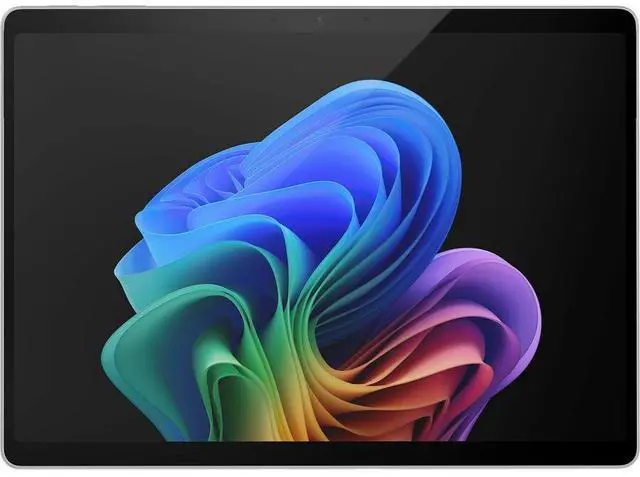
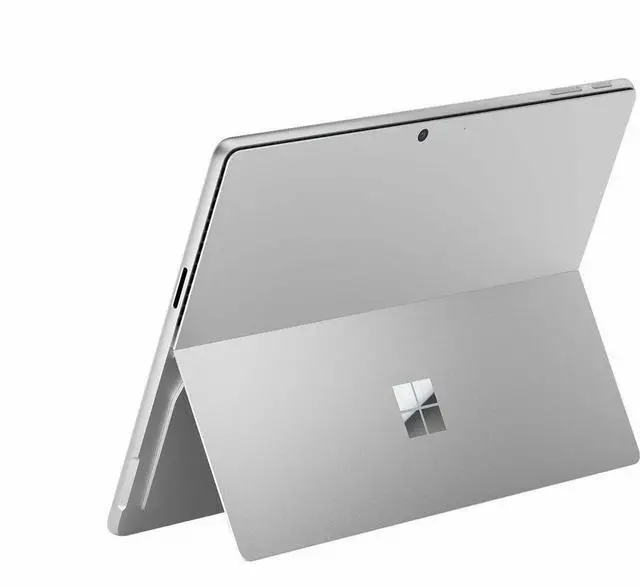
Microsoft Surface Pro 11 Copilot+ PC 13" PixelSense Display Tablet - Intel Core Ultra 5 236V (2.10 GHz) - 16 GB - 256 GB SSD - Windows 11 Pro - Arc Graphics 130V - Wireless LAN EP2-20111
- 13.0" PixelSense 2880 x 1920
- vPro Technology
- 16GB Memory
- Front-Facing Camera
- Rear Camera 10 Megapixel
- Height: 0.4" Width: 8.2" Depth: 11.3" 1.92 lb
- Windows 11 Pro
- Surface Pro for Business, Copilot+ PC | Intel 39W Power Supply Quick Start Guide Safety and Warranty Documents
+
+
Overview
Specs
Reviews
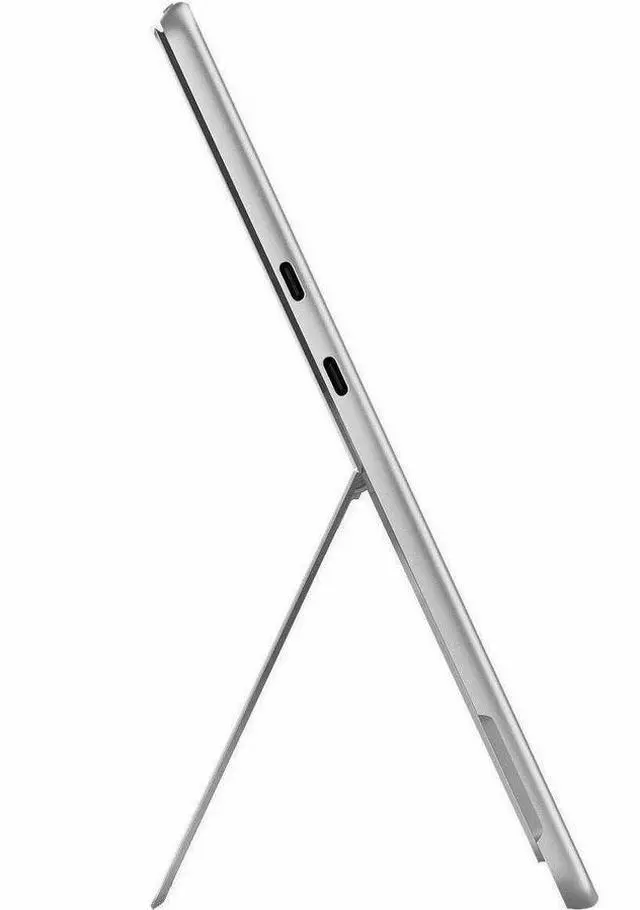
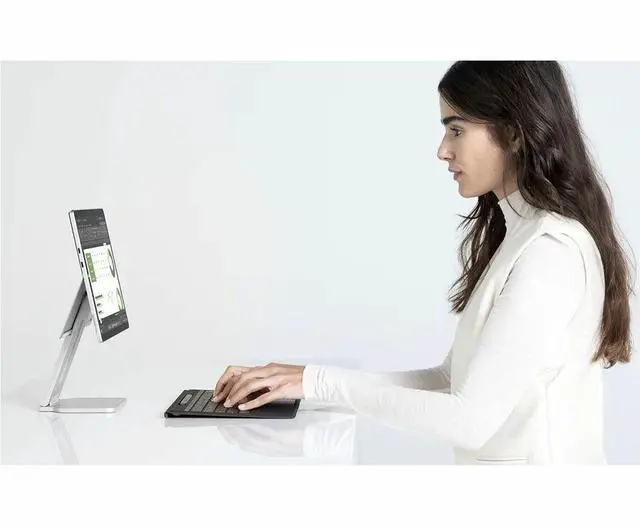
Surface Pro for Business, 11th Edition, the first Copilot+ PC built exclusively for business with Intel Core Ultra processors (Series 2). Enjoy an ultra-versatile 2-in-1 design combining the portability of a tablet and the power of a laptop, with exceptional performance and all-day battery life. New, unique AI experiences, only available on Copilot+ PCs, help make your device smarter, faster, and more creative.Exceptional performance and AI capabilitiesImpressive powerBuilt with the latest Intel Core Ultra processors (Series 2), enjoy powerful performance and AI capabilities.All-day productivityPower through tasks with up to 14 hours of battery, and recharge in a snap with Fast Charging, supported via Surface Connect or USB-C.More powerful AI processingThe Intel AI Boost NPU features up to 48 TOPS, designed to accelerate AI experiences.Flexibility that adapts to your needsWhether you're typing a report, note-taking with a pen, or presenting, Surface Pro for Business adapts to your needs.Find your perfect angleAdjust the built-in fluid kickstand up to 165 degrees to take notes from anywhere at the most comfortable angle.Adaptable typing anywherePair your device with Surface Pro 13-inch Flex Keyboard for Business, which works attached or detached to adapt to any location.Pen, touch, and voice enabledThe touchscreen display supports multi-touch gestures and is designed for a natural digital inking experience. Or go hands-free with voice commands.Ultralight and ultradurableEnjoy a sleek, lightweight 2-in-1 PC that's been tested for durability and reliability.Dock and connect to accessoriesTwo USB-C Thunderbolt 4 ports support charging, data transfers, and up to two 4K monitors at 60 Hertz with compatible docks.Fast, reliable wireless connectionsEnhance productivity with lightning-fast speeds, ultra-low latency, and stable, secure connections with Wi-Fi 7 and Bluetooth Core 5.4.Inclusive by designLightweight and versatileSurface Pro for Business' kickstand allows you to easily adjust the device's angle and position to accommodate the device to fit in different workspaces, for example, mounted to a wheelchair.Adaptable to your needsUse Surface Pro for Business as a tablet with touch or pen inputs, which can be easier than using a keyboard or a mouse.Most inclusive 2-in-1 keyboardThe Surface 13-inch Pro Flex Keyboard features the innovative precision haptic touchpad and attach and detach capabilities that give you the flexibility to use your device and keyboard where it is most natural for you.Stunning display for a better viewing experience
See more, do moreOptional OLED and HDR on the 13-inch PixelSense Flow display deliver new levels of peak brightness and an extended color spectrum for better viewing.Clarity in any lightingThe integrated anti-reflective display reduces reflections by up to 50% to help you see what's on the screen in bright light conditions.True-to-life colorExperience precision color and adaptive display for optimal viewing in any environment, with auto color management.Designed for eye comfortThe display has been tested to be flicker-free and reduce blue light exposure, which can help reduce eye strain.Smoother scrolling and inkingSurface Pro for Business supports a Dynamic Refresh Rate of 120 Hz when inking with Slim Pen or scrolling websites.Best in class security, built for trustProtect your business dataSurface Pro for Business is a Secured-core PC, designed to elevate the benefits of Windows 11 Pro security, providing additional hardware and software protection.Easy, secure, passwordless sign-inSign in instantly and securely without a password using the integrated NFC reader or Windows Hello with facial recognition, which can help prevent phishing and credential-based attacks.Protection from chip to cloudMicrosoft Pluton is a built-in security processor, making it harder to hack and easier to update

Warranty & Returns
Warranty, Returns, And Additional Information
Return Policies*
- Return for refund within: 30 days
- Returns are subject to restocking fees and return shipping fees. Please click here to learn more about restocking fees and return shipping fees.
- This item is covered by Newegg.com's International Order Return Policy.
- Read full return policy for details.
- *Subject to applicable law
Warranty Notice:
This product does not include manufacturer warranty when purchased or used outside of its designated sales region. By purchasing internationally, you acknowledge that warranty support from the manufacturer will not be available.
Manufacturer Contact Info
- Manufacturer Product Page
- Manufacturer Website
- Support Phone: 1-800-642-7676
- Support Website
- View other products from Microsoft
LOADING...
LOADING...
The Microsoft Surface Pro 11 is a 13-inch Windows 11 Pro Copilot+ PC tablet with an Intel Core Ultra 5 236V, 16GB memory, and 256GB SSD, suited to professionals who want a portable touchscreen device for everyday work, communication, and productivity.
Recommended For
- Windows business users who need a lightweight detachable PC for meetings and travel, but rely on Intel-based Windows software or peripherals that may not work reliably on ARM devices.
- People who switch between tablet and desk work—such as presenting, reading or reviewing documents away from a desk, then connecting to monitors and accessories at a workstation.
- Students and professionals who want a Windows tablet for handwritten notes, document markup or sketching, and are willing to add a compatible Surface Pen separately.
Real-World Use Scenarios
- For mobile work between home, office, and meetings, use it with a compatible keyboard for email, browser-based work, and reports; the detachable 2-in-1 design lets you switch to tablet mode when you need to carry or share the screen.
- For handwritten meeting notes or marking up documents, prop the tablet on its built-in kickstand and use a compatible Surface Pen; pen input is optional, so check accessory availability separately.
- For organizations that rely on Windows desktop applications or established work software, the Intel configuration is a practical fit when native Intel compatibility matters; confirm that any essential specialist app and peripherals are supported.
- For video meetings while traveling or moving between rooms, use the built-in front camera and Windows 11 Pro conferencing apps; the compact tablet can be set on its kickstand, though a keyboard is a separate accessory.
- For a desk-based setup, connect a compatible USB-C or Thunderbolt dock and use the Surface Pro with external accessories or a monitor; this gives mobile workers a way to return to a more conventional workstation without carrying a separate laptop.
Spec Summary
| Attribute | Value |
|---|---|
| Best For | Mobile Windows productivity, touch-based use, and video calls, with front- and rear-facing cameras |
| Processor | Intel Core Ultra 5 236V processor |
| Graphics | Integrated Intel Arc 130V graphics |
| Display | 13-inch PixelSense touchscreen with 2880 × 1920 resolution |
| Memory | 16GB LPDDR5X memory |
| Storage | 256GB SSD |
| Operating System | Windows 11 Pro |
| Connectivity And Ports | Wi-Fi 7 (802.11be), Bluetooth 5.4, two USB-C ports with USB4/Thunderbolt 4, and one DisplayPort connection |
| Cameras | Front-facing camera and 10-megapixel rear camera |
| Battery And Power | 46.5Wh lithium-ion battery; up to 14 hours of video playback or 10 hours of web surfing |
| Portability | 1.92 lb; 11.3 inches deep × 8.2 inches wide × 0.4 inches high |
| Color | Platinum |
| Package Contents | 39W power supply, Quick Start Guide, and safety and warranty documents |
| Model Identifiers | Microsoft Surface Pro 11th Edition, Model Surface Pro 11, Part Number EP2-20111; 2025 release |