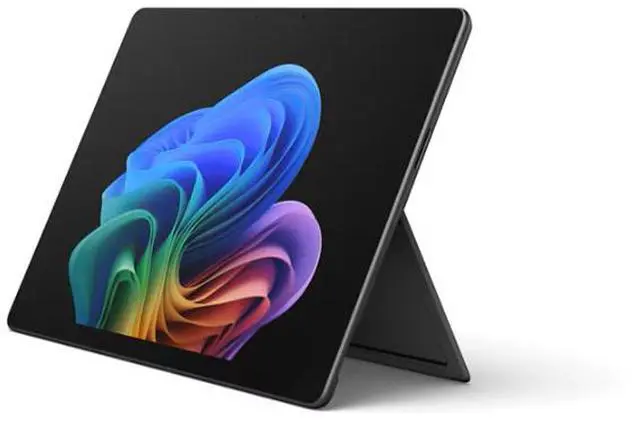
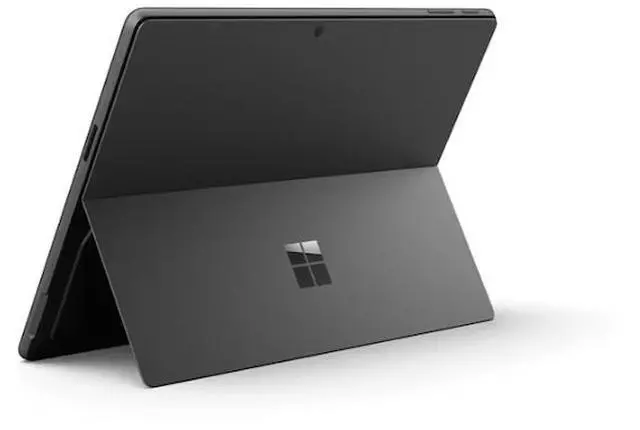
The Microsoft Surface Pro 13-inch is a Windows 11 Pro tablet with an Intel Core Ultra 5 processor, 16GB of DDR5 memory, and 512GB of storage, suited to professionals and students who want a touchscreen device for everyday productivity.
Recommended For
- Windows professionals who move between meetings, desk work, and tablet use—and want a touchscreen device that can take keyboard input when needed.
- People who annotate documents, mark up PDFs, or sketch during work or class, and want a large touchscreen that supports pen input; the Surface pen is a separate accessory.
- Business users who need a portable Windows device for everyday office work and prefer an Intel-based system for their Windows apps and peripherals.
- Frequent travelers who want a compact Windows work device for browsing, documents, video calls, and other everyday tasks, and are comfortable using a detachable keyboard setup.
Real-World Use Scenarios
- For a workday split between browser research, Office apps, and video meetings, the Surface Pro can handle several apps at once; a reviewer reported only a brief slowdown during a busy day, though the fan became more noticeable as workload increased.
- For organizations that depend on older Windows business software, the Intel version offers a practical alternative to ARM-based tablets: it runs x86 Windows applications without relying on emulation.
- For mobile work between meetings or locations, it can serve as a compact Windows computer; a reviewer’s battery test on this generation lasted 12 hours and 15 minutes with the keyboard attached, though results vary with settings and workload.
- For reviewing documents, annotating PDFs, or sketching, use the touchscreen with a compatible Surface Slim Pen; the pen and keyboard are optional accessories, not included in the listed configuration.
- For occasional photo editing alongside everyday work, it can run apps such as Photoshop, but its integrated graphics and limited sustained performance make it a less suitable choice for demanding creative workloads or gaming.
Spec Summary
| Attribute | Value |
|---|
| Best For | Business use, including touch and stylus workflows |
|---|
| Processor | Intel Core Ultra 5 Series 3 processor, listed at 2.2 GHz |
|---|
| Graphics | Integrated Intel Graphics |
|---|
| Display | 13-inch PixelSense touchscreen with 16:10 aspect ratio, 1920 × 1080 resolution, 120 Hz refresh rate, and anti-reflective LCD |
|---|
| Memory And Storage | 16GB DDR5 memory and 512GB SSD storage |
|---|
| Operating System | Windows 11 Pro |
|---|
| Wireless Connectivity | 802.11be Wi-Fi and Bluetooth 5.4 |
|---|
| Touch And Accessory Compatibility | Touch input with stylus support; compatible with Surface Pro 13-inch Flex Keyboard and Surface Slim Pen |
|---|
| Color And Weight | Black; 3.2 lb item weight |
|---|
| Model Identifiers | Microsoft Surface Pro for Business; model and part number EP2-48856; model year 2026 |
|---|



 All Categories