


 All CategoriesAll CategoriesAll Categories




Warranty Notice:
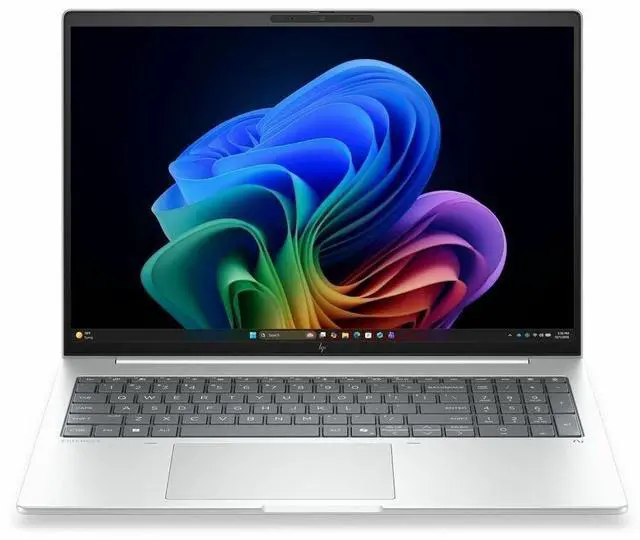
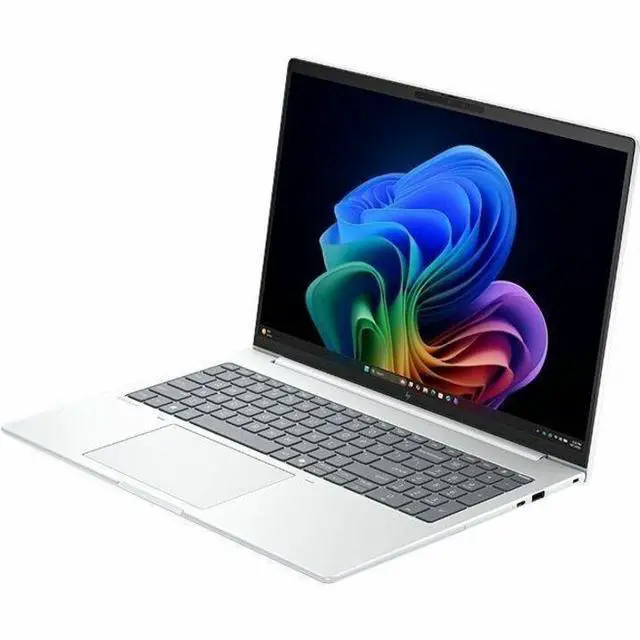
This product does not include manufacturer warranty when purchased or used outside of its designated sales region. By purchasing internationally, you acknowledge that warranty support from the manufacturer will not be available.The HP EliteBook 8 Flip G2i is a 13.3-inch business-class Copilot+ laptop with an Intel Core Ultra 5 335, 32GB RAM, and 512GB SSD, making it a strong fit for professionals, students, and hybrid workers who want fast everyday performance, Windows 11 Pro, and modern wireless connectivity in a compact system.
| Attribute | Value |
|---|---|
| Best For | 2-in-1 13.3" convertible suited for business, students and home/personal use; geared to productivity and AI-assisted workflows with built-in Copilot+ and an NPU |
| Processor And Core Count | Intel Core Ultra 5 335 (Series 3) processor, up to 4.6 GHz turbo frequency with 12 MB L3 cache |
| GPU And VRAM | Integrated Intel graphics (no discrete GPU listed) |
| Display Spec | 13.3" WUXGA (1920 x 1200) IPS non-touch display, up to 400 nits brightness, 100% sRGB color gamut |
| Memory Configuration | 32 GB LPDDR5X system memory |
| Storage And Expansion | 512 GB M.2 solid-state drive (SSD) |
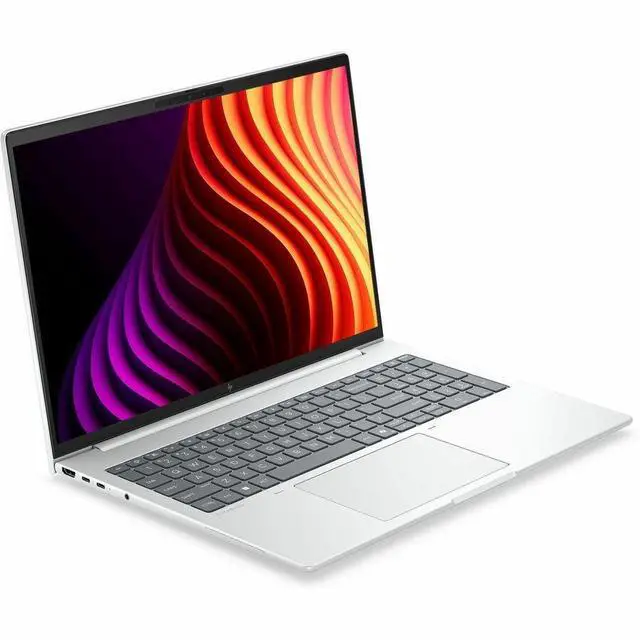
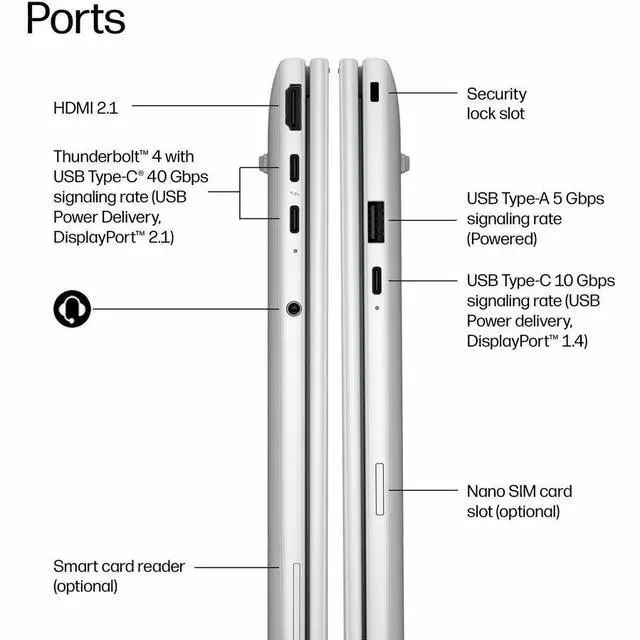
| High Speed I O | Includes 2 total USB ports (includes 1 USB Type-C at 10 Gbps with USB Power Delivery and DisplayPort 1.4), 2x Thunderbolt 4 ports, and 1x HDMI port |
| Battery And Power | 3-cell battery with fast-charge capability (50% in 30 minutes) |
| Wired And Wireless Networking | Wi‑Fi 7 (IEEE 802.11be) wireless and Bluetooth connectivity |
| Webcam And Privacy | 5 megapixel front webcam |
| AI And Security Features | Copilot+ PC and onboard NPU (AI Boost); product edition includes Wolf Pro Security Edition |
| Package Content | Includes EliteBook 8 Flip G2i notebook, power adapter, and HP Pen |
| Model Identifiers | HP EliteBook 8 Flip G2i — Part Number/Model D81PKUT#ABA; Series: EliteBook; Manufacturer: Hewlett Packard |
| Portability (Dimensions & Weight) | 11.9" (W) x 8.5" (D) x 0.61" (H); weight 3.06 lb |
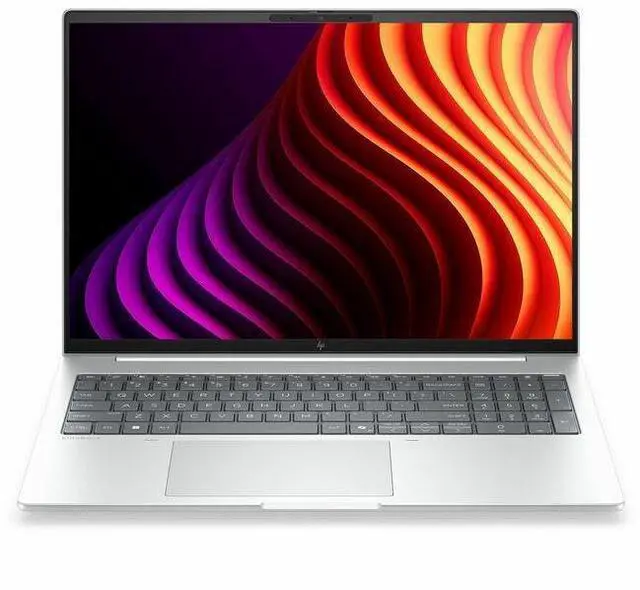
| Chassis And Input | Glacier Silver chassis with English keyboard; non-touch convertible design (HP Pen included) |
Q: Should I buy the HP EliteBook 8 Flip G2i or step up to the HP EliteBook X Flip G2i?
A: Choose the HP EliteBook 8 Flip G2i if you want a smaller 13.3-inch business convertible that stays focused on portability, standard office performance, and core enterprise features. Step up to the EliteBook X Flip G2i if you want a larger 14-inch chassis with higher-end configuration options, including H-series processors and premium display/GPU options that better fit heavier multitasking, creative work, or buyers who want more headroom than a thin-and-light U-class style setup typically provides.
Q: Is this 32GB EliteBook 8 Flip G2i worth it over a lower-spec 16GB version?
A: Yes, the 32GB version is the safer long-term choice if you keep many browser tabs open, run large spreadsheets, use Teams or Zoom all day, or expect to keep the laptop for several years. A 16GB configuration is still reasonable for lighter office use, but 32GB better matches how business laptops are commonly used in multi-app workflows and gives this model more room to stay responsive over time.
Q: Should I get the Core Ultra 5 335 version or move up to a Core Ultra 7 configuration of the same laptop?
A: Choose the Core Ultra 5 335 model if your workload is mainly email, browser-based work, Office apps, meetings, and general business tasks. Move to a Core Ultra 7 configuration if you expect heavier multitasking or want more CPU headroom, because HP offers higher-tier EliteBook 8 Flip G2i variants with Ultra 7 chips, and Intel's published positioning places the Ultra 7 365 above the Ultra 5 335 with slightly higher clocks rather than a radically different class of experience.
Q: Is the EliteBook 8 Flip G2i a better fit than the previous EliteBook 8 Flip G1i?
A: In most cases, yes. The EliteBook 8 Flip G2i is the more current choice if you want HP's newer 'Next Gen AI PC' positioning and Copilot+ branding, while keeping the same basic 13.3-inch business-convertible format. The older G1i still makes sense only if it is meaningfully cheaper and your needs are limited to standard productivity rather than buying into HP's newer platform generation.
Q: Should I choose this laptop for portability-first work or pick a larger performance-first convertible?
A: Choose the EliteBook 8 Flip G2i for portability-first use. Its 13.3-inch size, roughly 3.06 lb weight, and integrated-graphics platform make more sense for frequent travel, note-taking, meetings, and hybrid work than for performance-first buying. If your priority is sustained heavy workloads, larger displays, or stronger graphics options, a bigger convertible in HP's higher-end lineup is the better comparison path.
Q: Is this a good travel work laptop for frequent meetings and business trips?
A: Yes, it fits travel-focused office use well. The 13.3-inch size, 3.06 lb weight, 0.61-inch thickness, 5 MP webcam, Wi-Fi 7, and fast charging make it practical for flights, hotel work, and video calls. The main trade-off is that this configuration is listed as a non-touch display, so it is less flexible for handwritten input than typical 2-in-1 meeting devices.
Q: Is it good for note-taking, handwritten markup, and tablet-style use?
A: Only if the listing is correct about the display. This SKU is specified as non-touch, which means it would not be suitable for handwriting or true tablet-style note-taking even though the package includes an HP Pen and the model name says Flip. Buyers should verify whether this exact part number is touch-enabled before purchasing if pen input is a priority.
Q: Who is this laptop best suited for?
A: It is best suited for professionals who want a compact Windows business laptop for Microsoft 365 work, browser-heavy workflows, video meetings, and docked desk use. The 32 GB RAM, 512 GB SSD, Windows 11 Pro, Thunderbolt 4, HDMI, and integrated Intel graphics point to productivity-first use rather than gaming or GPU-heavy creative workloads.
Q: Is it a good choice for docking, external monitors, and office desk setups?
A: Yes. It is well equipped for desk use because it has two Thunderbolt 4 ports, one USB-C 10Gbps port with Power Delivery and DisplayPort 1.4, plus HDMI. That makes it a stronger fit for modern docks, external displays, and conference-room connectivity than thinner laptops that rely on fewer high-bandwidth ports.
Q: What are the main trade-offs versus a consumer 2-in-1 like a Yoga or Spectre?
A: The trade-off is business practicality versus media-focused flexibility. This EliteBook configuration offers business-oriented features such as Windows 11 Pro, 32 GB memory, enterprise positioning, and strong port selection. In return, it appears to give up some consumer-style 2-in-1 benefits that buyers often ask about on retail sites, especially confirmed touch use, bundled stylus clarity, and creator-friendly display emphasis. If you want a work-first travel laptop, it makes sense; if you want a true pen-first convertible, verify the screen type carefully.
Q: Is the HP EliteBook 8 Flip G2i a good fit for work and travel?
A: Yes, if you want a compact business laptop for office work, web apps, video calls, and frequent travel. The 13.3-inch size, 3.06 lb weight, 32GB RAM, Windows 11 Pro, 5MP webcam, and Thunderbolt 4 support make it a practical work machine. The main trade-off is that this configuration uses integrated Intel Graphics, so it is better for productivity than for GPU-heavy creative work or gaming.
Q: Is it a good choice for handwritten notes and 2-in-1 use?
A: Probably yes for buyers who specifically want a business-focused convertible. The package includes an HP Pen, and Reddit discussion around the earlier EliteBook 8 Flip model repeatedly frames it as an option for teachers and other users who need handwriting. The key caveat is to confirm the exact panel and touch support on the seller page, because this product data also lists "Non-Touch Screen," which conflicts with the "Flip" naming and included pen.
Q: Can this replace a desktop or a more powerful laptop?
A: It can replace a basic office desktop for many users, but not a performance-focused workstation. With an Intel Core Ultra 5, 32GB RAM, and 512GB SSD, it should handle multitasking, documents, conferencing, and everyday business software well. The trade-off is graphics and sustained heavy workload performance: integrated graphics and a thin 13.3-inch chassis make it a weaker fit for demanding video work, 3D workloads, or gaming.
Q: What are the main trade-offs of buying this model?
A: The main trade-offs are performance headroom, possible input/display ambiguity, and price sensitivity versus alternatives. This model is strong on memory, portability, ports, and business features, but it is not aimed at gaming or GPU-heavy tasks. Community discussion around similar EliteBook 8 Flip systems also highlights that buyers often compare them with ThinkPad X13 or T14-class machines, so keyboard feel, layout preference, and value versus competing business laptops are worth checking before buying.