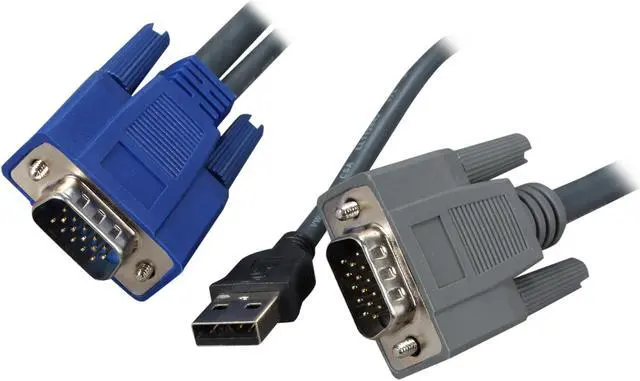
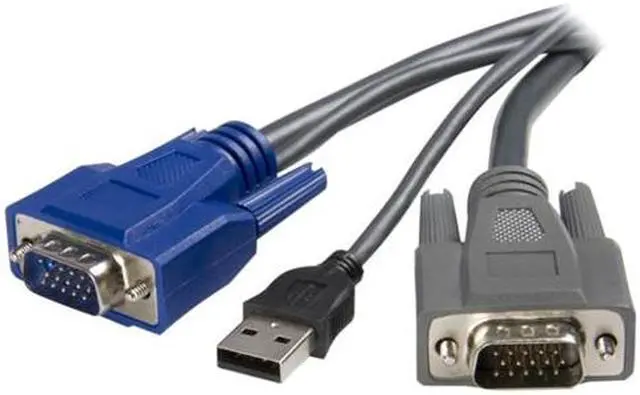
The StarTech.com SVUSBVGA6 is a 6 ft. 2-in-1 KVM cable that carries VGA video and USB keyboard and mouse signals between a KVM switch and a PC, making it suitable for VGA-based KVM setups that need a single cable run.
Recommended For
- IT staff connecting a PC or server to a compatible StarTech.com VGA/USB KVM switch who want one cable to carry VGA video and USB keyboard-and-mouse signals.
- People wiring KVM equipment in a cabinet or rack who want a thinner, combined cable to reduce cable clutter.
- Technicians maintaining systems that still use VGA video and USB peripherals, and whose KVM switch is listed as compatible with the SVUSBVGA6.
- Users making a short, 6-foot connection between a computer and KVM switch who want color-coded connectors to help identify connections during setup.
Real-World Use Scenarios
- At a desk with a compatible USB/VGA KVM switch, connect a desktop PC’s VGA video and USB to the switch so the user can select that computer using the shared monitor, keyboard, and mouse.
- When adding another VGA-and-USB computer to an existing KVM setup, use a compatible cable for that computer’s connection to the switch; the user can then switch the shared console between connected systems.
- In a workspace with an older VGA-equipped PC, connect its video and USB keyboard-and-mouse signals to a compatible VGA KVM switch, letting the user manage it from the switch’s shared console rather than keeping a separate set of controls at the computer.
- When replacing a missing or worn KVM host cable, use this cable with a compatible USB/VGA KVM switch to restore the computer’s video and USB input connection; compatibility with the particular switch should be checked first.
- Where separate VGA and USB leads would add clutter between a PC and a compatible KVM switch, use the combined cable to route both connections together, making the host-side wiring simpler to manage.
Spec Summary
| Attribute | Value |
|---|
| Best For | Connecting a KVM switch to a host PC for VGA video and USB keyboard and mouse signals |
|---|
| Cable Length And Color | 6 ft. gray cable |
|---|
| Connectors And Compatibility | Male-to-male VGA connections with an additional USB-A male connector for USB connectivity |
|---|
| Signal And Construction | Mini-coax video cable designed for picture clarity; supports file transfer between the KVM and PC, with connectors color-coded to PC99 specifications |
|---|
| Model Identifiers | StarTech.com SVUSBVGA6 |
|---|



 All Categories
 Top Rated