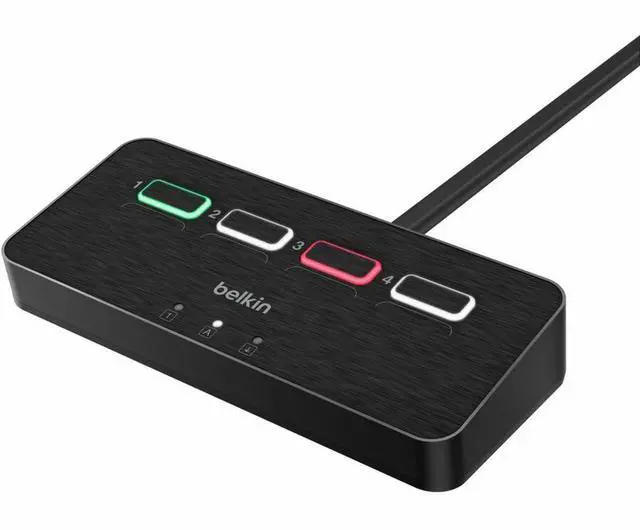
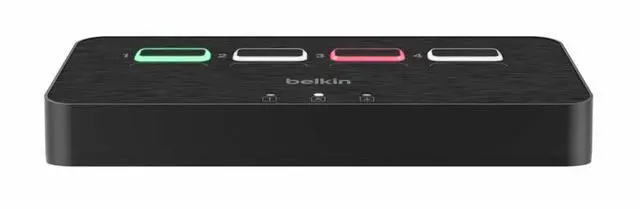
The Belkin F1DN-KVM-REM4 is a cable-based, four-port remote control for compatible Belkin Secure KVM/SKM systems, suited to operators who want to select among connected ports from a separate control. It works with Belkin Universal 2nd Generation and Universal DisplayPort systems; Modular systems require an available adapter.
Recommended For
- Operators who switch among up to four computers on a compatible Belkin secure KVM and want a desktop-accessible control pad instead of reaching for a switch mounted elsewhere.
- Security-sensitive workstation users who need clear visual confirmation of the selected channel when moving between separate computer environments.
- Users whose Belkin SKVM is mounted or positioned away from the operator’s desk and who want port selection and status indicators within easy reach.
- Teams managing several secure workstation channels that benefit from labeling ports by computer or enclave to reduce channel-selection confusion.
- Belkin Modular SKVM/SKM owners who need a separate four-port desktop controller and have the required adapter for their setup.
Real-World Use Scenarios
- When a secure KVM is mounted under a desk or in a cabinet, an operator can use the desktop remote to select a connected computer without reaching the switch; the KVM can stay out of the way while host selection remains accessible.
- At a workstation with several security-separated computers, an operator can select the intended host from the remote and use its channel indicators and labels to help confirm which system is active.
- In a four-host secure workstation, an operator who moves between systems during a shift can change the selected host at the desk rather than walking to the KVM’s front panel.
- In a cascaded dual-display setup, an operator can use paired remote controls to select the host for each display, making it easier to work with the configured sources from the desktop.
Spec Summary
| Attribute | Value |
|---|
| Best For | Remote control of compatible Belkin Secure KVM and SKM setups |
|---|
| Control And Compatibility | 4-port, cable-based remote control designed for Belkin SKVM products; supports Universal 2nd Generation and Universal DisplayPort models, while Modular SKVM/SKMs require an available adapter |
|---|
| Included Components | Universal SKVM/SKM Remote Control 4-Port, RJ14-to-RJ14 cable, port naming labels, Quick Start Guide, and compliance documentation |
|---|
| Model Identifiers | Belkin F1DN-KVM-REM4 |
|---|



 All Categories