• ฿37,726.82
  • VAT-Inclusive Price
  • ฿4,683.61 Shipping
Ships from United States.
Most customers receive within 9-17 days.
Sold by Velztorm
Hot Seller
4.4 (2,201 seller ratings)

Shipped by Velztorm

Shop it at NeweggBusiness.

Meet Your Seller

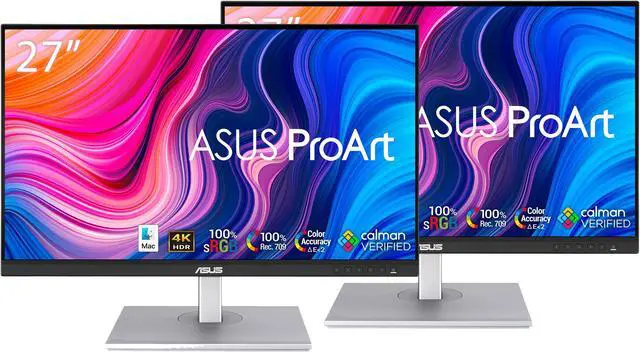
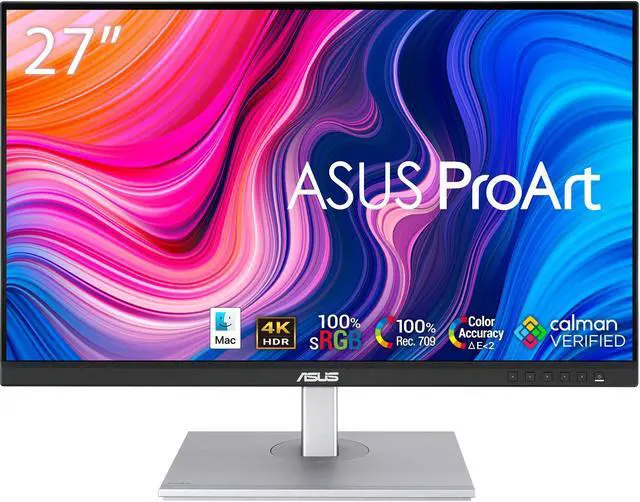
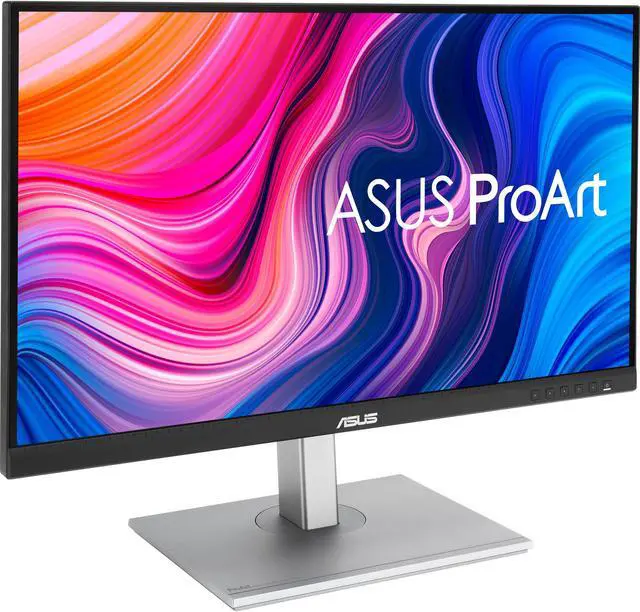
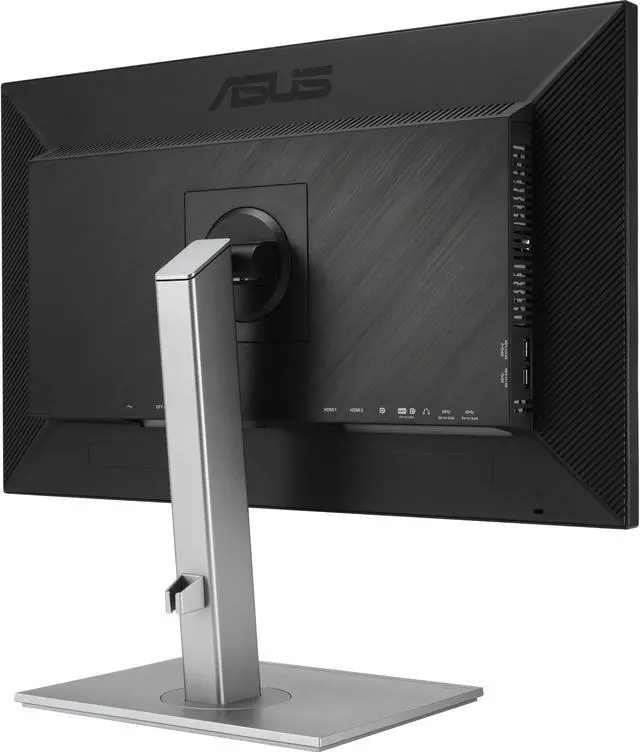
ASUS PA279CV 27" Monitor: 60Hz Refresh Rate, 5 ms response time, 4K Ultra HD (3840x2160) FHD, Anti-glare Screen, VESA Compatible- Ideal for Home & Business Use, Pack-2

  • Stunning, Crystal Clear Image: Enjoy beautiful images on a 27" Anti-glare Screen and a 4K Ultra HD (3840x2160) 16:9 Aspect Ratio resolution for dazzling visuals with brilliant colors.
  • Fast Response Time: With a 60Hz refresh rate and a response time of 5 ms, enjoy smoother and more reactive content from business applications, games, videos, and other forms of media.
  • Customizable Comfort: With a 178° (H) / 178° (V) viewing angle, and a pivot adjustment (+45° ~ -45°) and a swivel adjustment (+90° ~ -90°), this display can be adjusted to fit any home, office, or gaming setup.
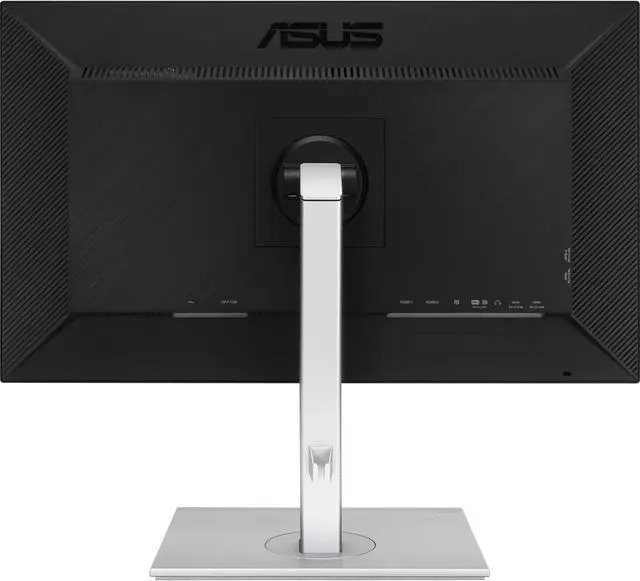
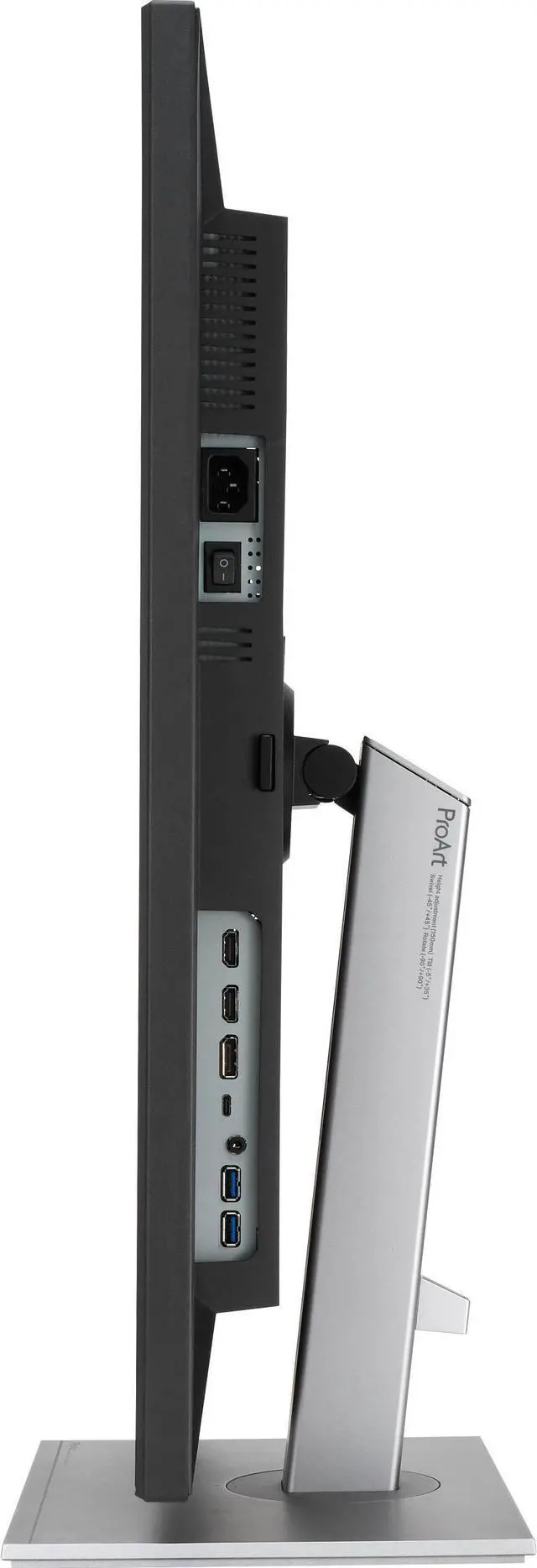
  • Quick Connections: Comes with plenty of ports (1 Display Port, 2 x HDMI 2.0) for connecting any and all your devices easily., Additional Features: Brightness: 350 Nits, VESA Compatible, Eye-Care Features: Low Blue Light, AMD Freesync, Flicker-Free Technology. monitorwarinfo
  • Includes ASUS Monitor/ HDD()
+
+
Overview
Specs
Reviews
monitorwarinfo

  • Model: ASUS PA279CV
  • Color: Black/Silver
  • Display Size: 27"
  • Resolution: 4K Ultra HD (3840x2160)
  • Refresh Rate: 60Hz
  • Panel Type Details: IPS, Anti-Glare Screen
  • Video Ports: 1 x Display Port (DP), 2 x HDMI 2.0, 4 x USB 3.2 Gen2, 1 x USB 3.2 Type-C
  • Aspect Ratio: 16:9
  • Contrast Ratio: 1,000:1
  • Built-In Audio: Built-in Speakers
  • Response Time: 5 ms
  • Viewing Angle: 178° (H) / 178° (V)
  • Display Colors: 10-Bit (1.07 Billion Colors)
  • Brightness: 350 Nits
  • Display Pixel Pitch: 0.155mm x 0.155mm (163 Pixels Per Inch)
  • Additional Audio Ports: 3.5mm Audio Output
  • VESA Compatibility: 100x100mm
  • Eye Care Features: Low Blue Light
  • AMD Freesync: Yes
  • Flicker Free Technology: Yes
  • Adjustments: Height Adjustment 5.9" / 150 mm, Rotation Adjustment 180° (-90 to 90°), Swivel Adjustment 90° (-45 to 45°), Tilt Adjustment -5 to 35°
  • Product Dimensions (WxLxH): 24.2 IN x 9 IN x 20.6 IN Weight: 19lb
  • monitorwarinfo
  • Warranty & Returns

    Warranty, Returns, And Additional Information

    Return Policies*

    • Return for refund within: 30 days
    • Return for replacement within: non-replaceable
    • This item is covered by Velztorm Return Policy
    • *Subject to applicable law
    • Warranty Notice:

      This product does not include manufacturer warranty when purchased or used outside of its designated sales region. By purchasing internationally, you acknowledge that warranty support from the manufacturer will not be available.

    Manufacturer Contact Info

    LOADING...

    The ASUS PA279CV Pack-2 is a pair of 27-inch 4K UHD monitors with anti-glare screens, 60Hz refresh rates, and 5ms response times, suited to home and business users who want detailed workspace displays for everyday productivity, video, and general media.

    Recommended For

    • Photographers and graphic designers preparing work for sRGB: its 4K resolution, factory-calibrated color, and sRGB/Rec.709 coverage suit editing and reviewing content in those color spaces.
    • Video editors working in Rec.709: the 4K screen and Rec.709 color mode support editing and previewing standard-gamut video, though it is not aimed at wide-gamut grading.
    • Laptop-based professionals who want a tidy desk setup: a compatible laptop can send video, data, and up to 65W of power over the monitor’s USB-C connection.
    • Office workers who keep several documents, spreadsheets, or reference windows open: the 27-inch 4K workspace provides fine detail for dense desktop work, and the adjustable stand supports different desk positions.

    Real-World Use Scenarios

    • When editing photos or designing graphics for websites, creators can work with detailed images and use the sRGB preset for a color-managed workflow; it is aimed at everyday digital content, not high-end print proofing.
    • When editing standard-dynamic-range video for online publishing, editors can use the Rec. 709 mode and view a detailed 4K image; the display is better suited to this kind of work than to demanding HDR mastering.
    • When using a compatible laptop at a desk, a single USB-C connection can carry video and data, provide up to 65W of charging, and connect the laptop to peripherals plugged into the monitor’s USB hub, reducing cable changes.
    • For office work such as spreadsheets, documents, and browser tabs, the 4K workspace lets users keep more content visible at once, while the adjustable stand helps fit the screen to a desk setup.
    • For casual or slower-paced gaming, games can look detailed at 4K, but the 60Hz display and reported ghosting in fast motion make it a less suitable choice for competitive, high-speed play.

    Spec Summary

    AttributeValue
    Best For27-inch 4K desktop viewing
    Panel And ResolutionFHD panel designation; 3840 × 2160 resolution, 16:9 aspect ratio, 178° horizontal and vertical viewing angles, 1.064 million display colors, and 1,000:1 contrast ratio
    Refresh Rate And Response60 Hz refresh rate and 5 ms response time
    Model IdentifiersASUS

    Reference Q&A

    Q: ASUS PA279CV vs PA278QV: which is better for 27-inch design work?

    A: Choose the ASUS PA279CV when you want a 27-inch 4K workspace for detailed images and text: it has a 3840 × 2160 resolution and 100% sRGB coverage. The PA278QV is a QHD 2560 × 1440 option with a 75Hz refresh rate; it fits workflows where QHD resolution and a higher refresh rate are the priority.

    Q: ASUS PA279CV vs PA278CV: is the 4K model worth choosing?

    A: Choose the PA279CV if you want 4K detail for editing images, viewing fine text, or working with UHD content. Both monitors offer 100% sRGB coverage and 65W USB-C power delivery; the PA278CV provides QHD resolution, while the PA279CV provides 4K UHD resolution.

    Q: ASUS PA279CV vs PA279CRV: which should I choose for creative work?

    A: Choose the PA279CV for a 4K sRGB- and Rec.709-focused workflow; ASUS specifies 100% coverage for both color spaces and 65W USB-C power delivery. Choose the PA279CRV when your work calls for wider DCI-P3 and Adobe RGB coverage, 96W USB-C power delivery, or monitor daisy-chaining.

    Q: Is this monitor suitable for office work?

    A: Yes. Its 27-inch 4K screen, anti-glare coating, wide viewing angles, and adjustable stand support typical home-office tasks such as documents, spreadsheets, and browsing. The listing does not specify a webcam, so plan to use an external one for video meetings.

    Q: Can I use this monitor for gaming?

    A: Yes, it can handle casual gaming, but its 60Hz refresh rate is a trade-off for fast-paced play. It is better suited to everyday use and games where 4K detail matters more than a high refresh rate.

    Q: Can I mount this monitor on a monitor arm?

    A: Yes. The product information says it is VESA compatible, so it can be used with a compatible monitor arm. Check the arm’s supported VESA pattern and weight limit before buying; those details are not included in the supplied listing information.

    Q: Does it have a built-in webcam for video meetings?

    A: No built-in webcam is listed. Use an external webcam for video meetings.

    Q: Is the ASUS PA279CV suitable for graphic design and other desk-based creative work?

    A: It is a reasonable fit for design and office workflows where 27-inch 4K resolution and a 60Hz refresh rate meet your needs. The supplied listing does not establish enough about color performance for critical print proofing, so verify the exact model’s color specifications and calibration needs before relying on it for that work.

    Q: Is 60Hz enough for gaming on the PA279CV?

    A: It can suit casual gaming, but its 60Hz refresh rate is a limitation if you want the smoother motion of a high-refresh gaming monitor. Choose it primarily for 4K desk work rather than fast-paced gaming.

    Q: Can I connect a MacBook to this monitor over USB-C?

    A: The supplied listing names DisplayPort and HDMI but does not list USB-C, so it does not confirm USB-C support for this bundle. Reddit discussions about the PA279CV include MacBook USB-C connection reports, including a connection-drop complaint. Confirm the exact monitor’s ports with the seller before buying if USB-C is required.

    Q: Is the 4K PA279CV worth choosing over a 27-inch QHD monitor for work?

    A: The PA279CV’s listed 3840 × 2160 resolution gives you more pixels than a QHD display, which can help with detailed work. Whether that is worth the cost depends on the price difference and your preferred display scaling; the supplied listing does not provide a comparison price.