


 All CategoriesAll CategoriesAll Categories
Shipped by Newegg
 Top Rated



Warranty Notice:
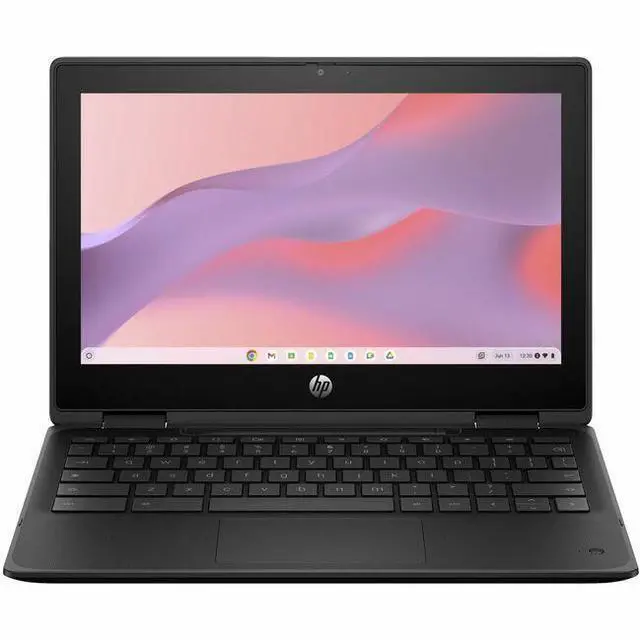
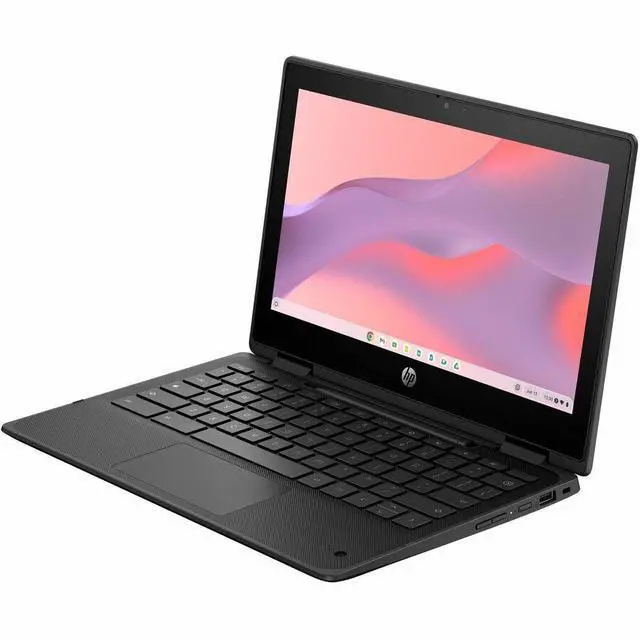
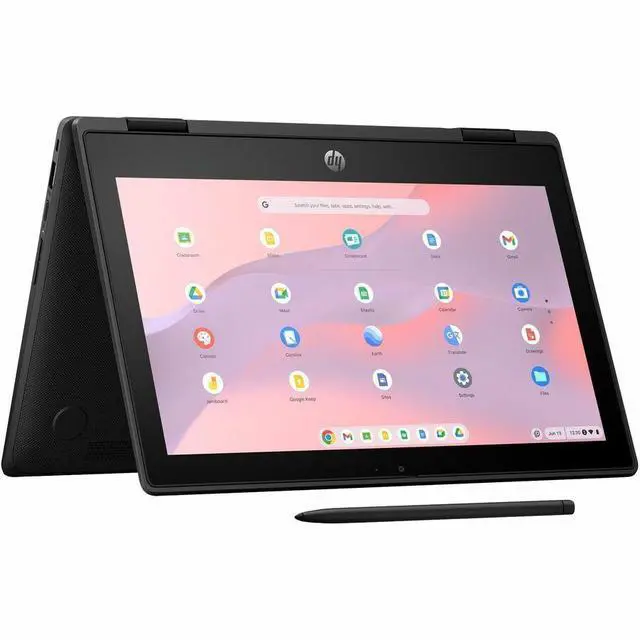
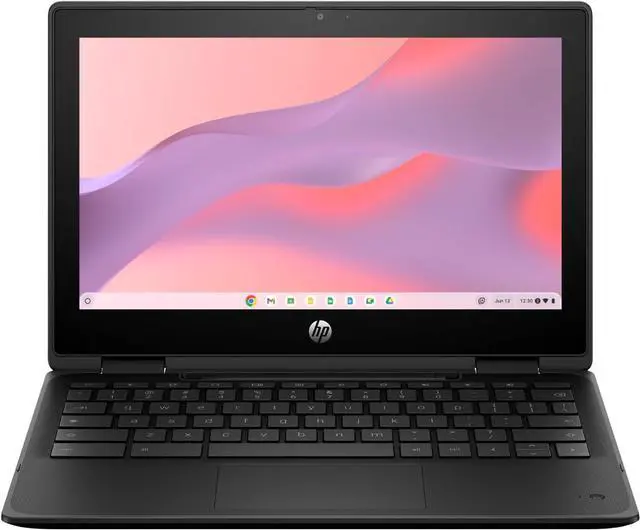
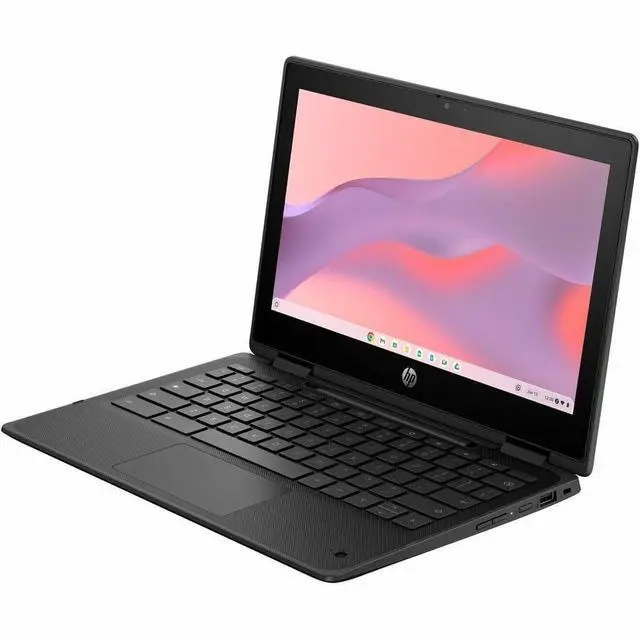
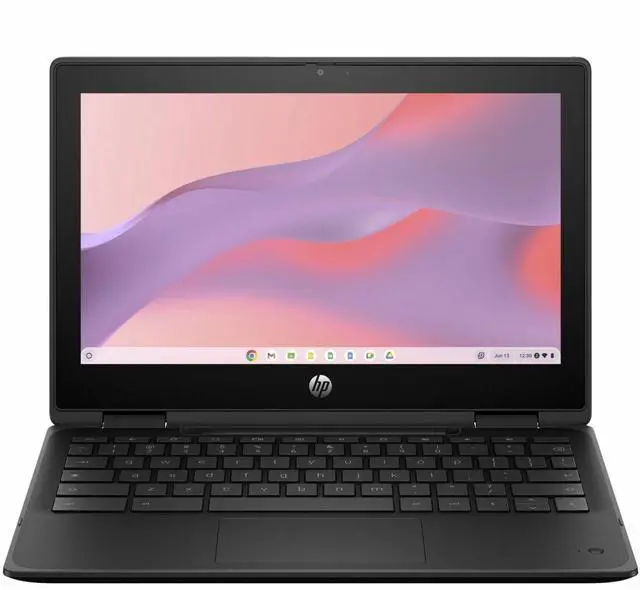
This product does not include manufacturer warranty when purchased or used outside of its designated sales region. By purchasing internationally, you acknowledge that warranty support from the manufacturer will not be available.The HP Fortis Flip G1m is an 11.6-inch touchscreen 2-in-1 Chromebook built for students, families, and everyday users who need a compact laptop for web browsing, schoolwork, video calls, and app-based tasks in a flexible flip design.
| Attribute | Value |
|---|---|
| Best For | Compact 11.6-inch Chrome OS 2‑in‑1 for web browsing, classroom use and light productivity, configured with 4 GB RAM and 32 GB eMMC storage |
| Processor And Core Count | ARM-based MediaTek (MTK) processor — Cortex A7 series, 2 GHz clock, 1 MB L3 cache |
| GPU And VRAM | Integrated MediaTek Arm Mali graphics for everyday web and media tasks |
| Display Spec | 11.6-inch BrightView LCD, native 1366 x 768 HD resolution, up to 250 nits brightness and ~50% NTSC color gamut |
| Memory Configuration | 4 GB LPDDR4X RAM installed |
| Storage And Expansion | 32 GB eMMC internal storage |
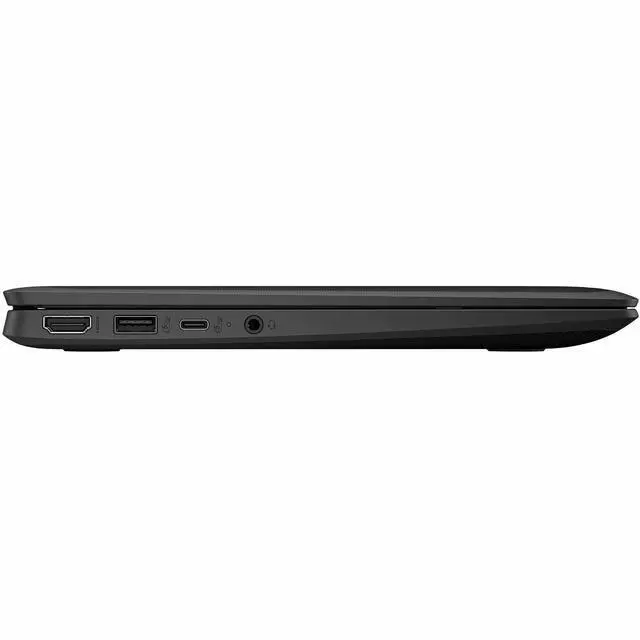
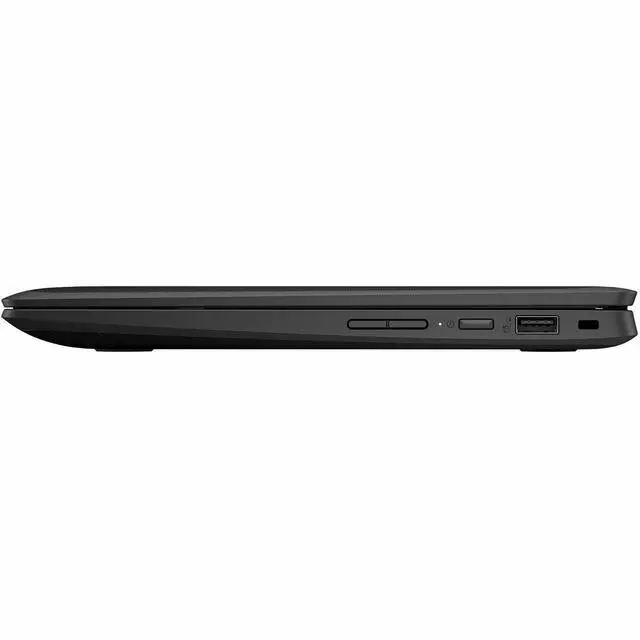
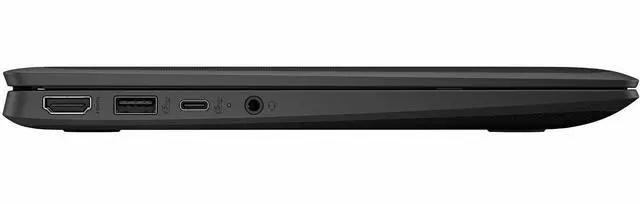
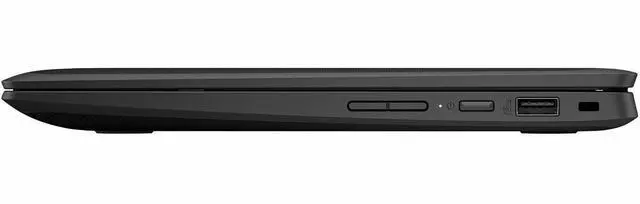
| High Speed I O | 1 HDMI port and 3 total USB ports for external displays and peripherals |
| Battery And Power | 41 Whr lithium‑polymer battery with AC adapter included in the package |
| Wired And Wireless Networking | Wi‑Fi 6 with MediaTek MT7921 (2x2) and Bluetooth 5.3 wireless |
| Audio Setup | Dual stereo speakers and dual-array microphones (stereo audio features) |
| Webcam And Privacy | Built-in webcam |
| Portability | Approx. 2.87 lb; footprint 11.54 x 7.85 in with thickness 0.36 in (front) / 0.65 in (rear) |
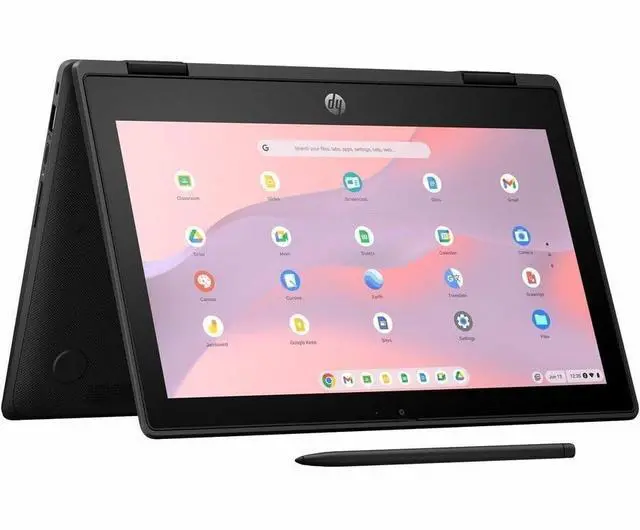
| Form Factor | 2 in 1 Chromebook (convertible) |
| Model Identifiers | Part/Model BV0X8UT#ABA — Hewlett Packard Fortis Flip G1m, single unit package |
Q: Should I choose the HP Fortis Flip G1m 11 or a Chromebook Plus model?
A: Choose the HP Fortis Flip G1m 11 if you want a compact 11.6-inch convertible Chromebook for web-based schoolwork, note-taking, and frequent carrying. HP positions it as a rugged education device with a 360-degree hinge, spill-resistant keyboard, IP51 protection, and drop-tested design. Choose a Chromebook Plus model if you need a larger Full HD-class display, more memory and storage, and stronger multitasking headroom for heavier browser use, Linux apps, or longer-term everyday productivity. Google’s Chromebook Plus positioning centers on higher minimum hardware tiers than this 4GB/32GB Fortis configuration.
Q: Is the HP Fortis Flip G1m 11 a better fit than an Intel N100 Chromebook?
A: The HP Fortis Flip G1m 11 is the better fit when battery efficiency, silent fan-less operation, and a smaller rugged 2-in-1 design matter more than peak speed. An Intel N100 Chromebook is usually the better fit for buyers who keep many tabs open, run more demanding Android or Linux workloads, or want more responsive multitasking. Across official benchmarking material and community discussion, the Kompanio 520 is generally treated as adequate for core ChromeOS tasks, while N100 systems are commonly viewed as the stronger performance-oriented step up.
Q: Should I buy this 4GB/32GB HP Fortis Flip G1m 11 or look for an 8GB/64GB version?
A: Buy this 4GB/32GB version if your workload is light and cloud-first: classroom apps, Google Docs, web browsing, and video calls. Look for an 8GB/64GB Fortis Flip G1m configuration if you expect heavier tab use, more Android apps, or a longer ownership window. HP’s own Fortis materials show the platform is offered with up to 8GB RAM and up to 64GB eMMC, which signals that higher-memory versions are the better choice for multitasking rather than a different usage category.
Q: How does the HP Fortis Flip G1m 11 compare with a non-convertible 11-inch Chromebook like the Lenovo 100e Chromebook Gen 4?
A: Choose the HP Fortis Flip G1m 11 if you want tablet mode, touch-first flexibility, and a more versatile classroom form factor. Choose a clamshell alternative like the Lenovo 100e Chromebook Gen 4 if you mainly want a simpler fixed-lid school Chromebook and do not need 360-degree use modes. These models can share the same Kompanio 520 platform, so the decision is more about chassis design, input style, and deployment preference than a large processor gap.
Q: Is this a good Chromebook for note-taking, web classes, meetings, and basic office work?
A: Yes, for light school and office use it is a reasonable fit. The HP Fortis Flip G1m has an 11.6-inch touch display, a 360-degree hinge for laptop or tablet-style use, ChromeOS, 4GB of memory, and a MediaTek Kompanio 520 processor. That makes it suitable for browser-based work such as Google Docs, email, online classes, video calls, and simple note-taking. The main limit is that 4GB RAM and 32GB storage are entry-level, so it is better for basic multitasking than for heavy desktop-style workloads.
Q: Is it worth buying as a small travel or grab-and-go work device?
A: It can be a good travel Chromebook if your work is mostly browser-based. Its 11.6-inch size, roughly 2.87 lb weight, ChromeOS, Wi-Fi 6, and HDMI support make it practical for portable email, documents, remote admin portals, and streaming to an external display. The trade-off is workspace and power: the HD 1366 x 768 screen is basic, and the 4GB/32GB configuration is best for light tasks rather than large files or heavy multitasking.
Q: Who is this Chromebook best suited for?
A: It is best suited for students, families, and users who mainly live in the browser. This model stands out more for portability, touch input, convertible use, and durability than for raw performance. Based on the specs and the kinds of recurring retail questions seen on similar Chromebooks, it is a better fit for schoolwork, web apps, streaming, and everyday communication than for advanced content creation, local software-heavy work, or gaming.
Q: What are the main trade-offs versus a higher-end Chromebook or Chromebook Plus model?
A: The main trade-offs are display quality, memory, storage, and headroom for multitasking. This HP Fortis Flip G1m gives you a compact 2-in-1 design, touch support, and durability, but it uses a basic HD panel with 4GB RAM and 32GB flash storage. A higher-end Chromebook or Chromebook Plus model usually gives you a sharper display, 8GB RAM or more, and much larger storage, which matters if you keep many tabs open, work with larger files, or want a more desktop-like experience.
Q: Is this a better choice than a similar 11.6-inch Windows laptop?
A: It is a better choice if you want a simpler, lower-maintenance device for web-based tasks and long-term everyday use in ChromeOS. It is usually a worse choice if you need full Windows software, broader app compatibility, or more local file-heavy workflows. In short: choose this HP if your work happens mostly in Chrome, Google Workspace, Android apps, and web meetings; choose a Windows laptop if you depend on traditional desktop programs.
Q: Who is the HP Fortis Flip G1m 11 best suited for?
A: It is best suited for basic ChromeOS use in a small, durable 2-in-1 form factor: web browsing, Google Docs, school portals, video calls, note-taking, and light travel use. It fits buyers who value portability, touch, and flip-tablet flexibility more than speed or large local storage. It is less suitable for heavy multitasking or users who expect laptop-like performance from many tabs and Android apps at once.
Q: Is the HP Fortis Flip G1m 11 worth buying over a standard budget laptop?
A: It is worth buying if you specifically want ChromeOS, a compact 11.6-inch convertible design, and simple everyday use. It is a weaker choice than a budget Windows laptop for buyers who need broad software compatibility, more than 4GB RAM, or more than 32GB of storage. The main value is portability and simplicity, not raw performance.
Q: Is 4GB RAM and 32GB storage enough on this Chromebook?
A: It is enough for light use, but it is the main trade-off of this model. For browsing, documents, streaming, and school tasks, 4GB/32GB can work. For heavier multitasking, many open tabs, more Android app use, or longer-term use, this configuration is limiting. Buyers choosing this model should expect to rely on cloud storage and keep workloads modest.
Q: Is the HP Fortis Flip G1m 11 a good choice for note-taking or tablet-style use?
A: Yes, if your note-taking is mainly browser-based or light app-based and you want a small flip design. The touchscreen and convertible form factor make it more suitable for reading, annotation, and casual tablet-style use than a standard clamshell Chromebook. The trade-off is that the 11.6-inch HD display and entry-level memory make it more practical for simple notes and classroom tasks than for demanding creative work.
Q: What are the main trade-offs of the HP Fortis Flip G1m 11?
A: The main trade-offs are modest memory, small local storage, and a basic 1366x768 display. In return, you get a lightweight 11.6-inch Chromebook with touch, Wi‑Fi 6, HDMI, and a travel-friendly convertible design. It makes the most sense for buyers prioritizing size, simplicity, and ChromeOS basics rather than display sharpness, multitasking headroom, or offline file capacity.


