• ฿61,408.36
  • VAT-Inclusive Price
  • Free 30-day Returns
  • ฿2,022.13 Shipping
Ships from United States.
Sold by Newegg

Shipped by Newegg

Best Sellers

Top Rated
3.5 (1,443 total ratings)
  • ฿68,029.52
  • + ฿3,560.78 Shipping
Shop it at NeweggBusiness.

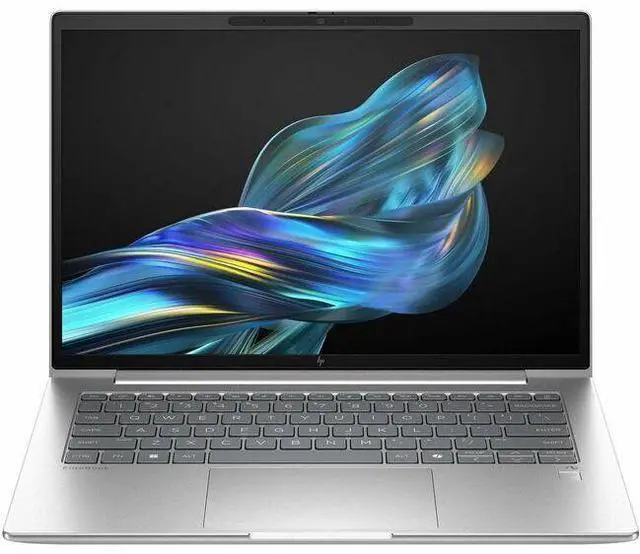
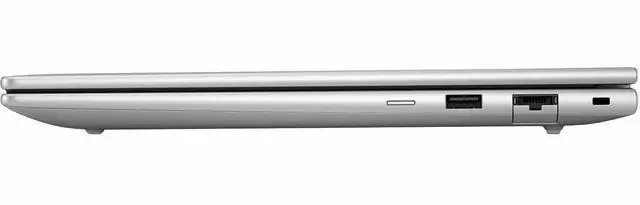
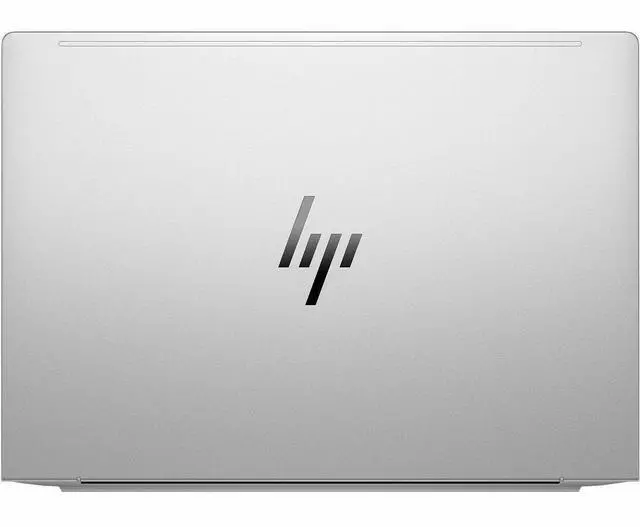
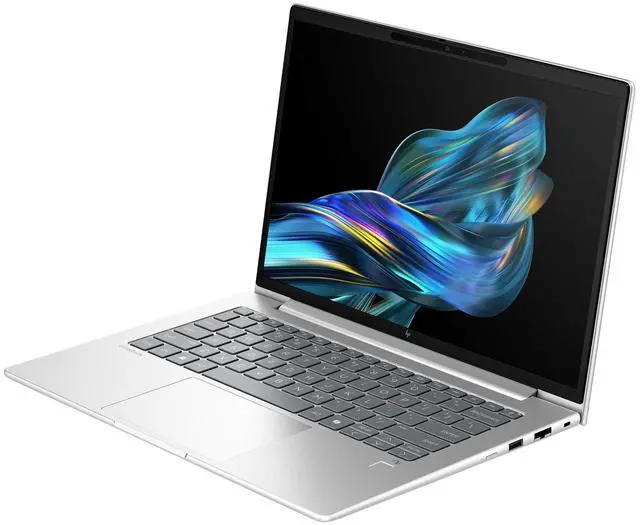
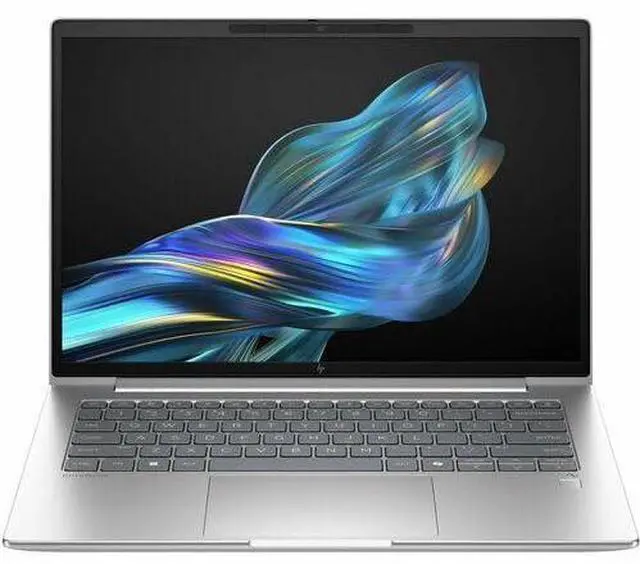
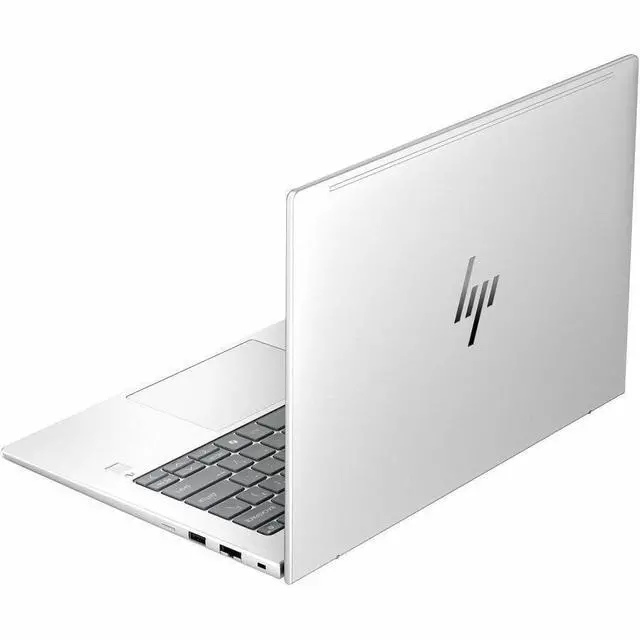
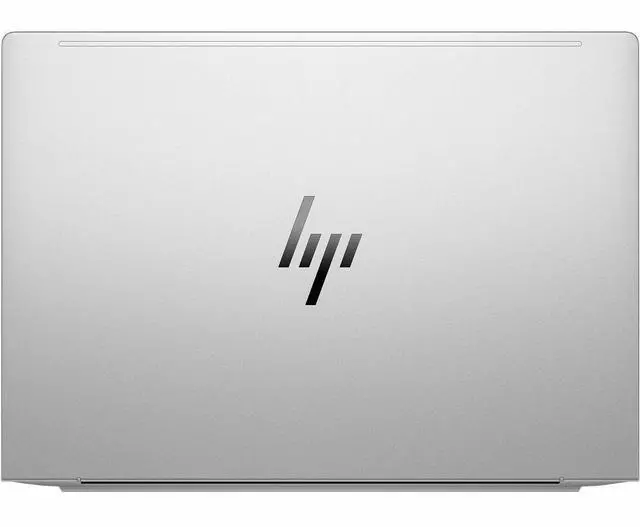
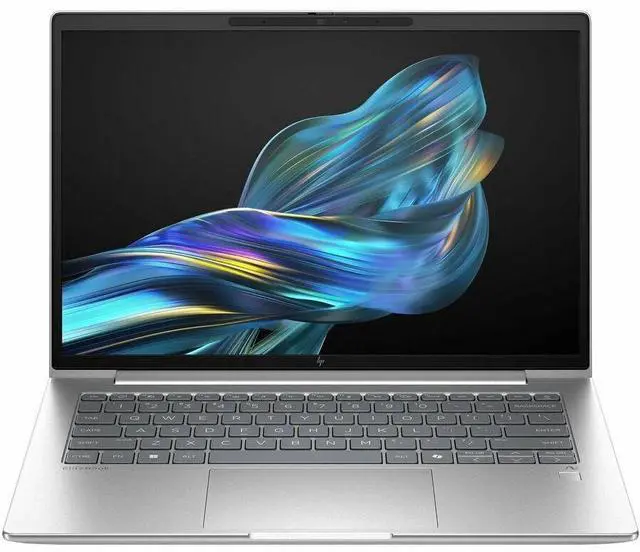
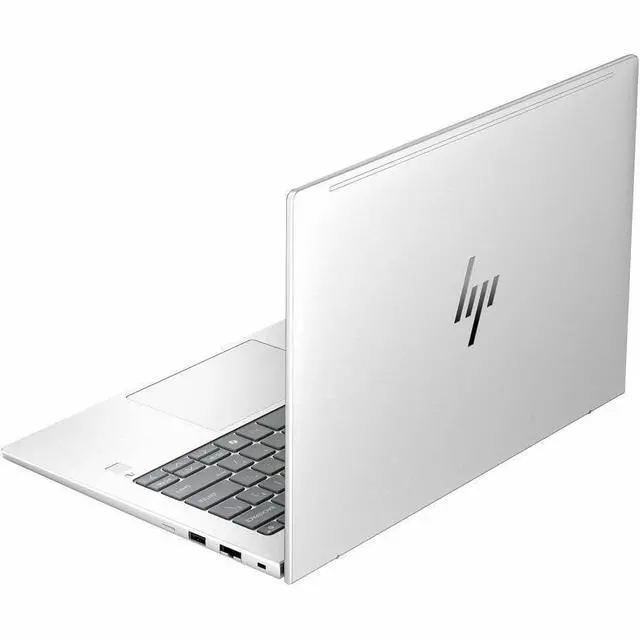
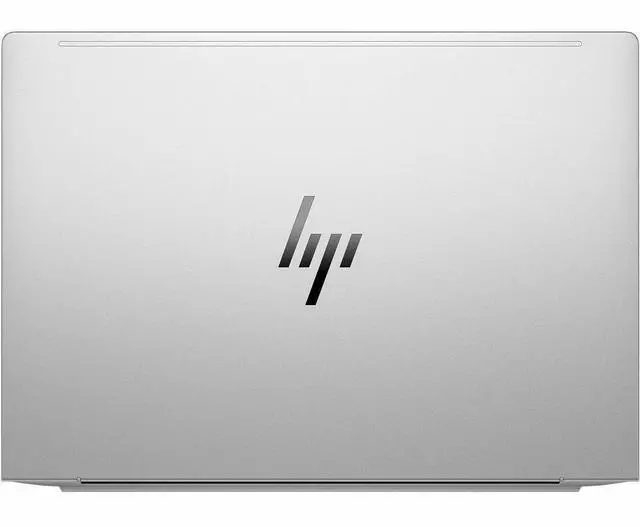
HP EliteBook 6 G1q 14" Copilot+ PC Notebook - Qualcomm Snapdragon X Plus X1P-42-100 - 16 GB - 512 GB SSD - Windows 11 Pro - Adreno Graphics - Webcam - Wi-Fi 6E (BF9A1UT#ABA)

  • Qualcomm Snapdragon X Plus X1P-42-100
  • 16GB LPDDR5X Memory / 512GB SSD
  • Qualcomm Adreno
  • Non-Touch Screen
  • 1920 x 1200
  • Windows 11 Pro
+
+
Overview
Specs
Reviews
SMART BUY ELITEBOOK 6 G1Q 14 AI X1P4 210 14 16GB/512 PC

Warranty & Returns

Warranty, Returns, And Additional Information

Return Policies*

  • Return for refund within: 30 days
  • Returns are subject to restocking fees and return shipping fees. Please click here to learn more about restocking fees and return shipping fees.
  • This item is covered by Newegg.com's International Order Return Policy.
  • Read full return policy for details.
  • *Subject to applicable law
  • Warranty Notice:

    This product does not include manufacturer warranty when purchased or used outside of its designated sales region. By purchasing internationally, you acknowledge that warranty support from the manufacturer will not be available.

Manufacturer Contact Info

LOADING...
LOADING...

Learn about this product

The HP EliteBook 6 G1q is a 14-inch Copilot+ business laptop with a Snapdragon X Plus processor, 16GB LPDDR5X memory, and 512GB SSD, making it a strong fit for professionals, students, and remote workers who want a portable Windows 11 Pro PC for productivity, video calls, and everyday multitasking.

Recommended For

  • Mobile professionals who spend long days away from outlets and mostly live in Microsoft 365, web apps, video calls, and document work. The EliteBook 6 G1q is positioned as a business-first Snapdragon laptop, and reviews consistently highlight its battery life and portability as the main reason to choose it.
  • IT-managed business users who want a mainstream 14-inch work laptop with Windows Pro, enterprise security features, and a quieter, cooler everyday experience than many traditional x86 office laptops. HP’s positioning and business reviews frame it as a sensible fleet-style machine when ARM app needs are known in advance.
  • Traveling consultants, sales staff, and hybrid workers who care more about battery life, instant-on style responsiveness, and connectivity options than about peak local compute. Official HP materials repeatedly position the model around road-warrior business use, including optional 5G on the platform.
  • Users adopting Copilot+ or other on-device AI features but whose core workload is still standard office productivity rather than specialist software. The product is marketed around local AI capability, but the strongest fit is for people who want those features layered onto normal business tasks.

Real-World Use Scenarios

  • Working across email, Office apps, Slack/Teams, and dozens of browser tabs during a full workday is a good fit; reviews consistently describe the EliteBook 6 G1q as handling basic productivity smoothly while staying quiet and lasting long enough for day-long office use.
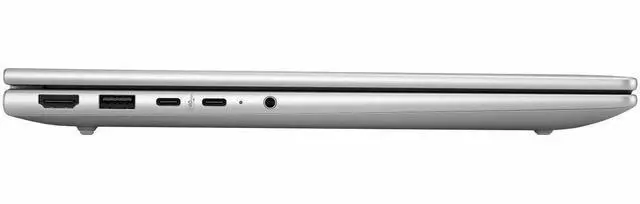
  • Taking the laptop between meetings, client visits, and shared workspaces is a practical use case; the 14-inch, 3.17 lb design and business-focused port selection make it easy to carry and connect without relying on dongles.
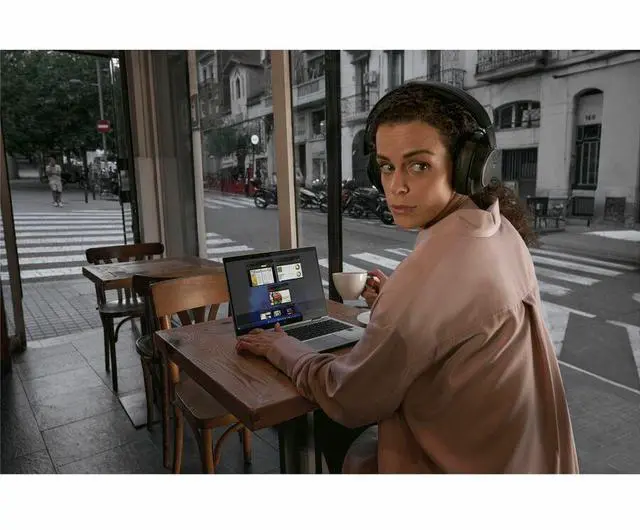
  • For video calls, document sharing, and routine conferencing, the laptop is generally suitable, especially in office lighting; however, reviewers note that the base webcam is usable rather than standout, so users who spend all day on camera may want a higher-end webcam configuration or better lighting.
  • Using the laptop on the go for cloud-based work, field updates, or travel-heavy workflows is one of the clearest real-world strengths when configured with mobile broadband; coverage-focused reviews highlight the convenience of built-in 5G for getting online quickly without tethering.
  • Running ARM-native business apps, web tools, and Windows AI features is a realistic use case; users can expect efficient everyday performance, but specialized legacy software, some peripherals, and GPU-heavier workloads may still run slower or hit compatibility issues under Windows on Arm.
  • This is not the best match for 3D work, modern gaming, or other graphics-heavy creative tasks; multiple reviews describe the integrated Adreno graphics as adequate for normal desktop use but weak for demanding GPU workloads.

Spec Summary

AttributeValue
Best ForBusiness and student users who need a 14" productivity-focused ultraportable with an ARM Snapdragon X Plus processor, 16GB LPDDR5X and 512GB SSD for everyday office workflows; includes Copilot+ AI features and Wolf Pro security edition for managed/enterprise deployments
Processor And Core CountQualcomm Snapdragon X Plus X1P-42-100 processor (single processor entry, up to 3.40 GHz turbo, 6 MB L3 cache; part of the Snapdragon X Plus series)
Memory Configuration16 GB LPDDR5X system memory (LPDDR5X memory technology; 16 GB installed, listed maximum 16 GB)
Storage And Expansion512 GB solid-state drive (SSD, 512 GB internal storage)
Display Spec14.0" WUXGA IPS display, 1920 x 1200 native resolution, non-touch, 60 Hz refresh, ~300 nit peak brightness and ~62% sRGB color gamut
GPU And VRAMAdreno integrated graphics (Qualcomm Adreno GPU coprocessor)
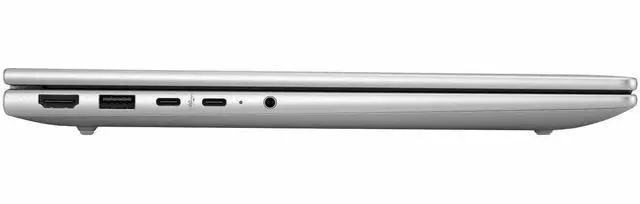
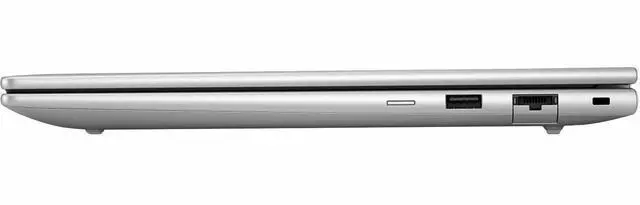
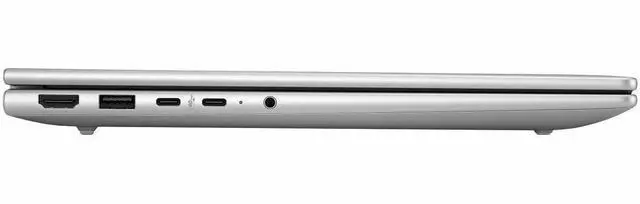
High Speed I O4 total USB ports including 2x USB‑C at 40 Gbps (USB Power Delivery, DisplayPort 1.4), plus 1 HDMI port; device connectivity also lists Ethernet support and HDMI/USB video output
Battery And Power3-cell Lithium Polymer battery with power adapter included in package
Wired And Wireless NetworkingWi‑Fi 802.11ax (Wi‑Fi 6) and Bluetooth wireless connectivity; wired Ethernet listed in connectivity options
Webcam And Security FeaturesBuilt-in webcam and fingerprint reader included; package references Wolf Pro security edition and Copilot+ PC AI features
Keyboard And ControlStandard QWERTY keyboard with touch pad for input
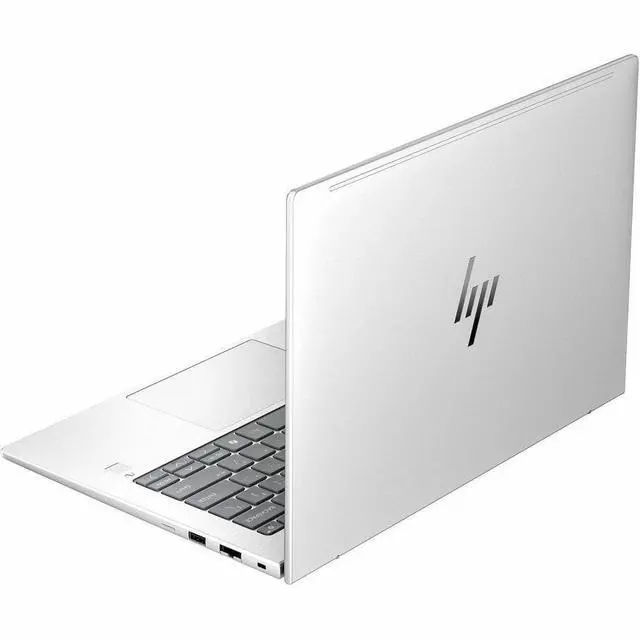
PortabilityChassis measures approximately 12.5 x 8.8 x 0.67 inches and weighs 3.17 lb for a 14" notebook
External Display And Docking FitSupports external displays via HDMI and DisplayPort over USB‑C (DisplayPort 1.4 over the 40 Gbps USB‑C ports), suitable for connecting an external monitor or docking via USB‑C
Operating SystemWindows 11 Pro
Model IdentifiersHP EliteBook 6 G1q (model BF9A1UT#ABA) from Hewlett Packard, EliteBook series/edition
Form Factor And Extras14-inch notebook form factor with built-in webcam and listed compatibility with external displays, keyboards, mice, storage devices and wireless audio

Reference Q&A

Q: Should I choose the HP EliteBook 6 G1q or a similar Intel or AMD business laptop?

A: Choose the HP EliteBook 6 G1q if your priority is long battery life, quiet everyday productivity, and access to Copilot+ PC features on a business laptop. Its Snapdragon X Plus platform includes a 45 TOPS NPU, which meets Microsoft's Copilot+ PC class requirements, and Windows on Arm now runs many x86 and x64 apps through Prism emulation. A comparable Intel or AMD business laptop is the better fit if your workflow depends on software, drivers, VPN tools, or peripherals that are still optimized mainly for x86 Windows, or if you expect broader native compatibility with specialized enterprise apps.

Q: Is the HP EliteBook 6 G1q a better choice than a Snapdragon X Elite business laptop?

A: The EliteBook 6 G1q is the better choice if you want the Snapdragon advantages without paying for a higher CPU tier you may not use. The X Plus X1P-42-100 is positioned below Snapdragon X Elite, so an X Elite model usually makes more sense for heavier multitasking, sustained CPU work, and higher-end configurations. The EliteBook 6 G1q makes more sense for web, Office, meetings, travel, and AI-assisted everyday work where battery life and efficiency matter more than maximizing peak performance.

Q: Should I buy this 16GB and 512GB EliteBook 6 G1q or step up to a higher-memory configuration?

A: This 16GB and 512GB version is the practical choice for standard business use such as browser-heavy work, Office apps, video calls, cloud tools, and local file storage. A higher-memory EliteBook 6 G1q configuration is the better choice if you keep many large apps open at once, work with larger local datasets, or want more headroom for longer ownership. Since this platform uses LPDDR5X memory, buyers should assume memory is not intended as a later upgrade and choose capacity based on future needs, not just today's workload.

Q: How does the HP EliteBook 6 G1q compare with the Lenovo ThinkPad T14s Gen 6 Snapdragon?

A: Choose the HP EliteBook 6 G1q if you want a more mainstream 14-inch Snapdragon business laptop focused on portability, everyday office work, and modern connectivity at a less premium positioning. Choose the ThinkPad T14s Gen 6 Snapdragon if you specifically want a thinner higher-tier ThinkPad design and are willing to pay more for that class of system. Both target long battery life and Copilot+ style Windows on Arm usage, but the ThinkPad T14s Gen 6 is more commonly positioned as a premium flagship business model, while the EliteBook 6 G1q sits closer to the practical mid-tier business buyer.

Q: Is the HP EliteBook 6 G1q better for portability and battery life than for graphics or gaming?

A: Yes. The EliteBook 6 G1q is a better match for mobile productivity than for graphics-first use. Its Snapdragon X Plus and integrated Adreno graphics are aimed at office tasks, browser workloads, meetings, and AI-assisted local features, while community and review coverage around this chip family consistently treats gaming and GPU-heavy creative work as secondary use cases. If your main priority is battery life, quiet operation, and travel-friendly business use, this model fits well. If your priority is stronger graphics performance or broader game compatibility, a different laptop class is the better comparison point.

Q: Is the HP EliteBook 6 G1q a good travel work laptop for meetings, email, and office tasks?

A: Yes. This model is well suited to mobile office work because it combines a 14-inch 1920x1200 display, a light 3.17 lb chassis, Wi-Fi 6E, Windows 11 Pro, and a Snapdragon X Plus platform that is commonly chosen for long battery life and quiet everyday productivity. It is a better fit for travel, meetings, web apps, Microsoft 365, and document work than for specialized legacy desktop software or heavier creative workloads.

Q: Is it good for note-taking, video calls, spreadsheets, and general office work?

A: Yes. For common productivity use, the configuration is appropriate: 16GB LPDDR5X memory is enough for multitasking across browser tabs, Office apps, and meetings, and the built-in webcam, HDMI, and two USB-C ports support normal desk and conference-room use. The main limitation is not raw office performance, but whether your exact Windows apps are fully compatible with ARM-based Snapdragon systems.

Q: Who is the HP EliteBook 6 G1q best for, and who should skip it?

A: It is best for business users who prioritize portability, battery life, Windows Pro features, video meetings, and mainstream productivity apps. It is less suitable for buyers who depend on niche x86-only programs, certain drivers, older peripherals, or workflows that assume broad Intel/AMD software compatibility. In short: strong fit for modern office mobility, weaker fit for compatibility-sensitive edge cases.

Q: What are the main trade-offs versus an Intel or AMD business laptop at a similar price?

A: The main advantages are battery-focused efficiency, lower-noise everyday use, and Copilot+ features on a thin business notebook. The trade-offs are a basic 60 Hz non-touch display in this configuration and more software uncertainty than a comparable Intel or AMD laptop. If your workflow is mostly browser, Office, Teams, Zoom, and cloud apps, the trade-off can make sense. If you need maximum app compatibility or specific enterprise tools, an Intel or AMD model is usually the safer choice.

Q: Is this a better choice than a Surface Laptop or other premium Snapdragon laptop?

A: It depends on your priority. The EliteBook 6 G1q is the better choice if you want a business-oriented Windows 11 Pro notebook with enterprise positioning, practical ports, and a straightforward office-work focus. A Surface Laptop or other premium Snapdragon model may be the better choice if you care more about a higher-end display, a more consumer-premium design, or a more polished flagship feel. The HP is the more utility-first option; the premium alternatives are often more design-first.

Q: Is the HP EliteBook 6 G1q a good fit for office work and travel?

A: Yes, it is best suited for mobile office use such as web work, documents, video calls, and general business tasks. The 14-inch 1920x1200 non-touch display, 3.17 lb weight, Wi-Fi 6E, Windows 11 Pro, and Snapdragon X Plus platform make it a practical travel and productivity laptop. The main trade-off is that it is not the best choice for demanding creative or gaming workloads.

Q: Who should buy the HP EliteBook 6 G1q, and who should skip it?

A: Buy it if you want a business laptop for productivity, portability, and modern connectivity in a Windows 11 Pro system. Skip it if your work depends on heavier GPU use, advanced 3D apps, or broad x86 software certainty, because Snapdragon-based Windows laptops can involve more compatibility trade-offs than mainstream Intel or AMD models.

Q: Is the HP EliteBook 6 G1q worth buying at a typical business-laptop price?

A: It can be worth buying if you specifically want a lightweight business laptop with Snapdragon efficiency, Windows 11 Pro, and USB-C/DisplayPort connectivity. It is a weaker value if your priority is maximum performance per dollar, because repeated discussion around this model questions whether a Snapdragon configuration makes sense at premium pricing.

Q: What are the main trade-offs of choosing the Snapdragon version of the EliteBook 6 G1q?

A: The main trade-offs are software and driver uncertainty versus mobility benefits. This model offers a modern ARM-based platform, integrated graphics, and a portable business-oriented design, but community discussion shows concern about performance expectations and isolated reliability issues such as resume-from-sleep behavior. It is a safer choice for standard productivity than for specialized workflows.