


 All CategoriesAll CategoriesAll Categories
Shipped by Newegg
 Top Rated



Warranty Notice:
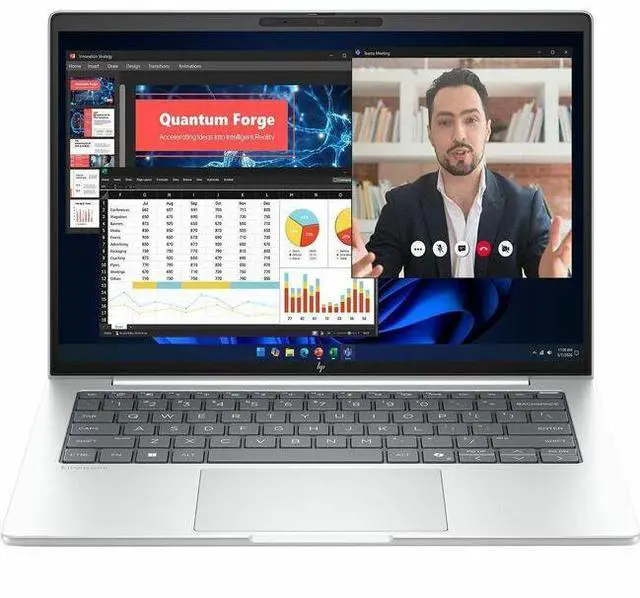
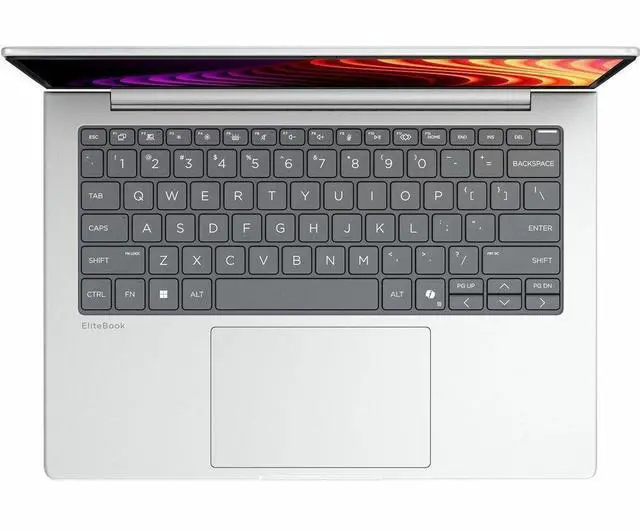
This product does not include manufacturer warranty when purchased or used outside of its designated sales region. By purchasing internationally, you acknowledge that warranty support from the manufacturer will not be available.The HP EliteBook 8 G2i is a 14-inch Copilot+ business laptop with an Intel Core Ultra 7 355, 32GB RAM, and a 512GB SSD, making it well suited for professionals who want fast everyday performance, AI-ready workflows, and strong portability in a slim 3.06 lb design.
| Attribute | Value |
|---|---|
| Best For | Business and student users who need a 14-inch Windows 11 Pro business notebook with Copilot+ AI features, 32 GB RAM, 512 GB SSD, integrated Intel graphics and Wi‑Fi 7 connectivity |
| Processor And Core Count | Intel Core Ultra 7 355 (Series 3) processor, up to 4.7 GHz turbo, 8 cores and 12 MB L3 cache |
| GPU And VRAM | Integrated Intel graphics (shared system memory) |
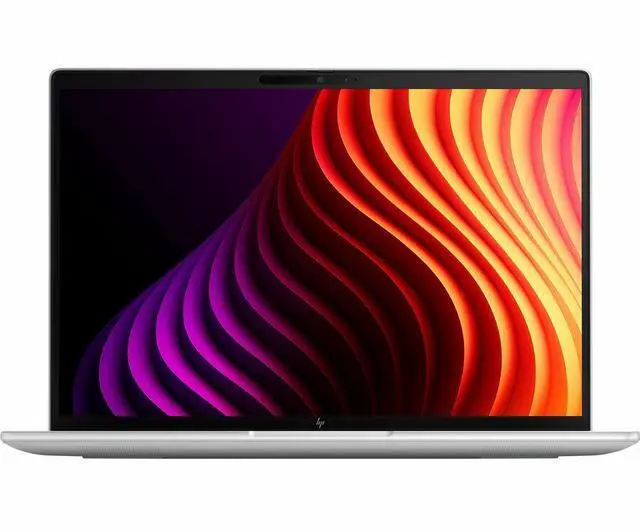
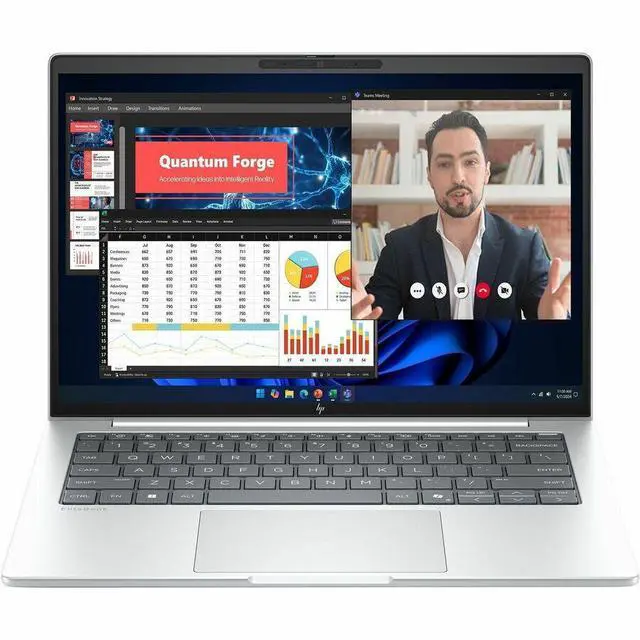
| Display Spec | 14.0-inch WUXGA (1920 x 1200) IPS non-touch display, up to 300 Nit brightness, sRGB ~62% gamut, low blue light and anti-glare coating |
| Memory Configuration | 32 GB LPDDR5X RAM installed, user-expandable up to 64 GB |
| Storage And Expansion | 512 GB solid-state drive in M.2 form factor |
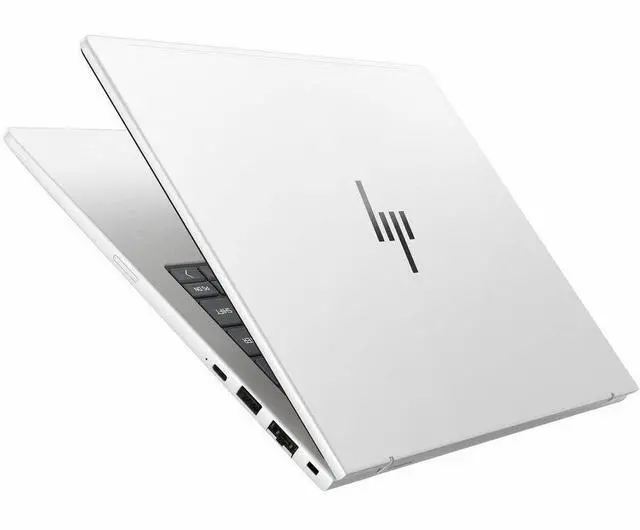
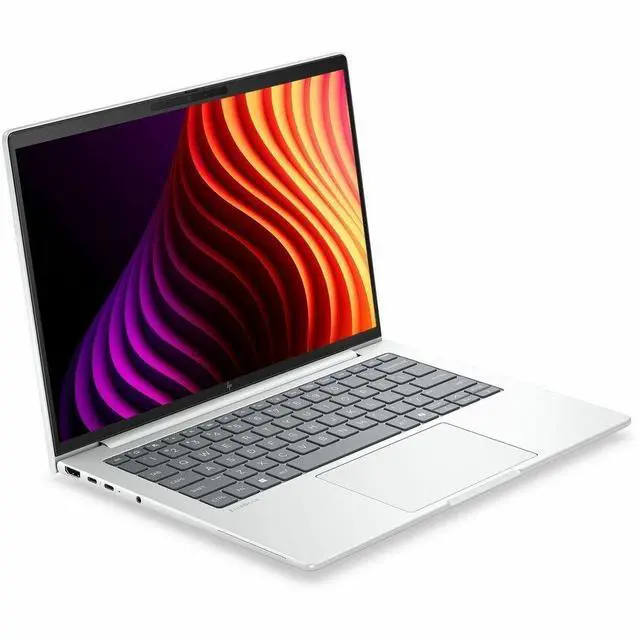
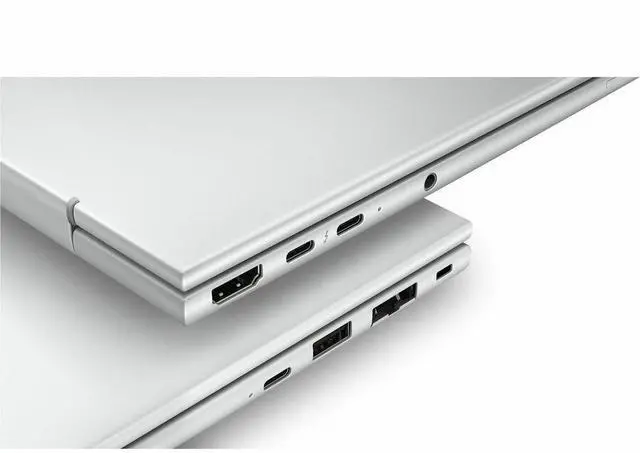
| High Speed I O | Two Thunderbolt 4 ports, one HDMI port, and two total USB ports including 1 USB Type-C (10 Gbps, USB Power Delivery, DisplayPort 1.4) |
| Battery And Power | 3-cell lithium polymer battery (~4000 mAh), supports 50% charge in 30 minutes; battery included |
| Wired And Wireless Networking | Wi‑Fi 7 (IEEE 802.11be) wireless and Bluetooth support |
| Webcam And Biometric | 5 MP front webcam plus fingerprint recognition for biometric sign-in |
| Portability | Approximately 0.61 in thin, footprint 12.4 x 8.7 in, weight about 3.06 lb, Glacier Silver aluminum chassis |
| External Display And Docking Fit | Supports external monitors via HDMI and DisplayPort over USB-C/Thunderbolt 4; USB-C supports USB Power Delivery |
| Model Identifiers | HP EliteBook 8 G2i (model/part D81W3UT#ABA), Windows 11 Pro, Wolf Pro Security Edition, manufacturer Hewlett Packard, model year 2026 |
| Other Features | Copilot+ AI features, low blue light and anti-glare display treatments |
Q: Should I choose the HP EliteBook 8 G2i 14 over a lower-spec EliteBook 8 G2i with Core Ultra 5 and 16GB RAM?
A: Choose this Core Ultra 7 / 32GB configuration if you expect heavier multitasking, larger Excel models, more browser tabs, or longer useful life in a managed business laptop. HP positions lower-spec EliteBook 8 G2i models with Core Ultra 5 335 and 16GB RAM as the entry point, while higher memory and Ultra 7 options are the safer fit for users running more demanding office workloads. If your work is mostly email, web apps, video meetings, and standard document editing, the Core Ultra 5 version is the more cost-efficient choice with a similar platform, ports, and chassis.
Q: Is the HP EliteBook 8 G2i 14 a better fit than the HP EliteBook 6 G1q for business travel?
A: Pick the EliteBook 8 G2i 14 if your priority is a more premium mainstream enterprise laptop with Intel compatibility, Thunderbolt 4, a 5MP webcam, and stronger fit for docked office use. Pick the EliteBook 6 G1q if always-on cellular connectivity and battery-focused ARM usage matter more than staying on Intel. Reviews of the EliteBook 6 G1q consistently highlight its built-in 5G experience as the main reason to buy it, while also noting that its broader laptop experience is more functional than premium. The EliteBook 8 G2i makes more sense for buyers who want a conventional Intel business platform with Copilot+ positioning and fewer app-compatibility questions.
Q: How does the HP EliteBook 8 G2i 14 compare with the older HP EliteBook 840 G11?
A: The EliteBook 8 G2i 14 is the newer platform choice if you want HP's updated EliteBook naming, Copilot+ positioning, Wi‑Fi 7, and newer Intel generation options. The EliteBook 840 G11 remains a sensible buy when price matters more than getting HP's latest AI-focused refresh. Reviews of the 840 G11 describe it as a solid office laptop with long battery life, good input devices, quiet cooling, and practical ports, so the decision is usually about platform age and AI-era feature set rather than a complete change in usage. Choose the 8 G2i for a newer lifecycle; choose the 840 G11 for a proven prior-generation business design.
Q: Should I move up from this HP EliteBook 8 G2i 14 to a higher-tier EliteBook 8 G2i configuration?
A: Stay with this 32GB / 512GB Core Ultra 7 model if your work is centered on productivity, conferencing, browser-heavy workflows, and standard business apps. Move up only if you specifically need more local storage, touch input, or more headroom from higher-tier Core Ultra 7 options such as the 356H or 366H that HP lists in the same family. In practice, the biggest upgrade reasons are usually storage capacity, touch display preference, or demanding compute workloads, not basic office responsiveness.
Q: Is the HP EliteBook 8 G2i 14 better for portability or should I buy a performance-first 14-inch business laptop instead?
A: The EliteBook 8 G2i 14 is the better choice when you want a balanced enterprise notebook: 14-inch size, about 3.06 lb carry weight, integrated graphics, business security, and a port set that supports everyday office and travel use. A performance-first 14-inch laptop is the better fit if your work regularly includes heavier creative apps, sustained multicore loads, or graphics-heavy tasks. This EliteBook is positioned more as a premium business productivity system than as a mobile workstation, so it fits users who value mobility, manageability, and battery-conscious day-to-day work over maximum compute output.
Q: Is this a good laptop for travel, meetings, and everyday office work?
A: Yes. It is well suited to mobile office use because it combines a 14-inch 1920 x 1200 display, a relatively light 3.06 lb chassis, Windows 11 Pro, integrated graphics that are appropriate for office apps and web work, a 5 MP webcam for video calls, and modern connectivity including Thunderbolt 4, HDMI, and Wi-Fi 7. The main trade-off is that it is a business laptop, not a gaming or creator-focused model, so the integrated Intel graphics are better for productivity than for demanding visual workloads.
Q: Who is this laptop best for?
A: This model fits business users, hybrid workers, consultants, and students or professionals who mainly use browser-based tools, Microsoft 365, video meetings, documents, spreadsheets, and multitasking. Its 32 GB RAM and 512 GB SSD give it more headroom than many mainstream 14-inch office laptops. It is less suitable for buyers who need dedicated graphics for gaming, 3D work, or heavier video production.
Q: Is this better than a typical consumer 14-inch laptop for work?
A: For business use, usually yes. Compared with a typical consumer 14-inch laptop, this EliteBook is stronger on business-oriented features such as Windows 11 Pro, enterprise positioning, higher memory capacity in this configuration, Thunderbolt 4, and newer wireless support with Wi-Fi 7. The trade-off is value: consumer laptops can offer more storage, a touchscreen, or lower pricing for the money, while this model is aimed more at reliability, manageability, and professional use.
Q: Is this a good choice if I want a Copilot+ PC without ARM compatibility concerns?
A: Yes, that is one of its clearer use cases. Buyers often ask whether Copilot+ features come with app-compatibility trade-offs. This HP uses an Intel platform rather than ARM, so it is a better fit for users who want newer Windows AI positioning while staying closer to the traditional x86 Windows software ecosystem. The trade-off is that some ARM-based Copilot+ laptops are more battery-focused, so shoppers should weigh software compatibility against battery priorities.
Q: What are the main trade-offs of this HP EliteBook configuration?
A: The main trade-offs are price-per-spec and graphics capability. This configuration is strong for professional multitasking because it includes 32 GB RAM, a 512 GB SSD, Windows 11 Pro, and current connectivity, but it does not include dedicated graphics, a touchscreen, or unusually large storage for its class. That makes it a sensible choice for office productivity and meetings, but a weaker fit for buyers prioritizing gaming, heavier creative work, or maximum value per dollar.
Q: Is the HP EliteBook 8 G2i 14 a good fit for office work, calls, and everyday multitasking?
A: Yes, it is a sensible fit for productivity-first use. The 14-inch 1920 x 1200 IPS display, 32GB RAM, Windows 11 Pro, 512GB SSD, 5MP webcam, and Wi-Fi 7 align well with the common Reddit decision criteria for work laptops: many browser tabs, office apps, video calls, and portable 14-inch size. It is a better match for business and general work than for graphics-heavy or gaming-focused use because it uses integrated Intel Graphics.
Q: Who should buy the HP EliteBook 8 G2i 14, and who should skip it?
A: Buy it if you want a compact Windows business laptop for work, travel, meetings, and standard productivity tasks, especially if 32GB RAM and Windows 11 Pro matter to you. Skip it if your priority is stronger integrated graphics, gaming, or maximum value-per-dollar, because Reddit comparisons around the EliteBook 8 G2i often favor alternatives when buyers want better graphics performance or lower price for similar core specs.
Q: What are the main trade-offs of choosing this EliteBook instead of a competing 14-inch business laptop?
A: The main trade-off is balance versus peak capability. This configuration gives you strong everyday practicality: 32GB RAM, a portable 3.06 lb chassis, Thunderbolt 4, HDMI, a 5MP webcam, and business-oriented Windows Pro features. The trade-off is that it uses integrated Intel Graphics and a non-touch WUXGA IPS panel, so buyers focused on better graphics performance, premium display options, or the best bargain may prefer a rival model.
Q: Is the HP EliteBook 8 G2i 14 worth buying if I want a future-ready work laptop?
A: It can be worth buying if your definition of future-ready is modern connectivity and business readiness rather than gaming power. This model includes Wi-Fi 7, two Thunderbolt 4 ports, USB-C with DisplayPort and Power Delivery, HDMI, 32GB RAM, and Copilot+ PC branding. That makes it a practical choice for docking, remote work, and longer ownership. It is less compelling if you mainly want top graphics performance or the lowest-cost option in the category.