


 All CategoriesAll CategoriesAll Categories
Shipped by Newegg









Warranty Notice:
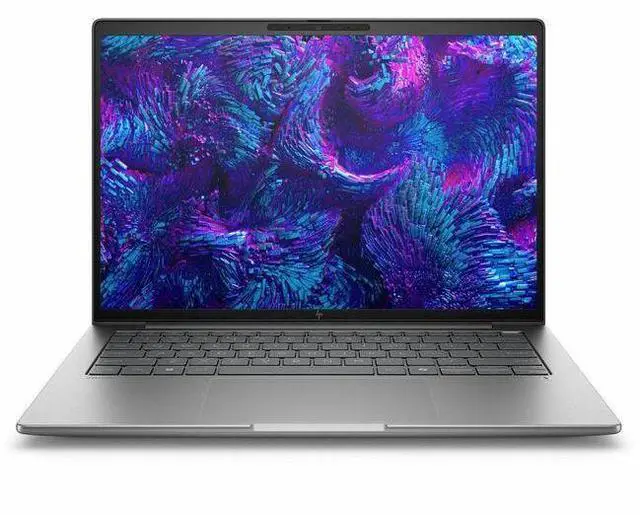
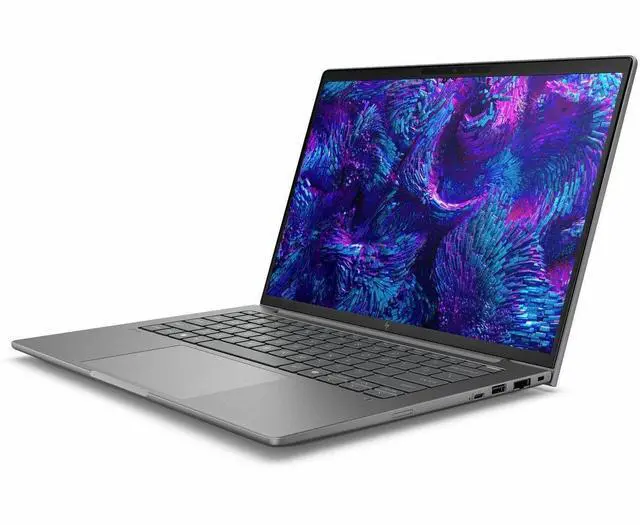
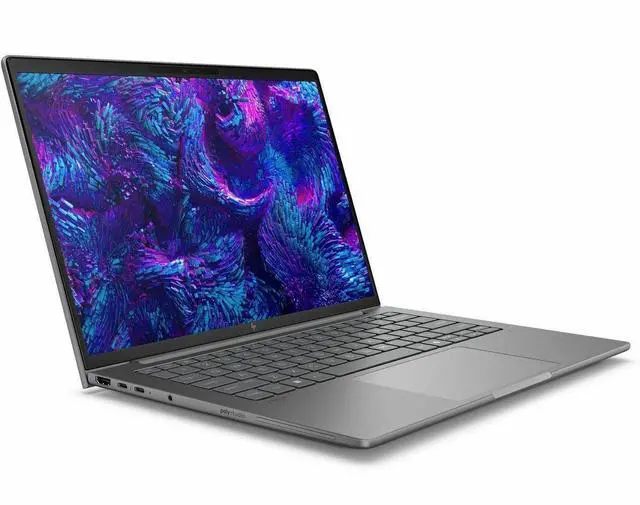
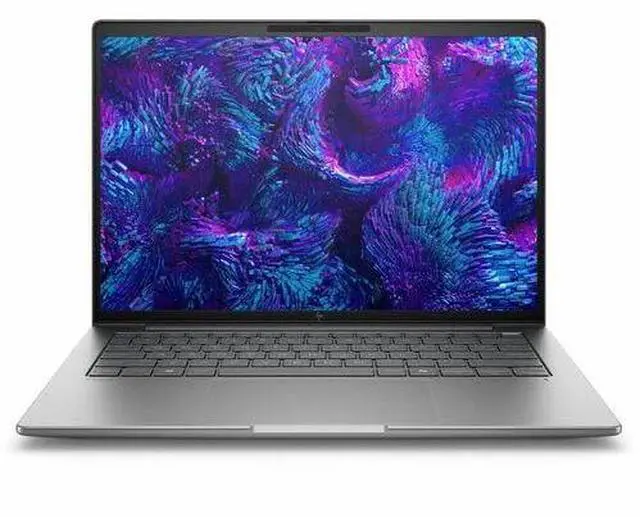
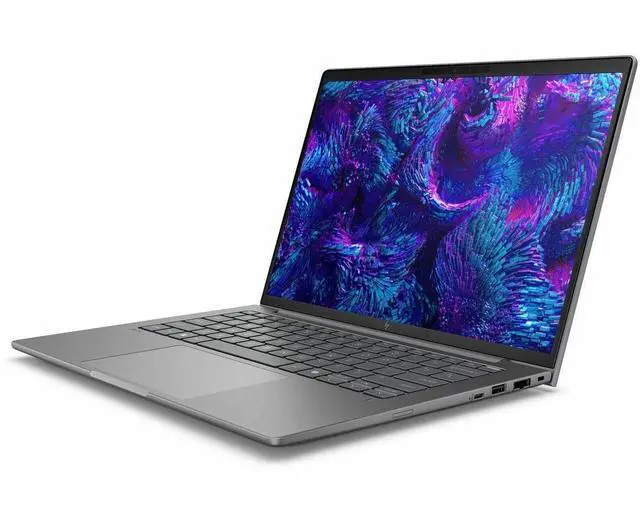
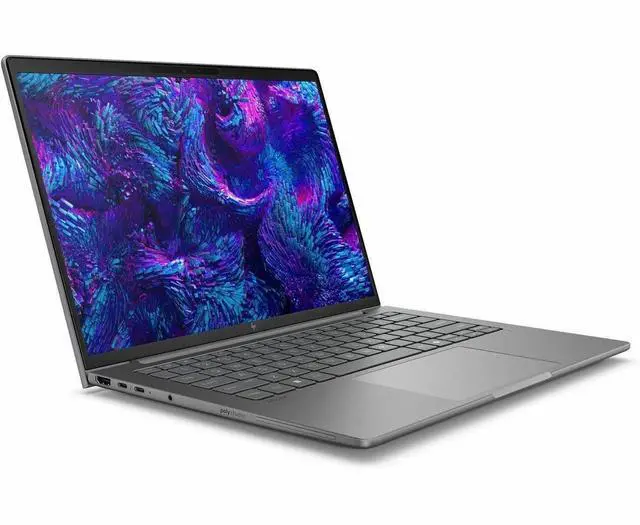
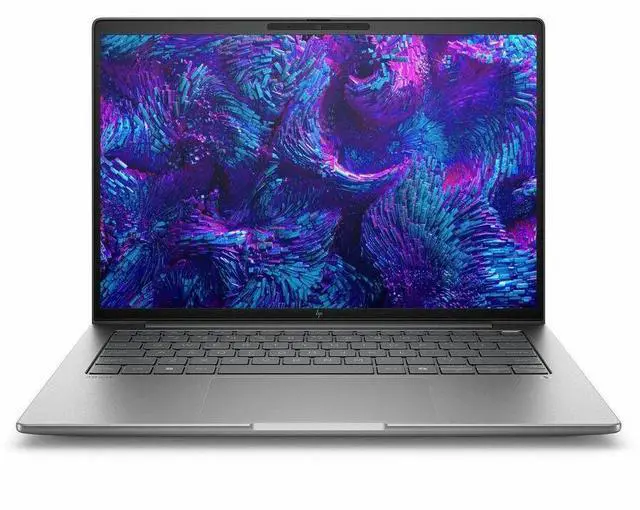
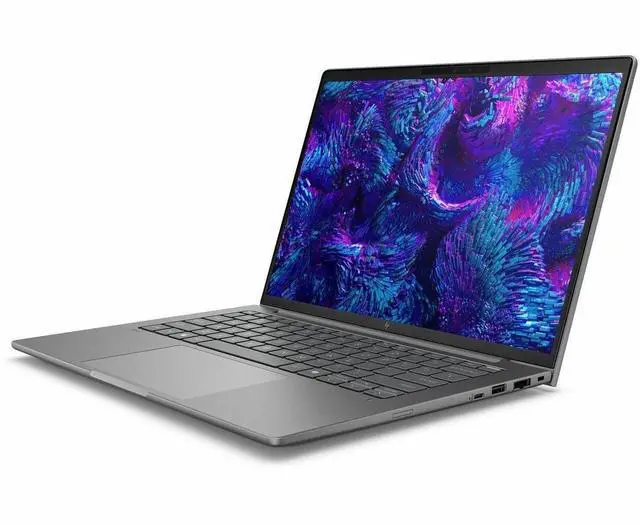
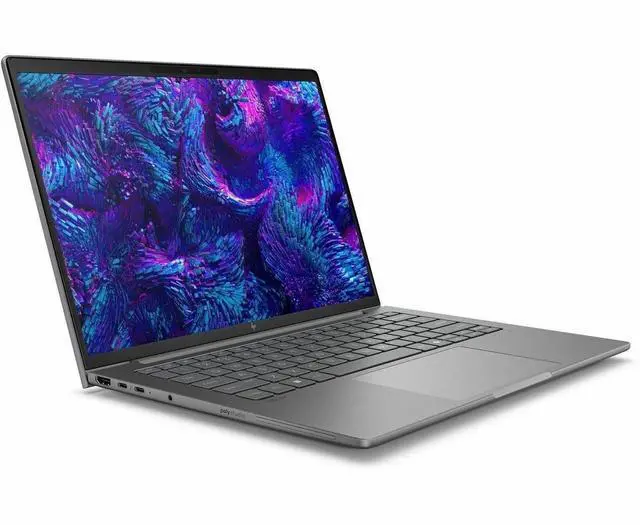
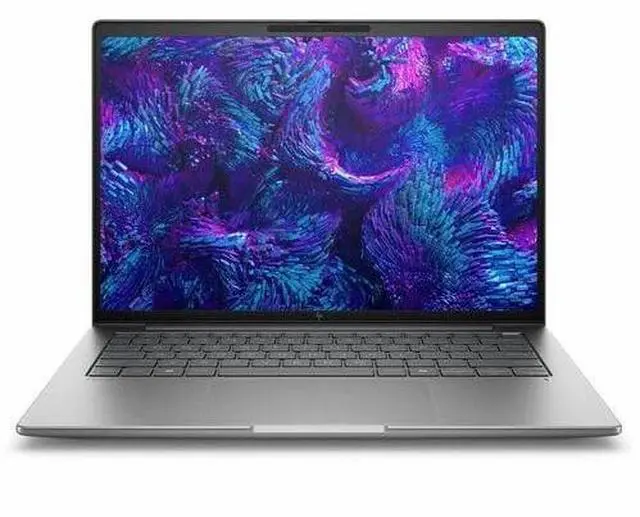
This product does not include manufacturer warranty when purchased or used outside of its designated sales region. By purchasing internationally, you acknowledge that warranty support from the manufacturer will not be available.The HP ZBook 8 G1i is a 14-inch mobile workstation built for professionals who need a compact Windows 11 Pro laptop with a Core Ultra 7 processor, 32GB RAM, 1TB SSD, and a sharp 2560x1600 display for CAD, content creation, analysis, and everyday business work.
| Attribute | Value |
|---|---|
| Best For | 14.0-inch mobile workstation geared for work and business use; AI-ready configuration for professional workflows and content/compute tasks |
| Processor And Core Count | Intel Core Ultra 7 255H processor (generation 7) with up to 5.1 GHz turbo and 24 MB L3 cache |
| GPU And VRAM | Intel Arc 140T (4 GB, DDR5) together with NVIDIA RTX 500 (Ada Generation); system includes Intel and NVIDIA graphics processors |
| Display Spec | 14.0-inch IPS display, native 2560 x 1600 (2560x1600) resolution, up to 400 nits maximum brightness |
| Memory Configuration | 32 GB DDR5 installed (two memory slots) with a 32 GB maximum capacity |
| Storage And Expansion | 1 TB solid-state drive (m.2 form factor/interface) |
| High Speed I O | High-speed I/O includes 2 Thunderbolt ports, HDMI output (1), USB ports (2 reported), USB Type-C and DisplayPort output for external peripherals |
| Wired And Wireless Networking | Wi‑Fi and Bluetooth wireless connectivity plus wired Ethernet support |
| Webcam And Privacy | Built-in webcam with infrared camera and fingerprint reader for biometric sign-in and secure authentication |
| Keyboard And Control | Full-size QWERTY keyboard with standard keys and a touch pad |
| Operating System | Windows 11 Pro |
| Battery And Power | Lithium polymer battery and power adapter listed; unit does not require separate batteries (batteries not required) |
| Portability | Package dimensions reported as 19 x 3 x 11 inches with package weight 5.7 pounds; color Meteor Silver |
| External Display And Docking Fit | Supports external displays via HDMI, DisplayPort and Thunderbolt (2 ports) for docking or multiple-monitor setups |
| Security And AI Features | AI-ready / AI-powered capabilities plus hardware security features including fingerprint reader, infrared camera and Wolf Pro Security Edition listing |
| Model Identifiers | HP ZBook 8 G1i, model/part BX7T8UT#ABA (manufacturer: Hewlett Packard), package quantity 1 |
Q: Should I buy the HP ZBook 8 G1i 14 or a Lenovo ThinkPad P14s Gen 5?
A: Choose the HP ZBook 8 G1i 14 if you want a compact 14-inch mobile workstation with newer Core Ultra 200H platform options, Wi‑Fi 7 availability, and HP’s current ZBook positioning for professional mobile use. Choose the ThinkPad P14s Gen 5 if you want a better-documented real-world benchmark baseline for RTX 500 Ada class performance, because review data shows that this GPU tier is mainly suited to CAD, 3D viewsets, and GPU-accelerated professional apps rather than heavy rendering. In practice, both fit buyers who need ISV-focused workstation features in a portable chassis, so the decision is more about brand preference, service ecosystem, keyboard/port layout, and price at the time of purchase.
Q: Is this HP ZBook 8 G1i 14 worth choosing over a lower-tier integrated-graphics configuration?
A: Yes, this configuration makes more sense if you run CAD, 3D modeling, Adobe apps with GPU acceleration, or other professional workloads that benefit from a discrete workstation GPU. A lower-tier integrated-graphics version is the better fit for office work, web apps, remote access, and light creative tasks where battery life, lower cost, and simpler thermals matter more than certified GPU capability. The main trade-off is that the discrete RTX 500 Ada tier adds workstation graphics support, but it does not turn a 14-inch system into a high-end rendering machine.
Q: Should I get this 14-inch ZBook or move up to a higher-tier mobile workstation?
A: Choose this 14-inch ZBook if your priority is portability with professional graphics support for mainstream workstation tasks. Move up to a higher-tier workstation if your work depends on sustained CPU/GPU load, larger assemblies, heavier rendering, simulation, or more headroom for long sessions. Review coverage of compact workstations consistently shows that 14-inch models involve power and thermal trade-offs compared with larger performance-first systems, even when they use workstation-class GPUs.
Q: Is the HP ZBook 8 G1i 14 a meaningful upgrade over the previous Firefly-class 14-inch ZBook generation?
A: For many workstation buyers, yes. The main upgrade is the platform shift to the newer ZBook 8 generation with Core Ultra H-series options and newer connectivity, while the RTX 500 Ada graphics tier positions it as a portable professional system rather than an entry office laptop. Benchmark comparisons published by reviewers show that newer 14-inch workstation designs using RTX 500 Ada can deliver a clear step up over older RTX A500-class systems in professional viewset workloads. If your current machine already handles your apps well and portability is the main priority, the upgrade is more about platform refresh and feature modernization than a change in product category.
Q: Should I choose this HP ZBook 8 G1i 14 for portability-first work or pick a performance-first laptop instead?
A: Choose this ZBook if you need a travel-friendly workstation for field work, client meetings, office docking, and professional apps that benefit from certified graphics in a smaller chassis. Choose a performance-first laptop if your workload is dominated by long render jobs, heavier GPU compute, or sustained multicore processing where a larger cooling system and higher power budget matter more than size. This HP model is better understood as a portable workstation with balanced professional capability, not as a desktop replacement.
Q: Is this a good travel work laptop for office tasks, meetings, and working between locations?
A: Yes, if you want a compact business workstation rather than a basic office laptop. The 14-inch size, webcam, Wi-Fi 7, Windows 11 Pro, 32GB RAM, and 1TB SSD make it well suited for documents, browser-heavy work, video meetings, and multitasking on the go. The main trade-off is that a mobile workstation is usually pricier and may prioritize performance over maximum battery life or lightness compared with mainstream business ultrabooks.
Q: Who is this laptop actually suitable for?
A: This model fits users who need both business-laptop portability and workstation-class capability: engineers, architects, creators, analysts, developers, and power users running large spreadsheets, many apps, or professional software. It is less suitable for buyers who only need email, web, Zoom, and Office, because those tasks can be handled by lower-cost business laptops without workstation graphics.
Q: Is it overkill for note-taking, email, Zoom, and general office work?
A: For basic productivity, yes. This configuration has far more memory, storage, and graphics capability than most users need for note-taking, office apps, web work, and meetings. It still handles those tasks very well, but its value is stronger when you also need heavier multitasking, local AI features, or professional applications that benefit from workstation hardware.
Q: How does it compare with a similar 14-inch workstation like a Dell Precision 14?
A: The HP ZBook 8 G1i and Dell Precision 14 target the same buyer: someone who wants a 14-inch workstation instead of a standard business laptop. The HP's key advantages in this configuration are its higher 32GB RAM and 1TB SSD setup, plus a sharper 2560 x 1600 display in the provided product data. A similar Dell Precision 14 listing commonly starts lower, such as 16GB RAM, 512GB SSD, and 1920 x 1200 resolution, which may reduce cost but also lowers headroom for heavy multitasking and content work.
Q: Is this better than a normal business laptop if I sometimes use creative, technical, or GPU-accelerated software?
A: Usually yes. Compared with a standard office laptop, this ZBook is a better fit if you sometimes move beyond Office and meetings into professional apps, light 3D, GPU-assisted workflows, or larger project files. The trade-off is that mainstream business laptops are often cheaper, quieter, and sufficient for purely administrative work. This model makes more sense when your workload regularly crosses into professional or technical use.
Q: Is the HP ZBook 8 G1i 14 a good choice if I need a compact workstation for professional work?
A: Yes, if your priority is workstation-class hardware in a 14-inch format. The listed configuration combines a Core Ultra 7 255H, 32GB RAM, 1TB SSD, high-resolution 2560x1600 display, and RTX 500 Ada-class graphics support, which fits users running heavier productivity, engineering, content, or technical workflows. The main trade-off discussed by users is that it behaves more like a portable workstation than a thin everyday ultrabook.
Q: Is the HP ZBook 8 G1i 14 good for travel, commuting, or frequent unplugged use?
A: Not ideal if mobility and battery-first use are your top priorities. Repeated user feedback centers on the laptop feeling thicker and heavier than expected for a 14-inch model, and one owner specifically noted that top performance depends on being plugged into the 140W charger. It makes more sense for users who travel with a workstation occasionally than for users who want a light all-day commuter laptop.
Q: Is the HP ZBook 8 G1i 14 worth buying over a regular business laptop like an EliteBook?
A: It is worth it if you need more memory, higher display resolution, or workstation-oriented graphics and performance headroom. It is less compelling if your work is mostly browser, office, meetings, and light multitasking, because community comparisons frame the ZBook 8 as more powerful but also bulkier and less mobility-focused than EliteBook alternatives.
Q: Who is the HP ZBook 8 G1i 14 most suitable for?
A: It is best suited to users who need a 14-inch machine with stronger-than-standard business laptop specs: 32GB RAM, fast storage, high-resolution IPS display, and workstation positioning. Based on the discussion around this model line, that includes developers, technical professionals, and users whose workloads outgrow mainstream office laptops. It is less suitable for buyers who mainly want low weight, better speakers, or maximum battery efficiency.
Q: What are the main trade-offs of choosing the HP ZBook 8 G1i 14?
A: The main trade-offs are portability versus capability. Community discussion points to more weight and thickness than expected for a 14-inch laptop, weaker speakers, and reduced appeal if you often work away from power. In return, you get a workstation-style configuration that is better aligned with heavier professional workloads than a typical thin-and-light business notebook.


