


 All CategoriesAll CategoriesAll Categories
Shipped by Newegg
 Top Rated



Warranty Notice:
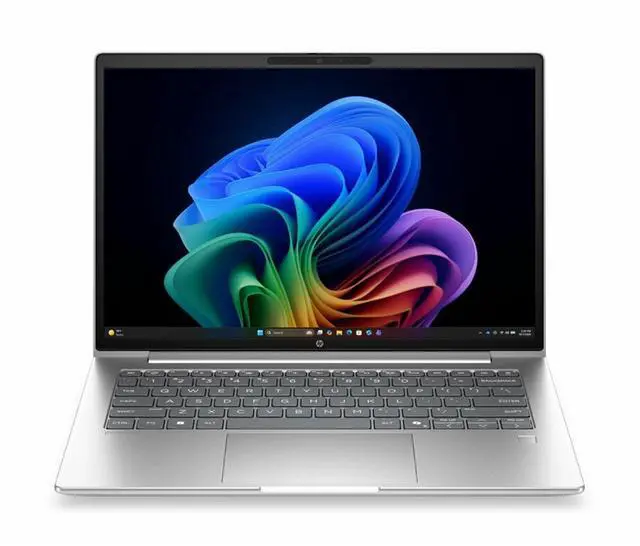
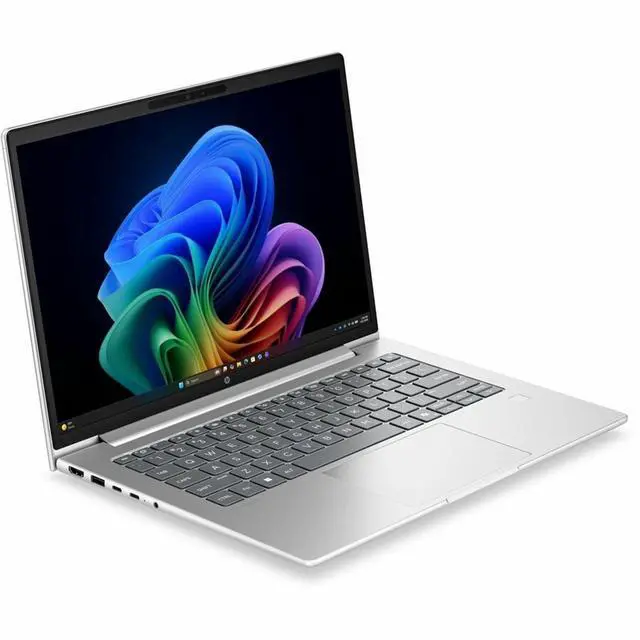
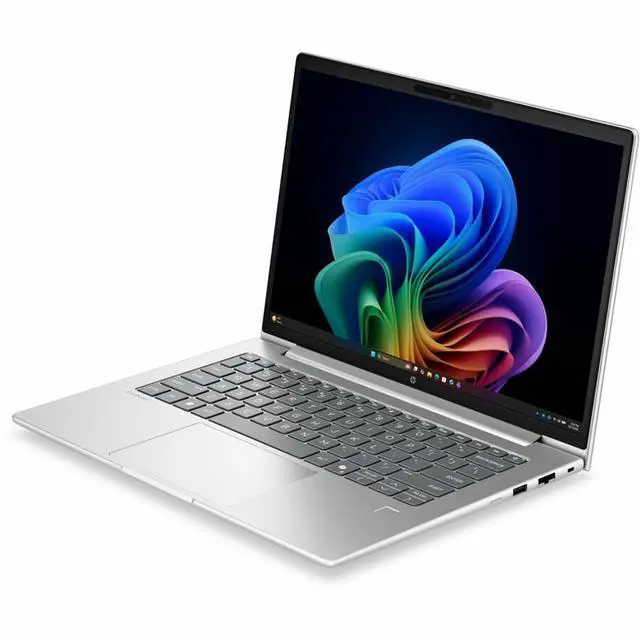
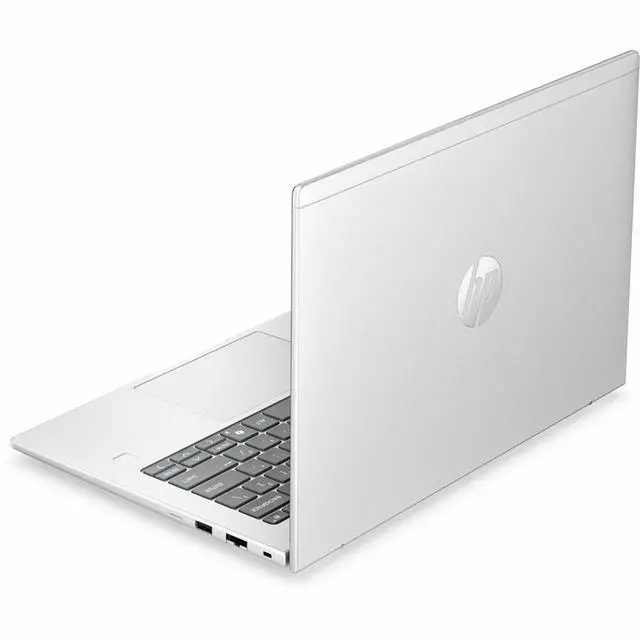
This product does not include manufacturer warranty when purchased or used outside of its designated sales region. By purchasing internationally, you acknowledge that warranty support from the manufacturer will not be available.The HP ProBook 4 G2i is a 14-inch Windows 11 Pro laptop with 16GB memory, a 256GB SSD, and a 1920 x 1200 display, making it a practical fit for students, home users, and everyday office work that values portability and a clear productivity-focused screen.
| Attribute | Value |
|---|---|
| Best For | Home / personal users (also listed for business and student use) who want a 14.0-inch Windows 11 Pro notebook for everyday productivity and portable office work |
| Processor And Core Count | Intel Core Ultra 5 (model 325) single-processor with up to 4.5 GHz max frequency and 12 MB L3 cache |
| Memory Configuration | 16 GB DDR5 SDRAM installed, 2 RAM slots, expandable up to 64 GB maximum |
| Storage And Expansion | 256 GB solid-state drive (M.2 form factor and M.2 interface) |
| Display Spec | 14.0-inch IPS LCD, native 1920 x 1200 resolution, ~300 nit max brightness, anti-glare with low-blue-light coating, sRGB ~62%, Miracast supported, touchscreen: no |
| GPU And VRAM | Integrated Intel graphics (integrated graphics interface) using DDR5 SDRAM for graphics memory |
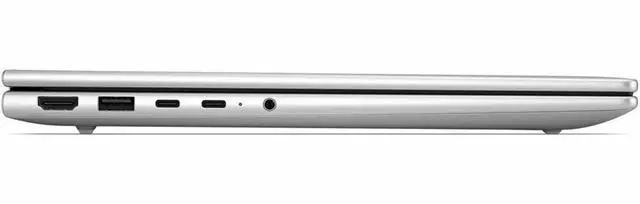
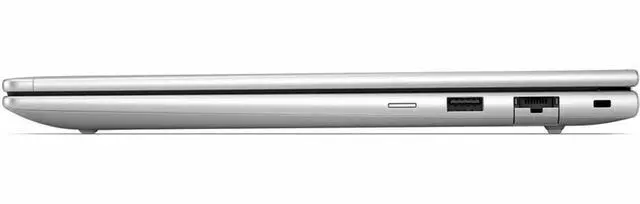
| High Speed I O | 4 total USB ports (includes USB-C), 1 HDMI port, Gigabit Ethernet LAN, Wi‑Fi and Bluetooth wireless; no Thunderbolt ports reported |
| Battery And Power | Built-in Lithium Polymer battery (3 cells) rated at 4000 mAh, batteries included and packed with the equipment |
| Webcam And Privacy | Front-facing webcam present |
| Security | Fingerprint recognition biometric security feature |
| Audio Setup | Stereo audio |
| Portability And Dimensions | Footprint roughly 12.5 x 8.8 x 0.69 inches with item display weight ~3.1 lb (package weight ~4.45 lb); package dimensions ~17.4 x 10.7 x 2.5 inches |
| Operating System | Windows 11 Pro |
| Model Identifiers | HP ProBook 4 G2i, model DG4U3UT#ABA (2026), manufacturer Hewlett Packard / HP |
Q: Should I buy this HP ProBook 4 G2i 14 or a cheaper 8GB/256GB ProBook configuration?
A: Choose this 16GB configuration if you expect heavier multitasking, longer useful life, or regular office work with many browser tabs and video calls. HP positions the ProBook 4 G2 family with upgradeable memory on most variants, but 16GB is still the safer starting point for business and everyday productivity because entry-level 8GB models are mainly value-focused. The trade-off is price: an 8GB/256GB version can work for lighter web and document use, while this model is the more balanced choice for buyers who want fewer near-term upgrade decisions.
Q: Is the HP ProBook 4 G2i 14 a better fit than a previous-gen HP ProBook 440 G11?
A: Buy the ProBook 4 G2i 14 if you want the newer platform and are comparing against a Core Ultra 5 125U-era ProBook 440 G11. The 440 G11 is already regarded by reviewers as a solid office laptop with quiet behavior, good typing comfort, and practical upgrade options, so the newer 4 G2i should be viewed as an update to that same business-laptop formula rather than a completely different class of device. The 440 G11 remains a sensible choice if it is meaningfully cheaper, while this newer 4 G2i makes more sense when you want the latest generation from the same family.
Q: Should I choose this ProBook 4 G2i 14 or step up to a higher-end HP EliteBook or premium ultrabook?
A: Choose this ProBook when your priority is a practical 14-inch business laptop with mainstream specs, Windows 11 Pro, and integrated graphics rather than premium materials or top-tier mobile performance. HP positions the ProBook line below EliteBook, and community buying discussions often treat ProBook as the value-oriented business option while EliteBook is the step-up for buyers who care more about chassis refinement, premium features, or stronger overall platform options. The trade-off is straightforward: this ProBook is the better fit for cost-conscious office use, while a higher-tier model is the better fit if your budget allows you to prioritize premium build and feature upgrades.
Q: Is this HP ProBook 4 G2i 14 better for portability or should I get a larger 15-inch or 16-inch laptop for productivity?
A: Choose this 14-inch ProBook if you want the more portable format for commuting, desk-to-meeting use, and general everyday carry. A larger 15-inch or 16-inch laptop is usually the better choice if you want more screen space, a numeric keypad, or a workstation-style setup at the desk. HP's current ProBook family spans 14-inch and 16-inch sizes, and reporting on the lineup notes that the 16-inch versions naturally add a numpad while the series keeps the same overall business positioning. The trade-off is mobility versus workspace: this model favors easier carry, while larger models favor screen area and input comfort.
Q: Should I buy this HP ProBook 4 G2i 14 or a Lenovo ThinkPad E14-style competitor?
A: Choose this ProBook if you want a mainstream business laptop with a 14-inch 16:10 display, 16GB memory, and a configuration that is oriented toward office and personal productivity. A ThinkPad E14-style alternative is worth considering if keyboard feel, Lenovo ecosystem preference, or a specific deal matters more to you. Community discussions usually place HP ProBook and ThinkPad E-series in the same general buying tier rather than treating one as universally superior, so the deciding factors are often configuration, warranty, keyboard preference, and price at the time of purchase.
Q: Is this a good laptop for note-taking, meetings, and everyday office work?
A: Yes. Based on the listed specs, it fits standard productivity use well: a 14-inch 1920 x 1200 display gives more vertical workspace than 1080p, 16GB RAM is enough for multitasking in browsers and Office apps, the SSD keeps everyday tasks responsive, and the built-in webcam and Bluetooth support video calls and wireless accessories. The main limitation is that it uses integrated graphics, so it is better for office, web, and collaboration work than for heavier creative or gaming workloads.
Q: Is it worth buying as a travel work device?
A: It can be a practical travel-work choice if your needs are business tasks, meetings, and light multitasking. A 14-inch laptop is a common size for portability, and this model includes features travelers usually ask about, such as a webcam, Bluetooth, and HDMI. The trade-off is storage: 256GB is workable for cloud-first users, but people who keep large local files may want more capacity.
Q: Who is this laptop most suitable for?
A: It is most suitable for home users, students, remote workers, and office users who want a straightforward Windows Pro laptop for documents, web apps, video meetings, and external-display desk use. It is less suitable for buyers who specifically want touch input, large onboard storage, or stronger graphics performance for demanding media work or gaming.
Q: What are the main trade-offs versus a similar 14-inch business laptop with 512GB storage?
A: The biggest trade-off is storage headroom. This HP configuration gives you 16GB RAM, a 14-inch 1920 x 1200 display, HDMI, webcam, and Windows 11 Pro, which are strong everyday business basics. Against comparable 14-inch business models that ship with 512GB SSDs, the likely compromise is less local space for files, apps, and offline media. If you mostly use cloud storage and office apps, 256GB may be enough; if you store large project folders locally, a 512GB model is the safer choice.
Q: Is this better than a touch-screen alternative for basic productivity?
A: Not necessarily better, but more focused. This HP model is better matched to buyers who care more about standard office specs like 16GB RAM, HDMI, webcam, and a non-touch work setup than about tablet-style input. A touch-screen alternative is the better pick if you want handwriting, tapping, or 2-in-1 flexibility. For conventional keyboard-and-mouse productivity, non-touch is usually a neutral or even preferable trade-off rather than a drawback.
Q: Is this HP ProBook a good buy for everyday work and general use?
A: Yes, if you want a straightforward 14-inch work laptop for office tasks, web use, video calls, and light multitasking. The listed 16GB RAM, 256GB SSD, 1920x1200 display, webcam, Bluetooth, and HDMI make it a practical fit for home and personal productivity. The main trade-off is that it uses integrated graphics and is not positioned as a gaming or heavy creative machine.
Q: Who is this laptop most suitable for?
A: It is best suited to users who need a compact business-style laptop for writing, spreadsheets, browsing, remote meetings, and travel. A 14-inch non-touch 1920x1200 screen, integrated graphics, webcam, Bluetooth, and HDMI point to productivity use rather than specialized graphics or gaming workloads.
Q: What are the main trade-offs of buying this model?
A: The main trade-offs are storage capacity and graphics capability. A 256GB SSD is enough for basic use but can feel limited if you keep a large local photo, video, or app library. Integrated graphics are fine for normal productivity and media use, but this is not the right choice for demanding gaming, 3D work, or heavier content creation.
Q: Is this a good laptop for travel or hybrid work?
A: Yes, for users who want a portable 14-inch laptop with built-in webcam, Bluetooth, and HDMI for meetings and desk setups. Its feature set is aligned with hybrid work basics. The main caution is that suitability for frequent travel depends on battery life and weight, which are not provided in the product data.