


 All CategoriesAll CategoriesAll Categories
Shipped by Newegg




Warranty Notice:
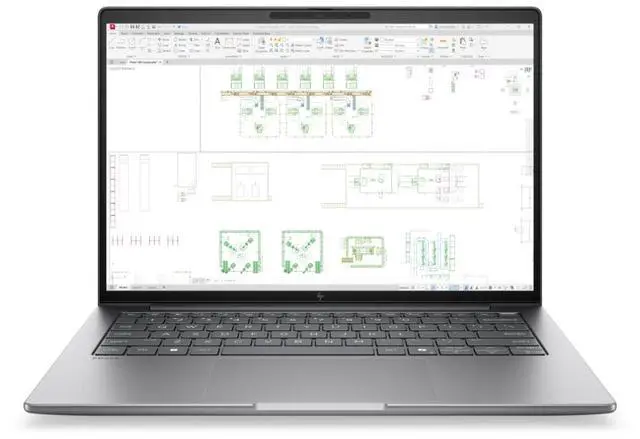
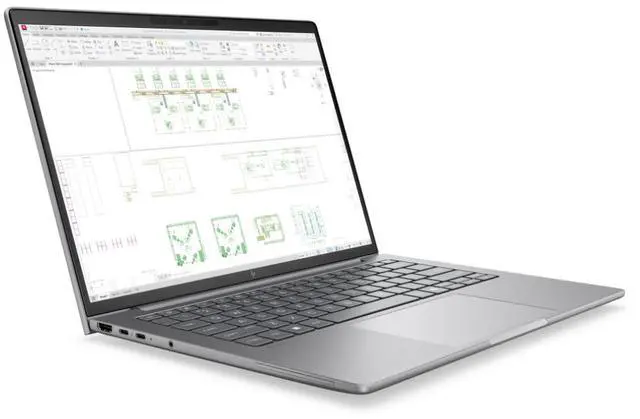
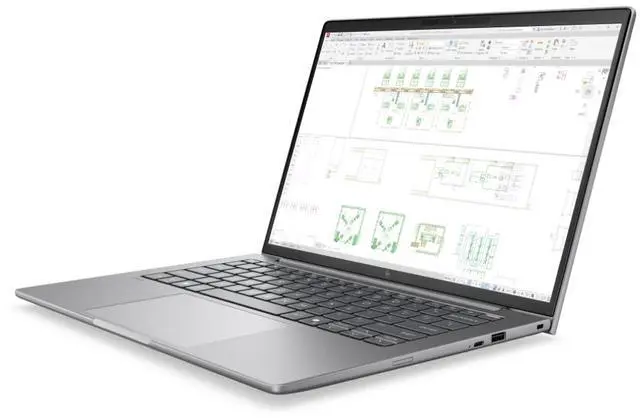
This product does not include manufacturer warranty when purchased or used outside of its designated sales region. By purchasing internationally, you acknowledge that warranty support from the manufacturer will not be available.The HP ZBook 8 G2i is a 14-inch business and workstation-class laptop with an Intel Core Ultra 7 366H, 48GB DDR5 memory, 1TB SSD, Windows 11 Pro, and Wi-Fi 7, making it a strong fit for professionals who want a portable system for multitasking, office productivity, and demanding business workflows.
| Attribute | Value |
|---|---|
| Best For | Mobile professionals and creators who need a 14-inch mobile workstation with an Intel Core Ultra 7 CPU, large 48 GB DDR5 memory and an NVIDIA RTX PRO 500 GPU for demanding productivity and professional graphics workflows |
| Processor And Core Details | Intel Core Ultra 7 366H processor (Processor series Intel Core Ultra 7) with up to 4.8 GHz turbo boost and 18 MB L3 cache |
| Memory Configuration | 48 GB DDR5 SDRAM installed (48 GB total) with 2 RAM slots |
| Storage And Expansion | 1 TB solid-state drive (m.2 form factor / m2 interface) |
| Display Spec | 14.0-inch WUXGA IPS display, native resolution 1920 x 1200 (1920x1200), up to 400 nits brightness and 100% sRGB color gamut |
| GPU And VRAM | NVIDIA RTX PRO 500 discrete GPU with 6 GB GDDR7 VRAM plus Intel integrated graphics |
| High Speed I O | Includes 2 Thunderbolt ports, 1 HDMI port and 2 USB ports plus USB Type-C; also lists HDMI and USB in connectivity set |
| Wired And Wireless Networking | Wireless connectivity via Wi‑Fi and Bluetooth |
| Webcam And Privacy | Built-in webcam present |
| Battery And Power | Includes standard battery and power adapter |
| Audio Setup | Stereo audio |
| Dimensions And Weight | Item dimensions 19.8 x 11 x 2.6 inches (L x W x Thickness); item package dimensions 19.8 x 11 x 2.6 inches; package weight 6.3 pounds |
| Model Identifiers | HP ZBook 8 G2i, model/part number DS3W9AT#ABA; Manufacturer Hewlett Packard; Edition ZBook 8 G2i; Series ZBook |
| Form Factor And Color | Mobile workstation form factor in Meteor Silver Aluminum color |
| Operating System | Windows 11 Pro |
Q: Should I buy the HP ZBook 8 G2i 14 or an HP EliteBook 8 for work?
A: Choose the HP ZBook 8 G2i 14 if your work includes CAD, 3D design, visualization, or other professional apps that benefit from ISV-certified workstation hardware and higher graphics options. Choose an HP EliteBook 8 if your workload is mainly office apps, web work, meetings, and general business productivity, where lower weight or lower cost may matter more than workstation features.
Q: Is the HP ZBook 8 G2i 14 worth it over a lower-tier Core Ultra 5 configuration?
A: The Core Ultra 7 366H configuration makes more sense if you expect heavier multitasking, larger datasets, or longer sessions in engineering and content-creation tools. A lower-tier Core Ultra 5 version is the better fit when you want the same ZBook platform for lighter professional use and want to control cost. The main trade-off is headroom: the Ultra 7 gives more CPU performance and keeps the system better aligned with memory-heavy workstation use.
Q: Should I choose this HP ZBook 8 G2i 14 or a higher-end ZBook with RTX graphics?
A: Choose this ZBook 8 G2i 14 configuration if you want a smaller 14-inch workstation for CPU-focused professional work, AI-assisted productivity, and moderate graphics needs. Move to a higher-end ZBook configuration with RTX graphics if your workflow depends on heavier GPU acceleration, larger 3D scenes, or more demanding rendering and simulation workloads. The trade-off is portability versus graphics capacity.
Q: Is the HP ZBook 8 G2i 14 a better pick than the previous-generation ZBook 8 G1i?
A: In most cases, yes. The ZBook 8 G2i 14 is the better choice if prices are close, because HP positions it as the newer design with updated Intel platform options, AI-focused NPU capability, and revised power and portability improvements. The previous-generation model still makes sense if you find a substantially lower price and do not need the latest platform changes.
Q: Should I pick the HP ZBook 8 G2i 14 for portability or choose a larger performance-first workstation?
A: Pick the ZBook 8 G2i 14 if you want workstation features in a more travel-friendly size and your work needs a balance of mobility, memory capacity, and professional software support. Choose a larger performance-first workstation when sustained thermals, more powerful graphics options, and expansion matter more than compact size. The 14-inch ZBook is the better fit for mobile professionals; larger systems are better for desk-heavy workflows.
Q: Is this a good laptop for travel, meetings, and everyday office work?
A: Yes. This configuration is well suited to business travel and daily productivity because it combines a 14-inch size, Windows 11 Pro, a webcam, Wi-Fi 7, 48GB of memory, and a 1TB SSD. That makes it a strong fit for email, documents, browser-heavy work, video meetings, and multitasking. The main trade-off is that a mobile workstation is usually chosen more for performance and business features than for lowest weight or longest battery life.
Q: Who is this HP ZBook 8 G2i best suited for?
A: It is best suited for professionals who want a compact business laptop with workstation-class positioning and more memory than a typical office notebook. Good fits include analysts, engineers, developers, technical users, and power office users who run many apps or large files at once. It is less ideal for buyers who only need a basic low-cost laptop for light browsing and simple document work.
Q: Is it overkill for note-taking, Zoom, Microsoft 365, and standard office tasks?
A: For basic office use alone, yes, it is more machine than most people need. A laptop with a mainstream business CPU, 16GB to 32GB RAM, and a smaller price tag can already handle note-taking, web apps, Teams or Zoom, and Microsoft 365 well. The reason to choose this ZBook is if you want extra headroom for heavier multitasking, larger datasets, longer useful life, or more demanding professional software.
Q: How does it compare with a lighter consumer 14-inch laptop like an ASUS Zenbook or HP OmniBook?
A: Choose the ZBook 8 G2i if your priority is business deployment, Windows 11 Pro, higher memory capacity, and stronger fit for demanding professional workloads. Choose a consumer model like a Zenbook or OmniBook if your priority is lower weight, a more lifestyle-focused design, or features such as touch or OLED that are common in consumer lines. The trade-off is that consumer models can be better for portability and display features, while the ZBook is the safer choice for heavier professional use and enterprise-oriented workflows.
Q: Is this a better choice than a standard business laptop if I keep many apps, browser tabs, and large files open?
A: Yes, if that is your workload. The 48GB DDR5 memory and 1TB SSD give this model much more working headroom than many standard business laptops that ship with 16GB RAM and 512GB storage. That makes it a better fit for heavy multitasking and larger project files. The trade-off is cost and potentially less emphasis on thin-and-light efficiency compared with mainstream business notebooks.
Q: Is this HP ZBook 14-inch model a good fit for work and travel?
A: Yes, if you want a compact business/workstation laptop with strong memory and storage in a 14-inch size. Based on repeated Reddit discussion around recent 14-inch ZBook models, buyers usually choose it for office work, multitasking, docking, and portable professional use. The main trade-off is that battery life on 14-inch ZBooks is often described as acceptable rather than all-day, so it fits best if you often work near power.
Q: Who is this laptop most suitable for?
A: It is most suitable for professionals who need a portable Windows workstation-style laptop for business apps, heavy multitasking, large spreadsheets, browser-heavy workflows, remote meetings, and docked desk use. With a Core Ultra 7, 48GB DDR5, and 1TB SSD, it makes more sense for work-focused users than for casual buyers who only need basic web and school tasks.
Q: Is it worth buying over a mainstream 14-inch laptop?
A: It is worth buying if you specifically want workstation-oriented priorities such as higher memory capacity, business features, Windows 11 Pro, and likely better fit for docking and sustained professional use. It is less compelling if your top priorities are the lowest price, the lightest possible travel laptop, or maximum battery life.
Q: What are the main trade-offs of choosing this ZBook?
A: The main trade-offs are battery life, fan noise under heavy load, and paying for workstation-class specs that some users may not need. Reddit discussion around similar 14-inch ZBooks commonly points to solid build, keyboard, and upgradeability, but also to shorter unplugged runtime than buyers may expect from a general-purpose ultrabook.
Q: Can this replace an office desktop or docked work laptop?
A: Yes, for many professional users. The combination of a Core Ultra 7 processor, 48GB of RAM, and 1TB SSD is enough for demanding office multitasking and docked workflows. Community discussion around nearby ZBook models often treats them as laptops that spend part of their time docked, especially for users running many apps, meetings, browser tabs, and external displays.