
Your Browsing History
- Free 30-day Returns
- ฿2,601.77 Shipping
฿66,717.70
VAT-Inclusive Price
Ships from United States.
Sold by Newegg
Shipped by Newegg


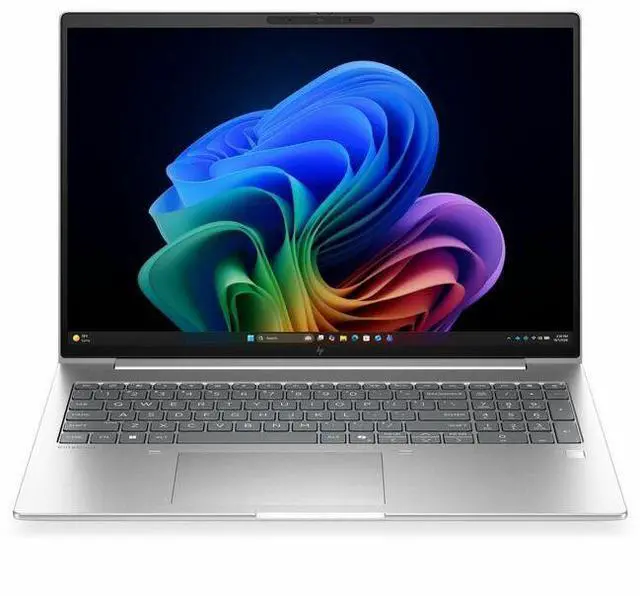
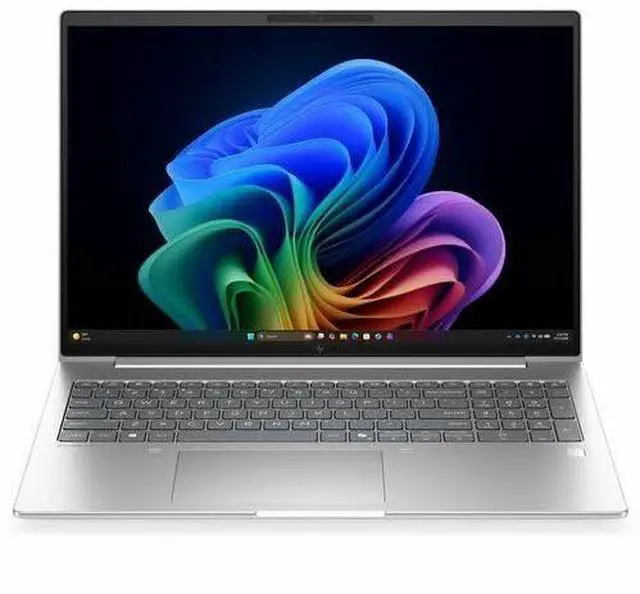


HP EliteBook 6 G2i 16" Copilot+ PC Notebook - WUXGA - Intel Core Ultra 5 Series 3 325 - 16 GB - 512 GB SSD - English Keyboard - Pike Silver Aluminum - Intel Chip - 1920 x 1200 - Windows 11 Pro
- WUXGA
- Intel Core Ultra 5 Series 3 325
- 16 GB
- 512 GB SSD
- English Keyboard
- Pike Silver Aluminum
- Intel Chip
- 1920 x 1200
- Windows 11 Pro
- Intel
- In-plane Switching (IPS) Technology
- Front Camera/Web
+
+
Overview
Specs
Reviews
SMART BUY ELITEBOOK 6 G2 I16 AI U5 325 16 16GB/512 PC
Warranty & Returns
Warranty, Returns, And Additional Information
Return Policies*
- Return for refund within: 30 days
- Returns are subject to restocking fees and return shipping fees. Please click here to learn more about restocking fees and return shipping fees.
- This item is covered by Newegg.com's International Order Return Policy.
- Read full return policy for details.
- *Subject to applicable law
Warranty Notice:
This product does not include manufacturer warranty when purchased or used outside of its designated sales region. By purchasing internationally, you acknowledge that warranty support from the manufacturer will not be available.
Manufacturer Contact Info
- Manufacturer Website
- Support Phone: 1-800-474-6836
- Support Website
- View other products from HP
LOADING...
LOADING...
Learn about this product
The HP EliteBook 6 G2i is a 16-inch Windows 11 Pro laptop with an Intel Core Ultra 5 325, 16GB RAM, and a 512GB SSD, making it a strong fit for professionals, students, and home users who want a large-screen notebook for everyday productivity, video calls, and multitasking.
Recommended For
- Office-heavy professionals who keep many browser tabs, Microsoft 365 apps, video meetings, and line-of-business tools open at once, and want a 16-inch business laptop with enterprise security and straightforward port selection for desks, conference rooms, and hybrid work.
- Hybrid employees who regularly join Zoom or Teams calls and want built-in business features like a 5MP webcam, privacy shutter, Windows Hello options, and Windows 11 Pro without moving up to a premium mobile workstation.
- Users who split time between a desk and travel, and need a larger-screen laptop that still covers common business connectivity directly on the device, including Thunderbolt 4, USB-A, HDMI, and wired Ethernet.
- IT-managed business fleets that value serviceability, standard corporate deployment, and the EliteBook line’s long-standing role as HP’s mainstream corporate notebook rather than a niche creator or gaming model.
Real-World Use Scenarios
- Working in browser tabs, Word, Excel, PowerPoint, and Teams at the same time is a natural fit for this laptop; users should expect responsive day-to-day office work rather than workstation-class speed.
- For remote meetings, users can run video calls, screen sharing, and note-taking together with fewer distractions from fan noise or battery drain than a performance laptop, while AI meeting features such as noise reduction and webcam effects are part of the intended use.
- This is a sensible choice for travel-heavy office users who spend long stretches writing, emailing, joining calls, and editing documents away from a desk; the expected experience is business-first mobility, not gaming or creator-laptop behavior.
- For streaming video, web apps, cloud dashboards, and general multitasking on a 16-inch screen, users should get a comfortable everyday experience with enough room for side-by-side windows and spreadsheets.
- Light photo cleanup, basic social or marketing graphics, and short presentation assets are realistic workloads; heavier 3D work, advanced video editing, and modern gaming are not the main use case because the system relies on integrated graphics.
Spec Summary
| Attribute | Value |
|---|---|
| Best For | Home, business, and student users who need a 16-inch notebook with integrated Intel Core Ultra 5 processing, 16 GB DDR5 memory, and a 512 GB M.2 SSD for general productivity and everyday multitasking |
| Processor And Core Count | Intel Core Ultra 5 (Series 3) model 325, up to 4.5 GHz, 8 processors, 12 MB L3 cache |
| Memory Configuration | 16 GB installed DDR5 (SODIMM), two SODIMM slots total, upgradable to 32 GB |
| Storage And Expansion | 512 GB solid-state storage in M.2 form factor |
| Display Spec | 16.0-inch IPS LCD with 1920 x 1200 native resolution and up to 300 nits brightness |
| Graphics And Video | Integrated Intel graphics (uses system DDR5 memory) with HDMI video output |
| Battery And Power | 3-cell lithium-ion internal battery (4000 mAh) included |
| Ports And Connectivity | Includes 2 Thunderbolt ports, 2 USB ports, and 1 HDMI port; Gigabit Ethernet available |
| Wired And Wireless Networking | Wi‑Fi 7 (802.11.be) wireless and Bluetooth support plus Gigabit Ethernet for wired networking |
| Camera And Biometric | Front-facing webcam and integrated fingerprint reader for biometric sign-in |
| Keyboard And Input | Built-in keyboard for input; power adapter included in the package |
| Chassis And Dimensions | Unit dimensions reported as 0.69" x 14.1" x 9.9" (thickness x width x depth); package dimensions 19.9 x 3.4 x 11.9 inches; color listed as Pike Silver Aluminum |
| Weight And Packaging | Item weight about 3.8–3.81 lb; package weight 5.4 lb; unit count 1 |
| Operating System | Windows 11 Pro |
| Model Identifiers | HP (Hewlett Packard) EliteBook 6 G2i, model D9FP5UT#ABA, 2026 edition, form factor: notebook |
Reference Q&A
Q: Is the HP EliteBook 6 G2i 16 a better fit than a last-gen EliteBook 6 G1i 16?
A: Choose the EliteBook 6 G2i 16 if you want a newer Copilot+ business laptop with a higher on-device AI capability and a platform aimed at strong everyday efficiency. HP positions the G2i as a next-gen AI PC, and the Core Ultra 5 325 configuration is paired with a 47 TOPS NPU, which is a major step up from the lower NPU figures listed on many G1i Intel configurations. The trade-off is that the G1i line includes higher-core H-series options that can make more sense for heavier sustained CPU workloads. In short: G2i is the better choice for modern business use, AI features, and balanced efficiency; G1i is the more natural pick if your priority is higher-tier traditional CPU throughput over Copilot+ positioning.
Q: Should I buy this EliteBook 6 G2i 16 or move up to a Core Ultra 7 configuration?
A: Buy this Core Ultra 5 325 model if your workload is mainly office apps, web, video calls, multitasking, and standard business use. HP offers the same chassis family with Core Ultra 7 355 options, but the platform keeps the same overall business-laptop focus, so the upgrade is most useful for buyers who regularly run heavier spreadsheets, larger datasets, or more demanding multitasking. External coverage of Intel's Panther Lake generation indicates the base Core Ultra 5 325 remains a sensible entry point, while higher-tier chips are more about extra headroom than a different class of experience. In short: Core Ultra 5 is the value-oriented business choice; Core Ultra 7 is the better fit for users who know they will push CPU performance more often.
Q: Is this EliteBook 6 G2i 16 better for portability and battery-focused work than a performance-first 16-inch business laptop?
A: Yes, this EliteBook 6 G2i 16 makes more sense if your priority is efficient day-to-day business use rather than maximum sustained CPU or GPU output. HP's configuration pairs a 16-inch WUXGA IPS display, integrated graphics, and a Core Ultra 5 325 platform with a 47 TOPS NPU, which points to an efficiency-first Copilot+ design. Independent coverage of Panther Lake and Lunar Lake business systems consistently frames these platforms as strong for office responsiveness and battery-conscious use, while heavier H-class business laptops are still the better choice for more demanding compute-heavy tasks. In short: choose the EliteBook 6 G2i for mobile productivity and AI-ready business use; choose a performance-first 16-inch model if your work regularly stresses the processor for long periods.
Q: How does the HP EliteBook 6 G2i 16 compare with a typical Lunar Lake business laptop?
A: The EliteBook 6 G2i 16 is the better choice if you want a newer Intel business platform with Copilot+ support and a balance of battery-minded design and stronger forward-looking AI positioning. Reviews of Lunar Lake business laptops commonly highlight excellent battery life and quiet everyday behavior, but they also note trade-offs in CPU headroom or upgrade flexibility depending on the model. Panther Lake coverage suggests Intel is aiming to keep strong efficiency while improving performance, which makes the EliteBook 6 G2i a practical upgrade path for buyers who want current-generation AI features without moving to a bulkier workstation-style notebook. In short: choose a Lunar Lake business laptop if proven battery-first behavior matters most; choose the EliteBook 6 G2i if you want the newer platform and broader long-term AI relevance.
Q: Is this a good laptop for meetings, office work, and everyday business tasks?
A: Yes. This configuration is well suited to office productivity, web apps, video meetings, document work, and general multitasking. The combination of an Intel Core Ultra 5 processor, 16GB RAM, 512GB SSD, Windows 11 Pro, integrated graphics, a 5MP webcam, HDMI, and Thunderbolt 4 matches the feature set buyers commonly ask for on business laptops. The main limitation is that it is not aimed at heavy 3D, advanced gaming, or workstation-class creative workloads.
Q: Is it worth buying as a travel work laptop?
A: It can work well for travel if you want a larger 16-inch business laptop, but portability is a trade-off. At about 3.81 lb with a 16-inch display, it is more desk-friendly and spreadsheet-friendly than ultra-light. It makes sense for travelers who prioritize screen size, full-size workspace, HDMI, and Thunderbolt connectivity over minimal carry weight.
Q: Who is this laptop best for?
A: This model is best for business users, remote workers, students in productivity-heavy programs, and home-office buyers who want a larger non-touch display with Windows 11 Pro. It is a better fit for email, spreadsheets, presentations, browser-based work, meetings, and multitasking than for gaming or specialized GPU-intensive content creation.
Q: What are the main trade-offs versus a thinner 14-inch Copilot+ laptop?
A: The main advantage of this HP is practicality: a larger 16-inch 1920 x 1200 display, business-oriented Windows 11 Pro, HDMI, and dual Thunderbolt 4 ports. The trade-offs are lower portability and a less premium media-focused display experience than some smaller OLED competitors. Buyers choosing between this and a thinner 14-inch alternative are usually deciding between workspace and business connectivity versus lighter travel weight and more compact carry.
Q: Is this a better choice than a touchscreen 2-in-1 or tablet-style Copilot+ PC?
A: It is the better choice if you want a traditional clamshell business laptop with a larger screen, built-in HDMI, and straightforward office use. A 2-in-1 or tablet-style Copilot+ PC is the better choice if you specifically want pen input, tablet flexibility, or a more portable form factor. This HP does not target note-taking-by-stylus workflows because it has a non-touch display.
Q: Is this HP EliteBook 6 G2i a good fit for office work and everyday productivity?
A: Yes for standard business and productivity use. The listed configuration is well matched to web apps, Microsoft Office, video calls, note-taking, and multitasking at a moderate level. The main caveat is memory: 16 GB is fine for typical office use, but buyers who keep many heavy apps or large numbers of browser tabs open may prefer a 32 GB configuration if available.
Q: Who is this laptop most suitable for?
A: It is most suitable for buyers who want a 16-inch Windows business laptop for work, remote meetings, documents, browsing, and general daily use. Based on the listed specs, it is a better fit for professional productivity than for gaming, GPU-heavy creative work, or advanced local AI workloads.
Q: What are the main trade-offs of buying this configuration?
A: The main trade-offs are capability versus headroom. This model gives you a large 16-inch 1920x1200 IPS display, Windows 11 Pro, webcam, and integrated graphics in a business-oriented setup, but the 16 GB RAM, 512 GB SSD, and non-touch display make it a practical mid-range configuration rather than a high-end one. It is better for productivity than for buyers who want extra memory, more storage, touch input, or stronger graphics.
Q: Is the Copilot+ label a strong reason by itself to choose this laptop?
A: No. For most buyers, the decision should be based more on the laptop's overall specs, screen size, memory, storage, and business features than on Copilot+ branding alone. Community discussion around Copilot+ laptops often focuses on uncertainty about day-to-day value unless you specifically want Windows AI features and understand their limits.
Q: Is this a good choice if I want one laptop for travel and home use?
A: It can be, if you value a larger screen for work more than maximum portability. A 16-inch business laptop is generally easier for split-screen work, documents, and video calls, but it is usually less travel-friendly than a 13- or 14-inch model. This configuration makes the most sense for buyers who want a bigger display as their main everyday laptop.