


 All CategoriesAll CategoriesAll Categories
Shipped by Newegg







Warranty Notice:
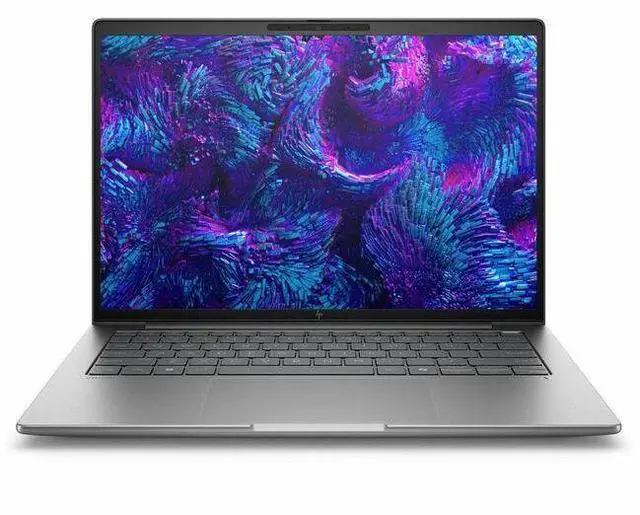
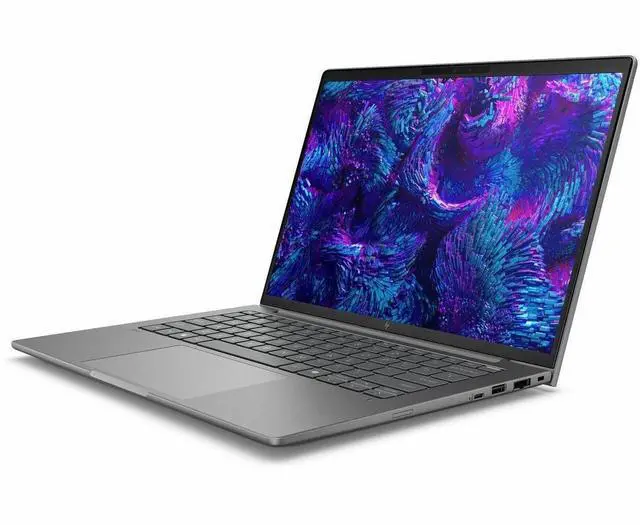
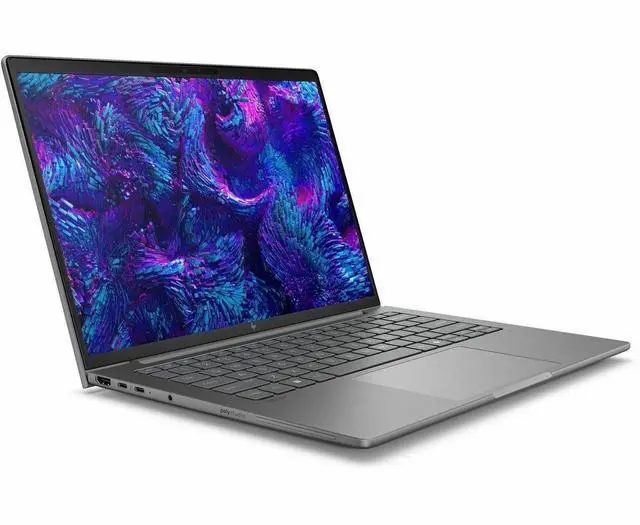
This product does not include manufacturer warranty when purchased or used outside of its designated sales region. By purchasing internationally, you acknowledge that warranty support from the manufacturer will not be available.The HP ZBook 8 G1i 16-inch mobile workstation is a high-resolution Windows 11 Pro laptop built for engineers, creators, and business users who need a large 3840 x 2400 display, 64GB of memory, 2TB of SSD storage, and workstation-class flexibility for demanding professional workflows.
| Attribute | Value |
|---|---|
| Best For | 16-inch mobile workstation users who need a high-resolution 3840 x 2400 display, large memory (64 GB) and 2 TB SSD storage for demanding productivity and creative workflows, with vPro and Wolf Pro security options |
| Display Spec | 16.0" IPS DreamColor display, native 3840 x 2400 (WQUXGA) resolution, 120 Hz refresh rate, up to 500 nit brightness, non-touch |
| Processor And Core Count | Intel Core Ultra 7 (model 265H) single-processor configuration, up to 5.3 GHz turbo and 24 MB L3 cache |
| Memory Configuration | 64 GB DDR5 SDRAM installed (two RAM slots, up to 64 GB maximum) |
| Storage And Expansion | 2 TB solid-state drive in M.2 form factor |
| GPU And VRAM | Integrated graphics |
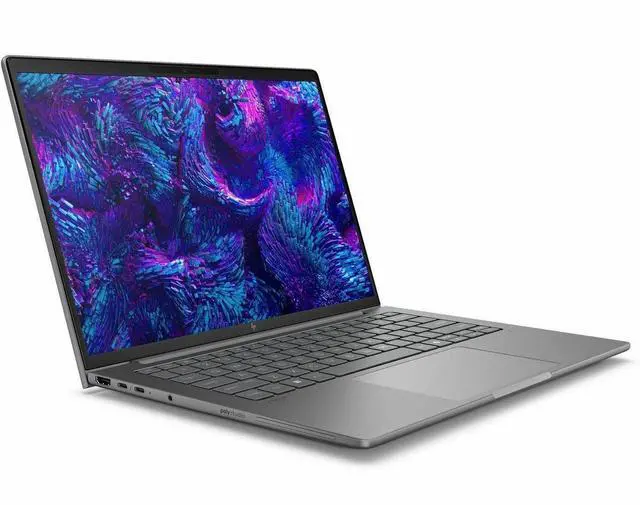
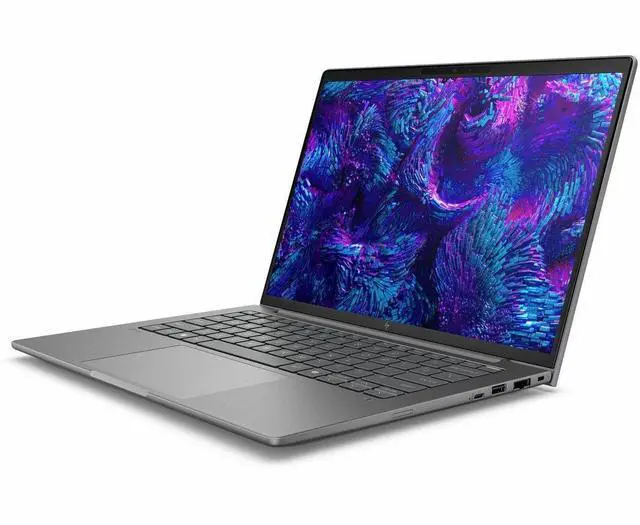
| High Speed I O | 2 Thunderbolt ports, 1 HDMI output and multiple USB ports (total ports listed as 4), USB Type-C support |
| Wired And Wireless Networking | Wi‑Fi (802.11be) and Bluetooth wireless support plus Ethernet connectivity |
| Webcam And Privacy | Built-in webcam included |
| Keyboard And Control | Full-size QWERTY keyboard with standard keys and touch pad; display is non-touch |
| Operating System And Software | Windows 11 Pro |
| Security And Special Features | AI-powered features plus vPro Technology and Wolf Pro Security Edition |
| Physical And Packaging | Meteor Silver mobile workstation; item dimensions 12 x 19.9 x 2.7 inches and package weight 7.65 pounds |
| Model Identifiers | HP ZBook 8 G1i model BX7V7UT#ABA (manufacturer Hewlett Packard), mobile workstation form factor |
Q: Should I choose this HP ZBook 8 G1i 16 or a lighter business laptop for CAD, Adobe, or engineering work?
A: Choose the HP ZBook 8 G1i 16 when your workload benefits from workstation features such as pro-app GPU options, higher memory capacity, and a 16-inch high-resolution display. HP positions the ZBook 8 as a mobile workstation for professional multitasking and certified app workflows, while community discussion around the current lineup treats it as the workstation-oriented counterpart to HP's business-class models. A lighter business laptop is the better fit for office, browser, and travel-first use; the ZBook 8 G1i 16 is the better fit when your priority is running larger files, more demanding creative or technical apps, and keeping 64GB RAM and 2TB storage in one system.
Q: Is the 64GB / 2TB HP ZBook 8 G1i 16 worth choosing over a lower-spec ZBook 8 configuration?
A: Choose this 64GB / 2TB configuration if you plan to keep many large project files locally or run heavier multitasking workloads such as multiple Adobe apps, CAD assemblies, VMs, data tools, or browser-heavy workflows. HP officially supports the ZBook 8 with up to 64GB memory, and review coverage of the ZBook 8 family consistently frames it as a machine meant to keep large files and pro apps open at the same time. A lower-tier configuration is the better value if your work is mostly documents, web apps, remote desktops, or lighter editing, because the platform benefits will still be there without paying for memory and storage headroom you may not use every day.
Q: Should I get this ZBook 8 G1i 16 with Core Ultra 7 265H or move up to a Core Ultra 9 configuration?
A: The Core Ultra 7 265H version is the practical choice for most buyers unless you already know your workflow is CPU-bound for long stretches. Across current Arrow Lake-H comparisons, the step from Core Ultra 7 to Core Ultra 9 is usually a modest uplift rather than a major class change, so the upgrade matters more for sustained rendering or compile-heavy work than for everyday office, Adobe, or mixed workstation use. If your budget is fixed, keeping the Ultra 7 and prioritizing RAM, storage, or discrete graphics is usually the clearer decision.
Q: Is this ZBook 8 G1i 16 better than an integrated-graphics workstation laptop for 3D or GPU-accelerated apps?
A: Yes, this configuration makes more sense when you want broader compatibility and more headroom for GPU-accelerated professional work, because it pairs Intel Arc 140T graphics with an NVIDIA RTX 500 Ada laptop GPU option. Reviews of the ZBook 8 family show that integrated Arc 140T can be workable for lighter professional tasks, but results vary by application and discrete workstation GPUs remain the safer choice for heavier 3D, viewport, rendering, and certified-app workflows. An integrated-only model is still reasonable if your work is mainly 2D, office, coding, or lighter creative tasks and portability or battery life matters more than GPU depth.
Q: Should I choose the HP ZBook 8 G1i 16 or a thinner, portability-first workstation like a 14-inch model?
A: Choose the ZBook 8 G1i 16 if screen space, upgrade headroom, and a more desk-friendly workstation setup matter more than minimizing size. A 14-inch portability-first model is easier to carry daily, but the 16-inch ZBook is the better fit when you spend long hours in spreadsheets, timelines, code, CAD, or side-by-side windows and want room for higher-end memory and graphics configurations. The trade-off is simple: 14-inch class systems favor mobility, while this 16-inch configuration favors workspace and component headroom.
Q: Is this a good fit for CAD, Adobe, coding, and other professional workstation work?
A: Yes. This configuration is better suited to professional multitasking and workstation-style use than a standard office laptop because it combines a Core Ultra 7 H-series processor, 64GB RAM, a 2TB SSD, and workstation-class graphics options listed for the model family. It is a stronger fit for CAD, large spreadsheets, software development, and content creation than for casual home use. The main trade-off is price and portability versus mainstream consumer laptops.
Q: Is it worth buying as a travel work device?
A: It can work as a travel workstation, but it is not the best choice if low weight and long unplugged runtime are your top priorities. A 16-inch mobile workstation with a very high-resolution display and professional graphics is usually better for desk-to-desk travel, client visits, and hybrid work than for all-day airport or coffee-shop use. If you travel often and mostly do email, documents, and meetings, a lighter business laptop is usually the better buy.
Q: Is this overkill for note-taking, meetings, and office work?
A: For basic office use, yes. This model will handle meetings, web apps, Office, and note-taking easily, but its workstation-class CPU, large memory, and high-end storage are more than most office users need. It makes more sense if your office work is mixed with heavier tasks such as local AI tools, photo or video work, large data files, engineering apps, or multiple external displays.
Q: What are the main trade-offs versus a creator or gaming-style 16-inch laptop?
A: The ZBook-style workstation trade-off is usually reliability, business features, and professional-use positioning versus lower cost or faster consumer graphics in gaming and creator laptops. Compared with a creator laptop, this kind of workstation is the safer choice for business deployment, heavy multitasking, and professional software workflows. Compared with a gaming laptop, it is typically the weaker value if your main goal is gaming performance per dollar.
Q: Should you buy this if USB-C charging and simple portable charging matter a lot?
A: Only if you are comfortable carrying the dedicated charger. On comparable 16-inch workstation and creator-class laptops, USB-C charging support is a common buyer question because some models do not support full power delivery over USB-C. If you want the flexibility to top up with common USB-C chargers and travel lighter, confirm the exact port and charging support for this HP configuration before buying.
Q: Who is the HP ZBook 8 G1i 16 best suited for?
A: It fits users who need a 16-inch mobile workstation for professional productivity, coding, office work, large spreadsheets, and light-to-moderate GPU-assisted workloads. Based on repeated Reddit discussion, it makes the most sense for buyers who want workstation features, high RAM and storage, and better portability than a full desktop-replacement model. It is less suitable for buyers who need strong sustained 3D, rendering, or AI performance from the GPU.
Q: Is the HP ZBook 8 G1i 16 a good buy if I care more about portability than maximum GPU power?
A: Yes, if your priority is a thinner, more travel-friendly workstation with high-end CPU, memory, and storage. Reddit discussion repeatedly frames the ZBook 8 line as a lighter alternative to larger ZBook models, with the trade-off that graphics performance is limited compared with heavier workstation configurations. For buyers who mainly work in CPU-heavy apps and only occasionally need GPU acceleration, that trade-off can make sense.
Q: Can the HP ZBook 8 G1i 16 replace a heavier workstation laptop?
A: It can replace a heavier workstation for many office, development, and general professional workflows, but not for users who depend on higher-end dedicated graphics. The listed configuration has a strong CPU, 64GB RAM, and 2TB SSD, which are enough for demanding multitasking and professional use. The main compromise is graphics capability and overall headroom versus bulkier workstation models designed for sustained CAD, rendering, or simulation workloads.
Q: What are the main trade-offs of choosing the HP ZBook 8 G1i 16?
A: The main trade-offs are GPU limits versus larger workstations, no touchscreen in this configuration, and the usual workstation balance between portability and peak performance. Reddit discussion around the ZBook 8 line also highlights that buyer experience can depend on firmware and power-management behavior, so it is better suited to users who value the platform's display, memory, storage, and business features more than absolute graphics performance.

