


 All CategoriesAll CategoriesAll Categories
Shipped by Newegg
 Top Rated





Warranty Notice:
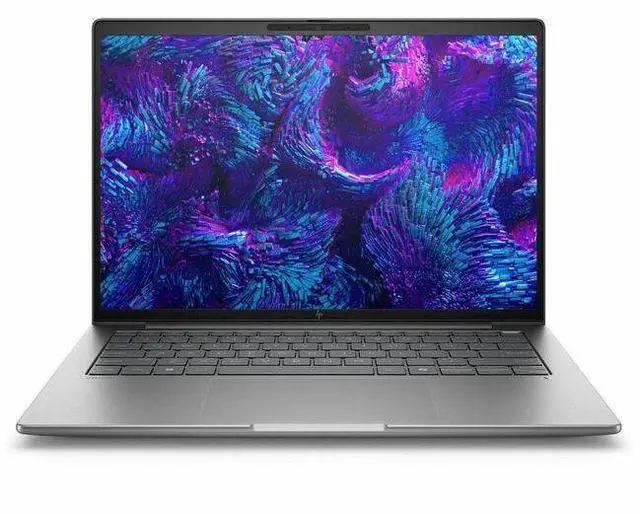
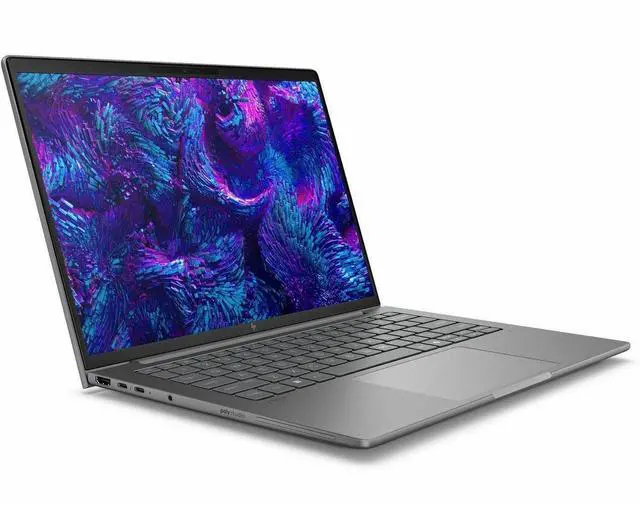
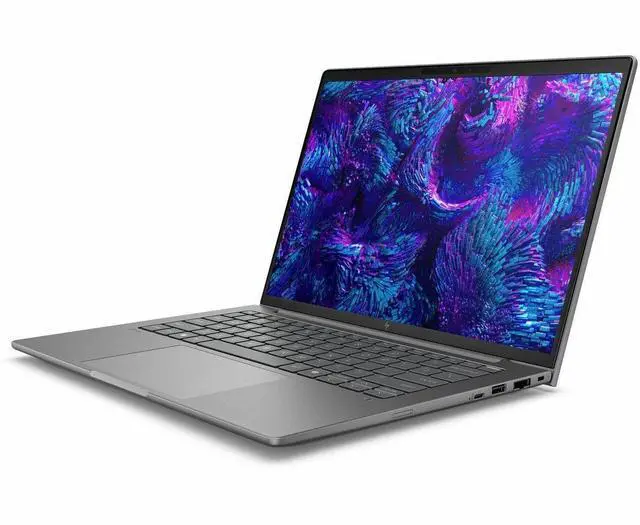
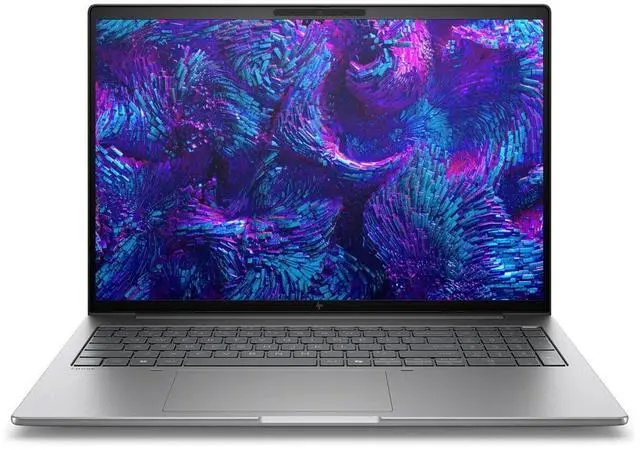
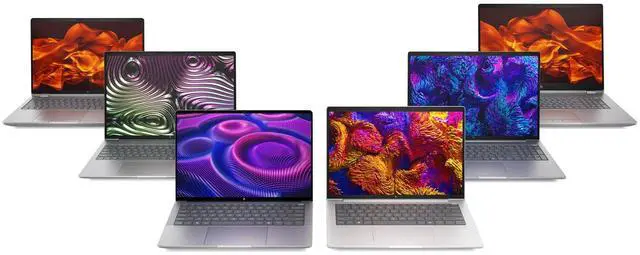
This product does not include manufacturer warranty when purchased or used outside of its designated sales region. By purchasing internationally, you acknowledge that warranty support from the manufacturer will not be available.The HP ZBook 8 G1i is a 16-inch mobile workstation built for professionals who need business-class performance, Windows 11 Pro, and a roomy 1920 x 1200 display for office work, technical workflows, and everyday content creation.
| Attribute | Value |
|---|---|
| Best For | Mobile workstation users who need a 16.0-inch WUXGA (1920 x 1200) IPS laptop with Intel Core Ultra 7 (265H) processing, hybrid Intel/NVIDIA graphics (Arc 140T and RTX 500), 16 GB DDR5 RAM and a 512 GB SSD running Windows 11 Pro |
| Display Spec | 16.0-inch IPS panel, WUXGA native resolution (1920 x 1200), non-touch, up to 300 nit brightness with ~62% sRGB color gamut |
| Processor And Core Count | Intel Core Ultra 7 265H (7th Gen), up to 5.3 GHz maximum clock, 24 MB L3 cache |
| GPU And VRAM | Integrated Intel graphics plus discrete Intel Arc Graphics 140T and NVIDIA RTX 500; discrete graphics reported with 4 GB DDR5 VRAM |
| Memory Configuration | 16 GB DDR5 RAM installed, 2 memory slots, maximum supported memory listed as 16 GB |
| Storage And Expansion | 512 GB SSD internal storage |
| High Speed I O | High-speed I/O includes Thunderbolt (2 ports), USB (2 ports), HDMI (1 port) and USB‑C with DisplayPort video output; connectivity list also includes Ethernet |
| Battery And Power | No installed/replaceable batteries reported (Number of Batteries: 0); batteries listed as not included or required and battery type noted as nonstandard_battery; battery installation listed as Not Installed |
| Wired And Wireless Networking | Wi‑Fi and Bluetooth wireless (wireless compatibility listed as 802.11.be) with wired Ethernet supported |
| Webcam And Privacy | Built-in webcam present |
| Keyboard And Control | Full-size keyboard with touch pad input |
| Portability | Item weight 7.1 Pounds (package weight 7.5 Pounds); item/package dimensions listed as 20 x 3 x 12 inches; color: Meteor Silver |
| External Display And Docking Fit | Supports external displays via HDMI and USB‑C (DisplayPort); includes Thunderbolt ports suitable for docking and connecting external peripherals |
| Operating System | Windows 11 Pro |
| Form Factor And Type | Mobile Workstation (workstation form factor) |
| Model Identifiers | HP ZBook 8 G1i — Model BX7V4UT#ABA (edition ZBook 8 G1i), manufacturer Hewlett Packard |
Q: Should I buy the HP ZBook 8 G1i 16 or the HP ZBook Power 16 G11?
A: Choose the HP ZBook 8 G1i 16 if you want a thinner, lighter 16-inch mobile workstation for office, CAD, Adobe, and general professional app use, especially if mobility matters. Choose the ZBook Power 16 G11 if your priority is higher sustained GPU performance, more headroom for heavier 3D, rendering, or engineering workloads, and less concern about carrying extra size and weight. HP positions the ZBook 8 series below the more performance-oriented tiers, and review coverage consistently places Power-class systems as the better fit for users who need stronger discrete graphics and longer heavy-load performance.
Q: Is the HP ZBook 8 G1i 16 a better choice than the previous ZBook Firefly 16 generation?
A: Yes, for most buyers the ZBook 8 G1i 16 is the more current choice because it effectively replaces the Firefly tier in HP's updated lineup while keeping the same general role: an entry-to-mid mobile workstation that balances portability with certified pro-app use. Choose the older Firefly 16 only if you find it at a clearly lower price and its configuration already meets your needs. Choose the ZBook 8 G1i 16 if you want the newer platform, newer Intel Core Ultra options, and HP's current workstation roadmap.
Q: Should I get this ZBook 8 G1i 16 configuration or a higher-spec ZBook X or Fury model?
A: Get this ZBook 8 G1i 16 configuration if your work is mostly productivity, code, light-to-moderate content creation, 2D or lighter 3D design, and you want workstation features without moving into a larger high-end chassis. Move up to a ZBook X or Fury model if your workflow depends on faster discrete graphics, more VRAM, heavier rendering, simulation, large assemblies, or local AI workloads. Higher tiers are designed for more performance, while this ZBook 8 G1i configuration is better aligned with balanced mobile workstation use.
Q: Is this 16 GB RAM and 512 GB SSD ZBook 8 G1i 16 enough, or should I buy a higher-memory configuration?
A: This configuration is a practical fit for business apps, development, web-based workflows, and lighter workstation tasks. You should consider a higher-memory configuration if you regularly run large Adobe projects, CAD assemblies, virtual machines, datasets, or multiple heavy apps at once. The ZBook 8 platform supports higher-end configurations, so the main decision is whether your workload is mainstream professional use or consistently memory-intensive work. For many workstation buyers, memory capacity will affect day-to-day usability more than the difference between nearby CPU options.
Q: Should I choose the HP ZBook 8 G1i 16 for portability-focused work or buy a more performance-first workstation?
A: Choose the ZBook 8 G1i 16 if you carry your laptop often, work between office and home, and need workstation validation in a package that is easier to manage than larger high-power models. Choose a more performance-first workstation if your laptop spends most of its time docked and your work benefits directly from stronger GPU class, more VRAM, and higher sustained cooling capacity. In short: the ZBook 8 G1i 16 makes more sense for mobile professional use, while larger workstation tiers make more sense for desk-centered heavy compute work.
Q: Is this a good fit for office work, meetings, and everyday business tasks?
A: Yes. This configuration is well suited for office work, web apps, video meetings, documents, and multitasking. It has a 16-inch 1920 x 1200 display, webcam, Bluetooth, Windows 11 Pro, and an Intel Core Ultra 7 platform that is more than sufficient for typical productivity use. The main trade-off is that this is a workstation-class laptop, so it is likely more expensive than a standard business notebook with similar office-task performance.
Q: Is it worth buying as a travel work device?
A: It can work as a travel business laptop if you want a large 16-inch screen and workstation features, but it is not the most travel-friendly choice. Compared with smaller mobile workstations, the advantage is more screen space for spreadsheets, side-by-side windows, and creative or technical apps. The trade-off is portability: 16-inch workstations are usually less convenient for frequent flying or day-long carrying than 14-inch alternatives.
Q: Who is this laptop actually suitable for?
A: This model is best for buyers who want a business-class 16-inch Windows laptop with workstation positioning, enterprise features like Windows 11 Pro and vPro, and enough performance for heavier multitasking than a basic office laptop. It makes the most sense for engineers, analysts, technical professionals, and business users who value reliability, security, and screen space more than low price or maximum portability.
Q: Should I choose this HP ZBook 8 G1i or a smaller mobile workstation like the Dell Precision 14?
A: Choose the HP ZBook 8 G1i if you prefer a larger 16-inch workspace and your work benefits from more on-screen room. Choose a smaller alternative like a 14-inch Precision if portability matters more. In this comparison, the Dell listing shows stronger baseline specs for mobility-focused buyers, including 32GB RAM, 1TB SSD, discrete RTX 1000 Ada graphics, and an explicit 5.7 lb weight, while this HP configuration is listed with 16GB RAM and 512GB SSD in your product data. The HP is the better fit for users prioritizing screen size; the smaller Dell-style option is the better fit for frequent travel and higher out-of-box memory/storage.
Q: Is 16GB RAM and a 512GB SSD enough, or should I look for a higher-spec alternative?
A: For general business use, meetings, browser-heavy work, and standard productivity apps, 16GB RAM and 512GB SSD are usually enough. If you expect large local project files, virtual machines, CAD workloads, or longer-term headroom, a higher-spec configuration may be the safer choice. Retail Q&A pages for comparable laptops repeatedly show that buyers often ask about RAM expandability and VM use, which is a strong signal that memory and upgrade flexibility are major decision points in this category.
Q: Is the HP ZBook 8 G1i 16 a good fit for office work and multitasking?
A: Yes for typical office workloads, but this 16 GB configuration is the main limitation. Reddit discussions around the ZBook 8 G1i repeatedly focus on memory pressure in business apps and the view that 16 GB is low for a workstation-class laptop. For document work, web apps, meetings, and moderate multitasking, it should be fine. If your workload includes large Power BI models, heavier development, creative apps, or many browser tabs at once, a 32 GB or higher configuration is the safer buy.
Q: Is this configuration worth buying as a mobile workstation?
A: It is worth considering if you want a business-class 16-inch workstation for professional use and your workloads are light to moderate. The trade-off is that this specific model pairs a workstation chassis with only 16 GB RAM and a 1920 x 1200 non-touch display, so value depends heavily on price. It makes more sense for enterprise users who prioritize stability, Windows 11 Pro, ports, webcam, and workstation branding than for buyers seeking maximum performance per dollar.
Q: Who is the HP ZBook 8 G1i 16 most suitable for?
A: It is most suitable for professionals who need a work laptop first and a workstation second: analysts, developers, IT users, and business users who want a larger screen, Windows Pro, and better fleet-fit than a consumer laptop. It is less suitable for buyers who need strong local rendering, large 3D projects, or long-term headroom, because this listed configuration starts with only 16 GB RAM and a midrange screen.
Q: Is the HP ZBook 8 G1i 16 good for 3D design or creative work?
A: It can handle entry to mid-level creative and 3D work better than a standard office laptop, but this exact configuration is not ideal for heavier professional projects. Community discussion around similar ZBook G1i buying decisions often centers on choosing stronger GPU and memory options for Rhino, KeyShot, and Adobe apps. If your work is mostly 2D, lighter CAD, or occasional rendering, it can be enough. For frequent rendering or larger 3D scenes, more RAM and a stronger discrete GPU are the better choice.
Q: What are the main trade-offs of buying this ZBook 8 G1i 16 configuration?
A: The main trade-offs are memory, display tier, and likely performance headroom relative to the workstation label. You get a 16-inch WUXGA screen, Windows 11 Pro, business features, and a mobile-workstation form factor, but the 16 GB RAM and 512 GB SSD are modest for demanding workstation use. This configuration is easier to recommend for managed business deployment than for buyers who want one laptop for heavy creative work over several years.