


 All CategoriesAll CategoriesAll Categories
Shipped by Newegg
 Top Rated






Warranty Notice:
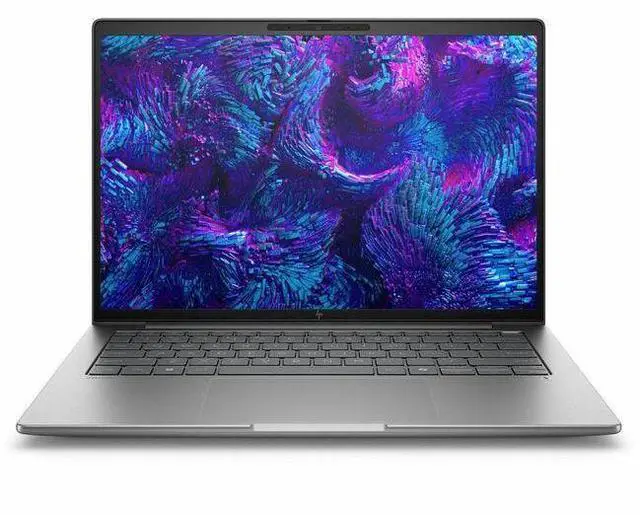
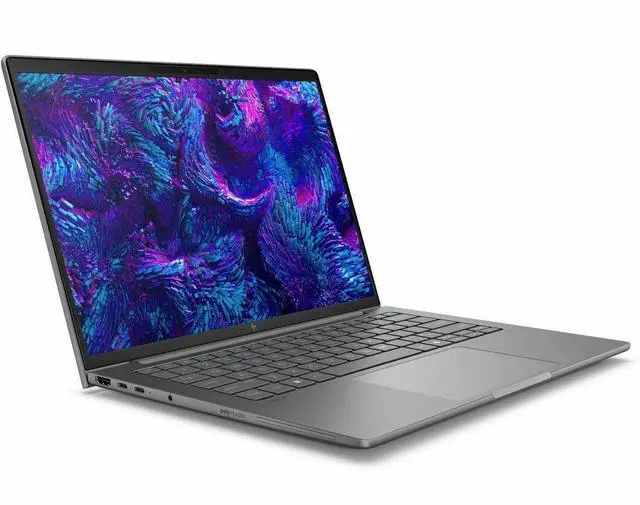
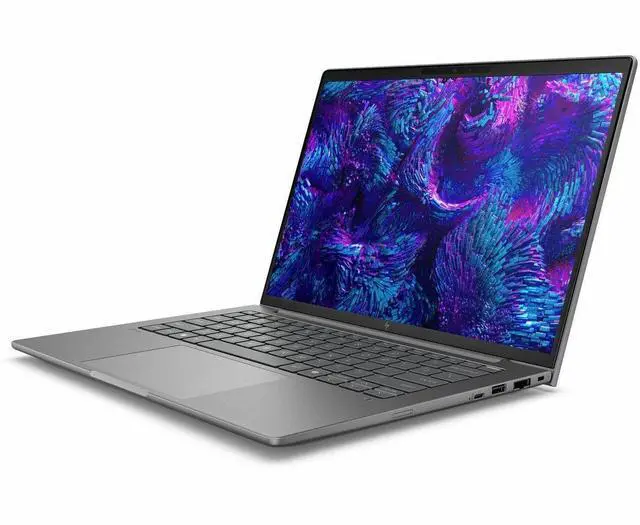
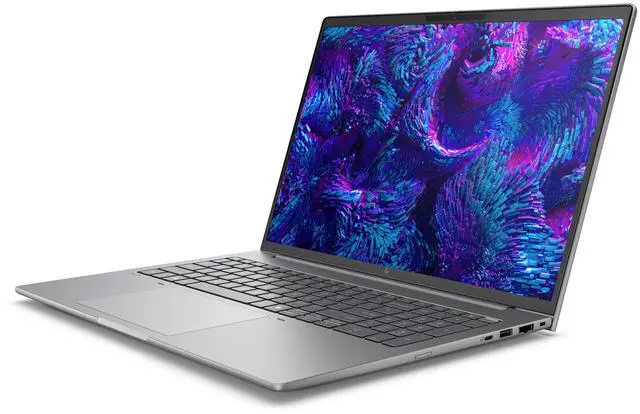
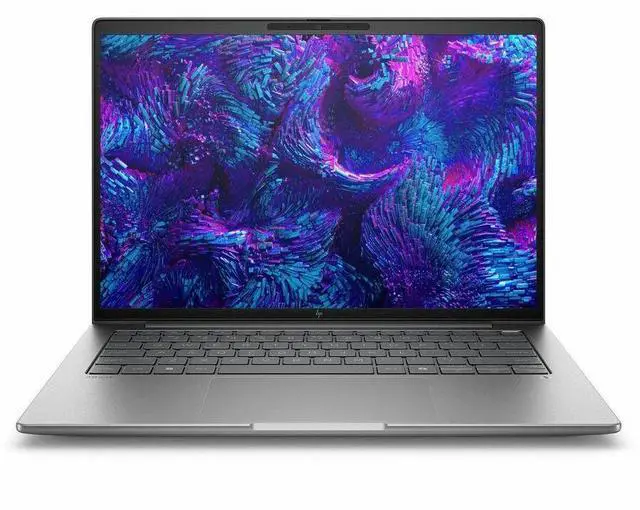
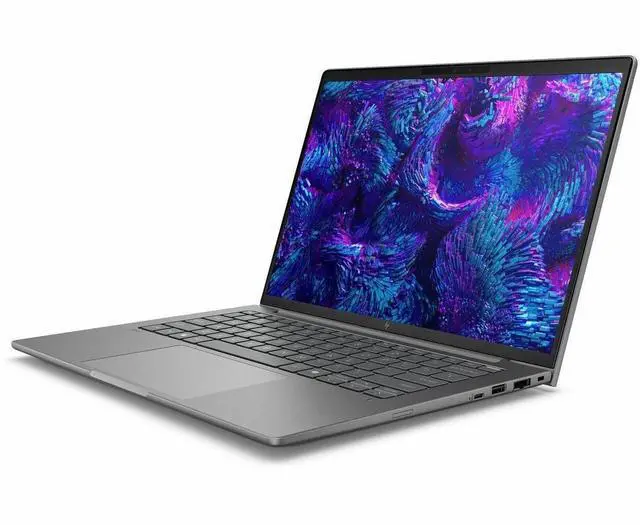
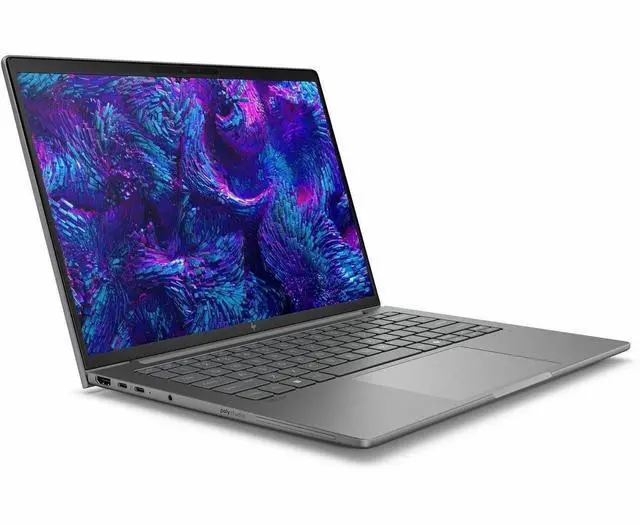
This product does not include manufacturer warranty when purchased or used outside of its designated sales region. By purchasing internationally, you acknowledge that warranty support from the manufacturer will not be available.The HP ZBook 8 G1i is a 16-inch touchscreen mobile workstation built for professionals who need a business laptop for CAD, creative work, multitasking, and office productivity with room for GPU-accelerated workflows.
| Attribute | Value |
|---|---|
| Best For | Business and professional users who need a 16-inch touchscreen mobile workstation with 32 GB RAM, 1 TB SSD and dedicated+integrated graphics for multitasking and graphics-capable applications |
| Display Spec | 16.0" touchscreen LED display, WUXGA 1920 x 1200 native resolution, 120 Hz refresh rate, 300 nit max brightness, sRGB 62% color gamut |
| Processor And Core Count | Intel Core Ultra 7 255H (13th Gen), up to 5.1 GHz, 24 MB L3 cache, 16-core processor |
| Memory Configuration | 32 GB DDR5 SDRAM installed (DDR5), 2 RAM slots, reported maximum 32 GB |
| Storage And Expansion | 1 TB SSD in M.2 form factor (m2 interface) |
| GPU And VRAM | Integrated Intel graphics plus dedicated GPUs listed: Intel Arc 140T (4 GB, DDR5) and NVIDIA RTX 500 reported; 4 GB graphics RAM and DDR5 memory type noted |
| High Speed I O | Physical and video outputs reported include 1× HDMI, 2× Thunderbolt, 2× USB (total USB ports 2) and USB Type-C with DisplayPort 1.4; total number of ports reported as 4 |
| Wired And Wireless Networking | Wi‑Fi (802.11.be) and Bluetooth supported; Ethernet listed among connectivity technologies |
| Webcam And Input | Built-in front webcam / camera and touchscreen input |
| Keyboard And Control | Chiclet keyboard and touchscreen as primary human-interface inputs |
| Battery And Power | Built-in lithium polymer battery and power adapter listed; 'batteries required' and 'batteries included' flagged false |
| Portability | Mobile workstation form factor with item dimensions 12 x 19.8 x 2.6 inches (L x W x Thickness) and package weight 7.75 lb |
| Operating System | Windows 11 Pro |
| Model Identifiers | HP ZBook 8 G1i, Model BX7V5UT#ABA, Manufacturer Hewlett Packard, Meteor Silver color, Edition ZBook 8 G1i |
Q: Should I choose the HP ZBook 8 G1i 16 or a larger workstation like the HP ZBook Fury G1i?
A: Choose the HP ZBook 8 G1i 16 if you want a mobile workstation that stays relatively portable while still giving you a Core Ultra H-series processor, 32GB RAM, and entry workstation graphics with the RTX 500 Ada. Choose the ZBook Fury G1i if your work scales into heavier GPU, memory, or expansion needs, since HP positions the Fury line with much higher graphics ceilings, more memory capacity, and a thicker chassis built around maximum workstation performance. The main trade-off is portability versus headroom.
Q: Is the HP ZBook 8 G1i 16 worth it over an integrated-graphics configuration?
A: Yes, if your workflow benefits from certified professional GPU support for CAD, 3D viewports, or GPU-accelerated creation tools. The RTX 500 Ada configuration is the more practical choice for workstation software compatibility and stability, while integrated graphics makes more sense for office, browser, and lighter technical workloads where lower cost and simpler thermals matter more than GPU acceleration. The trade-off is that the RTX 500 Ada is aimed at entry professional graphics, not heavy rendering or large local AI models.
Q: How does the HP ZBook 8 G1i 16 compare with the Dell Precision 3591?
A: The HP ZBook 8 G1i 16 is the better fit if you want stronger CPU-focused workstation performance in a more premium 16-inch design, while staying in the same entry professional GPU class as RTX 500 Ada systems. The Dell Precision 3591 is the more budget-oriented alternative and is commonly positioned as a practical workstation for demanding everyday professional use, but reviews describe it as a more basic overall package. The trade-off is value-first simplicity on the Dell side versus a more performance-forward and polished mobile-workstation approach on the HP side.
Q: How does the HP ZBook 8 G1i 16 compare with the Lenovo ThinkPad P16v Gen 2?
A: These two models target a similar buyer: someone who wants a 16-inch workstation with entry-to-mid professional graphics without moving to a much heavier flagship chassis. Choose the HP ZBook 8 G1i 16 if you want a newer HP platform that reviewers highlight for strong sustained CPU performance and a relatively travel-friendly design. Choose the ThinkPad P16v Gen 2 if your priority is the ThinkPad ecosystem, service familiarity, or a configuration path that can scale beyond RTX 500 Ada in some markets. The practical trade-off is HP leaning more toward balanced mobility and Lenovo offering broader workstation-style configurability.
Q: Is the HP ZBook 8 G1i 16 a better choice for portability than a performance-first workstation?
A: Yes, if your work mixes travel, meetings, and professional applications that need workstation drivers more than maximum GPU power. Reviews and HP's own positioning place the ZBook 8 G1i in the portable-workstation camp: strong CPU performance, professional graphics, and a sub-4-pound class weight for the reviewed 16-inch model. A performance-first workstation is the better choice only when your workloads regularly demand higher-watt GPUs, much more VRAM, or larger memory ceilings. The trade-off is easy to summarize: the ZBook 8 G1i favors mobility with professional capability, while larger workstations favor peak throughput.
Q: Is this a good choice for CAD, 3D design, or other professional workstation work?
A: Yes for professional creation and technical work, especially if you need more than a standard office laptop. This ZBook configuration combines a Core Ultra 7 255H, 32GB RAM, 1TB SSD, and workstation-class graphics options including Intel Arc 140T and NVIDIA RTX 500 Ada. That makes it better suited to CAD, modeling, engineering apps, and heavier multitasking than mainstream consumer touch laptops. The trade-off is price and likely portability versus a lighter business notebook.
Q: Is it good for meetings, note-taking, and office work, or is it overkill?
A: It will handle meetings, office apps, browser-heavy work, and note-taking very easily, but it is more machine than most office users need. The touchscreen, webcam, Bluetooth, Windows 11 Pro, 32GB RAM, and fast SSD make it a strong business laptop. If your workload is mostly email, documents, video calls, and web apps, a lighter business laptop would usually deliver similar day-to-day usefulness for less money.
Q: Is it worth buying as a travel work device?
A: Only if you need workstation performance away from your desk. A 16-inch mobile workstation with touchscreen and pro-level components is useful for traveling engineers, designers, and power users, but it is not the most convenient type of laptop for frequent flights or all-day carrying. If portability matters more than graphics and upgrade headroom, a thinner 14-inch or mainstream business laptop is usually the better fit.
Q: Who is this laptop best suited for?
A: This model is best for users who need a true work laptop, not just a general-use laptop: engineers, CAD users, architects, developers running heavier local workloads, creative pros, and business users who want workstation reliability with a large touch display. It is less suitable for shoppers who mainly want a home, school, or casual office laptop, because those users will usually not benefit much from the workstation-class positioning.
Q: Who is the HP ZBook 8 G1i 16 best suited for?
A: The HP ZBook 8 G1i 16 is best suited for professionals who need a 16-inch mobile workstation for office work, coding, CAD-adjacent tasks, and moderate creative workloads. With a Core Ultra 7 255H, 32 GB RAM, 1 TB SSD, touchscreen, and workstation-class options, it fits buyers who want more durability and expandability than a typical consumer laptop. It is less ideal for buyers who mainly want a thin travel laptop or a high-end GPU machine for heavy rendering.
Q: Is the HP ZBook 8 G1i 16 worth buying for work?
A: It is worth considering if your priority is dependable work-focused hardware: 32 GB memory, 1 TB storage, a 16-inch 1920 x 1200 touchscreen, Windows 11 Pro, and workstation positioning. The main trade-off is graphics. This configuration is a better fit for productivity, development, large spreadsheets, multitasking, and lighter professional GPU work than for demanding 3D rendering or GPU-heavy AI workloads. Buyers paying a premium should make sure they actually need workstation features rather than a mainstream performance laptop.
Q: Is this a good choice for students or professionals doing 3D design and Adobe work?
A: Yes, for moderate 3D modeling, Adobe apps, and general design workflows, this type of ZBook configuration makes sense. The 32 GB RAM and 1 TB SSD are strong for multitasking and project files. The limitation is GPU headroom: this configuration should be viewed as suitable for lighter to mid-range design work, not as the best choice for frequent heavy rendering, complex simulation, or large GPU-bound projects.
Q: What are the main trade-offs of the HP ZBook 8 G1i 16?
A: The main trade-offs are portability and graphics ceiling. As a 16-inch workstation, it is a better fit for desk-to-meeting use than for frequent lightweight travel. Its WUXGA display and professional platform are practical for work, but this specific configuration is not aimed at buyers seeking top-tier display resolution or top-tier mobile GPU performance. It is a balanced workstation configuration, not a max-spec creator or gaming laptop.
Q: Is the HP ZBook 8 G1i 16 a good travel laptop?
A: It can work for travel if you need workstation features on the go, but it is not the most travel-friendly choice. A 16-inch workstation is usually chosen for screen space, ports, and sustained work use rather than minimum size and weight. If your top priority is frequent commuting, flights, or all-day carry comfort, a smaller business laptop is usually the safer choice.


