


 All CategoriesAll CategoriesAll Categories
Shipped by Newegg




Warranty Notice:
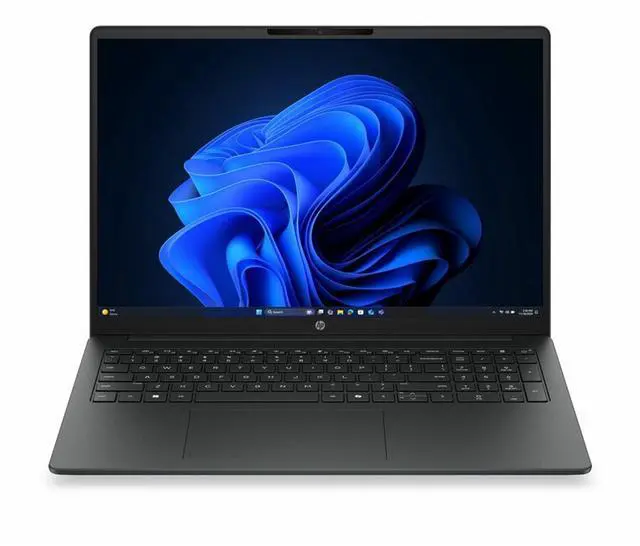
This product does not include manufacturer warranty when purchased or used outside of its designated sales region. By purchasing internationally, you acknowledge that warranty support from the manufacturer will not be available.The HP 200 G2a is a 16-inch home laptop with 16GB memory, a 512GB SSD, and a 1920 x 1200 display, making it a practical fit for students, remote workers, and everyday users who want a roomy screen for web, documents, video calls, and general multitasking.
| Attribute | Value |
|---|---|
| Best For | Business and student everyday use on a 16-inch Windows 11 Pro notebook with an AMD Ryzen 7 250 processor and integrated Radeon 780M — suited to productivity, web conferencing, and classroom/work tasks |
| Processor And Core Count | AMD Ryzen 7 250 processor, base 3.3 GHz with up to 5.1 GHz boost and 16 MB L3 cache |
| GPU And VRAM | AMD Radeon 780M integrated graphics using DDR5 SDRAM (integrated GPU; no discrete VRAM size listed) |
| Display Spec | 16.0-inch IPS (LCD) display, native 1920 x 1200 (WUXGA+), up to 300 Nit brightness, ~62% sRGB color gamut; touchscreen not supported |
| Memory Configuration | 16 GB DDR5 installed (2 RAM slots), user-expandable up to 32 GB |
| Storage And Expansion | 512 GB solid-state drive (M.2 form factor, M.2 interface) |
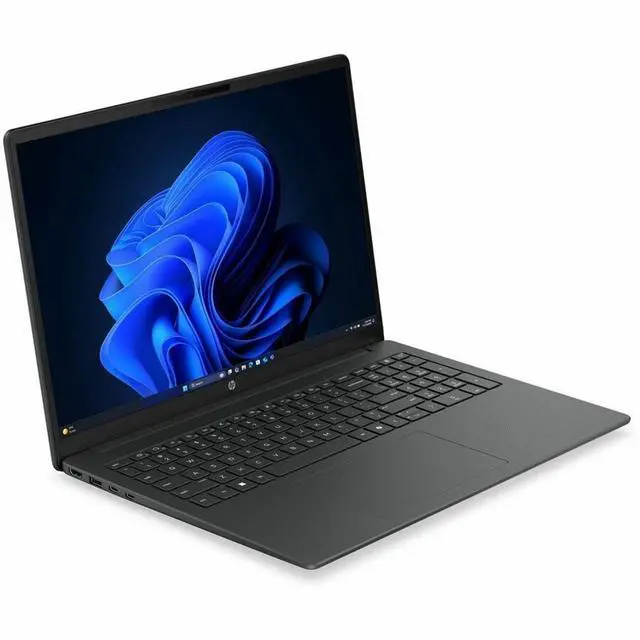
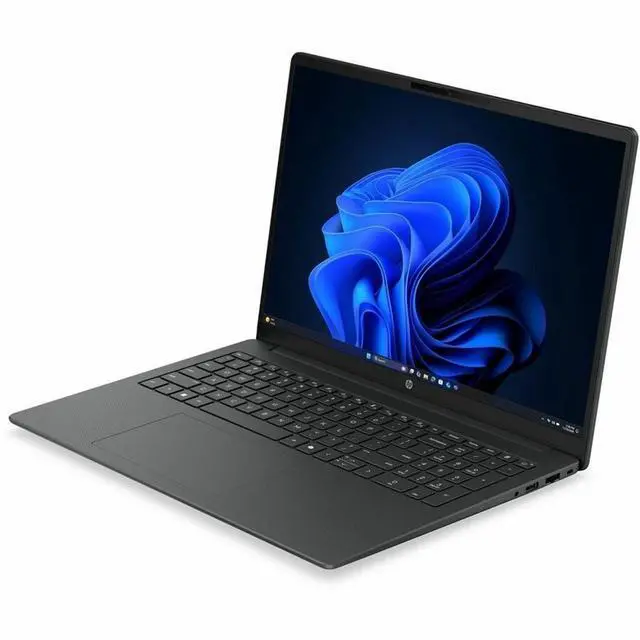
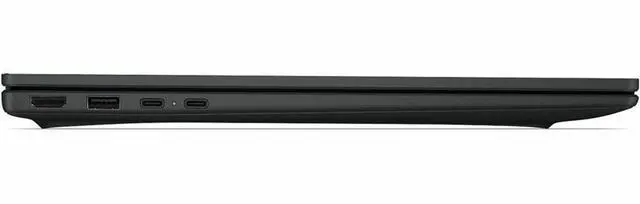
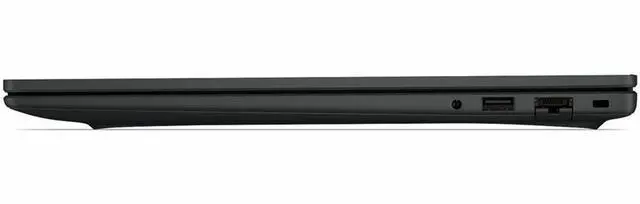
| Ports And Connectivity | Wi‑Fi and Bluetooth wireless; Ethernet wired networking; 1 HDMI port and 4 total USB ports |
| Webcam And Privacy | Built-in webcam present |
| Audio Setup | Stereo audio |
| Dimensions And Weight | Listed dimensions 25 x 14 x 3 inches; item weight 5.5 pounds; package weight 9 pounds |
| Power And Package Contents | Includes AC adapter and power cord; package quantity 1 |
| Operating System | Windows 11 Pro |
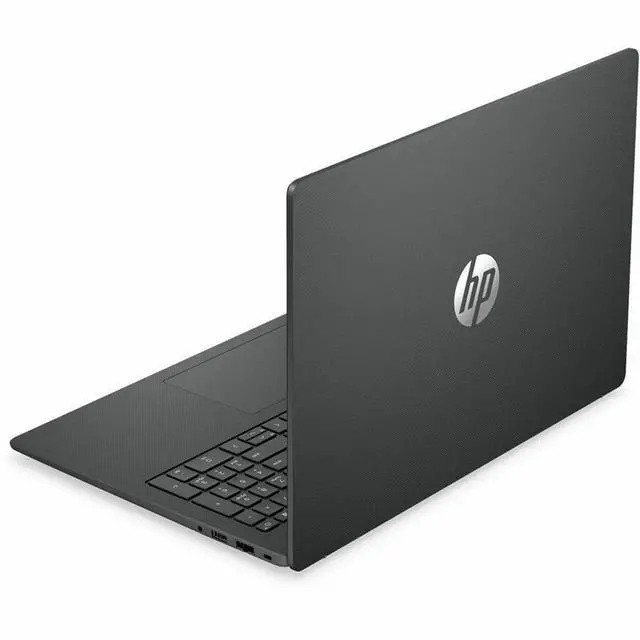
| Color And Finish | Gray |
| Model Identifiers | Model D83PJUT#ABA (Model Name / Model Number); Manufacturer Hewlett Packard; Brand HP; Edition 200 G2a; Form Factor Notebook |
Q: Should I buy this HP 200 G2a 16 or a cheaper Ryzen 5 version?
A: Choose this Ryzen 7 250 configuration when you want more headroom for heavier multitasking, larger spreadsheets, light photo work, and better integrated graphics performance. HP’s platform options show this model family can also ship with lower-memory and lower-tier CPU setups, so this 16GB / 512GB version is the safer pick for longer-term everyday use. A lower-tier Ryzen 5 model can still make sense for web, Office, streaming, and basic schoolwork if the price difference is meaningful.
Q: Is the HP 200 G2a 16 better than an Intel Core Ultra 5 225U laptop?
A: This HP is usually the better fit when you care more about CPU headroom and stronger integrated graphics for multitasking and light creative or casual gaming use. Cross-comparisons from Notebookcheck place the Ryzen 7 250 above Intel’s Core Ultra 5 225U in overall performance class, while the HP’s 16-inch 1920 x 1200 format also favors productivity. An Intel Core Ultra 5 225U alternative is still reasonable if battery-focused office use, thermals, or a lower sale price matter more than extra performance.
Q: Should I get this HP 200 G2a 16 or step up to a Ryzen AI 7 350 laptop?
A: Buy this HP 200 G2a when you want a more value-oriented 16-inch mainstream laptop for office work, multitasking, and general home use. Step up to a Ryzen AI 7 350 system if your priority is newer AI-focused platform features and stronger NPU capability. For graphics, the trade-off is less clear-cut: community and benchmark comparisons often show the Radeon 780M in Ryzen 7 250 remaining competitive with, and sometimes ahead of, the Radeon 860M depending on power limits and memory setup.
Q: Is this HP 200 G2a 16 a good upgrade from an older Ryzen 7 8840U class laptop?
A: Usually no, unless the upgrade is really about screen size, storage, warranty, or buying a newer chassis. The Ryzen 7 250 is widely treated as a close relative to the Ryzen 7 8840U performance tier rather than a major generational jump, so users moving from a recent 8840U-class laptop should expect similar everyday speed more than a dramatic uplift. This HP makes more sense as a replacement for older 5000- or 6000-series mainstream laptops than as a pure performance upgrade from a recent high-midrange Ryzen ultrabook.
Q: Should I choose this 16-inch HP or a lighter 14-inch laptop?
A: Choose this HP 200 G2a 16 when you want a roomier screen for documents, split-screen work, and home productivity, and you do not need maximum portability. A lighter 14-inch laptop is the better fit if you carry it daily, work in tight spaces, or prioritize travel convenience. The trade-off is straightforward: this HP’s larger 16-inch format is more comfortable for stationary use, while smaller systems are easier to pack and move.
Q: Is this a good laptop for note-taking, video meetings, and everyday office work?
A: Yes. Based on the listed specs, this model fits everyday productivity well: 16GB RAM is enough for multitasking, a 512GB SSD is a practical everyday storage size, the built-in webcam and Bluetooth support meetings and accessories, and integrated graphics are typically suitable for web, Office apps, streaming, and general home or work use. It is a better fit for productivity than for graphics-heavy workloads.
Q: Who is this laptop most suitable for?
A: This laptop is most suitable for home users, students, and office users who mainly need browsing, documents, spreadsheets, email, video calls, and light multitasking on a larger 16-inch screen. It is less suitable for buyers who need a gaming laptop or a system focused on advanced video editing, 3D work, or other GPU-heavy tasks.
Q: Is it worth buying as a travel work device?
A: It can work as a travel productivity laptop if your priority is screen space and standard work tasks, but it is not the most portability-focused choice. The 16-inch display is helpful for spreadsheets, documents, and multitasking, while the trade-off versus smaller 13- or 14-inch laptops is usually easier travel and lighter carry. Choose this if you want a larger work screen more than maximum portability.
Q: Is this laptop good for gaming or heavier creative work?
A: Not primarily. The listed integrated graphics make this a better choice for office work, streaming, web use, and light creative tasks than for modern gaming or demanding video editing. If gaming performance, 3D work, or faster editing is important, a comparable laptop with dedicated graphics is usually the better buy.
Q: What are the main trade-offs versus a similar gaming laptop?
A: The main trade-off is productivity focus versus graphics power. This HP configuration offers a practical everyday setup with 16GB RAM, 512GB SSD storage, webcam, HDMI, and integrated graphics, which generally helps keep the system aligned with normal home and office use. A gaming laptop usually gives you dedicated graphics and better performance for games, 3D apps, and heavier editing, but that is often paired with more heat, more fan noise, and less emphasis on simple everyday value.
Q: Is this HP 16-inch laptop a good fit for everyday work and home use?
A: Yes for general productivity. With 16GB RAM, a 512GB SSD, a 1920 x 1200 display, webcam, Bluetooth, HDMI, and Windows 11 Pro, it matches the kind of configuration Reddit users commonly look for for office work, web use, video calls, and multitasking. It is a better fit for documents, browsing, remote work, and media than for graphics-heavy or gaming-focused workloads.
Q: Who is this laptop most suitable for?
A: It is most suitable for home users, students, and office users who want a large-screen Windows laptop for writing, browsing, video calls, spreadsheets, and general multitasking. The 16-inch size and non-touch display make it more of a desk-friendly daily-use laptop than a tablet-style note-taking or highly portable travel device.
Q: Is this laptop good for gaming or heavier creative work?
A: Not really, unless your needs are light. The listed graphics are integrated, so this model is not the best choice for modern gaming, 3D work, or GPU-heavy creative apps. Reddit discussions around laptop buying repeatedly treat integrated graphics as fine for basic use and light gaming, but a limitation for demanding games and 3D workloads.
Q: What are the main trade-offs of choosing this model?
A: The main trade-off is balance over specialization. You get a usable 16GB/512GB configuration, a 16-inch 1920 x 1200 screen, webcam, Bluetooth, HDMI, and Windows 11 Pro, but no touchscreen and no dedicated graphics. That makes it practical for everyday computing, while limiting its appeal for handwritten note-taking, tablet-style use, advanced gaming, and heavier visual workloads.
Q: Is it worth buying if you mainly want one laptop for work, browsing, and video calls?
A: Yes, if your priority is a straightforward general-use laptop rather than premium build features or gaming performance. Community buying discussions often converge on 16GB RAM and a 512GB SSD as a solid baseline for everyday use. This model lines up well with that baseline, but buyers who need stronger graphics, touch support, or maximum portability may want a different type of laptop.