
Your Browsing History
- Free 30-day Returns
- ฿2,900.76 Shipping
฿34,677.62
VAT-Inclusive Price
Ships from United States.
Sold by Newegg
Shipped by Newegg


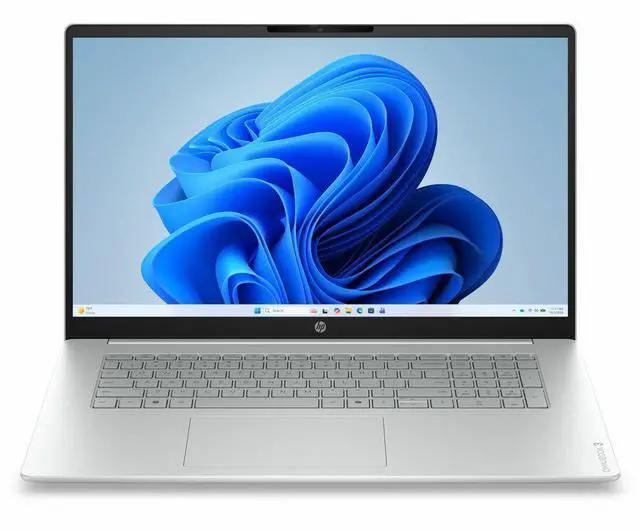
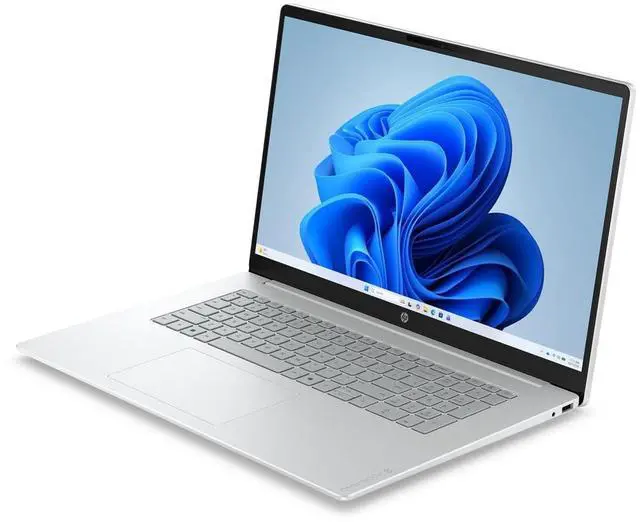
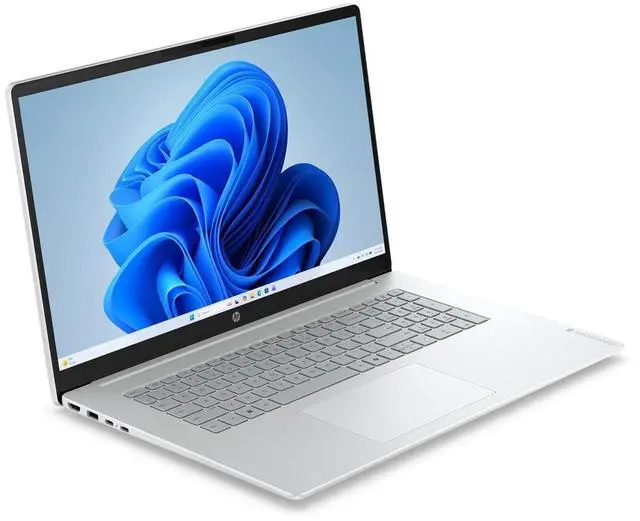
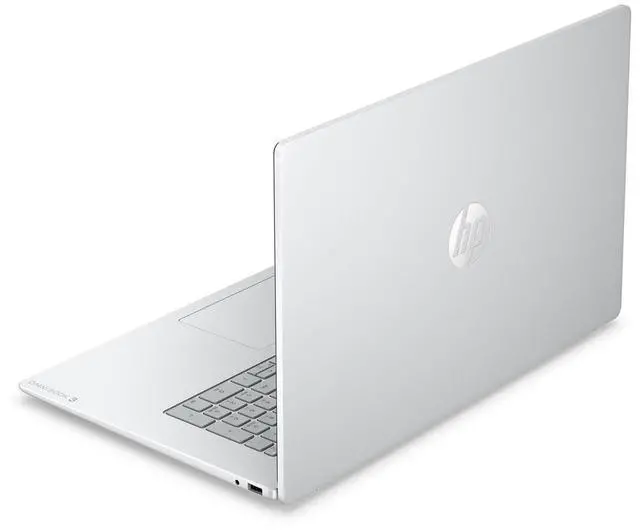
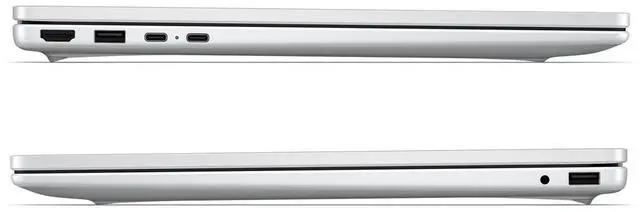


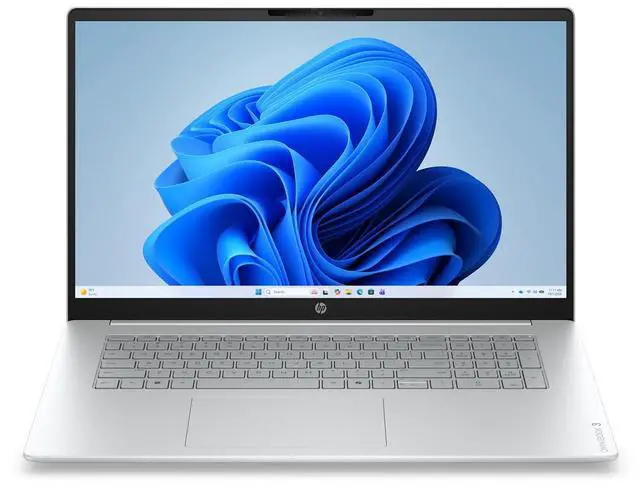


HP OmniBook 3 17.3" Touch Full HD AMD Ryzen 3 30 8GB SSD Silver W11 D4QX3UAABA
- OmniBook 3 Laptop AI 17-dp0419nr
- Lithium Polymer Battery
- AC Adapter
+
+
Overview
Specs
Reviews
17" Ryzen 3 30 8GB 512GB Touc
Warranty & Returns
Warranty, Returns, And Additional Information
Return Policies*
- Return for refund within: 30 days
- Returns are subject to restocking fees and return shipping fees. Please click here to learn more about restocking fees and return shipping fees.
- This item is covered by Newegg.com's International Order Return Policy.
- Read full return policy for details.
- *Subject to applicable law
Warranty Notice:
This product does not include manufacturer warranty when purchased or used outside of its designated sales region. By purchasing internationally, you acknowledge that warranty support from the manufacturer will not be available.
Manufacturer Contact Info
- Manufacturer Website
- Support Phone: 1-800-474-6836
- Support Website
- View other products from HP
LOADING...
Learn about this product
The HP OmniBook 3 is a 17.3-inch touch-screen laptop with a Full HD display, AMD Ryzen 3 processor, 8GB memory, and a 512GB SSD, making it a practical fit for students, home users, and everyday office work that benefits from a larger screen and simple touch navigation.
Recommended For
- People who want a large-screen home laptop for web browsing, documents, email, and streaming, especially if the system will stay mostly on a desk or table.
- Users who prefer a 17.3-inch display and touch input for easier reading, bigger on-screen controls, and less dependence on an external monitor.
- Budget-focused buyers choosing a lower-cost Windows laptop for everyday multitasking, where 8GB RAM and integrated graphics are acceptable tradeoffs for light workloads.
- Remote workers or family users who value longer unplugged use for browser-based work, school portals, and video calls more than raw performance.
Real-World Use Scenarios
- Using it as a home desktop replacement for web browsing, email, Office apps, and video calls is a natural fit. The 17.3-inch touchscreen gives more room for side-by-side windows, and performance should feel fine for everyday tasks, though expectations should stay modest for heavier workloads.
- For streaming movies, YouTube, and general casual media use, the big Full HD touch display is the main advantage. It is better suited to relaxed viewing on a desk or couch than to color-critical editing or high-end entertainment setups.
- For students or remote workers who keep many browser tabs open while taking notes, joining meetings, and working in documents, it should handle light multitasking reasonably well. The likely limit is the 8GB memory, which can make heavier tab loads or multiple larger apps feel constrained.
- For all-day household use away from an outlet, such as moving between kitchen table, sofa, and office, battery life should be adequate for a normal work or browsing day. Reviews of the 17-inch OmniBook 3 show battery results around a full day of light web use rather than short unplugged sessions.
- For light photo edits, basic Canva work, and simple document or spreadsheet projects, the laptop should be usable and quiet enough for routine tasks. It is not the right match for demanding video editing, large creative projects, or intensive multitasking where export times and responsiveness matter more.
- For gaming, this is best treated as a non-gaming laptop. Very light or older games may run at reduced settings, but modern 3D titles are likely to require compromises and are not a practical everyday use case for this model.
Spec Summary
| Attribute | Value |
|---|---|
| Best For | Multi-purpose 17-inch touchscreen laptop for everyday productivity and media, combining an integrated AMD Ryzen processor with solid-state storage |
| Processor And Core Count | AMD Ryzen 3 30 processor, listed at 2.4 GHz with an "up to" 4.1 GHz turbo figure and 4 MB cache; single-processor configuration |
| GPU And VRAM | Integrated graphics reported with 8 GB of graphics RAM using DDR5 SDRAM |
| Display Spec | 17" touchscreen with Full HD resolution reported (external string references 17.3" Full HD in some entries) |
| Memory Configuration | DDR5 memory technology with a listed maximum of 64 GB; installed memory is not consistently reported across sources |
| Storage And Expansion | Solid-state storage reported as a 512 GB SSD (SSD interface, 0 RPM); sources also contain an inconsistent 512 TB entry for drive size |
| High Speed I O | Multiple USB ports: four USB 3.0 ports and four USB 2.0 ports |
| Battery And Power | Single nonstandard lithium battery (1 cell) packaged in the equipment; sources list battery weight 13 g and also indicate batteries are not included and not required |
| Wired And Wireless Networking | Region-targeted to the United States with FCC supplier declaration of conformity noted |
| Dimensions And Weight | Approximately 6 lb with product footprint listed as 20.4 x 13.7 x 13.7 inches |
| Operating System And Software | Ships with Windows 11 Home |
| Model Identifiers | HP model 17-DP0419NR (manufacturer HP); package and unit count listed as 1 |
| Color And Finish | Glacier Silver finish |
| Regulatory And Compliance | FCC supplier declaration of conformity; SDoC contact information provided for the United States |
Reference Q&A
Q: Should I buy the HP OmniBook 3 17 or a 15.6-inch OmniBook for everyday use?
A: Choose the HP OmniBook 3 17 when screen size matters more than portability. A 17.3-inch Full HD panel is better for side-by-side documents, spreadsheets, and media without needing an external monitor. Choose a 15.6-inch OmniBook if you carry the laptop often, because HP positions its smaller OmniBook 3 models as lighter systems, and community discussion around 15.6-inch vs 17-inch laptops consistently treats 15.6-inch as the easier size for commuting and classroom use.
Q: Is this HP OmniBook 3 17 worth choosing over a Ryzen 5 version?
A: Choose this Ryzen 3 configuration if your workload is mainly web browsing, office apps, video streaming, and general home use. Step up to a Ryzen 5 version if you expect heavier multitasking or want more headroom for long-term use. Independent testing of the OmniBook 3 17 with Ryzen 5 shows the platform is still aimed at mainstream office use, so the main upgrade benefit is smoother performance under larger workloads rather than a different class of laptop.
Q: Should I choose this HP OmniBook 3 17 or move up to an OmniBook 5 or Core Ultra class laptop?
A: Choose the OmniBook 3 17 if you want a large-screen laptop for basic productivity at a lower tier of the market. Move up to an OmniBook 5 or a Core Ultra system if you want clearly stronger CPU performance, newer platform features, and better fit for demanding multitasking. HP positions OmniBook 5 and higher lines above OmniBook 3, and review data shows those higher classes deliver materially more performance than the office-focused OmniBook 3 17.
Q: Is the HP OmniBook 3 17 a better choice than an older HP 17 laptop?
A: Choose the OmniBook 3 17 if you want HP's newer mainstream naming, USB-C charging support, and a more current entry-level platform. An older HP 17 can still make sense if price is the main priority and the configuration is stronger for the money. In practice, the better choice depends more on processor, memory, and display quality than on the name alone, but the OmniBook 3 17 is the cleaner pick when you want a current model with modern connectivity.
Q: Is this a good laptop for office work, web browsing, Zoom, and school tasks?
A: Yes. Based on the listed 17.3-inch Full HD touch display, Windows 11, AMD Ryzen 3 class processor, 8GB memory, and SSD storage, this model fits basic productivity use such as documents, email, browser tabs, video meetings, and note-taking. The main limitation is headroom: 8GB RAM and Ryzen 3 are better for light-to-moderate workloads than for heavy multitasking, advanced creative apps, or gaming.
Q: Is it worth buying as a travel work device?
A: Usually no, unless you specifically want a large screen away from home. A 17.3-inch laptop is better suited to desk, home, or occasional room-to-room use than frequent travel. The trade-off is clear: you get more viewing space for spreadsheets and multitasking, but portability is weaker than with a 13- to 15-inch laptop.
Q: Who is this laptop best suited for?
A: It is best suited for buyers who want a large-screen Windows laptop for everyday use: home users, students, remote workers doing office tasks, and people who prefer a bigger display for reading, forms, spreadsheets, or video calls. It is less suitable for users who need strong gaming performance, heavy content creation, or ultra-portable travel hardware.
Q: Is it better than a similar non-touch 17-inch budget laptop?
A: It is better if you value screen size plus touch input for everyday Windows use. A similar non-touch 17-inch budget laptop may offer comparable basic performance for office tasks, but this OmniBook's touch display is the main usability advantage. The trade-off is that touch does not improve processing power, so buyers focused only on speed may get more value from a similarly priced model with a faster CPU or more RAM instead of touch.
Q: Is this a good choice for gaming or heavy creative work?
A: No. This configuration is positioned more for general use than for demanding gaming, video editing, 3D work, or professional-grade creative workloads. The Ryzen 3 class processor and 8GB RAM are more appropriate for everyday productivity than for sustained high-performance tasks.
Q: Is the HP OmniBook 3 17 a good buy for basic everyday use?
A: Yes, if your main needs are web browsing, documents, email, streaming, and general home or office tasks. The 17.3-inch screen is useful for users who want more viewing space, but the Ryzen 3 and 8GB RAM indicate this is an entry-level configuration, so it is better for light multitasking than demanding workloads.
Q: Who is the HP OmniBook 3 17 best suited for?
A: It is best suited for buyers who prioritize a large screen for reading, office work, browsing, or media use at home. It makes more sense as a desktop-replacement style laptop than as a performance machine or highly portable travel laptop.
Q: What are the main trade-offs of choosing this HP OmniBook 3 17 configuration?
A: The main trade-off is screen size versus performance and portability. The 17.3-inch display is good for visibility and comfort, but this model's Ryzen 3, integrated graphics, and 8GB RAM make it a budget-oriented laptop. That means it is not the best fit for heavier creative work, gaming, or long-term headroom if you tend to keep many demanding apps open.
Q: Is the HP OmniBook 3 17 a good choice for school or work?
A: It can work well for general school or office use such as writing, research, video calls, and browser-based apps. It is less suitable if your work or coursework depends on heavier software, advanced creative tools, or specialized applications where buyers in discussion threads raised compatibility or capability concerns.
Q: Are there any reliability or build-quality concerns to consider before buying?
A: Possibly. Reddit discussion around the OmniBook 3 includes buyer questions about hinges and whether HP's consumer models are as durable as higher-tier lines. That does not prove this specific unit is unreliable, but it does suggest cautious buyers should check return terms, inspect the hinge and chassis early, and treat this as a budget consumer laptop rather than a premium build.