
Your Browsing History
฿8,821.76
VAT-Inclusive Price
Ships from Hong Kong.
Most customers receive within 10-17 days.

Meet Your Seller





Compatible for Ink Cartridges Replacement 981A with PageWide Enleprise X556DN 586DN 586F 586Z 556XH Printer(BK/C/M/Y, 4Pack) Yellow Ink
- Package Contains: 4-Pack High-capacity Compatible Ink Cartridge for HP 981A Ink Cartridge Combo Pack (1x Black ink, 1 x Cyan ink, 1 x Magenta ink cartridge, 1 x Yellow ink cartridge).
- Higher Page Yield:Up to 77ML per black ink cartridge & 55ML per color ink cartridge (5% coverage) A4 paper.
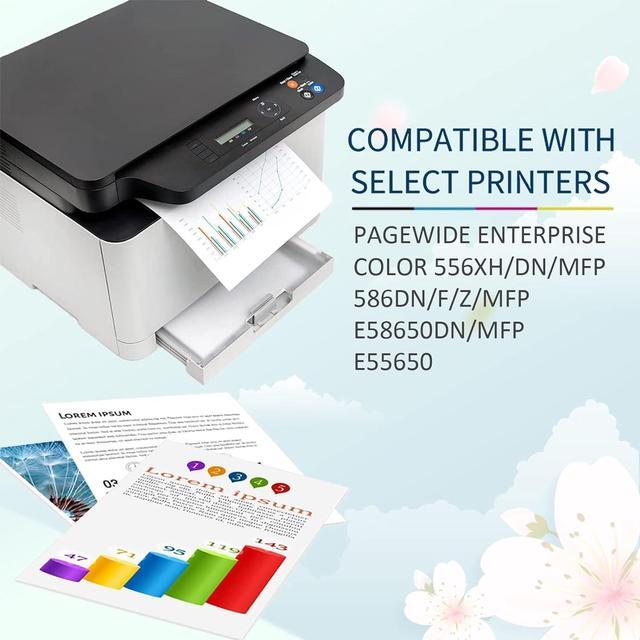
- WORK With: For HP PageWide Enleprise X556DN 586DN 586F 586Z 556XH.
- Our ink cartridges are formulated to provide crisp text quality prints with true-to-life color.
- All ink cartridges are tested in multiple processes before leaving the factory to ensure can be recognized by your printer.
+
+
Overview
Specs
Reviews
Compatible Ink Cartridges Replacement for HP 981A Ink Cartridges, 4 Color (1 Black, 1 Cyan, 1 Magenta, 1 Yellow)
Why Choose Our Ink Cartridges?
Strict Quality Control: Precise specifications ensure proper installation.
Brilliant Printing: Premium Ink delivers crisp text and graphics.
Latest Chips: High compatible with the latest printer firmware.
Package Content:
BK x 1
Cyan x 1
Magenta x 1
Yellow x 1
User Manual:
If your printer shows an alert likes "Non-Genuine", press "Proceed" / "Continue" / "accept" or "OK", then continue.
If you receive an error "unidentifiable cartridge" or "ink is lost or damaged", remove the affected cartridge and gently wipe the chip with a lint-free or eraser to remove any dust or adhesions that may be present. Then place the cleaned cartridge back into the appropriate cartridge slot. If the problem persists, turn off the printer and unplug it for 30 seconds, then try again.
If there is a printer unrecognized problem, you need to check that whether the nozzle is clogged or the printer has been cleaned.
If you find that there is the error "out of ink / empty / insufficient ink", remove and reinstall the indicated cartridge until it is firmly inserted into the slot. If all cartridges are installed correctly, press "ok" or "continue" to clear the message, and then print.
Why Choose Our Ink Cartridges?
Strict Quality Control: Precise specifications ensure proper installation.
Brilliant Printing: Premium Ink delivers crisp text and graphics.
Latest Chips: High compatible with the latest printer firmware.
Package Content:
BK x 1
Cyan x 1
Magenta x 1
Yellow x 1
User Manual:
If your printer shows an alert likes "Non-Genuine", press "Proceed" / "Continue" / "accept" or "OK", then continue.
If you receive an error "unidentifiable cartridge" or "ink is lost or damaged", remove the affected cartridge and gently wipe the chip with a lint-free or eraser to remove any dust or adhesions that may be present. Then place the cleaned cartridge back into the appropriate cartridge slot. If the problem persists, turn off the printer and unplug it for 30 seconds, then try again.
If there is a printer unrecognized problem, you need to check that whether the nozzle is clogged or the printer has been cleaned.
If you find that there is the error "out of ink / empty / insufficient ink", remove and reinstall the indicated cartridge until it is firmly inserted into the slot. If all cartridges are installed correctly, press "ok" or "continue" to clear the message, and then print.
Warranty & Returns
Warranty, Returns, And Additional Information
Return Policies*
- Return for refund within: 30 days
- Return for replacement within: non-replaceable
- This item is covered by haoyuzeshang Return Policy
- *Subject to applicable law
Warranty Notice:
This product does not include manufacturer warranty when purchased or used outside of its designated sales region. By purchasing internationally, you acknowledge that warranty support from the manufacturer will not be available.
Manufacturer Contact Info
- For a directory of all our manufacturers, please click below.
- Manufacturers Directory
LOADING...