


 All CategoriesAll CategoriesAll Categories
Shipped by Newegg




Warranty Notice:
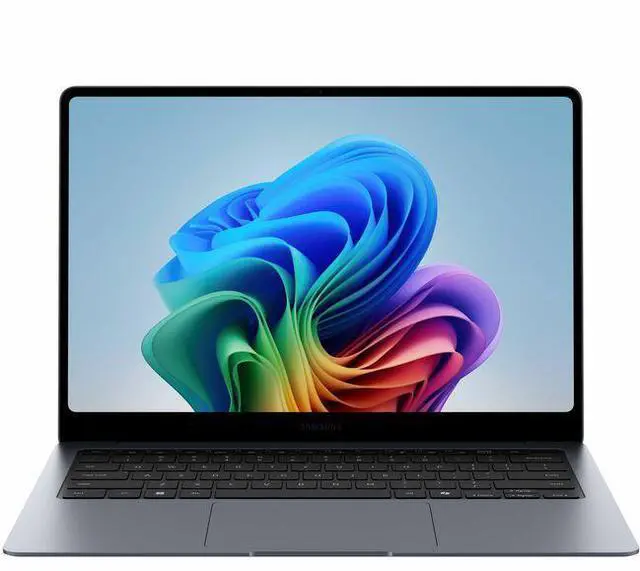
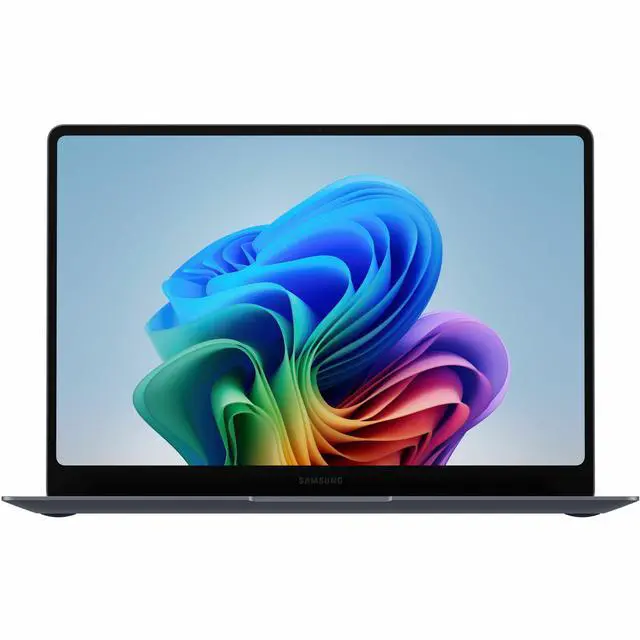
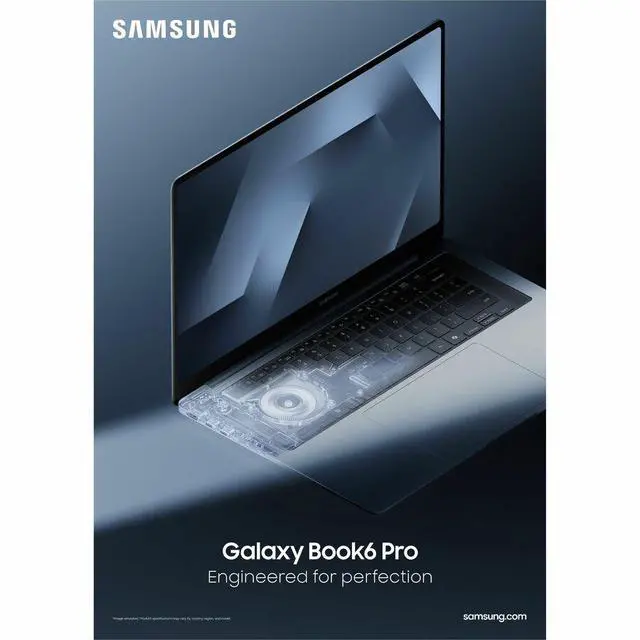
This product does not include manufacturer warranty when purchased or used outside of its designated sales region. By purchasing internationally, you acknowledge that warranty support from the manufacturer will not be available.The Samsung Galaxy Book6 Pro NP944XJG-KA1US is a 14-inch premium touchscreen laptop with a 3K 120Hz AMOLED display, Intel Core Ultra 5 325, 16GB memory, and 512GB SSD, making it a strong fit for professionals, students, and home users who want a thin Windows 11 Pro notebook for everyday productivity, video calls, and portable multitasking.
| Attribute | Value |
|---|---|
| Best For | Mobile personal and professional productivity with touchscreen workflows and everyday content tasks, grounded in a 14" AMOLED touchscreen, Intel Core Ultra 5 processor, 16 GB RAM, and 512 GB SSD |
| Model Identifiers | Samsung Galaxy Book6 Pro — Model NP944XJG-KA1US (Manufacturer Samsung, Model Year 2026) |
| Display Spec | 14" AMOLED touchscreen, native resolution 2880 x 1800 with Corning Gorilla Glass DXC and anti-glare coating |
| Processor And Core Count | Intel Core Ultra 5 325 processor (Processor Series: Intel Core Ultra 5; external listing includes 2.1 GHz and processor count 1) |
| GPU And VRAM | Integrated Intel Graphics (shared video memory) |
| Memory Configuration | 16 GB LPDDR5X RAM installed (maximum listed 16 GB) |
| Storage And Expansion | 512 GB SSD (M.2 form factor / M.2 interface) |
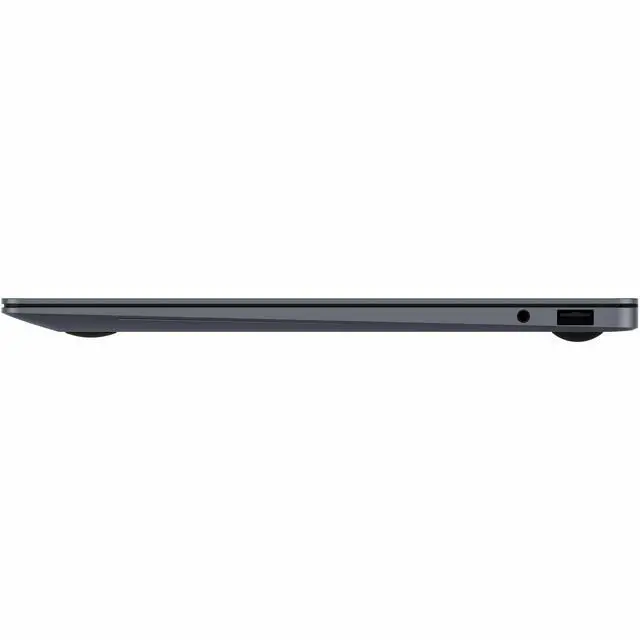
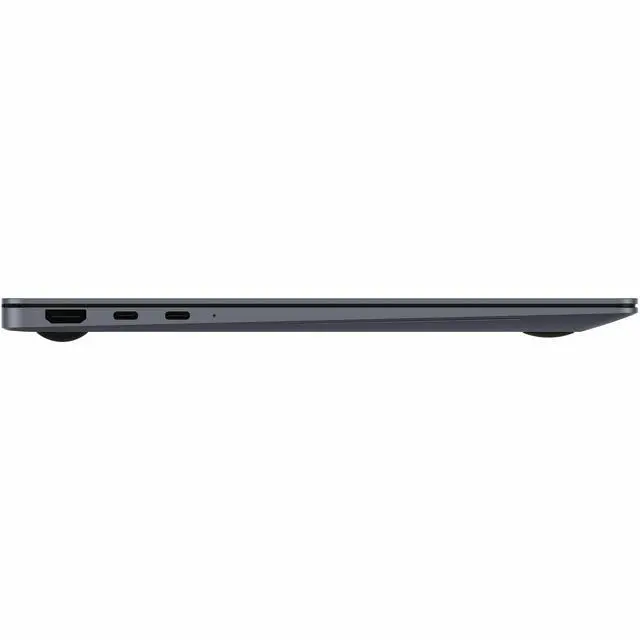
| High Speed I O | 2 Thunderbolt ports, 1 HDMI port, and 1 USB port reported (hardware interface includes USB, HDMI, Bluetooth) |
| Battery And Power | 67.18 WHr internal lithium-ion battery (external data lists 4000 mAh, single battery / single lithium-ion cell, battery weight 300 g; batteries included) |
| Wired And Wireless Networking | Wi-Fi and Bluetooth wireless connectivity |
| Webcam And Privacy | Front-facing webcam plus fingerprint recognition for biometric login |
| Keyboard And Control | Backlit Pro keyboard plus touchscreen control (touch input) |
| Dimensions And Portability | 12.37" W x 8.69" D x 0.46" H; weight 2.73 lbs |
| Operating System | Microsoft Windows 11 Pro |
| Other Features | Notebook form factor; anti-glare coating and Corning Gorilla Glass DXC noted; no optical storage specified |
Q: Should I buy the Samsung Galaxy Book6 Pro 14 or a MacBook Air if I want a thin everyday laptop?
A: Choose the Galaxy Book6 Pro 14 if you want Windows, a touchscreen, a 3K AMOLED display, Wi‑Fi 7, HDMI, and tighter integration with Samsung phones and tablets. Choose a MacBook Air if your workflow is already centered on macOS and Apple apps. Across reviews and community discussions, the common trade-off is feature set versus platform preference: the Galaxy Book6 Pro offers more built-in display and connectivity features, while MacBook Air comparisons usually favor the Apple ecosystem and macOS-first workflows.
Q: Is the Galaxy Book6 Pro 14 worth it over the regular Galaxy Book6?
A: Buy the Galaxy Book6 Pro 14 if display quality and portability matter more than keeping cost down. The Pro model is positioned by Samsung as the premium thin-and-light option, with Dynamic AMOLED 2X, 2880 x 1800 resolution, adaptive 120 Hz refresh, and a lighter 14-inch chassis. The regular Galaxy Book6 is the more practical pick for basic office, school, and web use when you do not need the higher-end screen or thinner premium build.
Q: Should I get this Galaxy Book6 Pro 14 with Core Ultra 5 and 16GB, or move up to a higher-spec Galaxy Book6 Pro?
A: This Core Ultra 5, 16GB, 512GB version is the better fit for productivity, streaming, travel, and general multitasking. Move up to a higher-spec Galaxy Book6 Pro only if you expect heavier creator workloads, larger local files, or want more headroom for longer ownership. Reviews of the Galaxy Book6 Pro line consistently describe the platform as strong for everyday work and surprisingly capable for an ultrathin laptop, but the higher-tier configurations make more sense when RAM, storage, and sustained performance matter more than price and weight efficiency.
Q: Is the Galaxy Book6 Pro a meaningful upgrade over the Galaxy Book5 Pro?
A: Yes, it is the better choice if you are upgrading for longer battery life, newer Intel platform efficiency, and improved wireless and display behavior. Current reviews point to the Galaxy Book6 Pro as an iteration that keeps the same premium ultraportable formula but adds stronger endurance and updated internals, while Samsung also highlights adaptive 30 to 120 Hz refresh behavior to improve power efficiency. If your Galaxy Book5 Pro already feels fast enough, the upgrade is easier to justify for mobility gains than for a complete change in how the laptop feels to use.
Q: Is the Galaxy Book6 Pro 14 better for portability, or should I choose a performance-first laptop instead?
A: Choose the Galaxy Book6 Pro 14 if you want a laptop that stays easy to carry without giving up a premium screen, all-day class or office use, and modern connectivity. Choose a performance-first laptop instead if your work regularly depends on heavier GPU or sustained multicore performance. Review coverage consistently frames the Galaxy Book6 Pro as a premium ultraportable that performs well for its class, but its main advantage is balancing low weight and battery life with a high-quality display rather than replacing a larger creator or gaming notebook.
Q: Is this a good travel work laptop for frequent commuting or flights?
A: Yes for mobile office use. The 14-inch size, 2.73 lb weight, 0.46-inch thickness, 16:10 touchscreen display, and claimed long battery life make it a practical travel laptop for email, documents, web work, and video meetings. The main trade-off is that it is a traditional clamshell, not a 360-degree convertible, so it is better for standard laptop use than tablet-style flexibility.
Q: Is it good for note-taking, meetings, and everyday office work?
A: Yes, if your note-taking is keyboard- and touch-based. The 14-inch 2880 x 1800 AMOLED touchscreen, backlit keyboard, webcam, Intel Core Ultra 5 processor, and 16 GB RAM are well suited to meetings, browser-heavy work, documents, spreadsheets, and presentations. The limitation is pen input: comparable Galaxy Book Pro Q&A pages repeatedly indicate that the non-360 Pro model does not support S Pen, so it is not the best fit for handwritten inking workflows.
Q: Who is this laptop best suited for?
A: It is best suited to buyers who want a premium thin-and-light Windows laptop for productivity, travel, media viewing, and general professional use. It fits users who value a sharp AMOLED screen, portability, and modern connectivity more than gaming power or upgrade flexibility. It is less suitable for power users who need dedicated graphics, 32 GB+ memory, or a true 2-in-1 pen-first design.
Q: What are the main trade-offs versus a 2-in-1 alternative like a Galaxy Book 360 or similar convertible?
A: The trade-off is portability and classic laptop ergonomics versus pen-centric flexibility. This Pro model is thinner and more straightforward for standard work, but comparable retail Q&A for Samsung's Pro line indicates the screen does not fold back 360 degrees and does not support S Pen. A 2-in-1 alternative is the better choice if you want handwritten notes, tent mode, or tablet-style use.
Q: Is 16 GB RAM and 512 GB SSD enough, or should buyers look for a higher-spec alternative?
A: For office work, meetings, research, and everyday multitasking, 16 GB RAM and 512 GB SSD are usually enough. Buyers should look higher if they expect large local media libraries, heavier creative workloads, many virtual machines, or long-term headroom needs. Comparable Samsung retail Q&A also suggests this class of Galaxy Book Pro is not aimed at buyers who want easy memory expansion, so it is smarter to buy the capacity you expect to need upfront.
Q: Is the Galaxy Book6 Pro 14 a good fit for work and travel?
A: Yes, it looks well suited to portable office use if you want a thin, light Windows laptop with a high-resolution touchscreen. Based on the product data, the main strengths are its 14-inch 2880 x 1800 AMOLED display, low 2.73 lb weight, 0.46-inch chassis, backlit keyboard, webcam, Windows 11 Pro, and 16 GB RAM. The trade-off is that this configuration uses integrated graphics and a 512 GB SSD, so it is a better fit for productivity, web work, meetings, and media than for heavier creative or gaming workloads.
Q: Is the 16 GB / 512 GB version enough, or should I look for a higher-spec model?
A: This version is enough for general productivity, school, remote work, note-taking, and everyday multitasking. If you expect heavier photo editing, larger local files, more multitasking headroom, or longer-term use without external storage, a 32 GB RAM or 1 TB SSD configuration would be the safer choice. The main decision point is that 16 GB and 512 GB are practical, but not especially generous for power users.
Q: Is it a good choice if I care about battery life?
A: Probably yes for light to moderate everyday use, but it is not safe to assume the advertised battery figure reflects real-world results. Reddit discussion around the Galaxy Book6 Pro repeatedly treats battery life as highly usage-dependent, with reports varying widely by settings and workload. For a buyer, that means it is reasonable to expect solid efficiency for normal office use, but not to buy it solely on the headline battery claim.
Q: Are heat and fan noise a concern on the 14-inch model?
A: They can be. Reddit discussions show that thermals and noise are a repeated buyer concern on the Galaxy Book6 Pro line, especially in the smaller chassis. That does not mean every unit runs hot, but it does mean this is not the safest pick if quiet operation under sustained load is your top priority. It makes more sense as a thin productivity laptop than as a machine for long heavy workloads.
Q: Is this a good replacement for a tablet or 2-in-1 for note-taking?
A: Only partly. It has a touchscreen, so it is more flexible than a standard clamshell laptop, but the provided product data does not indicate a convertible hinge or bundled pen support. If your note-taking depends on handwriting, tablet-style use, or drawing, a true 2-in-1 would usually be the better fit. If you mainly mean typed notes, annotation, and standard laptop use, this model should be suitable.