
Your Browsing History
- Free 30-day Returns
- ฿2,489.43 Shipping
฿68,961.49
VAT-Inclusive Price
Ships from United States.
Sold by Newegg
Shipped by Newegg


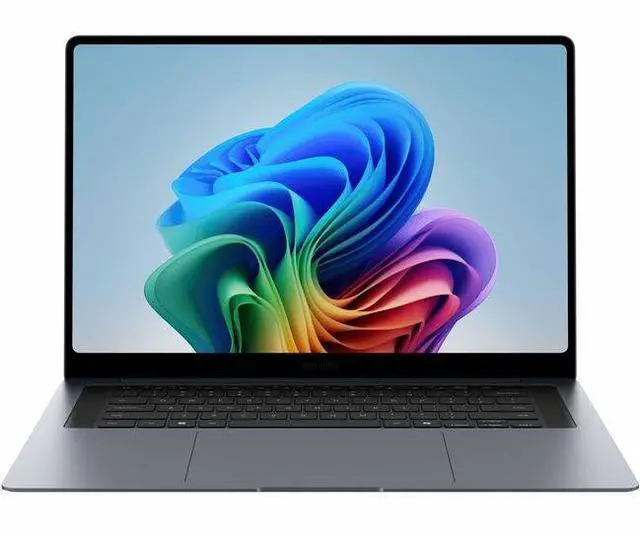
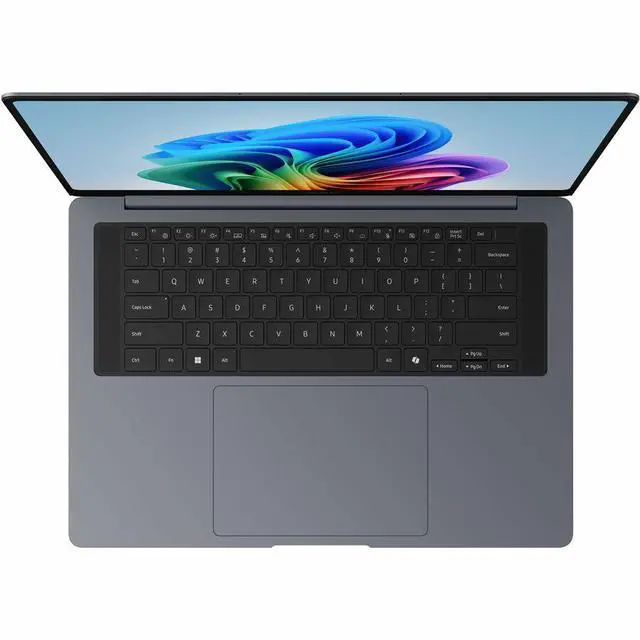
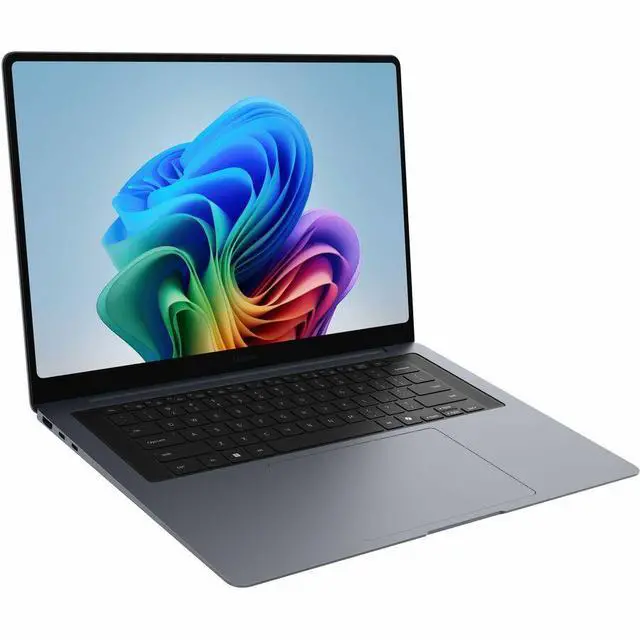
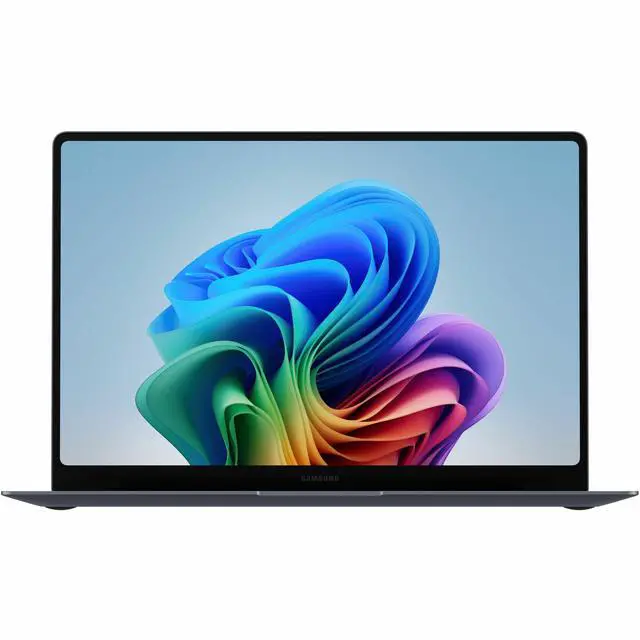


Samsung Galaxy Book6 Pro NP944XJG-KA2US 14" Touchscreen Copilot+ PC Notebook - Intel Core Ultra 5 325 - 16 GB - 256 GB PCIe NVMe SSD - Intel Graphics - Windows 11 Pro - Wi-Fi 7
- Intel Core Ultra 5 325
- 16GB Memory / 256GB SSD
- Intel Graphics
- Touch Screen
- 2880 x 1800 (3K)
- Windows 11 Pro
+
+
Overview
Specs
Reviews
GALAXY BOOK6 PRO 14.0 U5-325 (16GB 256GB) GRAY
Warranty & Returns
Warranty, Returns, And Additional Information
Return Policies*
- Return for refund within: 30 days
- Returns are subject to restocking fees and return shipping fees. Please click here to learn more about restocking fees and return shipping fees.
- This item is covered by Newegg.com's International Order Return Policy.
- Read full return policy for details.
- *Subject to applicable law
Warranty Notice:
This product does not include manufacturer warranty when purchased or used outside of its designated sales region. By purchasing internationally, you acknowledge that warranty support from the manufacturer will not be available.
Manufacturer Contact Info
- Manufacturer Website
- Support Phone: 1-800-726-7864
- Support Website
- View other products from SAMSUNG
LOADING...
Learn about this product
The Samsung Galaxy Book6 Pro NP944XJG-KA2US is a 14-inch Copilot+ Windows 11 laptop with a 3K 120Hz touchscreen, Intel Core Ultra 5 325, 16GB memory, and Wi-Fi 7, making it a strong fit for students, mobile professionals, and everyday users who want a sharp display, long battery life, and lightweight productivity.
Recommended For
- Mobile professionals and frequent travelers who want a thin 14-inch Windows laptop with a high-quality OLED touchscreen, long unplugged use, and easy bag carry for meetings, flights, and hybrid work.
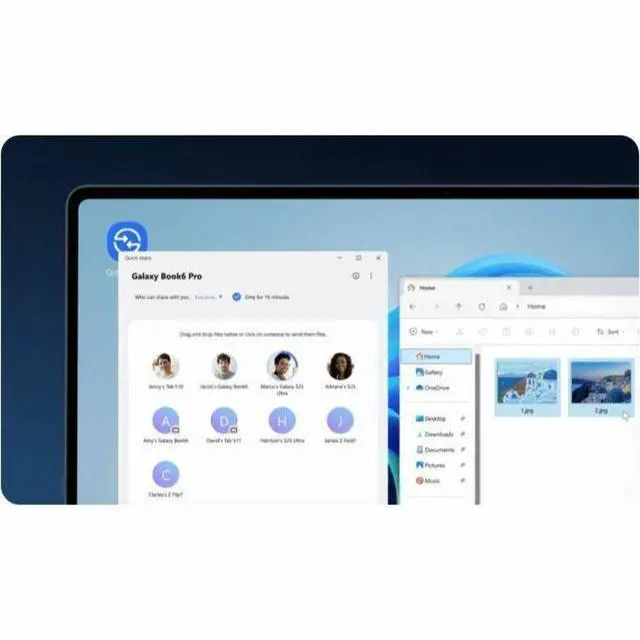
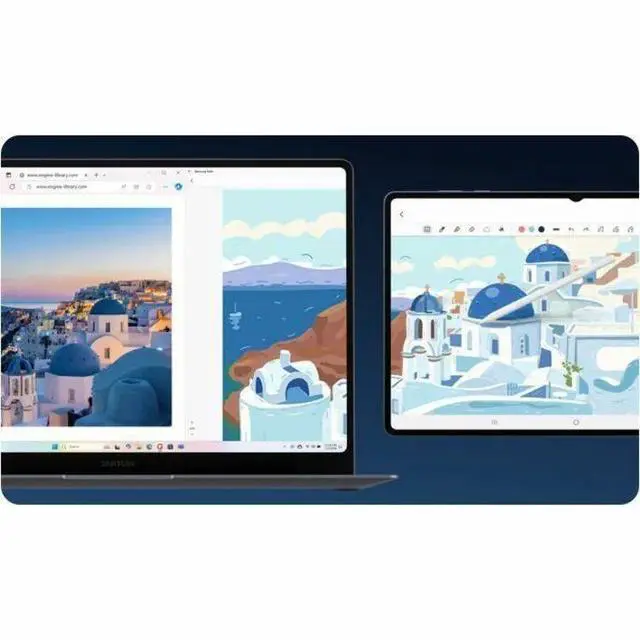
- Samsung phone and tablet users who want tighter cross-device workflows such as Quick Share, ecosystem features, and a Windows laptop that fits naturally into an existing Galaxy setup.
- Users focused on writing, web work, presentations, streaming, and other everyday productivity who will notice the 3K 120Hz display more than they need dedicated graphics.
- Students and commuters who work across classrooms, libraries, and coffee shops and need a premium-feeling laptop that is easy to carry, lasts through a day, and handles note-taking or document-heavy workflows.
Real-World Use Scenarios
- Working away from an outlet for most of the day: the Galaxy Book6 Pro is well suited to web, documents, meetings, and streaming on battery, with reviews consistently pointing to all-day runtime rather than frequent mid-day charging.
- Portable office and study use: for email, browser tabs, Office apps, video calls, and note-taking, the 14-inch model should feel easy to carry and responsive in normal multitasking, though the 256GB SSD means local storage can fill quickly if you keep large files offline.
- Watching movies, YouTube, or doing photo-heavy work: the high-resolution OLED touchscreen is a practical fit for people who care about contrast, color, and sharp text, so media and visual tasks should look noticeably better than on typical midrange LCD laptops.
- Light creative work and everyday AI-assisted tasks: it should handle photo editing, large spreadsheets, research workflows, and Windows Copilot-style features smoothly, but integrated graphics and 16GB RAM make it a better fit for lighter creator work than heavy 3D or sustained pro rendering.
- Occasional casual gaming or graphics-heavy apps: expect indie games, cloud gaming, and lighter titles to be more realistic than treating it like a gaming laptop; community feedback and the integrated-GPU setup suggest everyday graphics are fine, but this configuration is not the best match for demanding AAA play at high settings.
- Samsung ecosystem use on the go: if the buyer already uses Samsung phones, tablets, or Galaxy Buds, this notebook is more likely to fit naturally into their daily routine for file handoff, cross-device features, and shared apps than for someone who just wants a plain Windows laptop with minimal vendor software.
Spec Summary
| Attribute | Value |
|---|---|
| Best For | 14-inch touchscreen consumer notebook for everyday productivity, web and multimedia use, and mobile work—long battery life and Wi‑Fi 7 support make it suited to on-the-go workflows |
| Processor And Core Count | Intel Core Ultra 5 325 processor (Intel Core Ultra 5 series), single-processor configuration; listed processor speed 2.1 GHz |
| GPU And VRAM | Integrated Intel graphics using shared system memory |
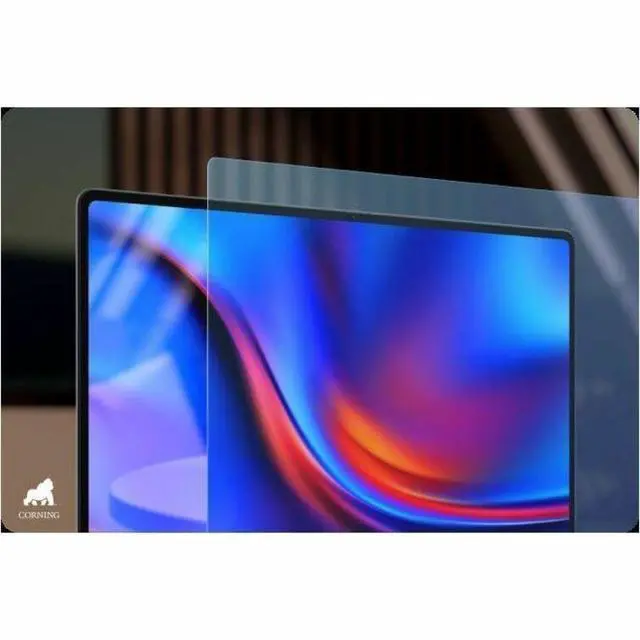
| Display Spec | 14-inch Dynamic AMOLED 2X touchscreen with 2880 x 1800 (3K) native resolution; anti-glare coating and Corning Gorilla Glass DXC reported |
| Memory Configuration | 16 GB LPDDR5X RAM (16 GB installed; maximum reported 16 GB) |
| Storage And Expansion | 256 GB M.2 solid-state drive (256 GB total, M.2 form factor/interface listed as m2) |
| High Speed I O | Two Thunderbolt ports, one HDMI output and one total USB port reported (USB 3.0/2.0 counts listed as 0); hardware interfaces include USB, HDMI and Bluetooth |
| Battery And Power | Built-in lithium‑ion battery (listed 4000 mAh, 1 lithium-ion cell, 1 battery included); catalog lists up to 30 hours battery life |
| Wired And Wireless Networking | Wi‑Fi 7 (802.11be) wireless LAN and Bluetooth support for local wireless connectivity |
| Keyboard And Control | Touchscreen input plus a standard keyboard |
| Portability | Chassis dimensions listed as 12.4 x 8.7 x 0.46 inches (display-size listed 14"); device display weight listed as 2.7 Pounds and package weight 4.2 Pounds |
| External Display And Docking Fit | HDMI output and two Thunderbolt ports for connecting external displays or docks; compatible with external monitors, mice, keyboards, storage devices and printers via USB/HDMI/Bluetooth |
| Model Identifiers | Samsung Galaxy Book6 Pro NP944XJG-KA2US (Model Name/Number NP944XJG-KA2US), Windows 11 OS, model year 2026; marketed for United States/North America |
| Other Features | Copilot+ PC AI features; package contents reported as notebook, standard battery and AC adapter; additional reported features include anti-glare coating and Corning Gorilla Glass DXC |
Reference Q&A
Q: Should I buy the Samsung Galaxy Book6 Pro 14 or the MacBook Air 13 for everyday work and travel?
A: Choose the Galaxy Book6 Pro 14 if you want a Windows laptop with a higher-resolution touch OLED display, a 120Hz panel, more built-in port flexibility including HDMI, and tighter fit with Samsung Galaxy features and Windows workflows. Choose the MacBook Air 13 if your priority is macOS, fanless operation, or Apple ecosystem continuity. Review coverage consistently positions the Galaxy Book6 Pro as Samsung's MacBook Air alternative, with strengths in display quality and portability, while MacBook Air remains the simpler choice for users already committed to Apple software and devices.
Q: Is the Galaxy Book6 Pro 14 worth it over the standard Galaxy Book6?
A: Buy the Galaxy Book6 Pro 14 if screen quality, premium portability, and a more upscale daily-use experience matter more than getting the lowest entry price in the lineup. Samsung positions the Pro as the step-up model with a higher-tier display and more premium overall design, while the standard Galaxy Book6 is the better fit for shoppers who mainly want current-generation Intel performance and Galaxy AI features at a lower cost. For most users comparing these two, the decision comes down to whether the Pro's 3K 120Hz touchscreen OLED-style experience is central to how they use a laptop every day.
Q: Should I get the Galaxy Book6 Pro 14 or move up to the Galaxy Book6 Ultra?
A: Choose the Galaxy Book6 Pro 14 if you want the lighter and more travel-friendly option for office work, coding, multitasking, and general creative tasks without carrying a larger workstation-class laptop. Choose the Galaxy Book6 Ultra if your workload regularly includes 4K video editing, 3D work, or heavier GPU-accelerated applications. Samsung's own positioning separates these two clearly: the Pro is the portable all-rounder, while the Ultra is the higher-power choice for creator and performance-first buyers.
Q: Is the Galaxy Book6 Pro 14 a meaningful upgrade over the Galaxy Book5 Pro?
A: The Galaxy Book6 Pro 14 makes more sense if you want Samsung's newer platform with updated AI positioning, a refined chassis, and Samsung's stated improvements in performance, display brightness, battery efficiency, and thermal design. The Galaxy Book5 Pro still makes sense if you find it at a clearly lower price and your needs are focused on standard productivity rather than buying into the newer generation. Across Samsung materials and early review discussion, the Book6 Pro is treated as an iterative but real upgrade rather than a completely different class of laptop.
Q: Is the Galaxy Book6 Pro 14 a better choice for portability than a larger performance-first laptop like the Dell XPS 16?
A: Yes, if your main goal is premium portability with a sharp, fast display and strong everyday performance in a smaller chassis. The Galaxy Book6 Pro line is regularly reviewed as a thin-and-light productivity laptop, while larger models such as the XPS 16 are better suited to buyers who are willing to trade size and weight for a bigger screen and, depending on configuration, more sustained high-load performance. For commuting, travel, and frequent handheld or lap use, the 14-inch Galaxy Book6 Pro is the more practical direction.
Q: Is the Samsung Galaxy Book6 Pro 14 good for travel, meetings, and everyday office work?
A: Yes. This model is a strong fit for travel and general work because it combines a 14-inch thin-and-light design, touchscreen, HDMI, Wi-Fi 7, 16 GB RAM, and long advertised battery life. Repeated retail Q&A patterns on comparable Samsung and LG thin-and-light laptops focus on portability, battery life, webcam/microphone use, and day-to-day business tasks, which matches this product’s strengths. The main limitation is storage: 256 GB is enough for cloud-first office use, but it is modest if you keep large local files.
Q: Is 256 GB of SSD storage enough on this laptop?
A: It is enough for basic office use, web apps, note-taking, meetings, and light local file storage, but it is a trade-off. Repeated retail questions on comparable laptops often ask about RAM and SSD upgrades because buyers worry about long-term headroom. For this Galaxy Book6 Pro configuration, 256 GB is the main compromise versus many competing premium 14-inch models that start at 512 GB or 1 TB. Buyers who store large media libraries, many offline files, or creative project assets may want a higher-capacity alternative.
Q: Can I use this Galaxy Book6 Pro 14 for note-taking with a pen?
A: It supports touch input, but it is not the best choice if pen-based note-taking is a priority. On comparable Samsung retail Q&A pages, one of the most repeated questions is whether the laptop supports S Pen. Samsung’s answers for the Galaxy Book Pro and Book4 Pro lines distinguish standard clamshell models from the 360 models: the regular Pro models may have touchscreens, but pen support is not the same as the 360 line. For handwritten notes, annotation, or sketching, a Galaxy Book 360-style alternative is usually the safer choice.
Q: Who is this laptop best suited for, and who should skip it?
A: This model is best for buyers who want a premium 14-inch Windows laptop for office work, browsing, meetings, media, and frequent travel, especially if they value a sharp 3K 120 Hz touchscreen and Samsung ecosystem features. It is less ideal for buyers who need lots of built-in storage, upgradeable memory, dedicated graphics, or a 2-in-1 design for pen workflows. In short: it fits mobile productivity users better than gamers, creators with heavy local files, or shoppers who want maximum upgrade flexibility.
Q: What is the main trade-off versus similar premium 14-inch alternatives?
A: The main trade-off is balance versus capacity and flexibility. This Galaxy Book6 Pro configuration offers a premium display, touch, portability, and modern connectivity, but its 256 GB SSD is lower than what many comparable premium 14-inch laptops offer, and Samsung’s recent Galaxy Book6 Pro retail Q&A also indicates memory is not user-upgradeable. Compared with alternatives such as higher-capacity Galaxy Book6 Pro trims, LG Gram variants, or 2-in-1 models, this version is better for buyers who prioritize portability and display quality over storage headroom and expansion.
Q: Is the Galaxy Book6 Pro 14 a good fit for everyday work and travel?
A: Yes for light-to-moderate productivity on the go. The 14-inch size, 3K 120 Hz touchscreen, Wi-Fi 7, and 16 GB RAM make it suitable for web work, documents, video calls, and frequent travel. The main trade-off is storage: 256 GB is modest if you keep a lot of local files or large apps.
Q: Who should buy this 16 GB / 256 GB configuration, and who should skip it?
A: This configuration makes the most sense for buyers who want a premium display and portability for office work, study, browsing, and streaming. It is less suitable for buyers who keep laptops for many years with heavier multitasking, large local media libraries, or demanding creative workloads, because 16 GB RAM and 256 GB SSD leave limited headroom.
Q: Is the Intel Core Ultra 5 model good for creative work or gaming?
A: It is better suited to general productivity than to serious gaming or GPU-heavy creative work. This model uses Intel integrated graphics, not a higher-end discrete GPU. It can handle everyday media and light graphics tasks, but buyers focused on gaming, 3D, or heavier editing should compare higher-spec Galaxy Book6 Pro variants or other laptops with stronger graphics.
Q: Are there any important trade-offs to know before buying?
A: Yes. The strongest advantages are the display, portability, and modern connectivity. The main trade-offs discussed by buyers are limited base storage, possible confusion between Intel Graphics and higher Arc-equipped variants, and uncertainty about whether advertised battery figures match real mixed-use workloads. It is a safer buy if display quality and mobility matter more than maximum performance per dollar.