


 All CategoriesAll CategoriesAll Categories
Shipped by Newegg
 Top Rated Top Rated

Warranty Notice:
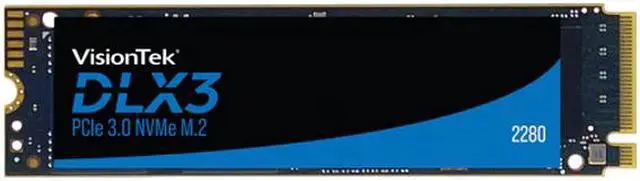
This product does not include manufacturer warranty when purchased or used outside of its designated sales region. By purchasing internationally, you acknowledge that warranty support from the manufacturer will not be available.The VisionTek DLX3 is a 256GB M.2 2280 NVMe SSD for users seeking fast storage in a compatible PCIe 3.0 x4 slot, with sequential read speeds up to 3,300MB/s and writes up to 2,900MB/s.
| Attribute | Value |
|---|---|
| Best For | Consumer desktop storage for gaming and personal use |
| Capacity | 256GB |
| Interface And Form Factor | M.2 2280 SSD using PCIe 3.0 x4 and NVMe 1.3 |
| Read Write Performance | Sequential speeds up to 3300 MB/s read and 2900 MB/s write; 4K random performance up to 370K IOPS read and 288K IOPS write |
| NAND, Controller And Security | 3D NAND with an InnoGrit controller, no DRAM and SLC cache; TCG Opal v2.01 encryption |
| Power And Operating Conditions | 0.3W idle and 4.75W active power consumption; operating temperature 0°C to 70°C and storage temperature -40°C to 85°C |
| Model Identifiers | VisionTek DLX3; model 2280; part number 901554 |
Q: VisionTek DLX3 256GB vs Samsung 970 EVO Plus 250GB: which should I choose?
A: Choose the DLX3 if its stated peak sequential-write speed of up to 2,900 MB/s is your priority. Choose the 970 EVO Plus if you prefer a drive with a specified DRAM cache and higher rated random IOPS for the 250GB model. Both are M.2 2280, PCIe 3.0 x4 NVMe drives; these are manufacturer specifications, not a direct head-to-head benchmark.
Q: Should I get the DLX3 256GB or a higher-capacity DLX3?
A: Choose the 256GB DLX3 for a compact OS-and-apps drive when you already have other storage. Choose a 512GB, 1TB, or 2TB DLX3 if you plan to keep more games or large files on the SSD. VisionTek lists the same DLX3 series and progressively larger SLC-cache specifications across those capacities; choose based on storage needs rather than assuming the 256GB model offers the same room for a large library.
Q: VisionTek DLX3 256GB vs DLX4 1TB: is the upgrade worthwhile?
A: Choose the DLX4 1TB if you need four times the listed capacity and your system supports PCIe Gen4 speeds. VisionTek rates the DLX4 2280 at up to 5,200 MB/s read and 4,775 MB/s write, compared with up to 3,300 MB/s read and 2,900 MB/s write for the DLX3. The DLX4 is backward-compatible with Gen3, but it will not reach its Gen4-rated speeds in a Gen3 slot; the DLX3 suits a Gen3 system or a smaller storage requirement.
Q: Is the DLX3 256GB a portable external SSD or an internal drive?
A: The DLX3 256GB is an internal M.2 2280 NVMe SSD, not a ready-to-use USB portable drive. Choose it for installation in a compatible desktop or laptop. For plug-and-play portability, choose an external USB SSD; using this M.2 drive externally would require a compatible enclosure.
Q: Will this SSD work in my laptop or desktop?
A: It can work in a laptop or desktop with an available M.2 2280 slot that supports PCIe NVMe SSDs. Check the device’s specifications before buying: an M.2 SATA-only slot is not sufficient, and the host system may limit performance.
Q: Are the listed read and write speeds guaranteed?
A: No. The 3,300 MB/s read and 2,900 MB/s write figures are maximum sequential speeds, not guaranteed results for every task or system. Actual performance depends on the host device and workload.
Q: Does this SSD need a heatsink?
A: The provided product specifications do not say that a heatsink is included. Check the computer’s installation space and cooling guidance; some systems provide an M.2 heatsink or thermal pad, while others may not.
Q: Who is the 256GB version suitable for?
A: Its 256GB capacity is suited to a basic system drive, applications, and a limited collection of files or games. Consider a higher capacity if you plan to store many large games, videos, or work files on the drive.