


 All CategoriesAll CategoriesAll Categories
Shipped by Newegg





Warranty Notice:
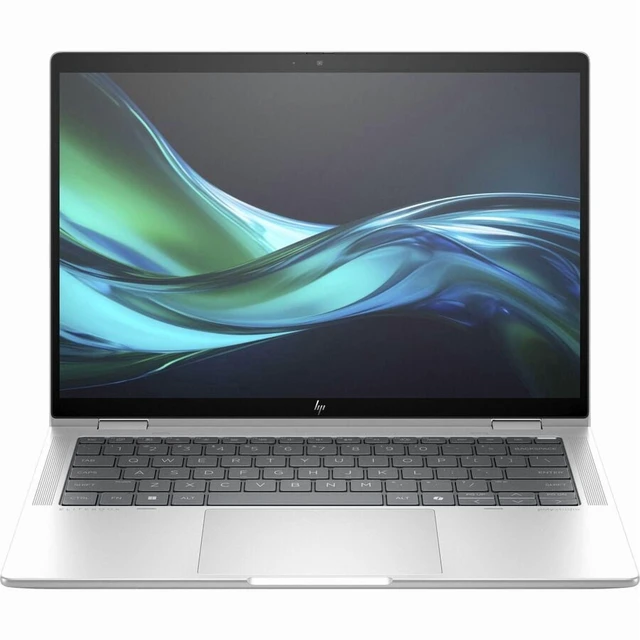
This product does not include manufacturer warranty when purchased or used outside of its designated sales region. By purchasing internationally, you acknowledge that warranty support from the manufacturer will not be available.The HP Elite x360 1040 G11 is a 14-inch 2-in-1 laptop with an Intel Core Ultra 7 155H processor, 16GB RAM, 512GB SSD, Windows 11 Pro, and an included HP Pen, suited to professionals who want one device for laptop work and pen-based tasks.
| Attribute | Value |
|---|---|
| Best For | Business use in a 14-inch HP Elite x360 system |
| Processor And Core Count | Intel Core Ultra 7 155H with 1 processor, running at 1.4 GHz and up to 4.8 GHz |
| GPU And VRAM | Integrated Intel Arc Graphics with shared graphics memory |
| Display Spec | 14-inch LCD with 1920 × 1200 resolution and a 60 Hz refresh rate |
| Memory Configuration | 16 GB LPDDR5X memory at 7500 MHz, with a 16 GB maximum |
| Storage And Expansion | 512 GB SSD with an M.2 interface and form factor |
| High Speed I O | 4 USB ports total, including 2 USB 3.0 ports; no USB 2.0 ports are listed |
| Battery And Power | 68 Wh, 6-cell lithium-polymer battery; battery included, with an AC adapter listed |
| Wired And Wireless Networking | Wi-Fi and Bluetooth connectivity; HDMI and USB are also listed |
| Keyboard And Control | Backlit keyboard |
| Audio Setup | Quad stereo speakers |
| Operating System | Windows 11 Pro |
| Portability | 12.36 × 8.66 × 0.58 inches; weighs 3.05 pounds |
| Model Identifiers | HP Elite x360 1040 14 inch G11, model B46TQUA#ABA, model year 2026 |
Q: HP Elite x360 1040 G11 or EliteBook 1040 G11: which should I choose?
A: Choose the Elite x360 1040 G11 for its 360-degree convertible design, touchscreen, and included HP Pen—useful for switching between laptop, tablet, and presentation-style use. Choose the standard EliteBook 1040 G11 if you prefer a traditional laptop form factor.
Q: Should I get the Core Ultra 7 155H or 165H version of the Elite x360 1040 G11?
A: The listed 155H version is a practical choice for Core Ultra 7 performance in this convertible. Notebookcheck reports that the non-vPro 155H is not expected to make a significant performance difference compared with the 165H in this model, so consider the 165H configuration when its specific features or price suit your needs.
Q: Is the Elite x360 1040 G11 with 16GB RAM and 512GB SSD enough, or should I choose 32GB and 1TB?
A: The listed 16GB/512GB configuration is a straightforward fit for everyday business tasks. Consider a 32GB/1TB configuration if you routinely keep more applications and large files on the laptop; HP lists those capacities among available configurations for the model.
Q: Is the Core Ultra 7 155H a better fit than a Core Ultra 5 configuration in the Elite x360 1040 G11?
A: Choose the 155H configuration when your work benefits from a higher-performance H-series processor, such as frequent multitasking or processor-intensive tasks. The Elite x360 1040 G11 is also offered with Core Ultra 5 processors, which can suit more routine business workloads.