


 All CategoriesAll CategoriesAll Categories
Shipped by Newegg




Warranty Notice:
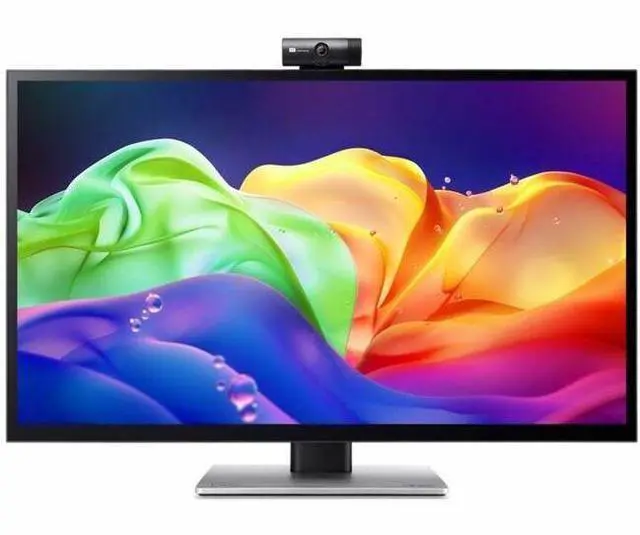
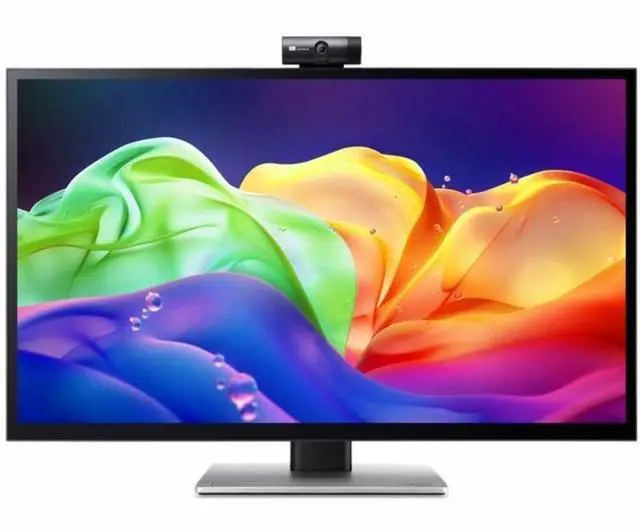
This product does not include manufacturer warranty when purchased or used outside of its designated sales region. By purchasing internationally, you acknowledge that warranty support from the manufacturer will not be available.The Acer PE320QXT is a 31.5-inch 6K IPS monitor with 6016 × 3384 resolution, suited to creative professionals and detail-focused users who want a large, high-resolution workspace for editing, design, or multitasking.
| Attribute | Value |
|---|---|
| Best For | Photo and video editing, business, and design work |
| Panel And Resolution | 32-inch IPS LCD with 6K UHD resolution (6016 × 3384), 16:9 aspect ratio, Quantum Dot enhancement, and a 178° viewing angle |
| Brightness And Image Quality | 600-nit brightness, 100,000,000:1 contrast ratio, and anti-glare screen finish |
| Refresh Rate And Response | 60 Hz refresh rate with 4 ms response time |
| Ports And Connectivity | 2 HDMI ports, USB Type-C, DisplayPort, headphone connectivity, and 3 USB ports; no Thunderbolt ports. USB 2.0 and USB 3.0 port counts are each listed as 0 |
| Stand And Ergonomics | Height, tilt, and swivel adjustments; 100 × 100 mounting compatibility |
| Audio And Camera | Built-in speakers and webcam |
| Controls | Touchscreen input |
| Power | 72 W power consumption |
| Physical Specifications | 30.09 lb item weight; 28.56 × 16 × 12.64 inches (width × height × depth) |
| Model Identifiers | Acer ProDesigner PE series, model PE320QXT bmiiphcuzx; black |
Q: Acer PE320QXT vs PE320QK X: which is better for creative work and gaming?
A: Choose the Acer PE320QXT for a 31.5-inch 6K workspace with touchscreen and stylus input, which suits detailed design work and direct on-screen interaction. Choose the Acer PE320QK X for its 31.5-inch 4K QD-OLED panel and 240Hz refresh rate, which better fits a workflow that prioritizes OLED display technology and high-refresh gaming.
Q: Should I choose the Acer PE320QXT or the 27-inch PE270XT?
A: Choose the PE320QXT if you want a larger 31.5-inch screen and 6K resolution for a spacious creative workspace. Choose the PE270XT if a 27-inch screen and 5K resolution better fit your desk and preferred monitor size. Both models are positioned for creators and support touch input.
Q: Acer PE320QXT or PE320QK G0: which should I choose for design work?
A: Choose the PE320QXT for 6K resolution and touch-enabled, stylus-compatible interaction on its 31.5-inch IPS display. Choose the PE320QK G0 for a 31.5-inch 4K QD-OLED display, 120Hz refresh rate, and Acer-stated Delta E <1 color accuracy. The choice comes down to prioritizing 6K resolution and touch workflow or QD-OLED technology and 120Hz operation.
Q: Who is the Acer PE320QXT best suited for?
A: It is suited to work where fine image detail and a large workspace matter, such as design, photo editing, and other visual tasks. Its 6016 × 3384 resolution and IPS panel support detailed viewing; its 60 Hz refresh rate is a trade-off for users who prioritize especially smooth motion.
Q: Is this monitor a good choice for fast-paced gaming?
A: It may work for casual gaming, but its 60 Hz refresh rate is a limitation for fast-paced games where smoother motion is important. Consider whether detailed resolution matters more to you than a higher refresh rate.
Q: Can I connect a laptop with USB-C and charge it through the monitor?
A: The product information lists a USB Type-C port, but the provided listing does not specify its video or charging capabilities. Check the monitor’s full specifications and your laptop’s USB-C video-output support before relying on a single-cable setup.
Q: Does the monitor have built-in speakers?
A: Yes. Speakers are listed in the product information, so external speakers are not required for basic audio playback.
Q: Is the PE320QXT’s glossy screen a problem in a bright room?
A: It may be. Reddit users describe the screen as glossy and report noticeable reflections, though one owner said it worked for them in a controlled-light office. It is a better fit if you can manage light sources near the display.
Q: Is the PE320QXT suitable for drawing or touch-based work?
A: It may suit workflows that benefit from a large touch display: the product information lists a 32-inch IPS panel, and Reddit discussion specifically notes that the stand tilts into a drawing-tablet position. Check that the stand’s positioning fits your desk and workflow before buying.
Q: Is the PE320QXT a good choice for gaming?
A: It is better suited to slower-paced games than fast-action gaming. The listed refresh rate is 60 Hz, and Reddit discussion around 6K monitors calls out that limit as a trade-off for users accustomed to higher-refresh displays.
Q: Is it worth considering if I won’t use the webcam or touch features?
A: Consider it if the 6K resolution and other listed display features are useful to you; otherwise, the touchscreen-related extras may not add value for your needs. Reddit users comparing 6K monitors explicitly raise whether the PE320QXT’s touch and webcam features justify choosing it over alternatives.