


 All CategoriesAll CategoriesAll Categories
Shipped by Newegg





Warranty Notice:
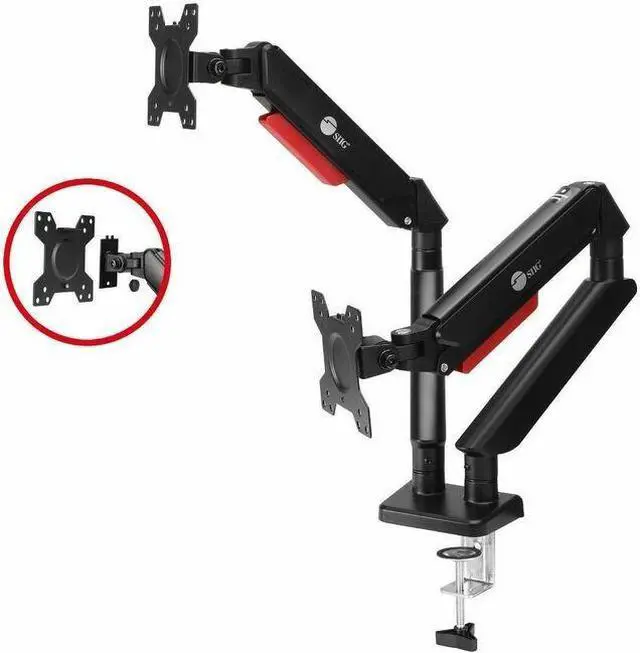
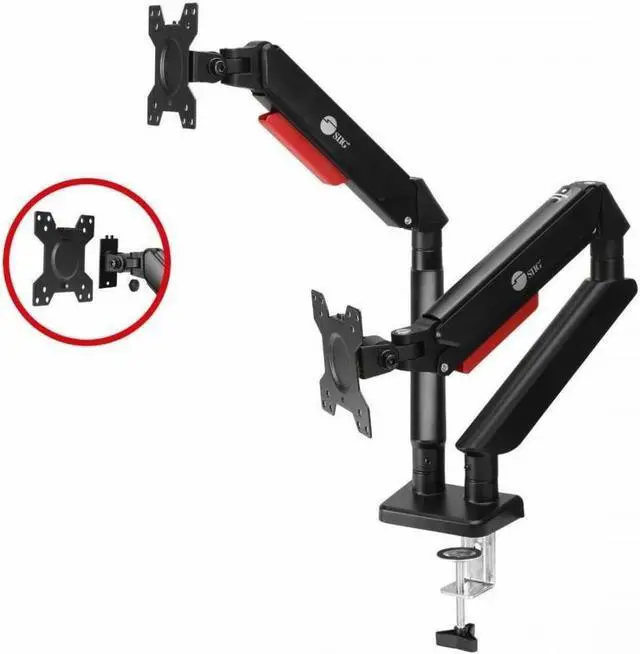
This product does not include manufacturer warranty when purchased or used outside of its designated sales region. By purchasing internationally, you acknowledge that warranty support from the manufacturer will not be available.The SIIG Dual Monitor Gas Spring Arm Desk Mount is an adjustable desk mount for two 13–32-inch monitors, supporting up to 22 lb per monitor and VESA 75×75mm or 100×100mm. It suits home-office, gaming, and multitasking setups that need flexible screen positioning and more desk space.
| Attribute | Value |
|---|---|
| Best For | Tabletop mounting for a dual-monitor setup |
| Mounting And Compatibility | Tabletop mount for monitors with 75 × 75 mm or 100 × 100 mm VESA patterns, supporting up to 22 lb per screen |
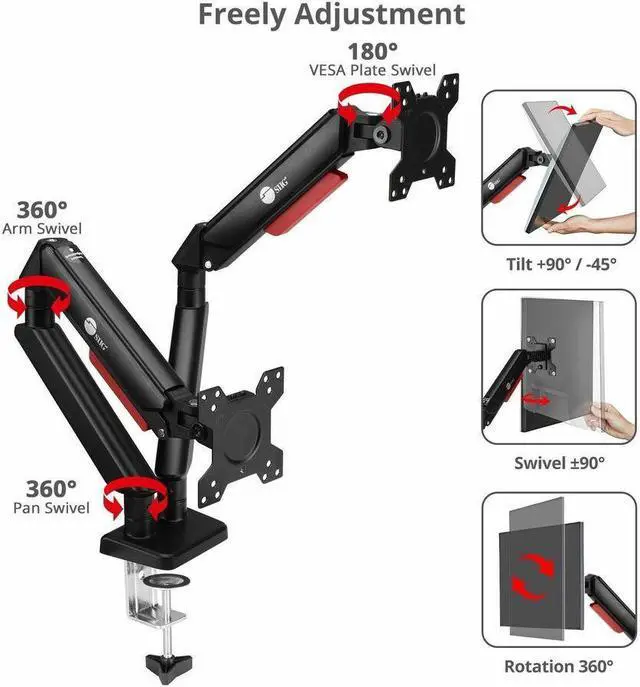
| Movement And Adjustment | Tilt and rotation adjustment, with a maximum tilt angle listed as 90° and −45° |
| Construction And Color | Aluminum enclosure in black |
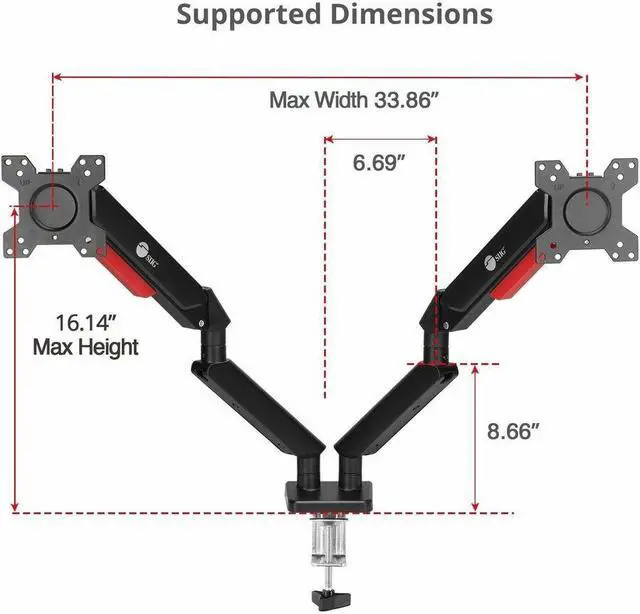
| Dimensions And Weight | 33.86 × 3.43 × 16.14 in; item weight 9.3 lb |
| Model Identifiers | SIIG model CE-MT3Y11-S1 |
| Safety And Compliance | California Proposition 65 warning for cadmium |
Q: SIIG CE-MT3Y11-S1 vs VIVO STAND-V002: which is better if I reposition my monitors often?
A: Choose the SIIG CE-MT3Y11-S1 for frequent repositioning: its gas-spring arms are designed for full-motion adjustment. The VIVO STAND-V002 is a fit for monitors you set in place and move less often; PCWorld reports that height adjustment is shared between the screens and changes require loosening and retightening screws. Both are rated for up to 22 lb per screen, but check each model’s screen-size and VESA compatibility before buying.
Q: Should I get the SIIG CE-MT3Y11-S1 or the heavier-duty SIIG dual arm for 43-inch monitors?
A: Choose the CE-MT3Y11-S1 for monitors up to 32 inches and 22 lb per arm. For larger displays or monitors that exceed that weight, SIIG’s CE-MT3211-S1 is designed for screens up to 43 inches and up to 44 lb per arm, and includes USB-A and audio ports. Confirm your monitor’s weight and VESA pattern against the mount specifications.
Q: SIIG CE-MT3Y11-S1 vs SIIG CE-MT3E11-S1: which should I choose for two 27-inch monitors?
A: Both models can suit two 27-inch monitors if each display is within the mount’s weight limit and has a compatible VESA pattern. Choose the CE-MT3Y11-S1 if you want gas-spring-assisted positioning and its higher stated capacity of 22 lb per arm. The pole-style CE-MT3E11-S1 is rated for up to 30-inch screens and 17.6 lb per arm, so check monitor weight carefully before choosing it.
Q: SIIG CE-MT3Y11-S1 vs SIIG CE-MT2X11-S1: which has USB and audio ports?
A: Choose the CE-MT2X11-S1 if front-accessible USB and audio connections are a priority; it supports monitors up to 32 inches and 19.8 lb per arm. Choose the CE-MT3Y11-S1 if its stated 22 lb-per-arm capacity better fits your monitors and you do not need those built-in ports. Check the full specifications for your monitor’s weight and VESA pattern.
Q: Will this mount support both of my monitors?
A: It supports two monitors, each measuring 13–32 inches and weighing no more than 22 lb. Check that each monitor meets both limits before buying.
Q: What VESA pattern do my monitors need?
A: Each monitor needs a 75 × 75 mm or 100 × 100 mm VESA mounting pattern. Check your monitor’s specifications or rear mounting holes to confirm compatibility.
Q: Can I adjust the monitors’ height and viewing angle?
A: Yes. The listing describes full-motion height adjustment, swivel, tilt, and rotation, allowing the monitors’ positions and viewing angles to be adjusted. It does not specify the adjustment ranges.
Q: Will it fit my desk?
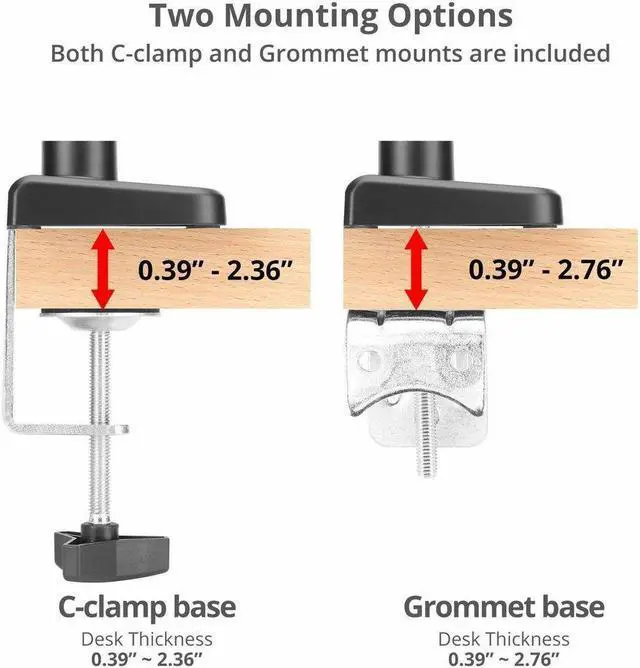
A: The available listing does not specify the desk attachment method or supported desk thickness. Confirm those details before buying, especially if your desk has a thick edge, frame, or limited clearance.
Q: Will this mount fit my two monitors?
A: It is specified for two 13–32-inch monitors, with up to 22 lb per monitor and VESA 75 × 75 mm or 100 × 100 mm mounting patterns. Check each monitor’s weight and VESA pattern before buying. Reddit discussions concern earlier SIIG models, so they do not confirm performance for this exact version.
Q: Could a monitor droop even if it is well under the weight limit?
A: A Reddit user reported that a 7 lb monitor slowly dropped on an earlier SIIG gas-spring mount; a reply suggested adjusting spring tension. The current product’s stated limit is 22 lb per monitor, but the discussion does not establish whether the same behavior applies to this model.
Q: Is portrait orientation a practical option?
A: The product data lists rotation, and a Reddit user described using an earlier SIIG dual arm in a flexible monitor arrangement. Another user reported that a monitor could sit crooked after rotating it to portrait on an earlier SIIG model. Treat portrait positioning as possible, but check that the monitor stays level after adjustment.